WinMCS_Manual(ENG) rev1.0.pdf - 第42页
42 WinMCS_Manua l(ENG) rev 1.0 Koh Y oung T echnology Inc. 3. S topper and Belt Delay: If a PCB is sent o ut to the next machi ne right after the stopper is up, the solder pastes of the PCB might get dam aged by the sto …
41
Service Manual
Koh Young Technology Inc.
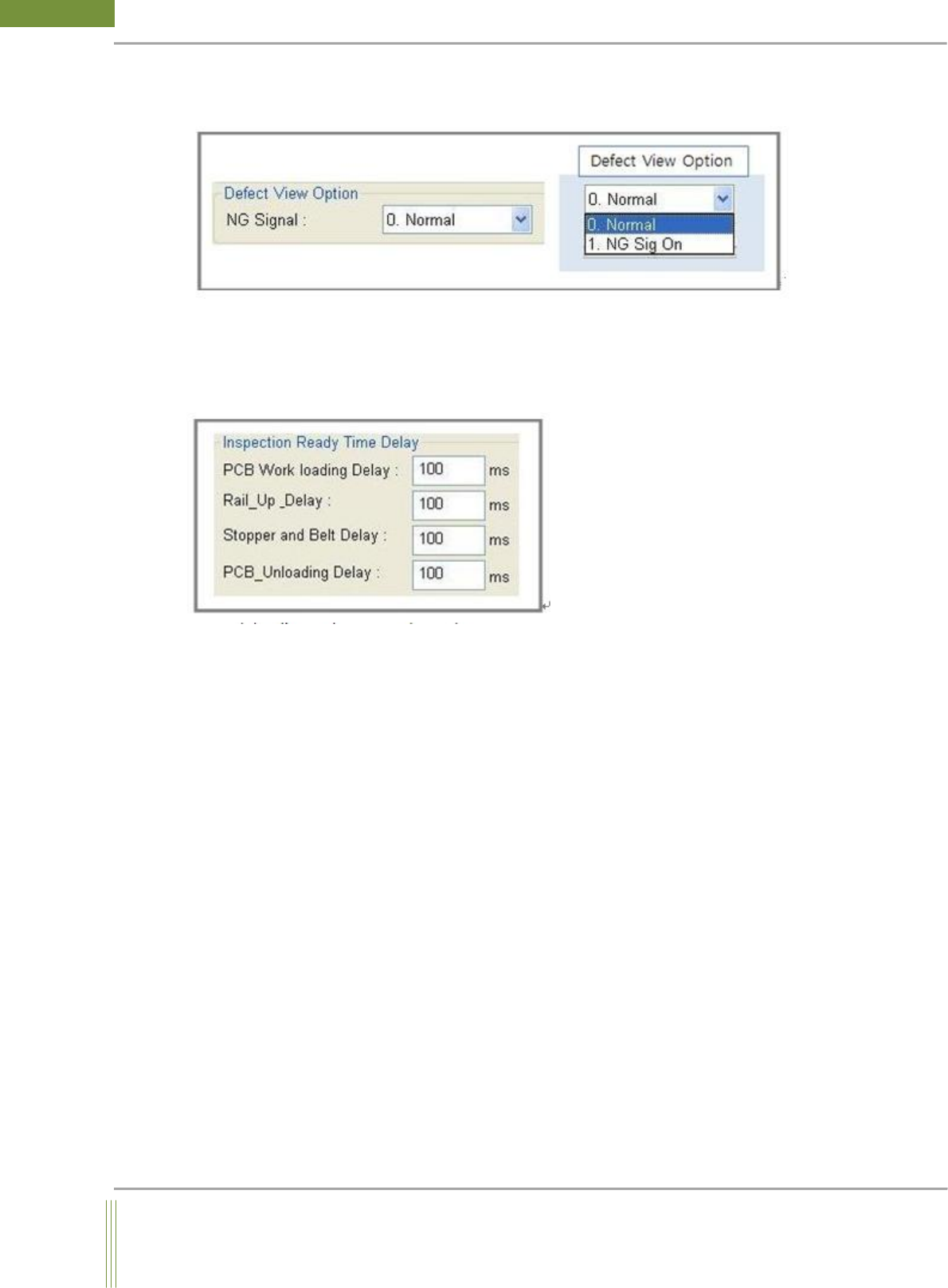
Defect View Option
This is a setting for PCB out sequence option when a defect occurs after inspection.
Defect View Option:
0. Default:
1. NG Sig On: Not applicable yet
Inspection Ready Time Delay
1. PCB Work loading Delay:
When a PCB come in Work conveyor, Work out sensor would detect the PCB. If the running
conveyor stops at this moment, the PCB would hit the stopper and move slightly backward
by force reaction. To avoid this problem, since a PCB is detected by Work out sensor, having
some delay time would make the PCB move forward on conveyor for a while after it is hit
by the stopper.
2. Rail_Up_Delay:
After PCB rail up, Probe at Work out position moving to the start position of inspection
need some times. Therefore, taking some delay time after rail up would help the machine
ready for fiducial inspection
42
WinMCS_Manual(ENG) rev1.0
Koh Young Technology Inc.
3. Stopper and Belt Delay:
If a PCB is sent out to the next machine right after the stopper is up, the solder pastes of the
PCB might get damaged by the stopper. To avoid this damage, it is recommended to take
some delay time and run the conveyor belt after Stopper is up
4. PCB_Unloading Delay:
When SMEMA signal is terminated, if the belt stops running right after the termination, the
target PCB might not move to the next machine in cases that the target PCB is heavy or the
level with next Mounter machine is not good. In these cases, having delay time on machine
might help the PCB move out on the conveyor smoothly.
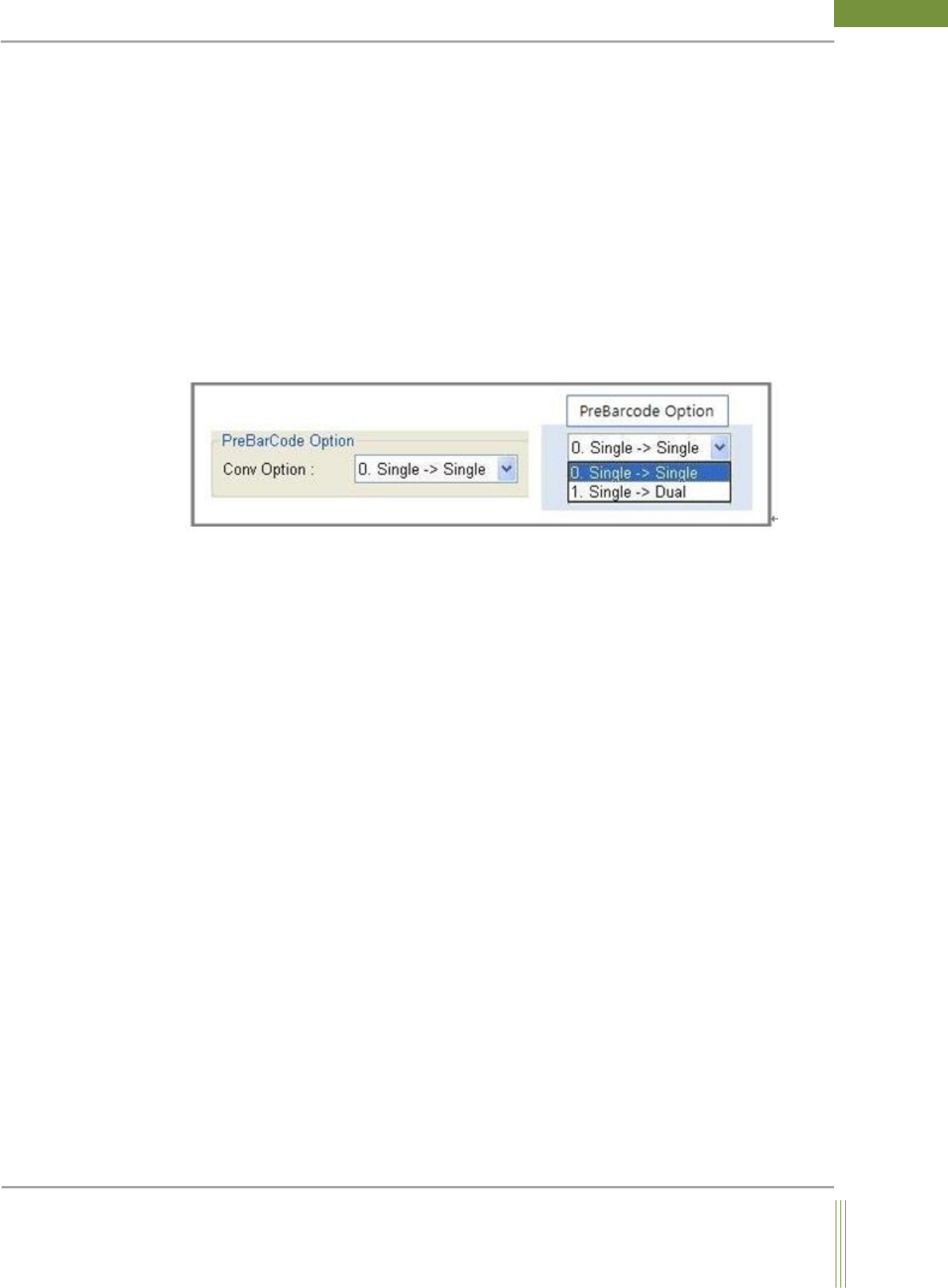
PreBarcode option
Conv Option:
0. Single -> Single: Default Option
1. Single -> Dual: Option for Virtual DualLane (DualLane GUI, OneStage Conveyor)
43
Service Manual
Koh Young Technology Inc.
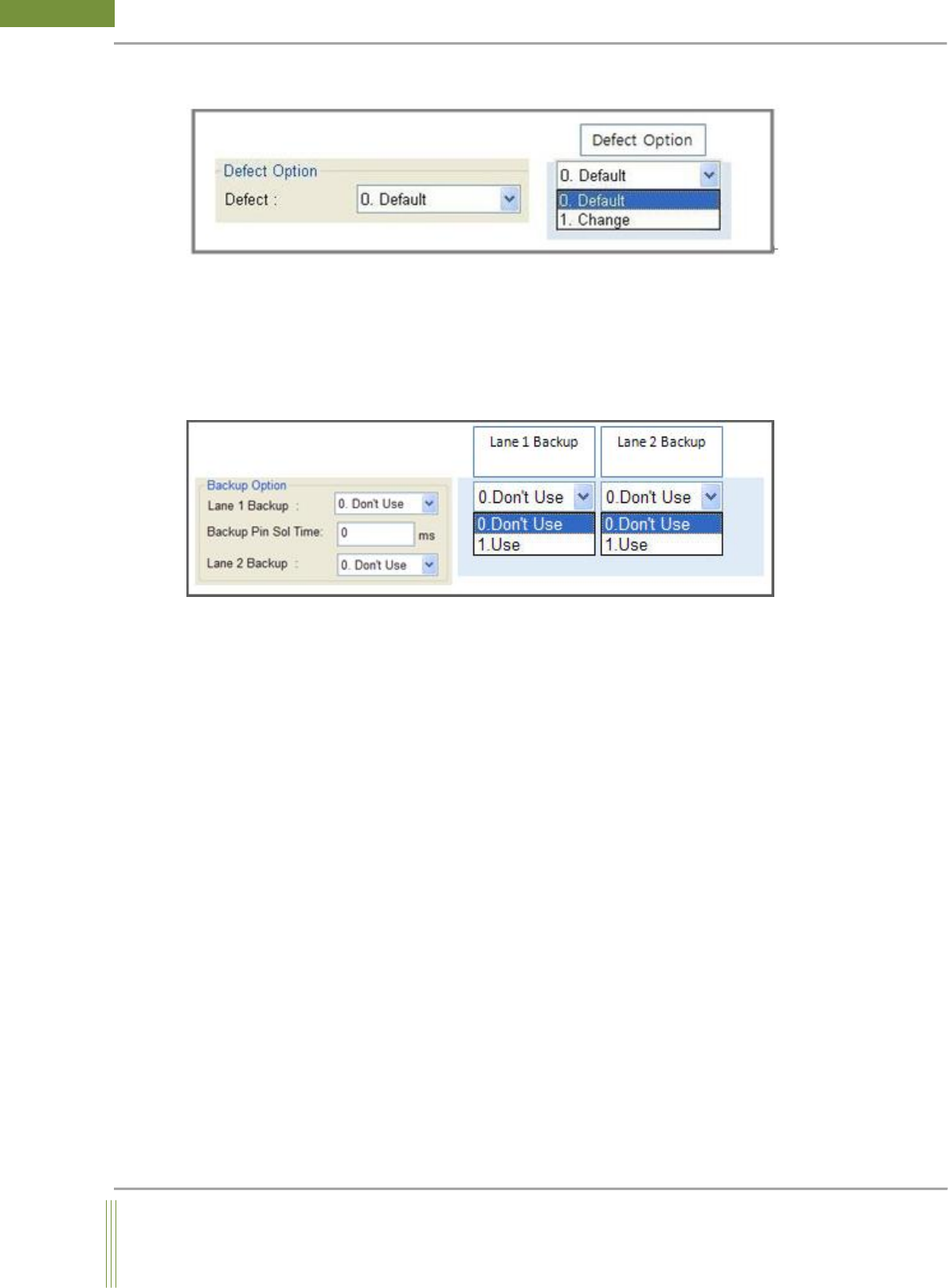
Defect option
Defect Option:
0. Default: Normal Defect Sequence (Default Option)
1. Change: On auto operator option, a PCB will stay on machine until the inspection result
is shown if a defect is found in the PCB. If you click NG button, it will stay on the state of
STOP and if you click RUN button, PCB will be sent to next machine.
Backup Option(Warpage Option)
1. Lane 1 Backup
0. Don’t Use: Backup Pin Unit is not used.
1. USE: Backup Pin Unit is used
2. Lane 2 Backup
0. Don’t Use: Backup Pin Unit is not used.
1. USE: Backup Pin Unit is used
3. Backup Pin Sol Time : Backup Pin Up/Down Time Delay
Input Backup Pin Sol Up/Down delay time (Default: 0ms)