WinMCS_Manual(ENG) rev1.0.pdf - 第62页
62 WinMCS_Manua l(ENG) rev 1.0 Koh Y oung T echnology Inc. 7.1.1. Diagnosis for Con veyor ( Koh young Level) It is a functio n to diagnose all sorts of convey o r sensors and sequence when the inspec tion is in pro gress…
61
Service Manual
Koh Young Technology Inc.
7. DIAGNOSIS
This is a function to diagnose the composition of MCS S/W or the status of STMC and
Motion.
7.1. STATUS VIEW (Kohyoung Level)
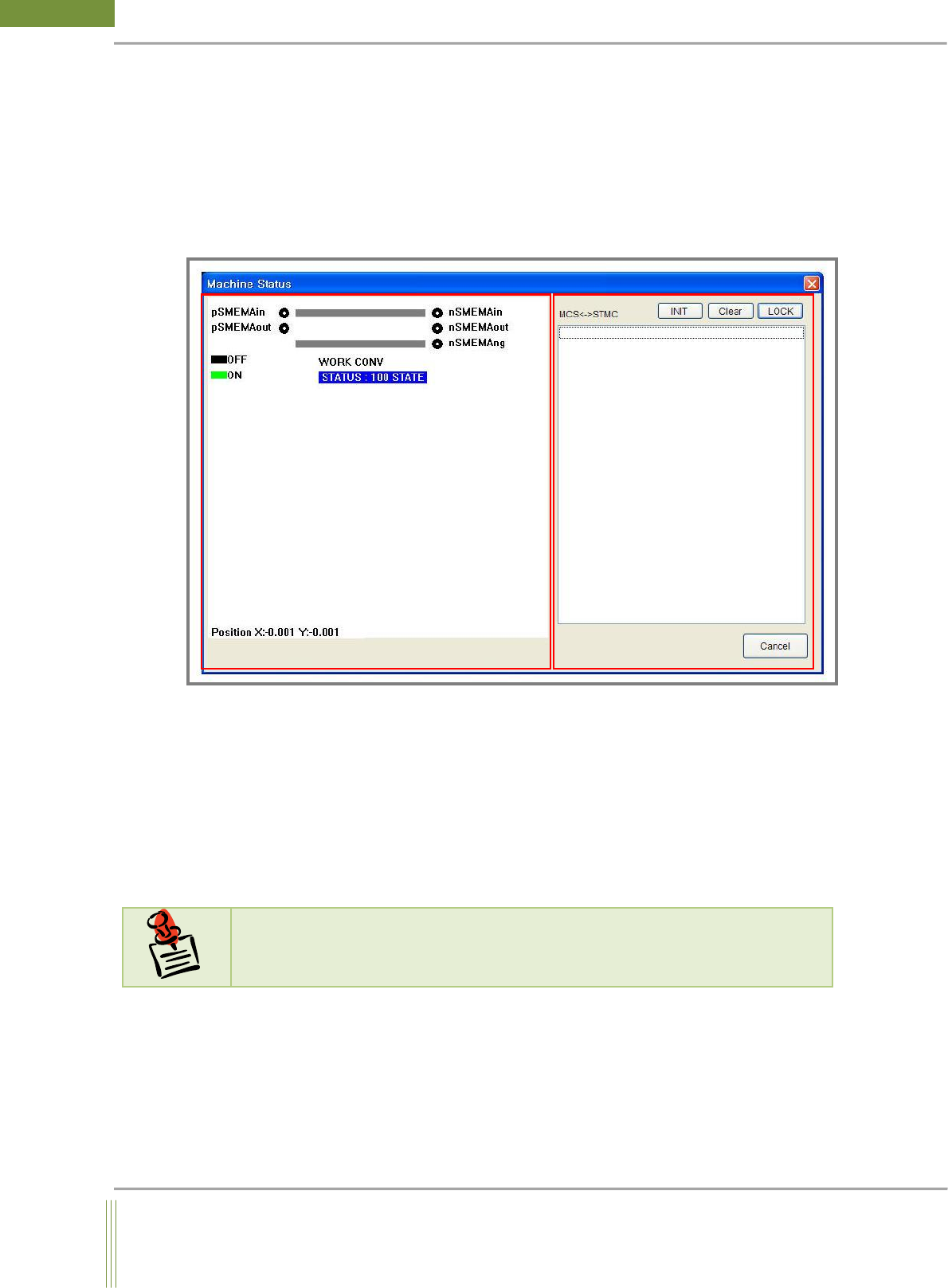
1. CONVEYOR STATUS
It is to check the location of PCB and the status of SMEMA.
2. STMC Communication Status
It is to check the communication status of STMC board.
The communication log files between MCS and STMC is saved in
C:\Kohyoung\KY3030\MCSLOG\STMCComhis.log.
N
N
o
o
t
t
e
e
If there are any problem regarding conveyor belt and width control, please refer to the
above file.
62
WinMCS_Manual(ENG) rev1.0
Koh Young Technology Inc.
7.1.1. Diagnosis for Conveyor (Kohyoung Level)
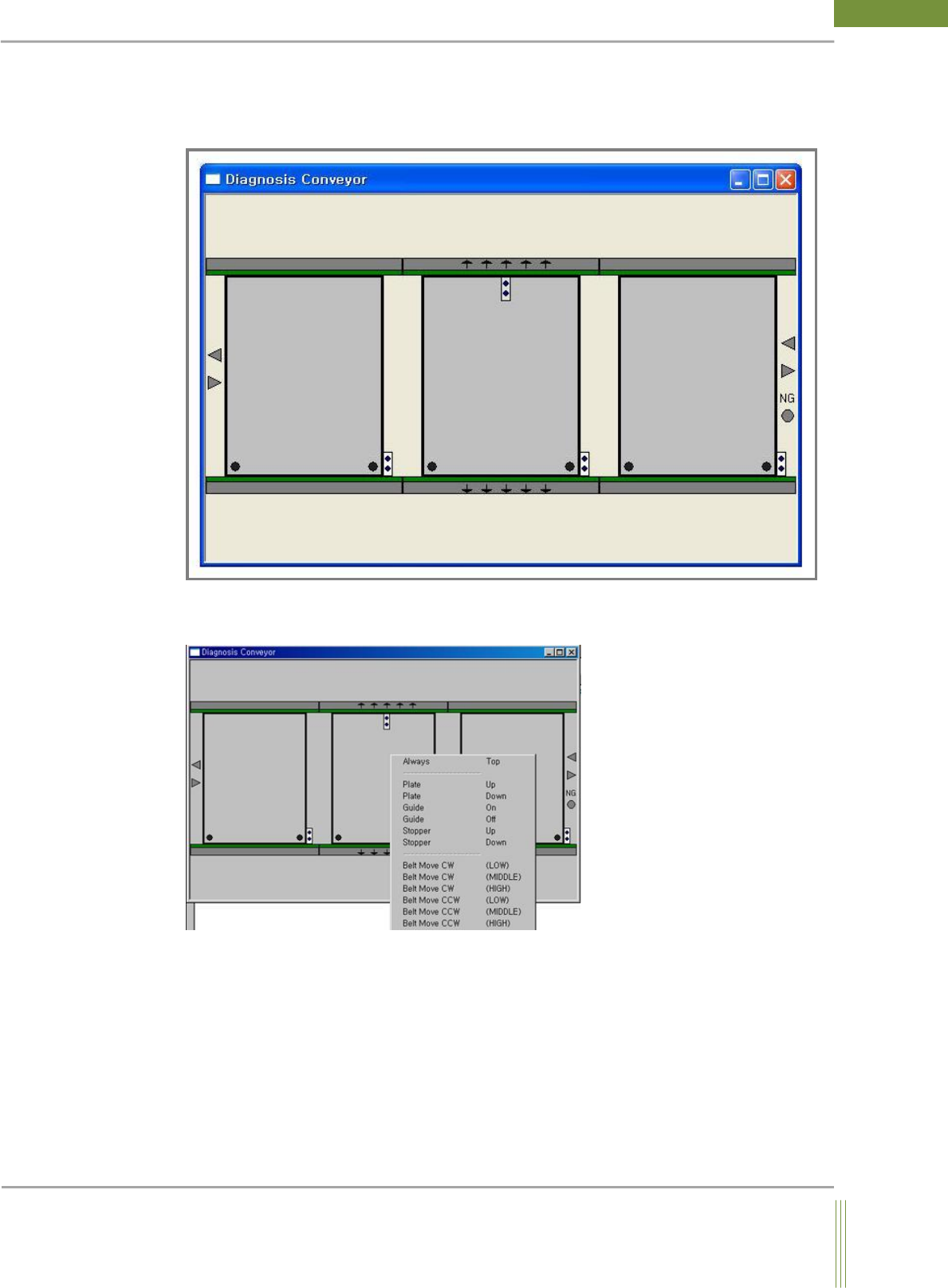
It is a function to diagnose all sorts of conveyor sensors and sequence when the inspection
is in progress.
It shows the status of conveyor PCB visually. The status of IO, board and SMEMA
regarding conveyor can be checked.
You can check the related I/O, belts or etc. by clicking on the right mouse button.
63
Service Manual
Koh Young Technology Inc.
7.1.2. Diagnosis for Motion & Conveyor (Kohyoung Level)
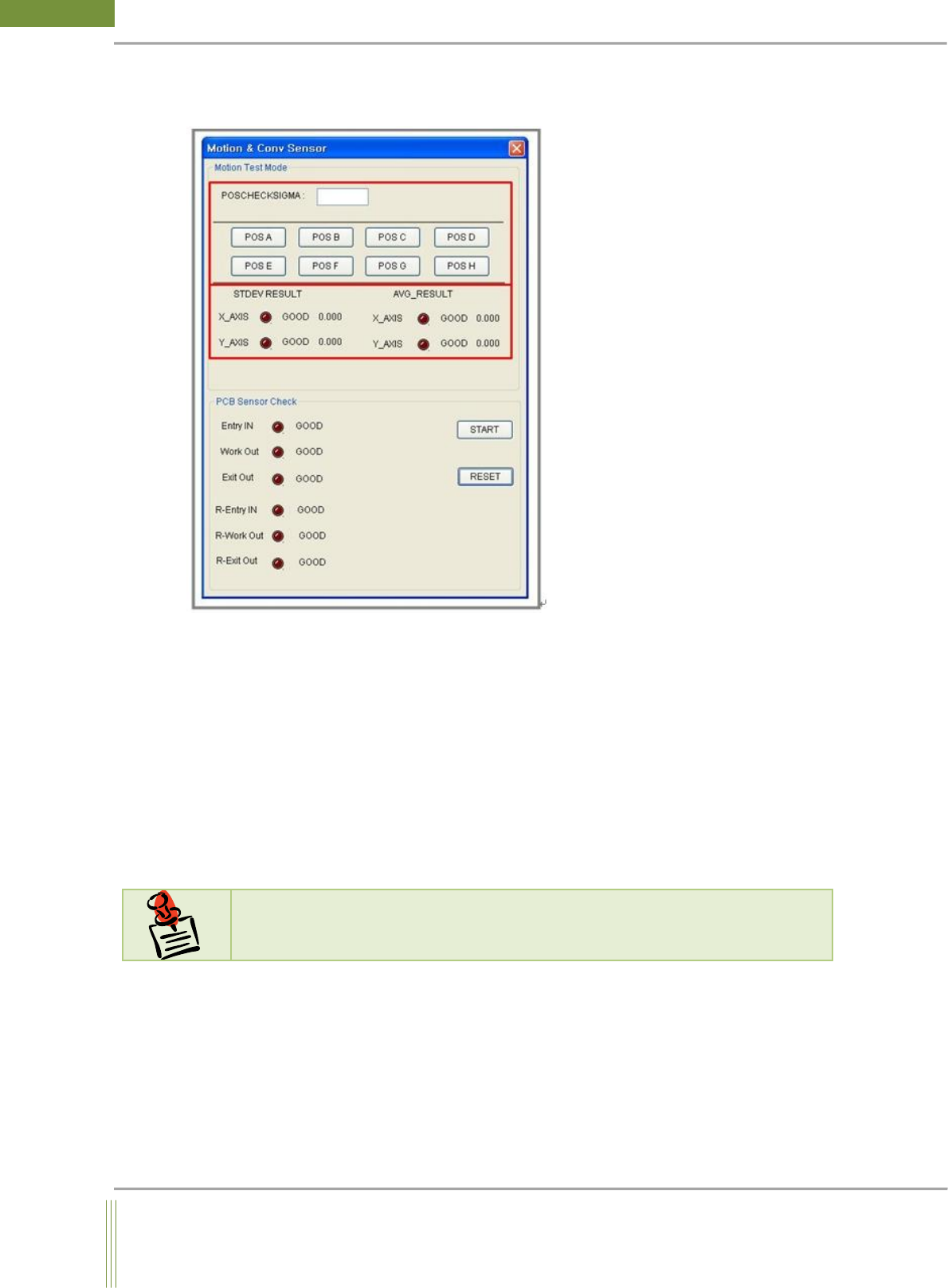
It is a function to diagnose the status of X, Y, Z Motion and Conveyor Sensor.
1. Motion Test Mode
It is to check X – Y – Z Axis Motion.
POSCHECKSIGMA: Input the delay time from 0 to 50 and press Enter key to check
the motion error on X, Y, and Z axis.
POS A ~~ POS H: Check the motion of X, Y and Z Axis on each stroke section
2. PCB Sensor Check
It is to check the status of PCB Sensors(Entry, Work, Exit) of conveyor.
START: Test the Conveyor PCB Sensor automatically.
RESET: Reset PCB Sensor test result.
N
N
o
o
t
t
e
e
Progress it as the instructions which are displayed on the screen when it starts.