00197394-03_AI_Smart-Pin-Support_X-S_DE_EN.pdf - 第102页
3 Installation 3.2 Installation of Pin PIcker 102 Assembly Instructions / Montageanleitung SIPLACE X-Series S Smart Pin Support 05/2019 Fig.25: Connection on the head interface 1 Connection to the board "head inter…
3 Installation
3.2 Installation of Pin PIcker
Assembly Instructions / Montageanleitung SIPLACE X-Series S Smart Pin Support 05/2019 101
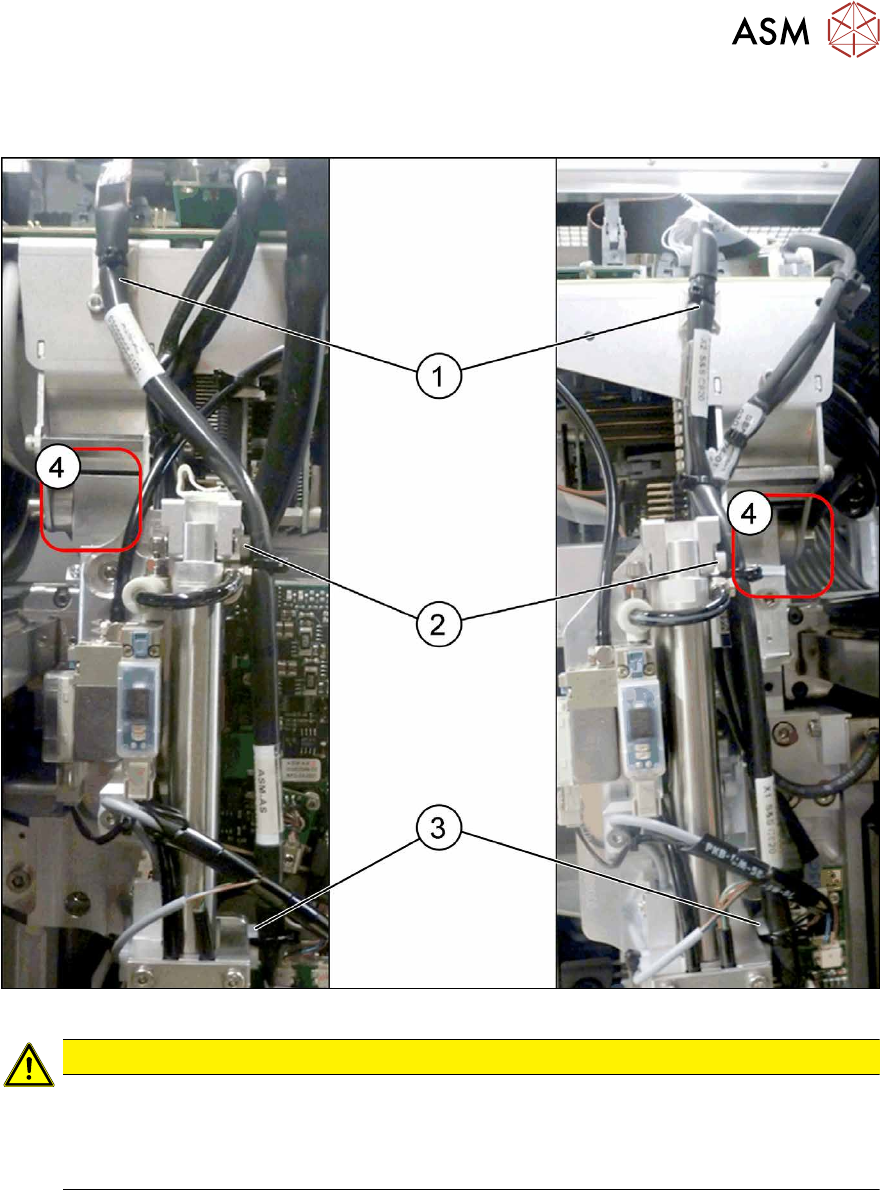
Running the round cable
► Running the round cable as shown in the diagrams:
Fig.24: Overview of cables - left and right
CAUTION
Cable and hose path
► Make sure that the entry areas for the gantry buffer (4) are kept free of cables and
hoses. These could be trapped otherwise.
► Observe the detail views in the following diagram.
► Fasten the round cable with a cable tie at(1). If there is no suitable lug here, attach an adhes-
ive pedestal.
► Screw a mounting pedestal into place at (2). Fix the round cable to the mounting pedestal with
a cable tie.
► Screw a mounting pedestal into place at (3). Fix the round cable to the mounting pedestal with
a cable tie.
3 Installation
3.2 Installation of Pin PIcker
102 Assembly Instructions / Montageanleitung SIPLACE X-Series S Smart Pin Support 05/2019
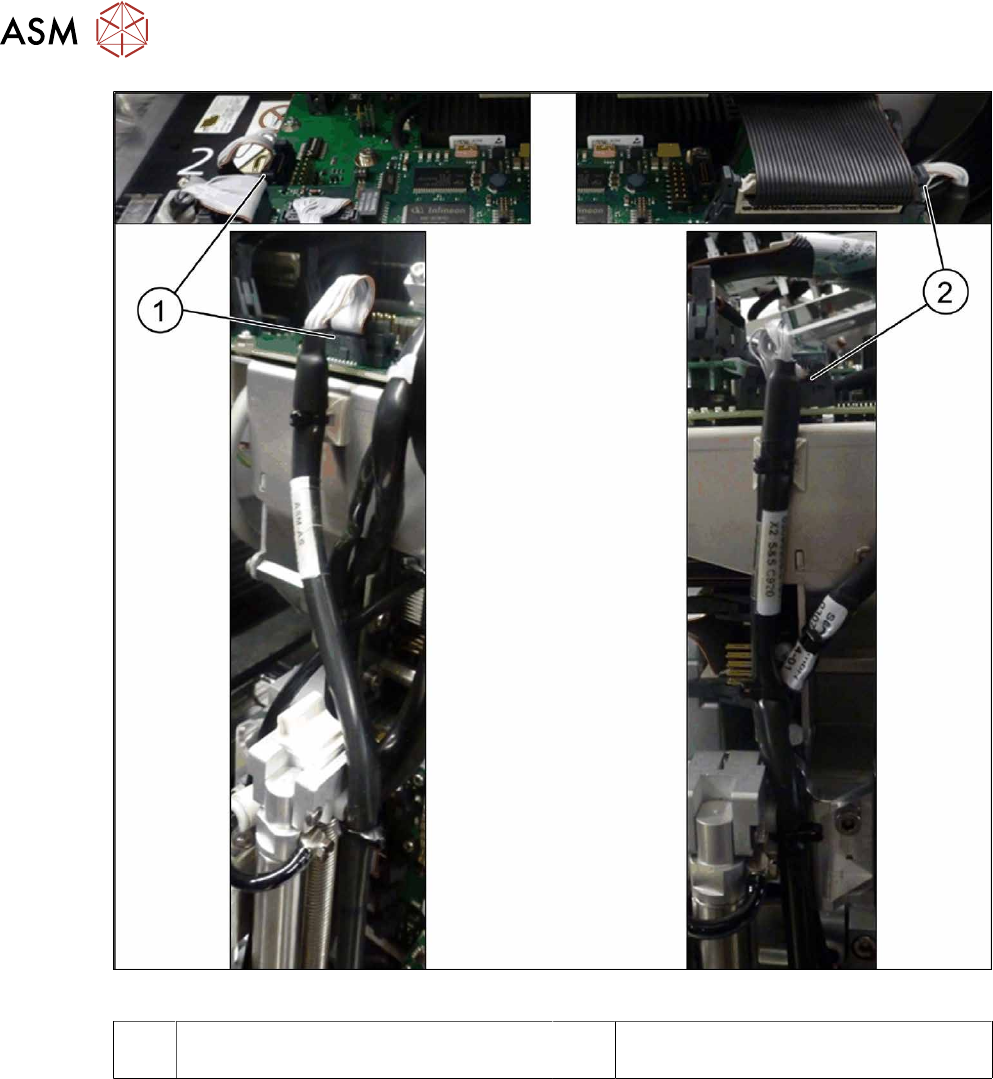
Fig.25: Connection on the head interface
1 Connection to the board "head interface
C700-L" (left) to connector X11
2 Connection to the board "head interface
C700-R" (right) to connector X13
► Connect the round cable to the head interface.
3 Installation
3.2 Installation of Pin PIcker
Assembly Instructions / Montageanleitung SIPLACE X-Series S Smart Pin Support 05/2019 103
3.2.4 Connecting the Compressed Air Supply
Connection of the compressed air supply can differ, depending on the head which is fitted.
CAUTION
Cable and hose path
► Make sure that the entry areas for the gantry buffer are kept free of cables and hoses.
These could be trapped otherwise.
► Use the pneumatic connection at the top right, on the compressed air distributor, par-
ticularly when a vacuum pump is fitted. There may not always be a compressed air
supply at other connections.
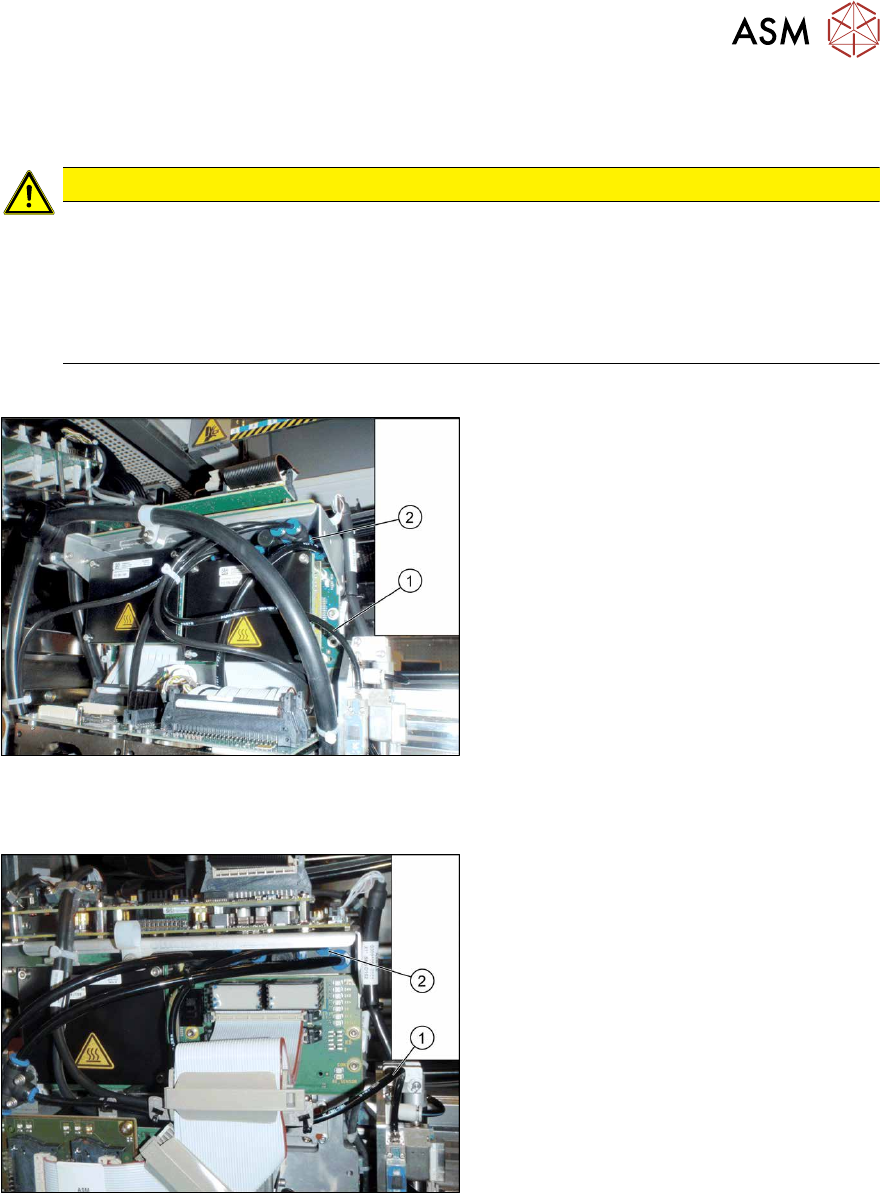
Connecting compressed air to a gantry with SIPLACE Twin
Fig.26: Connecting the compressed air with SIPLACE Twin
► Connect the pneumatic hose(1) for the
pin picker to the top right connection(2)
on the compressed air distributor. You
may need to use a T or Y piece for this.
Shorten the hoses to suitable lengths
for this.
► Fix the hose with cable ties.
Connecting compressed air to a gantry with SIPLACE C&P/CPP
Fig.27: Compressed air with SIPLACE C&P/CPP
► Connect the pneumatic hose(1) for the
pin picker to the top right connection(2)
on the compressed air distributor.
Shorten the hoses to suitable lengths
for this.
► Fix the hose with cable ties.