00197394-03_AI_Smart-Pin-Support_X-S_DE_EN.pdf - 第117页
4 Maintenance 4.1 Maintenance Tasks Smart Pin Support - Minor Assembly Instructions / Montageanleitung SIPLACE X-Series S Smart Pin Support 05/2019 117 4 Maintenance CAUTION Observe the maintenance instructions! The foll…
3 Installation
3.8 Final work
116 Assembly Instructions / Montageanleitung SIPLACE X-Series S Smart Pin Support 05/2019
3.8 Final work
► Refit the waste container.
► Insert the pins into the SPS magazines.
► Move the component trolley into the machine.
► Switch the machine on.
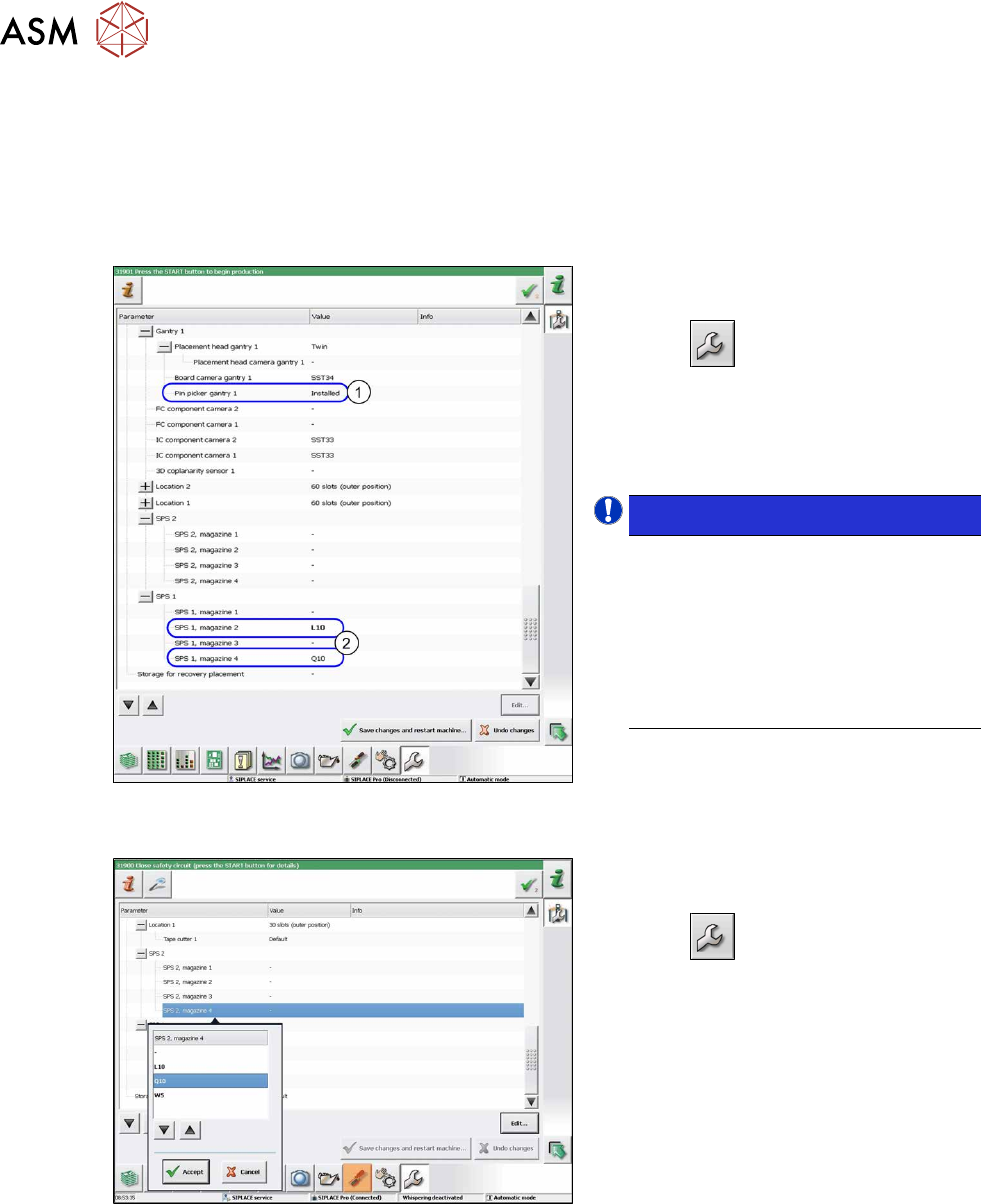
Fig.50: Configuration of Smart Pin Support (using example
of SX2)
For automatic configuration with connected
"fiducial recognition board":
► Select
.
► Select Machine Configuration.
► Check whether the pin picker(1) and
the magazines (2) appear in the station
software.
NOTICE!
If the pin picker or the magazine are
not recognized in the software, check
all connections and the DIP switch set-
tings.
If you have installed a Q10 magazine
together with an MTC at location 2,
you will need to configure this manu-
ally in the software. (see below)
.
Fig.51: Configuration of Smart Pin Support
For manual configuration without "fiducial re-
cognition board":
► Select
.
► Select Machine Configuration.
Perform the following steps in sequence for
all SPS magazines:
► Select the magazine.
► Click on Edit....
► Enter the magazine type and select Ac-
cept.
Calibration
► Calibrate the Smart Pin Support. For more information, read section 5.3.1 "Performing Cali-
bration" [}121].
The installation is now complete.
4 Maintenance
4.1 Maintenance Tasks Smart Pin Support - Minor
Assembly Instructions / Montageanleitung SIPLACE X-Series S Smart Pin Support 05/2019 117
4 Maintenance
CAUTION
Observe the maintenance instructions!
The following chapters are only excerpts from the maintenance manual.
► Refer to the maintenance manual for your machine if you need complete information
about maintenance for the Smart Pin Support.
The following cleaning tasks must be performed to maintain the Smart Pin Support:
●
Vacuuming the magazines
●
Cleaning the interface on the pin picker
●
Cleaning the pins
4.1 Maintenance Tasks Smart Pin Support - Minor
4.1.1 Maintenance Intervals
Maintenance tasks
Smart Pin Support
Duration
[min]
Each
week
Every 3
months
Every 6
months
Every
12
months
Vacuuming the magazines 1 X
4.1.2 Tools, Consumables, Spare and Wear Parts
●
Vacuum cleaner
4.1.3 Preparatory Steps
► Move all component trolleys out of the machine.
See also
2 1.2 "Preparatory work..." [}75]
4.1.4 Performing Maintenance Tasks
4.1.4.1 Vacuuming the Magazines
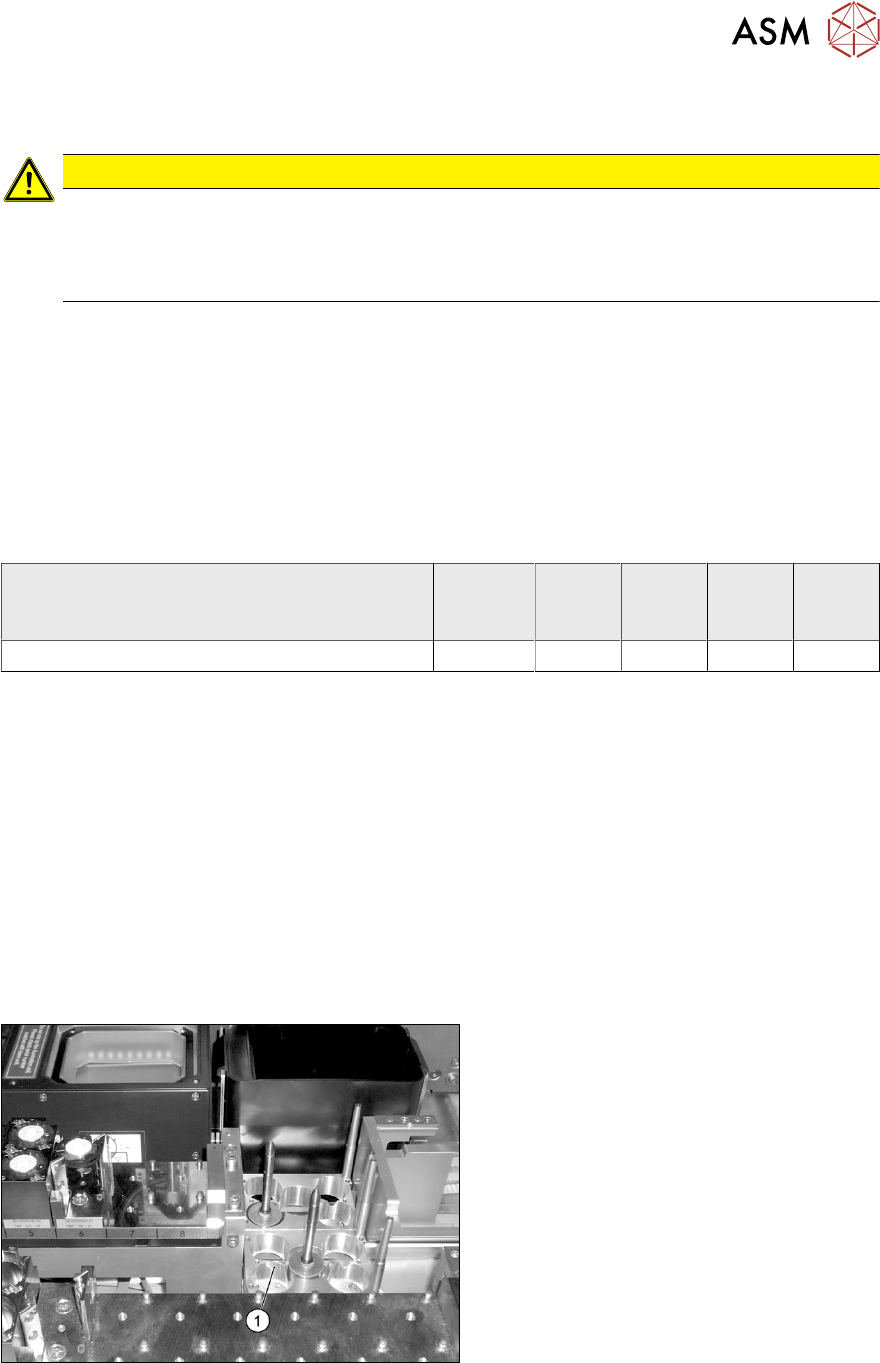
Fig.52: Vacuuming the magazines
► Vacuum all pin magazines (1).
4 Maintenance
4.2 Maintenance Tasks Smart Pin Support - Major
118 Assembly Instructions / Montageanleitung SIPLACE X-Series S Smart Pin Support 05/2019
4.2 Maintenance Tasks Smart Pin Support - Major
4.2.1 Maintenance Intervals
Maintenance tasks
Smart Pin Support
Duration [min] Each
week
Every 3
months
Every 6
months
Every 12
months
Cleaning the interface 2 X
Cleaning the pins 3 (per 5pieces) X
4.2.2 Tools, Consumables, Spare and Wear Parts
●
Lint-free cloths [03082092-xx]
●
Cotton wool buds [00352931-xx]
●
SIPLACE cleansing tissue [00315253-xx]
●
Ethanol
Isopropanol – IPA can be used as an alternative.
4.2.3 Preparatory Steps
► Move all component trolleys out of the machine.
► Switch off the machine and secure it to prevent unauthorized reactivation. Observe the
instructions in section 1.2 "Preparatory work..." [}75].
4.2.4 Performing Maintenance Tasks
4.2.4.1 Clean the interface at the Pin-Picker
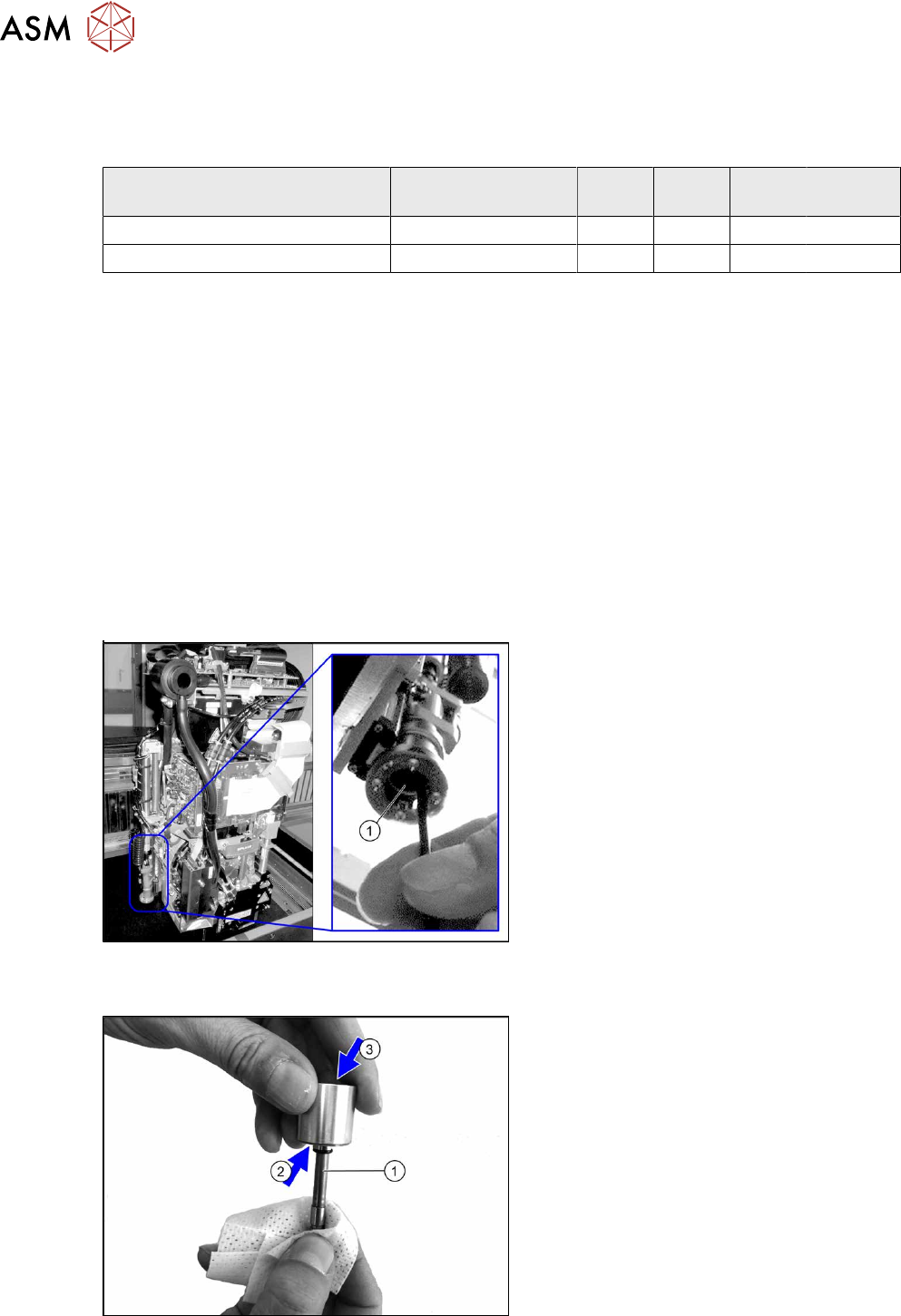
Fig.53: Cleaning the interface
► Move the gantry into Y direction until the
mechanical stop in order to have a good
access to the pin picker.
► Wet a cottonwool bud with ethanol.
► Clean the ball grid inside the interface (1)
using a cottonwool bud.
► Lead the cottonwool bud to the end of
the interface. Clean the centering plate
there.
► Repeat these steps for all pin pickers.
4.2.4.2 Cleaning the Pins
Fig.54: Cleaning the pins
► Clean the pin surface and the pin
grooves (1) using a SIPLACE cleaning
cloth.
► Remove redundant oil from the magnet
foot(3) and the contact area(2) at the
magnet foot with a dry lint-free cloth.
► Repeat these steps for all pins.