c900795.R02_EN.pdf - 第51页
3 Mechanical Section 3-13 Nozzle List No. PART NO. PART NAME Q’TY No. PART NO. PART NAME Q’TY 1 LG7-M740T-10x NOZZLE, TWIN (18G) 1 9 LE8-M5F72-00x NOZZLE, TWIN L (18G) 1 2 LG7-M740T-30x NOZZLE, TWIN (21G) 1 10 LE8-M5F72-…
3 Mechanical Section
3-12
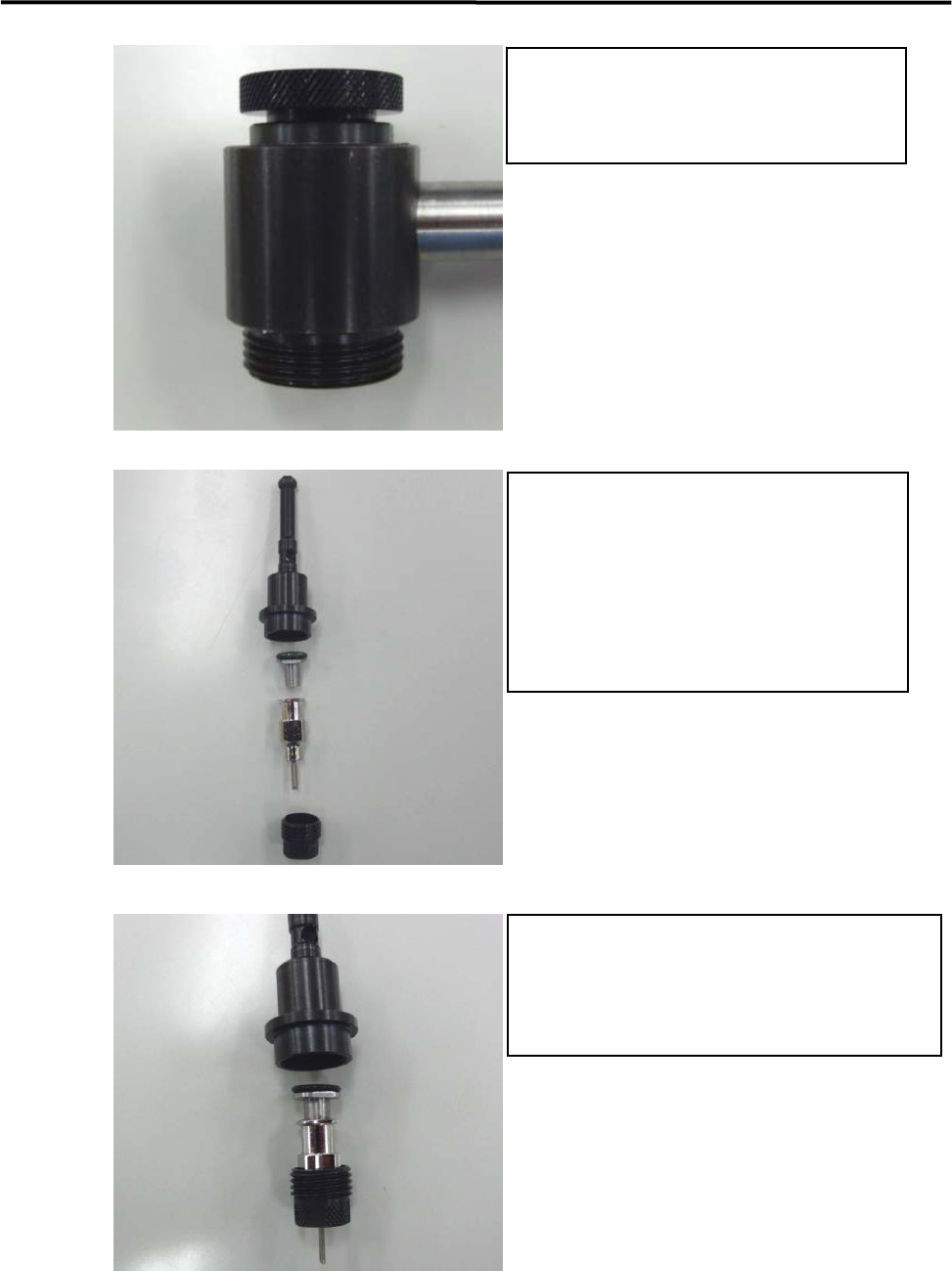
Put CAP, LOCK on BODY, MAIN
BODY, MAIN (LE7-M5F12-00x)
CAP,LOCK (LE7-M5F14-00x)
Assemble a nozzle to HOLDER, NOZZLE
HOLDER, NOZZLE (LE7-M5F11-00x)
O-RING (LE7-M5F1C-00x)
ADAPTER (LE7-M5F15-00x)
TWIN NOZZLE SEL(LE8-M5F70-xxx)
STOPPER,TWIN (LE7-M5F16-00x)
Insert NOZZLE on ADAPTOR.
Set ADAPTER and NOZZLE to HOLDER,
NOZZLE and then rotate STOPPER, TWIN to
complete assembly.
5
6
7
3 Mechanical Section
3-13
Nozzle List
No. PART NO. PART NAME Q’TY No. PART NO. PART NAME Q’TY
1 LG7-M740T-10x NOZZLE, TWIN (18G) 1 9 LE8-M5F72-00x NOZZLE, TWIN L (18G) 1
2 LG7-M740T-30x NOZZLE, TWIN (21G) 1 10 LE8-M5F72-10x NOZZLE, TWIN L (21G) 1
3 LG7-M740T-50x NOZZLE, TWIN (22G) 1 11 LE8-M5F72-20x NOZZLE, TWIN L (22G) 2
4 LG7-M740T-70x NOZZLE, TWIN (24G) 1 12 LE8-M5F72-30x NOZZLE, TWIN L (24G) 1
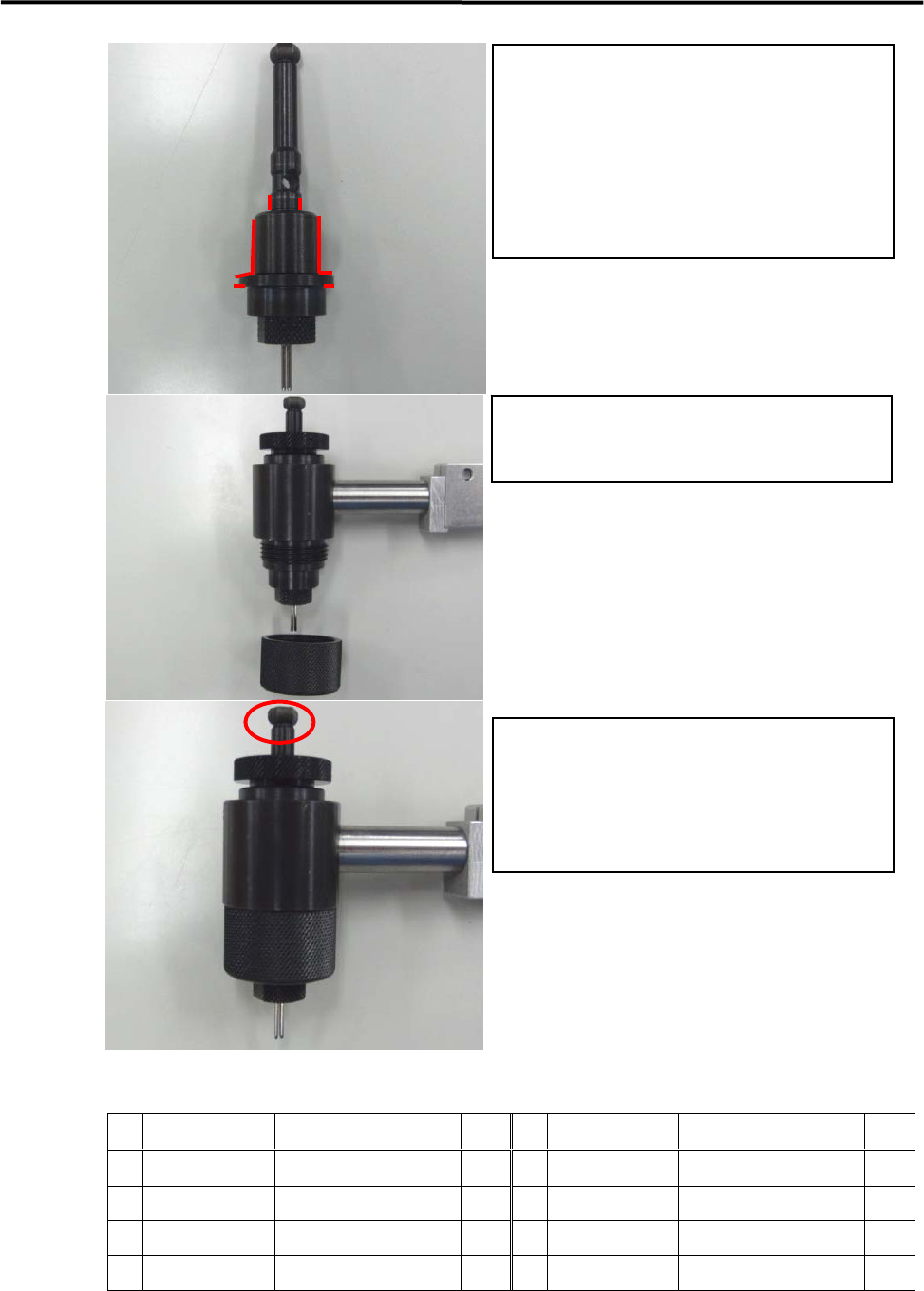
Apply grease to the part marked by red line
Pay attention to amount of grease.
If it is too much, rotation becomes heavy
Tighten STOPPER, TWIN and then nozzle
assembly is completed.
Insert NOZZLE ASSY on BODY,MAIN and
then set CAP.LOCK to complete the operation.
Confirm that HOLDER NOZZLE can rotate
smoothly when turning the marked part by
fingers.
If it cannot rotate smoothly, please retry operation
in Item 8.
8
9
10
3 Mechanical Section
3-14
Create Dispense Data
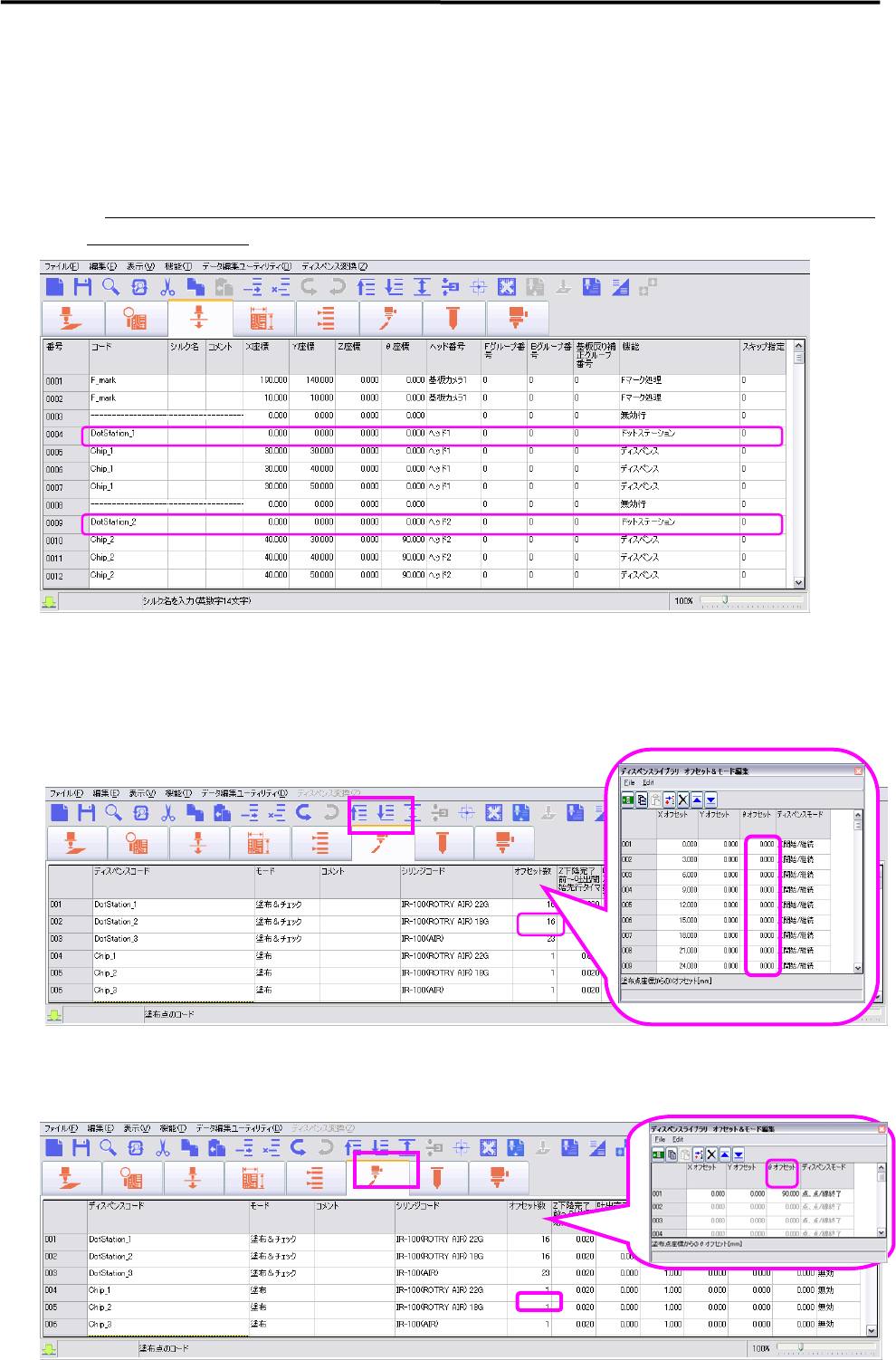
1. Dispense and Mark Data
Regardless the dispensing angle, Dot Station Data is necessary to create for each
dispensing code and 0 degree should be entered in theta coordination.
※ During production, necessary theta angles will be adjusted by auto-calculation according to the dispense
angle used in program
2. Dispense Data Edit
2-1. Theta angle setting in the dispensing offset number of Dot Station Data is not
necessary, therefore not required to enter the angle in theta offset
2-2. Do not change theta angle in Dispense & Mark Data. If it is necessary to set the
dispense angle, enter the angle into the dispense offset in Dispense Data.