c900795.R02_EN.pdf - 第71页
3 Mechanical Section 3-33 While turning the left-side knob, feed the paper forward by hand. The end of the paper appears from the feed roller. Feed the paper into th e paper outlet. Continue turning the left-side knob un…
3 Mechanical Section
3-32
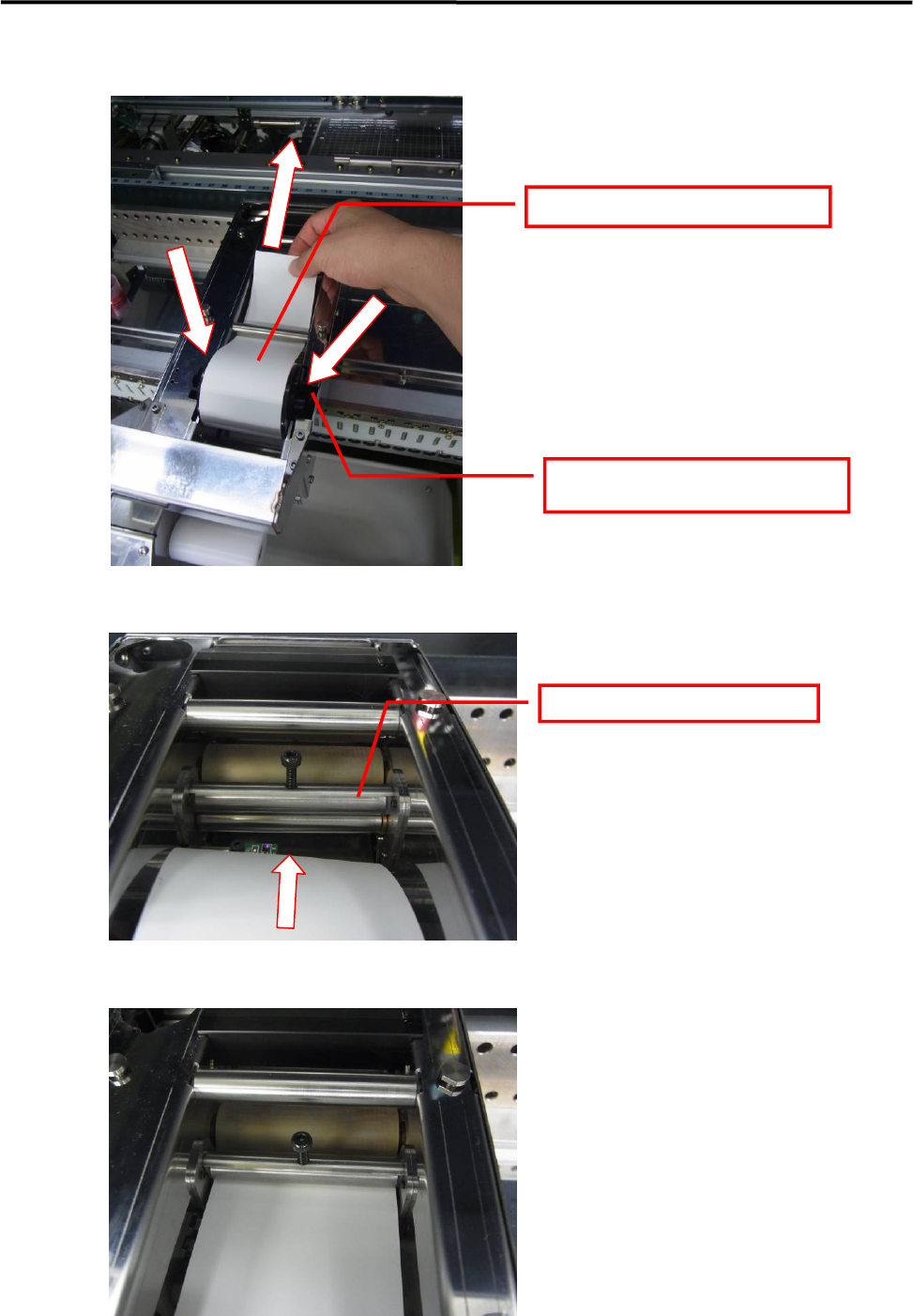
③ Set the paper roll in the Dot Station unit.
Pass the paper beneath the top bar.
Press in until a latching sound (click)
is heard.
Pass the paper between the bars.
3 Mechanical Section
3-33
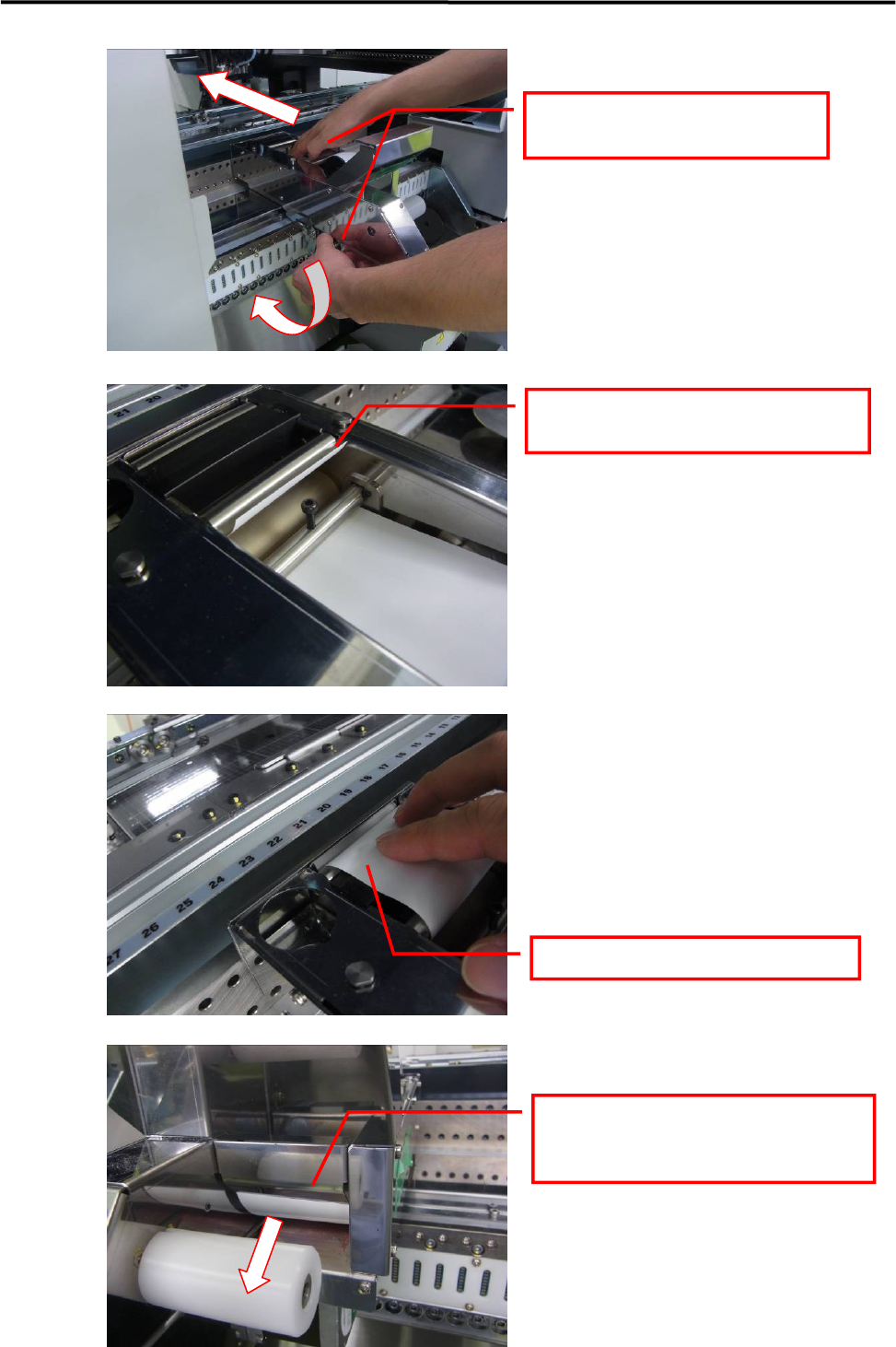
While turning the left-side knob, feed the
paper forward by hand.
The end of the paper appears from the feed
roller.
Feed the paper into the paper outlet.
Continue turning the left-side knob until
the end of the paper is fed out from the rear
outlet.
3 Mechanical Section
3-34
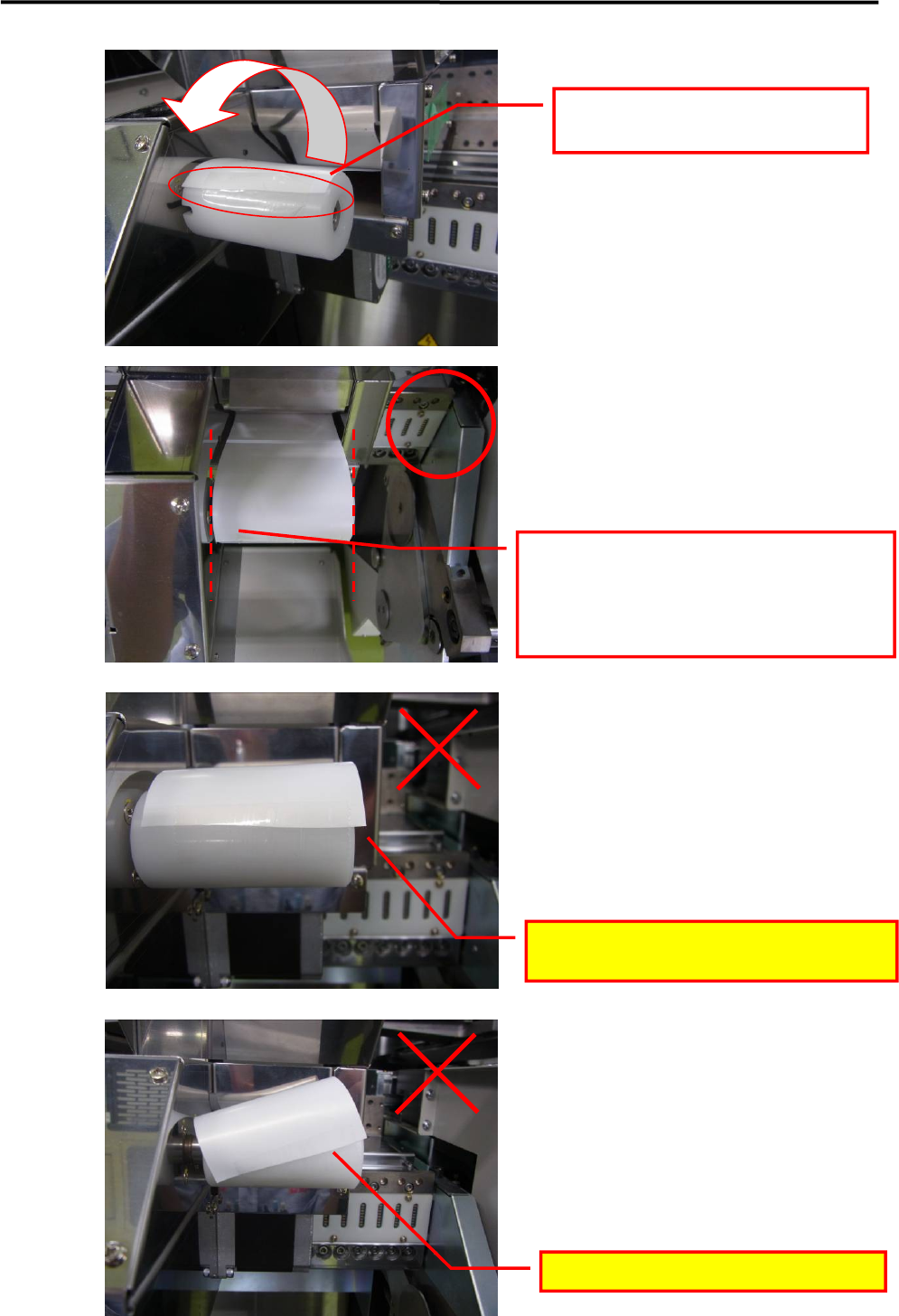
Use tape to secure the end of the fed-out
paper to the take-up core.
Install so that the paper is parallel with the
take-up core.
* Take-up problems may occur if the paper is
secured in a slanted manner (not parallel to the
core).
The paper must not extend from the take-up
core.
The paper must not be in a slanted posture.