c900795.R02_EN.pdf - 第53页
3 Mechanical Section 3-15 3. Manual > Dispense > Head Configuration 3-1. Click the right muse bottom in DP type and then select “Ai r (Rotation)”. 3-2. Click the right muse bottom in Syringe and Nozzle, a nd then select …
3 Mechanical Section
3-14
Create Dispense Data
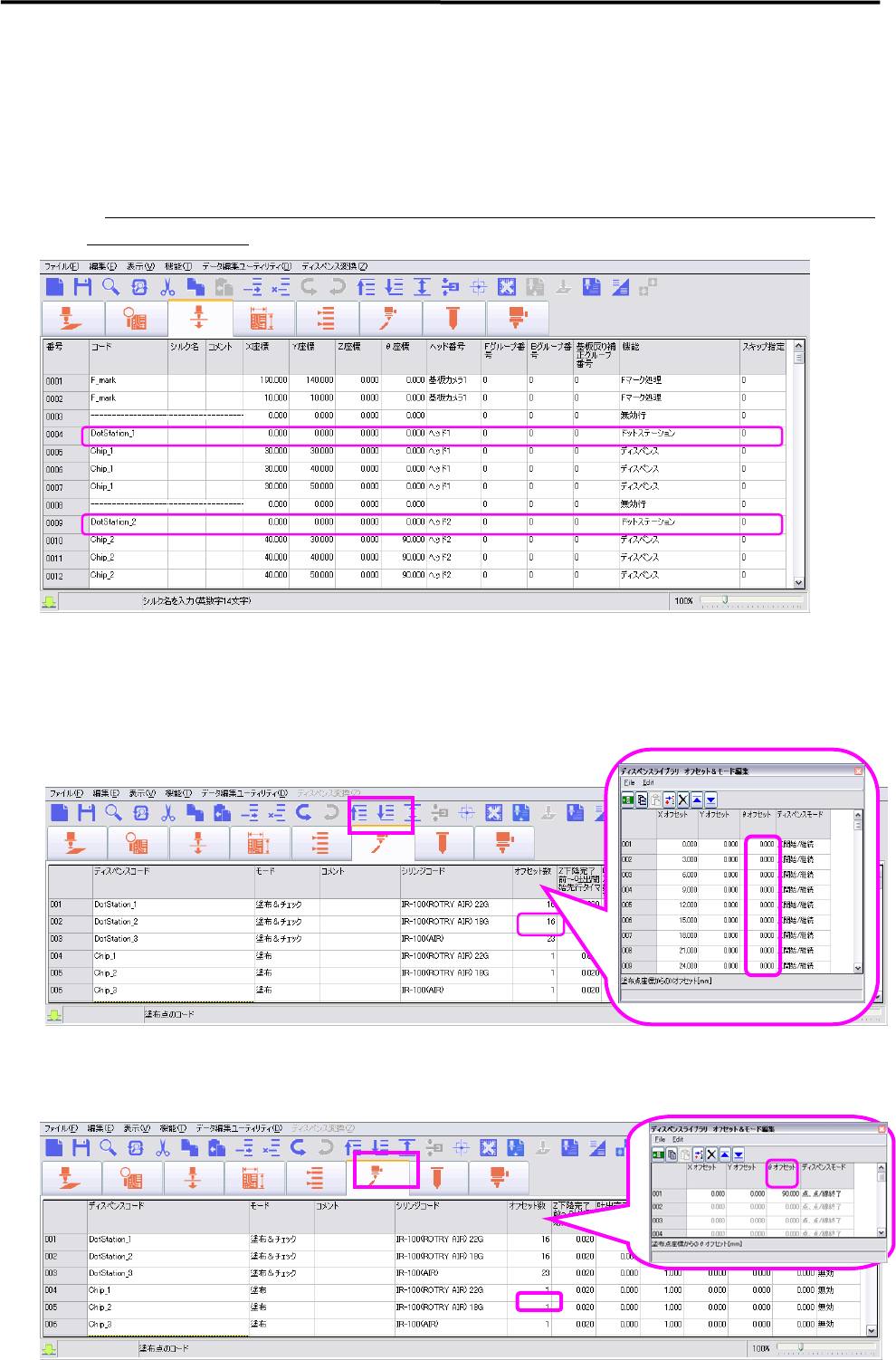
1. Dispense and Mark Data
Regardless the dispensing angle, Dot Station Data is necessary to create for each
dispensing code and 0 degree should be entered in theta coordination.
※ During production, necessary theta angles will be adjusted by auto-calculation according to the dispense
angle used in program
2. Dispense Data Edit
2-1. Theta angle setting in the dispensing offset number of Dot Station Data is not
necessary, therefore not required to enter the angle in theta offset
2-2. Do not change theta angle in Dispense & Mark Data. If it is necessary to set the
dispense angle, enter the angle into the dispense offset in Dispense Data.
3 Mechanical Section
3-15
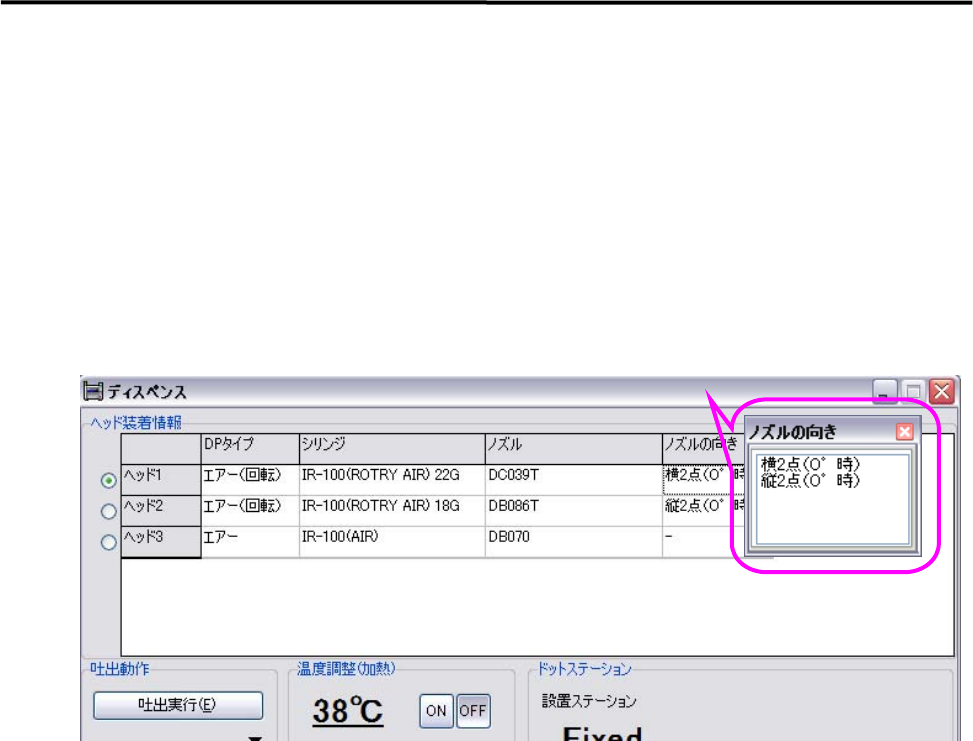
3. Manual > Dispense > Head Configuration
3-1. Click the right muse bottom in DP type and then select “Air (Rotation)”.
3-2. Click the right muse bottom in Syringe and Nozzle, and then select data used. In addition, either “Twin
in Vertical” or “Twin in Horizontal” should be selected for Nozzle Angle.
The angle added theta axis in Dispense & Mark Data to theta offset in Dispense Data will be 0 degree.
The nozzle direction does not matter when the nozzle is installed on the head, because the angle will be
adjusted according to the current situation.
3 Mechanical Section
3-16
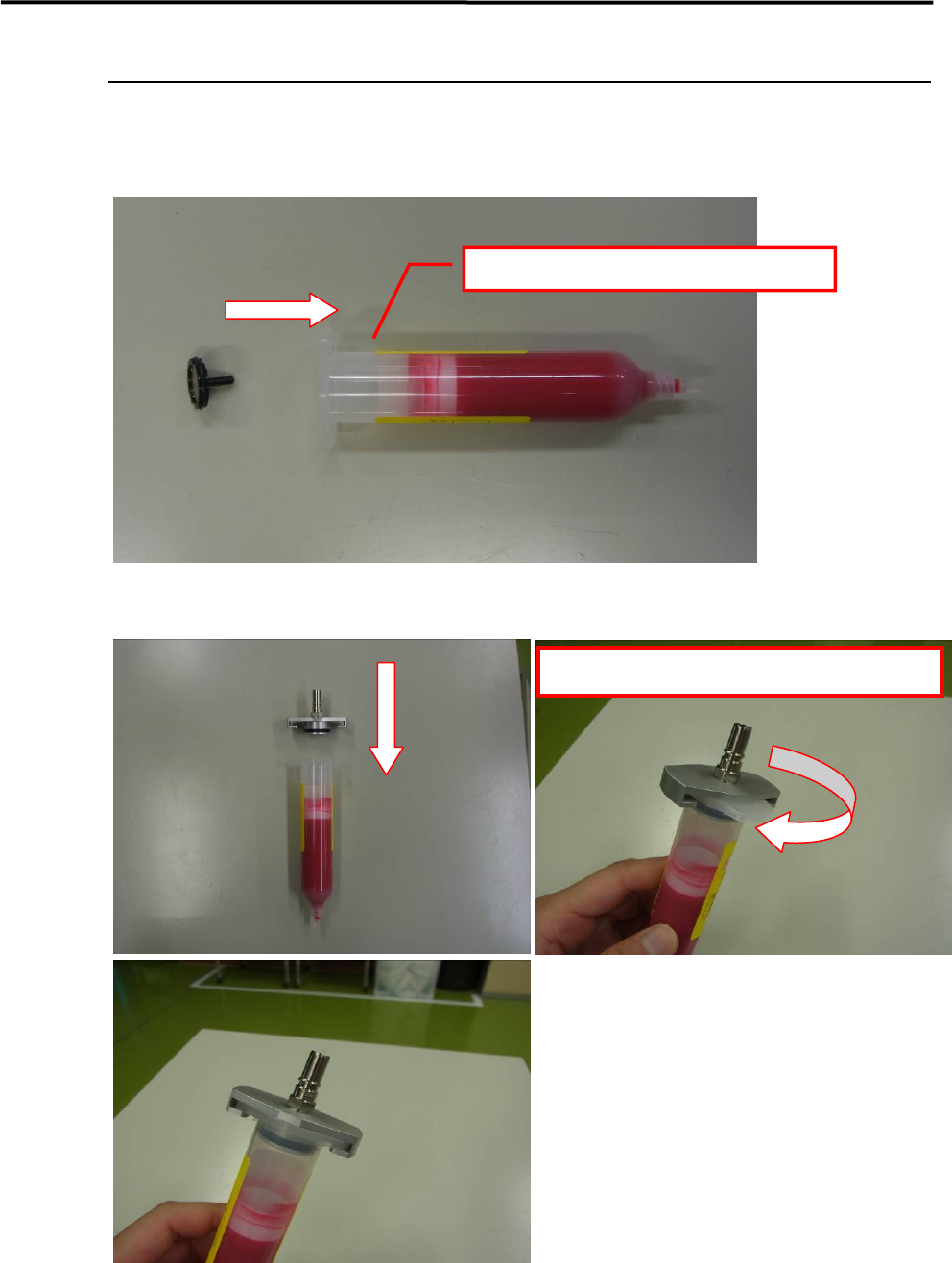
Installing the dispensing head
The procedure for installing the dispense head on the machine is given below.
■ Installing the magnet set for remaining amount detection
■ Installing the syringe holder
Insert the magnet into the plunger.
Rotate to align with the syringe's flange orientation.