4OM-1431-006_w.pdf - 第124页
1-65 0709-001 4.7 Replacement Procedure of V acuum Filters (2) Insert the lter replacement jig into the hole on the lter holder and pull it up upward. Hole on Filter Holder Jig with pulled-out holder (filters) Filter R…
1-64
0709-001
4.7 Replacement Procedure of Vacuum Filters
4.7 Replacement Procedure of Vacuum Filters
Time of Replacement
Replace the lters with new ones every three months.
Vacuum
Filters
Vacuum
Filters
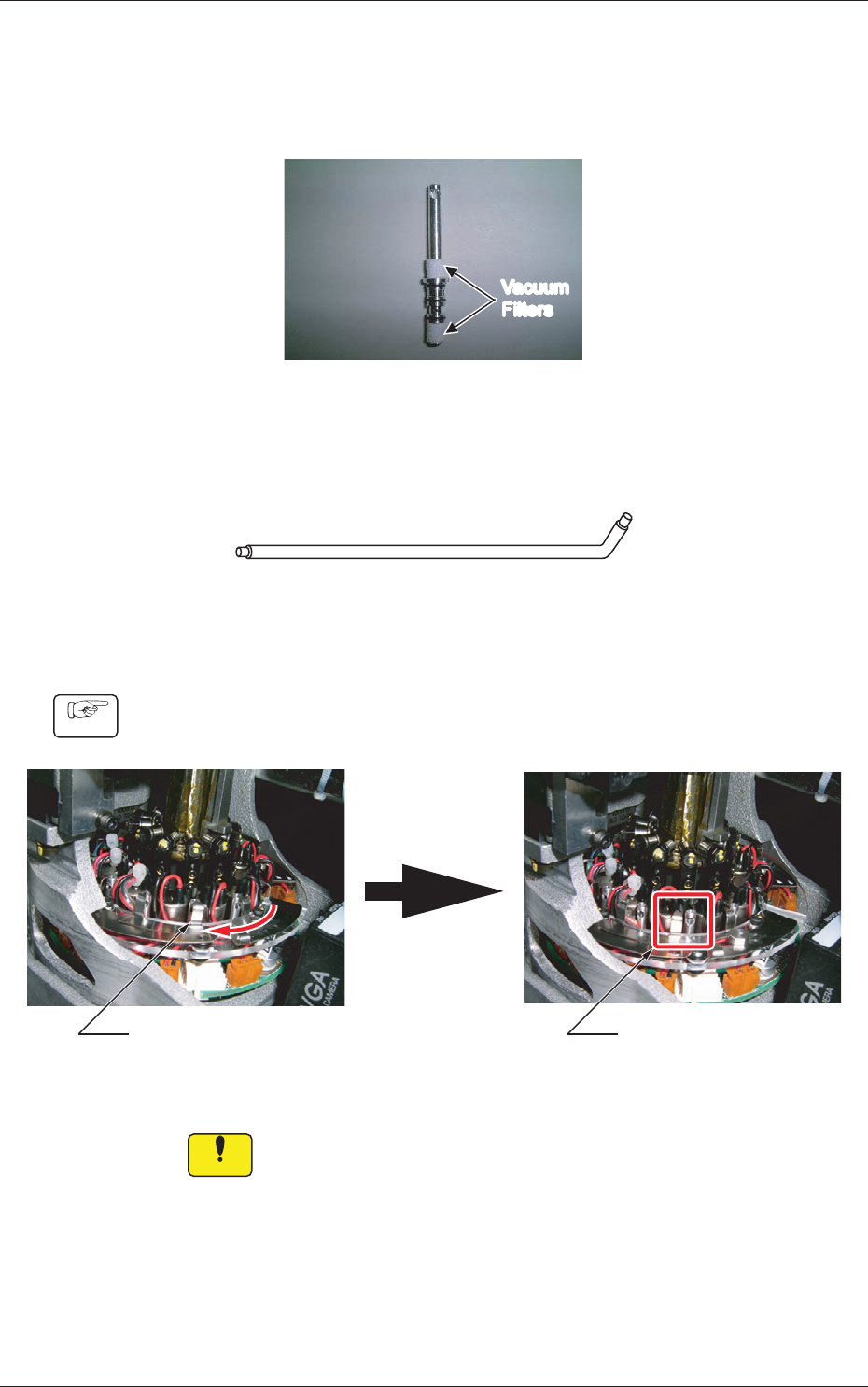
Fig. 4A59 Filter Holder
Required Item
Filter Replacement Jig
Fig.4A60 Filter Replacement Jig
Replacement Procedure
Procedure
(1) Slide the lter fastener to the left and release the lock of the lter
holder.
Filter UnlockedFilter Locked
Fig. 4A61
Notice
Besuretoslidethelterfastenersothatitdoesnotinterfere
with the wiring, etc.
1-65
0709-001
4.7 Replacement Procedure of Vacuum Filters
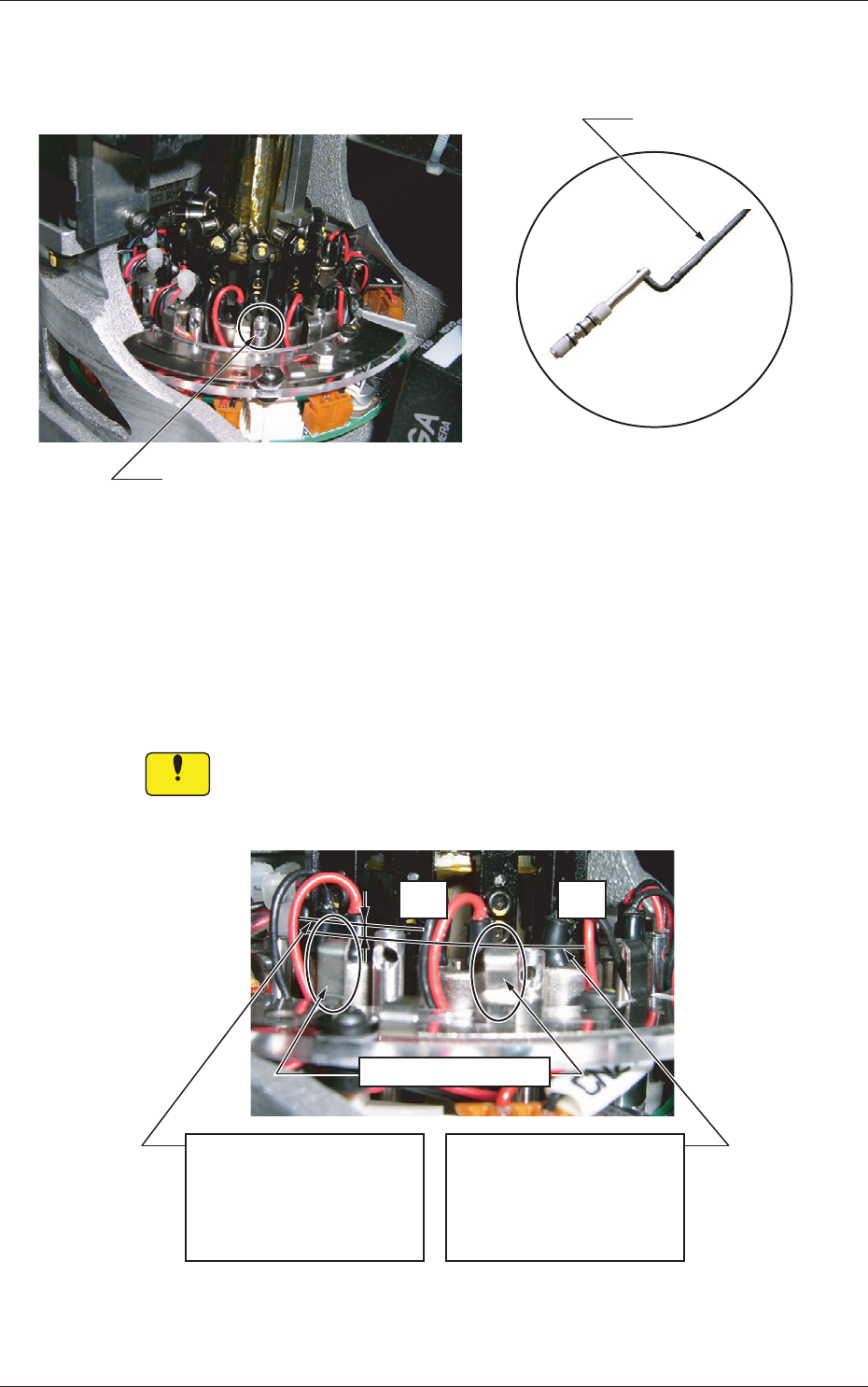
(2) Insert the lter replacement jig into the hole on the lter holder and pull
it up upward.
Hole on Filter Holder
Jig with pulled-out holder (filters)
Filter Replacement Jig
Fig.4A62
(3) Replace the two vacuum lters on the pulled-out holder with new ones.
(4) Direct the larger hole on the lter holder outward and insert the holder
with the lter replacement jig.
Be sure to push it deep enough until it stops (down to the lowest limit).
Notice
The holder should not interfere with the wirings for valves, etc. In
addition, the wires should not be caught in the upper and lower
areas of the top block.
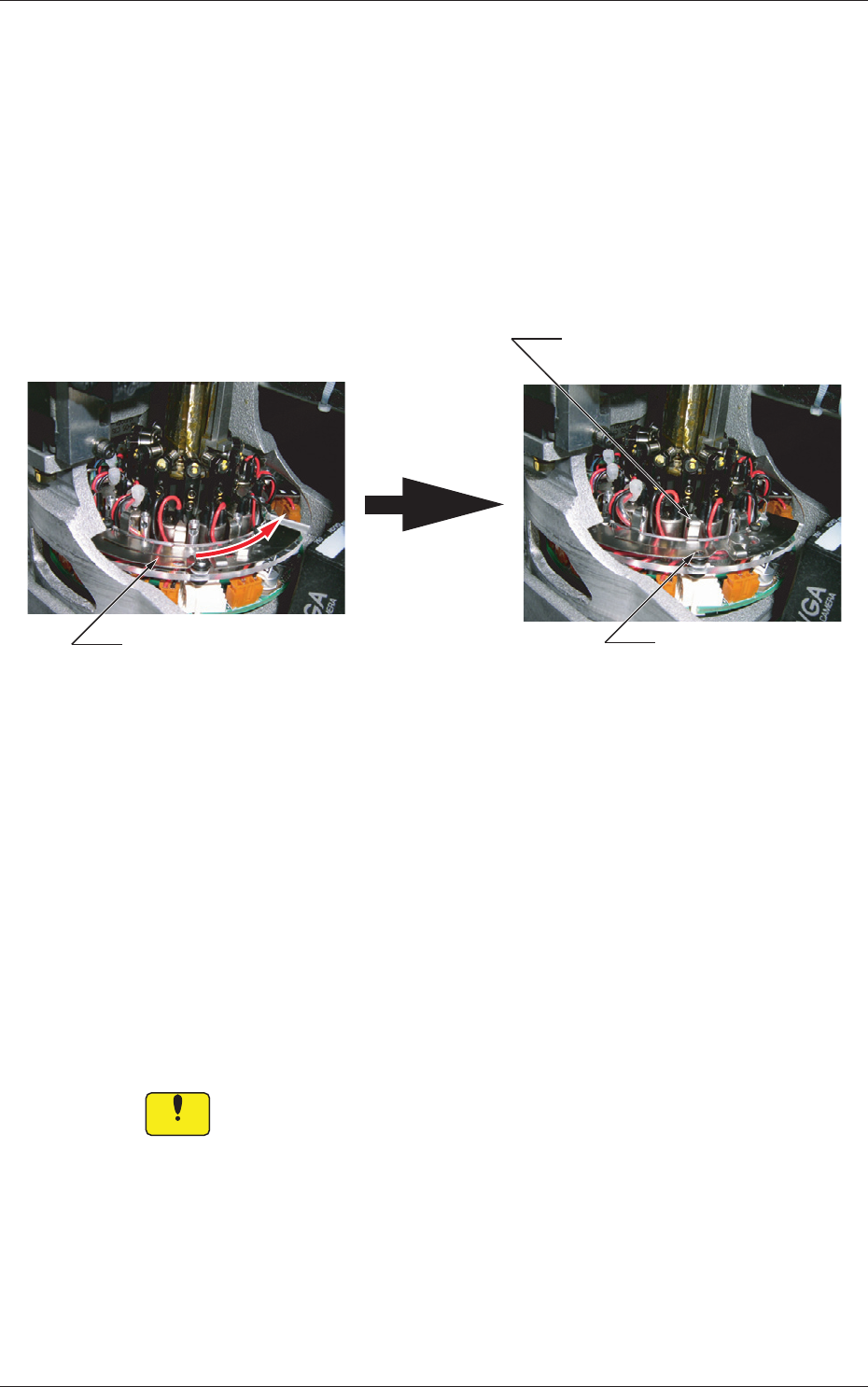
OK
NG
Filter Fastening Claw
<NG: Insufficient Insertion>
The upper surface of the
filter holder is higher than
that of the filter fastening
claw.
<OK: Sufficient Insertion>
The filter fastening claw is
higher than that of the filter
holder.
Fig. 4A63
1-66
(5) Shake it in the rotational direction and conrm that the it does not
rotate. After that, pull out the lter replacement jig carefully so as not to
pull up the inserted lter together and stay aoat.
(6) Note the following and slide the lter fastener to the right to lock the
lter holder.
•
Conrm
thatthelterfasteningclaw
islocated
attheupper
centerofthelterholder.
•
Conrmthattheballplungerislocked.
Ball Plunger Locked
Slide the filter fastener to the right.
Filter Unlocked Filter Locked
Locking Position of Filter
Fastening Claw
Filter Unlocked Filter Locked
Fig.
4A64
When the lter fastening claw cannot be locked after being slid because
it interferes with the sideface of the lter holder, it can be assumed that
a foreign substance exists in the hole or the lter holder is not inserted
sufciently far into the hole.
Check the lter holder that has interfered with the sideface.
If a foreign
substance exists in the hole, clean the lter holder to remove
the substance.
After the cleaning is completed and no foreign substance is found in the
hole, starting with Step (4).
Notice
Unlessthelterholderissetcorrectlyinplace,apickuperrorwill
occurorthelterwillcomeoffandcauseaninterferencewitha
head.
The head may also be damaged.
4.7 Replacement Procedure of Vacuum Filters
0709-001