591968 Heller Chinese Manual Rev-C.pdf - 第60页
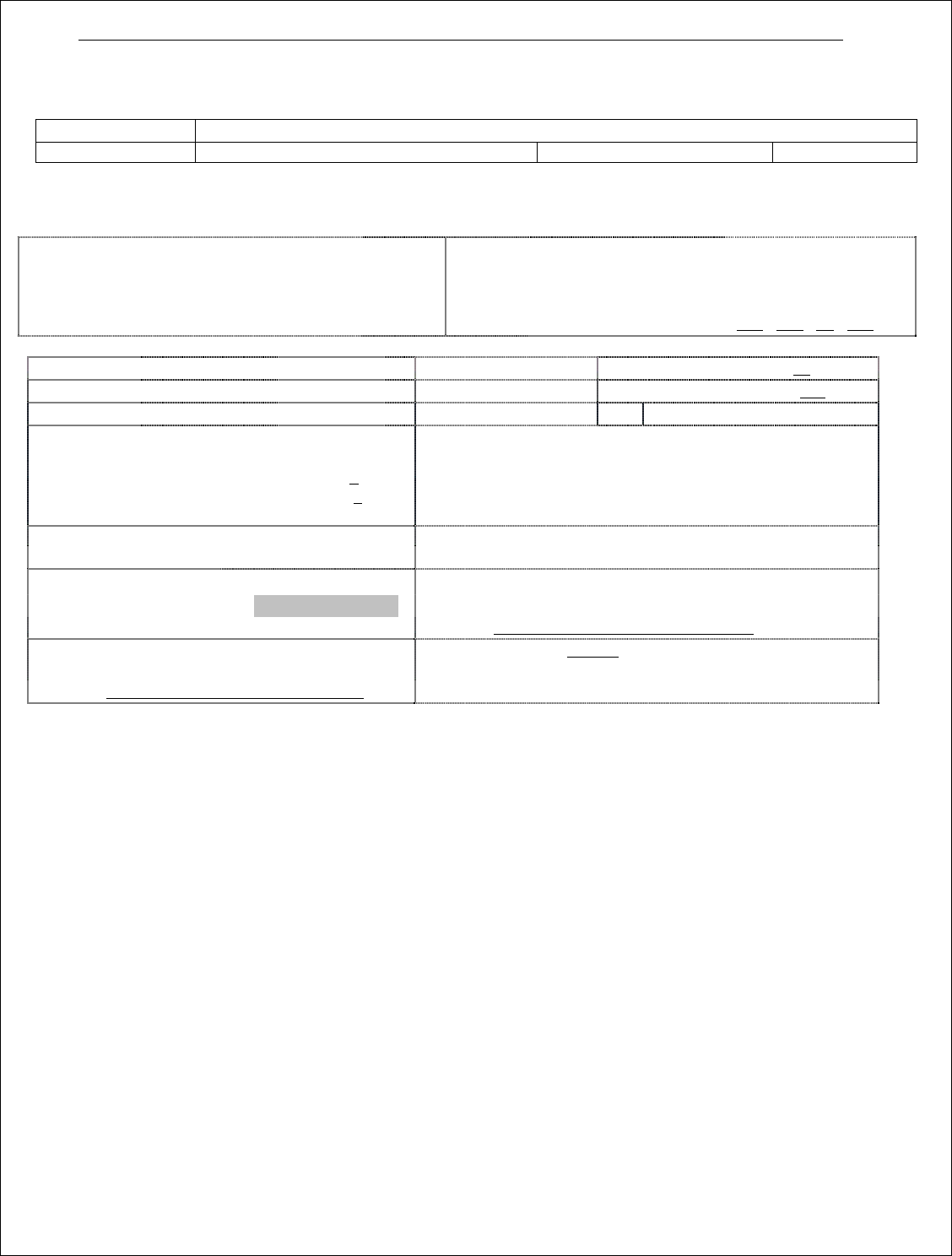
55 HC1/HC2 控制板回流炉设置向导 型号: 客户名称: CO # 序列号: 软件版本: 日期 : Page 1 Oven Model: __ ________ ________ _______ (sel ect from 4 to 17 zone m odel) Oven Dir ection: Left to Righ t Right to Left Use Custom Background Controller…
54
55
HC1/HC2 控制板回流炉设置向导
型号:
客户名称:
CO#
序列号:
软件版本:
日期:
Page 1
Oven Model: _________________________ (select from 4 to 17 zone model)
Oven Direction:
Left to Right
Right to Left
Use Custom Background
Controller Type
HC1
HC2
HC2 IP Address:
192 . 168 . 10 . 250
Temperature:
Deg C
or
Deg F
Speed: /sec or /min
Cooldown SP: _95_Deg
Length:
Cm
or
inch
HC2 Global High Process: _450_Deg
HC2 Alerts on Comm. Loss
Startup Parameters:
Maximum Output before next Group Start : 80 %
Power up Delay Time : 5 sec.
Maximum Heat Zones in Startup Group : 4
T/C Short Detection:
Minimum Heater Temp Rise : 5
O
C or 9
O
F (1
O
C for IR-panels)
Rise Check Period : 60 sec
Warning on rise rate
Power Draw Warning : 100 %
Oven Label Text:
OVEN
Opaque Background
Power Failure Detection Time: 15 sec
Barcode:
Launch the following program:
Start Barcode Reader Set BC Program Path
Audible Alarm on Barcode Error
File Path: C:\ECD\OvenCpCpk\OvenCpCpk.exe
SECS/GEM Interface
Default Language: English
File Path: C:\HellerSecsgem\HellerSecsgem.exe
KIC-LDO _______ Sec
56
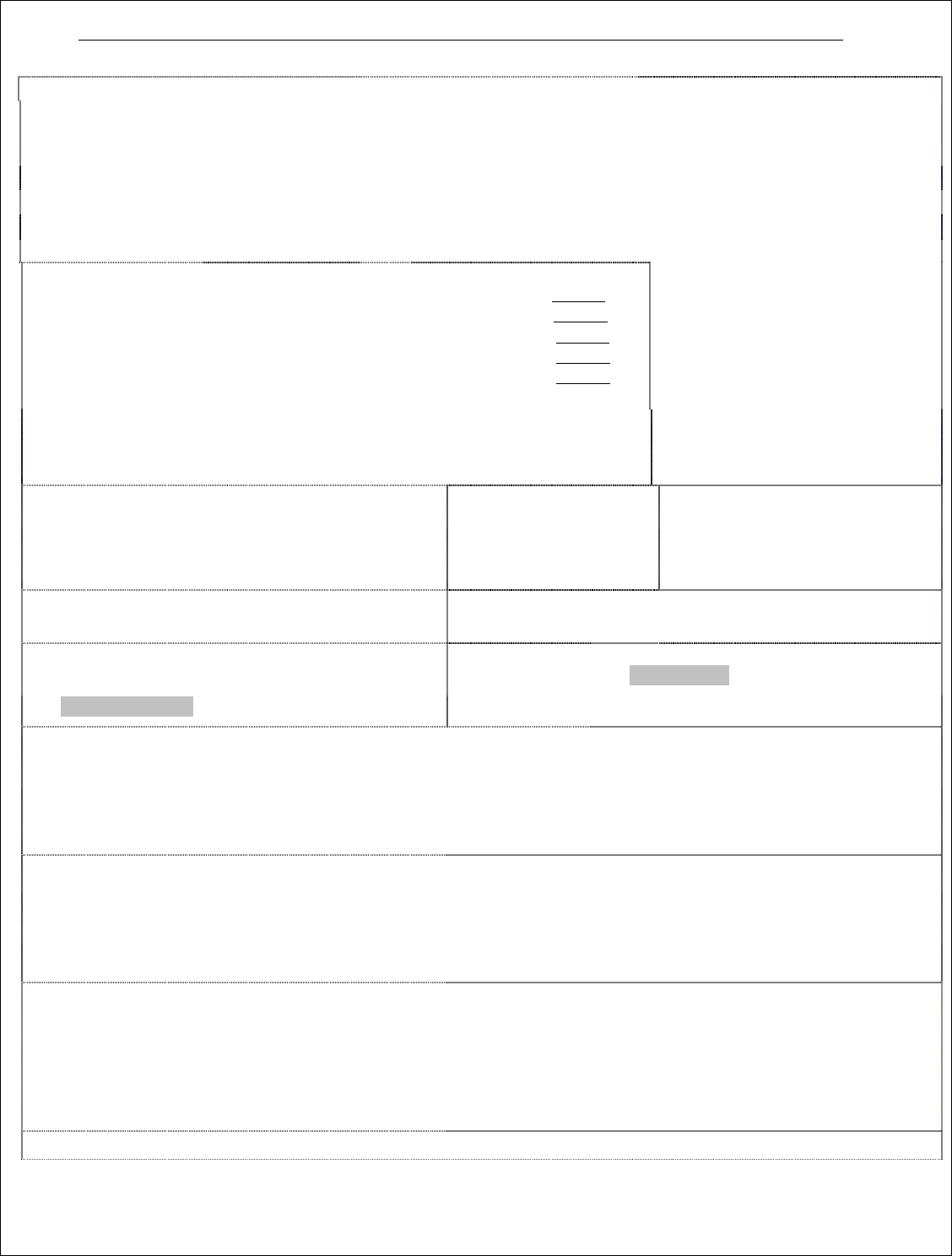
Page 2
Center Board Support Up/Down
Nitrogen Computer Ctrl.
N2 Auto Purge/Standby
CBS Up/Down Feedback
Second Center Board Support Up/Down
Password Protect NitrogenButton
O2 Sensor Settings
Purge Time: ______ min.
Normal Time: ______ min.
Second CBS Up/Down Feedback
Classic CBS Bitmap[1
st
]
Classic CBS Bitmap[2
nd
]
Flux Condensation Service Option
N2 Purge/Standby Sensor Input:___________________
Heat zone Cooling control. PID Period: __________ Seconds
Heat zone cooling in Cooldown mode
Skip startup seq. for heat zone cooling
Custom Message/Alarm1
[Timed] AirGen-
5
[Recipe] Gen-5
[Recipe] Gen-
9
Purge Output:
RecipeOutput:
Edit Interval in
Operating Program
Autoclean Reminder
______________
_______________
Interval: _______ Hr.
Cycle Duration: Min
Cycle Start Check: Min
Flux Heater Delay: Min
Phase-1 : Min
Phase-2 : Min
Custom Message/Alarm2
Custom Alarm/Warning 3
Custom Digital Switch
Flux Filter (Gen4, service ind)
Interval Time:_______Hr
SEC Light Tower Function
Custom Message on Autoclean.job load:____________________________
Idle Mode Energy Saving Feature
Load Standby Recipe ____ Min
Cooldown Mode ______ Min
Auto Lube # 1
Interval: _____Hrs.
Duration:_____ sec
Auto Lube # 2
Interval: _____Hrs.
Duration:_____ sec
Misc. Options
Redundant Overtemp
High Water Temp
Alarm
Low Exhaust Alarm: (sec)
Warning: 15
Alarm: 30
Users will be automatically Logged off
Log off Time: ______hrs _____min
Auto log down tooperator level
Time: ______ hrs _____min
Dual Light Tower
Dual Lane Barcode (XXxxxxxxx-XXX-XXX)
Board Entry Logging/Barcode
Configuration
File Directory: ________________
Machine Name: ________________
Light Tower Setup
Custom Message/Alarm Setting1:
Digital Input: ________________
Digital Output: _____________________
Light Tower: ________________
Display Text: ________________
(Note: Make sure proper hardware is installed)
Active: _________
Type: __________
Delay: ___ sec
Audible (Buzzer)
Custom Message/Alarm Setting2:
Digital Input: ________________
Digital Output: _____________________
Light Tower: ________________
Display Text: ________________
(Note: Make sure proper hardware is installed)
Active: _________
Type: __________
Delay: ____ sec
Audible (Buzzer)
Custom Alarm/Warning 3
Digital Input: ________________
Digital Output: _____________________
Warning: _______ Sec or cm/inch
Warning Display: ________________
Alarm: _______
Alarm Display: ________________
Active: _________
Act On: __________
Audible Warning (Buzzer)
(Note: for distance setup, time is calculated based on conveyor 1 SP)