SM411F_Service Manual.pdf - 第144页
Softwar e If the Disc Insert W indow appears, click the <OK> button and click the <Search> button and then designate th e driver folder in the CD-ROM. Once the driver installation is completed, click the …
Software
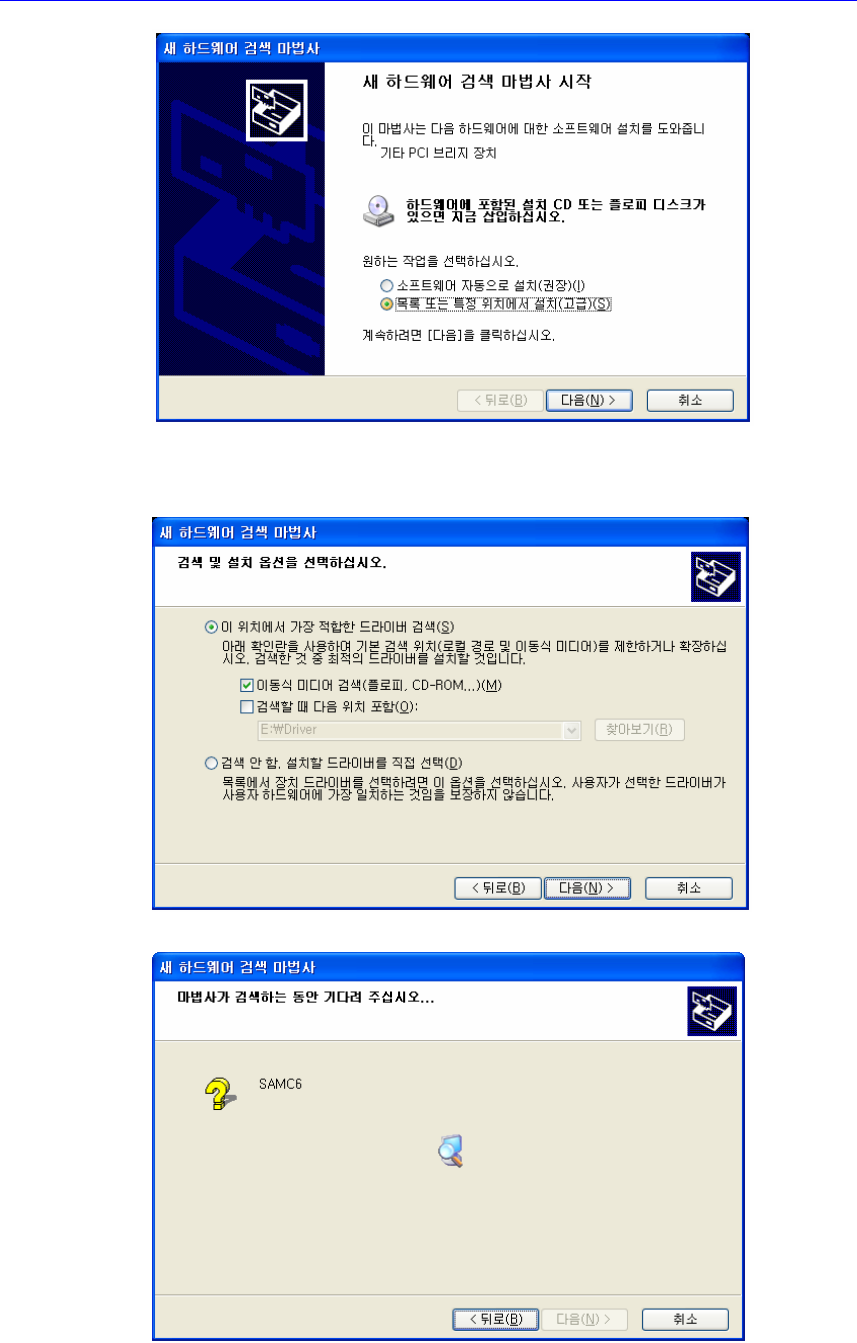
If the following window appears, insert the enclosed installation CD and select
the <Movable Media Search (Floppy Disc, CD-ROM….)> check box, then
click the <Next> button to move to the following step.
The dialog box installing the SAMC62 appears.
Software
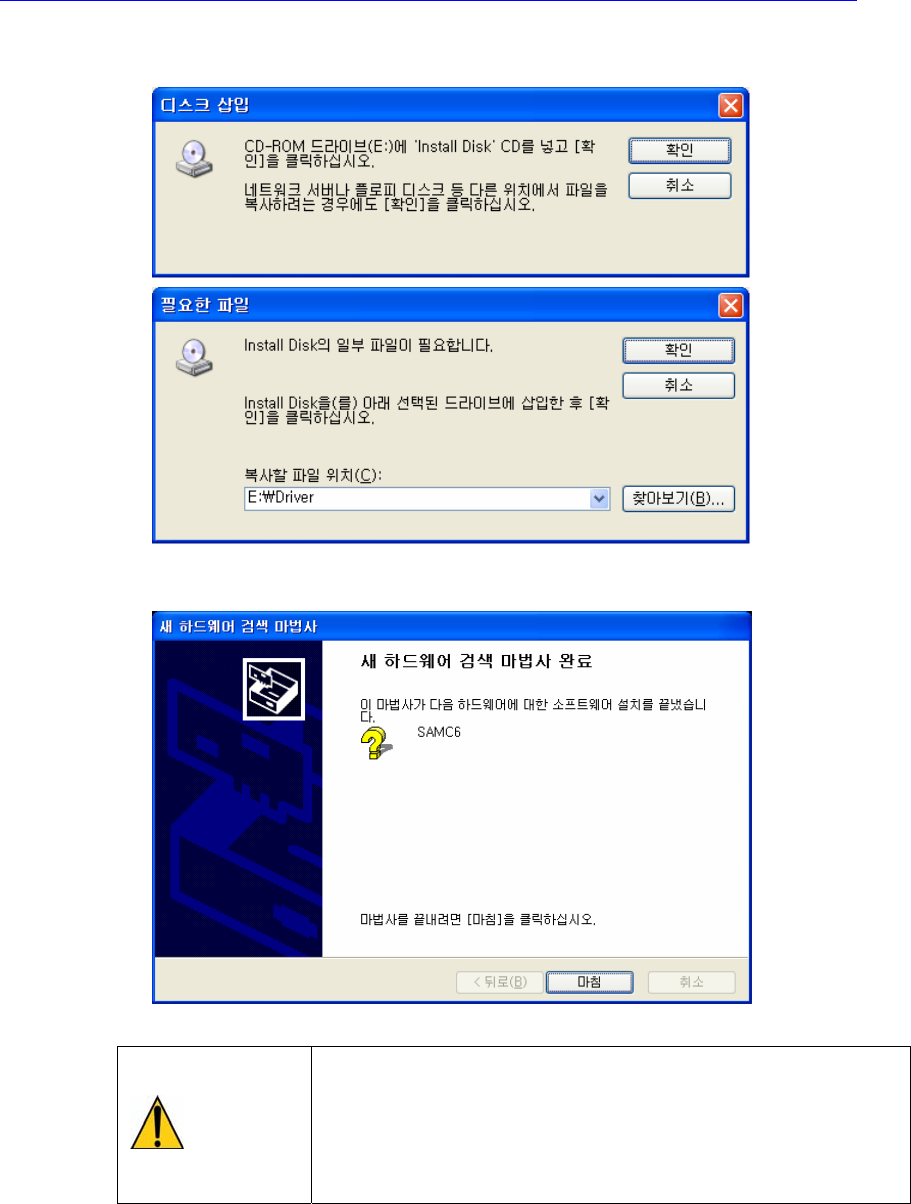
If the Disc Insert Window appears, click the <OK> button and click the
<Search> button and then designate the driver folder in the CD-ROM.
Once the driver installation is completed, click the <Close> button to finish the
installation.
Caution
After replacing the vision board, perform the light mapping
related to the fly camera and fix the camera by referring to
the 오류! 참조 원본을 찾을 수 없습니다. 오류! 참조 원
본을 찾을 수 없습니다. (page 오류! 책갈피가 정의되어
있지 않습니다.)
2.2.3. DP-RAM Board Installation
Install the DP-RAM Board in the designated slot of the PBPI-6SA Backplane.
If the PCI_IO_Driver_V2.exe Setup is executed, the driver is installed
automatically.

Software