SM411F_Service Manual.pdf - 第75页
1.2.9. ANC Pos. Scan T each the 2 fiducial marks on the top surf ace of the ANC. Compensate the relative coordinate system of the front and rear ANCs. Refer to Ad ministrator ’ s Guide “6.3 Fid ucial Mark Setup“ for more…
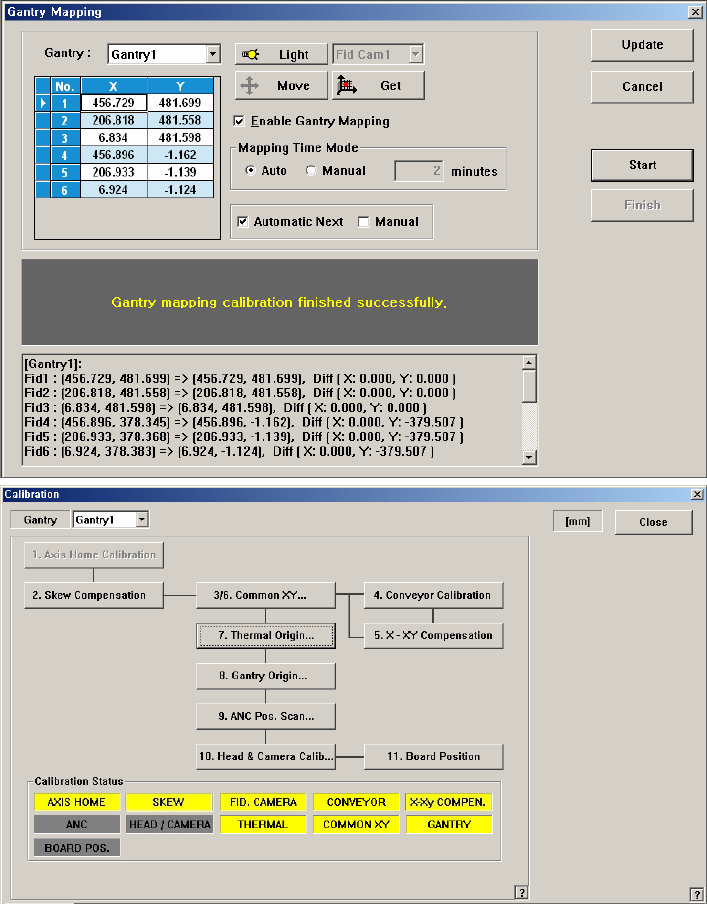
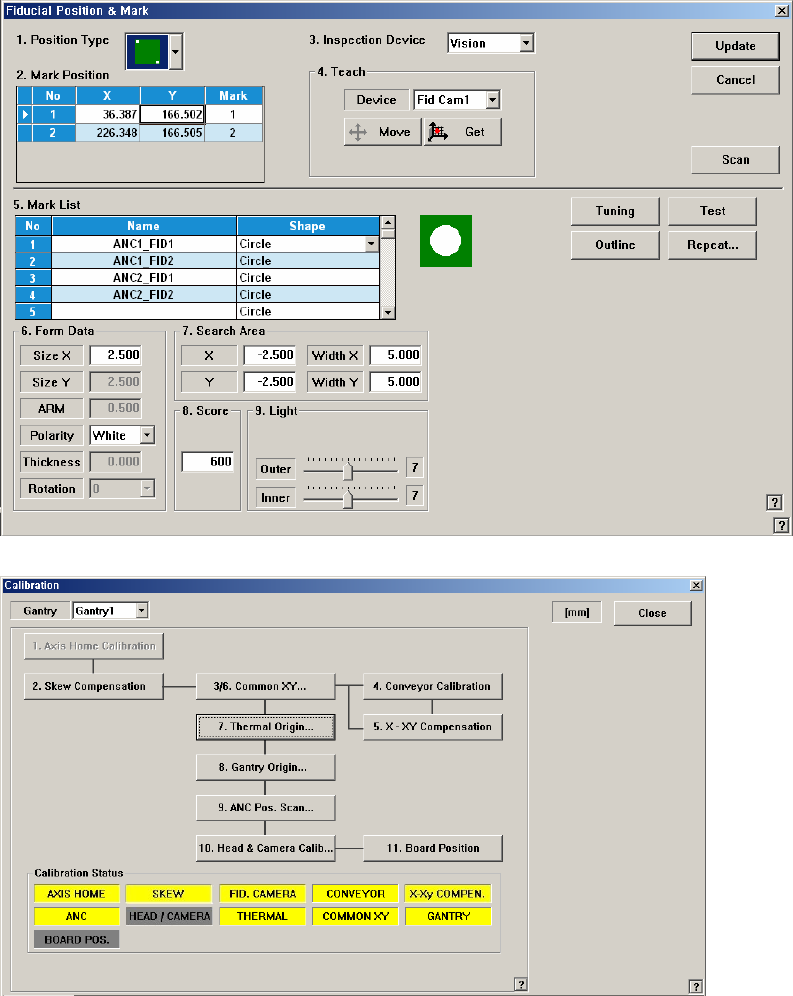
1.2.9. ANC Pos. Scan
Teach the 2 fiducial marks on the top surface of the ANC. Compensate the relative
coordinate system of the front and rear ANCs.
Refer to Administrator’s Guide“6.3 Fiducial Mark Setup“ for more information.
1.2.10. Head & Camera Calibration
Perform the camera calibration function. The calibration sequence and tools
necessary for calibration are as follows.
- Fiducial Camera Offset Calibration (Calibration Tool)
- Head Z & R Offset Calibration (CN040 Nozzle)
- Light Mapping (LightFly Nozzle)
- Head Offset Calibration
- Fly Camera Scale & Rotation Calibration
- Fly Camera Offset Calibration
- Fly To Fix Offset Calibration
- R-Axis Offset Calibration
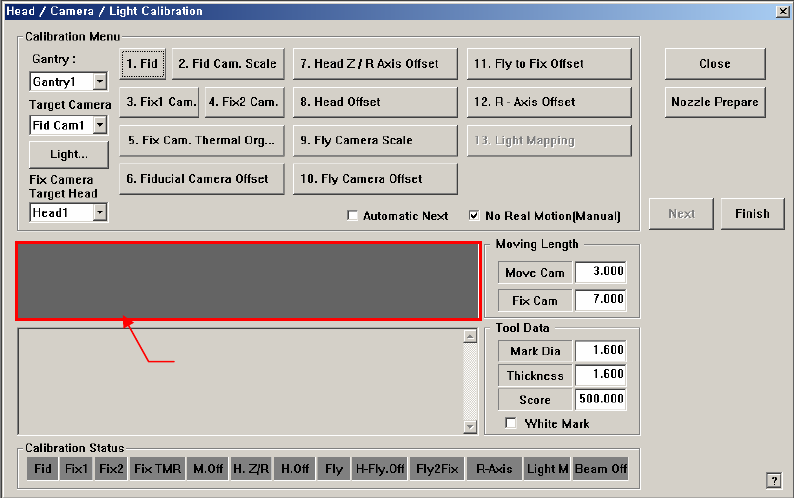
Figure 1-8. “Head/ Camera/ Light Calibration” dialogbox
<Calibration Menu> Group
Select an item to be calibrated. If you click the button of a specific item, the
description on the works to be performed are displayed in the message box in
order. Follow the instructions to complete the calibration.
<Gantry> combo box
Select the Gantry for performing Calibration
<Target Camera> combo box
Select the camera to set light value.
<Light…> button
Set the light value for the selected camera.
Messa
g
e box