SM411F_Service Manual.pdf - 第244页
Softwar e 5. Select the file to be downloaded in the dialog box as shown in th e following figure and click <OK> button. 6. If the file is loaded as shown in the following fi gure, click ‘ Tr a n s ’ icon to downlo…
Software
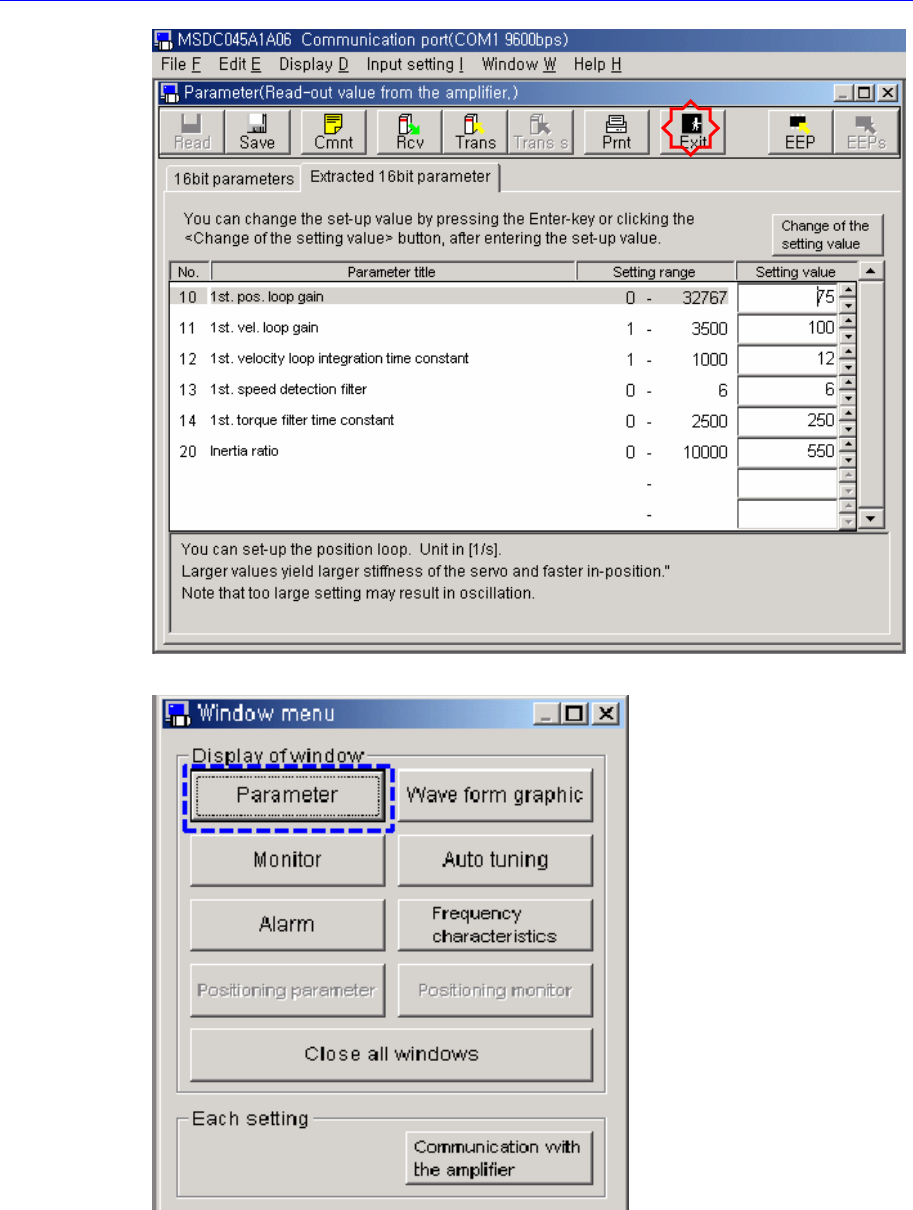
3. Click <Parameter> button in the ‘Window meun’ dialog box.
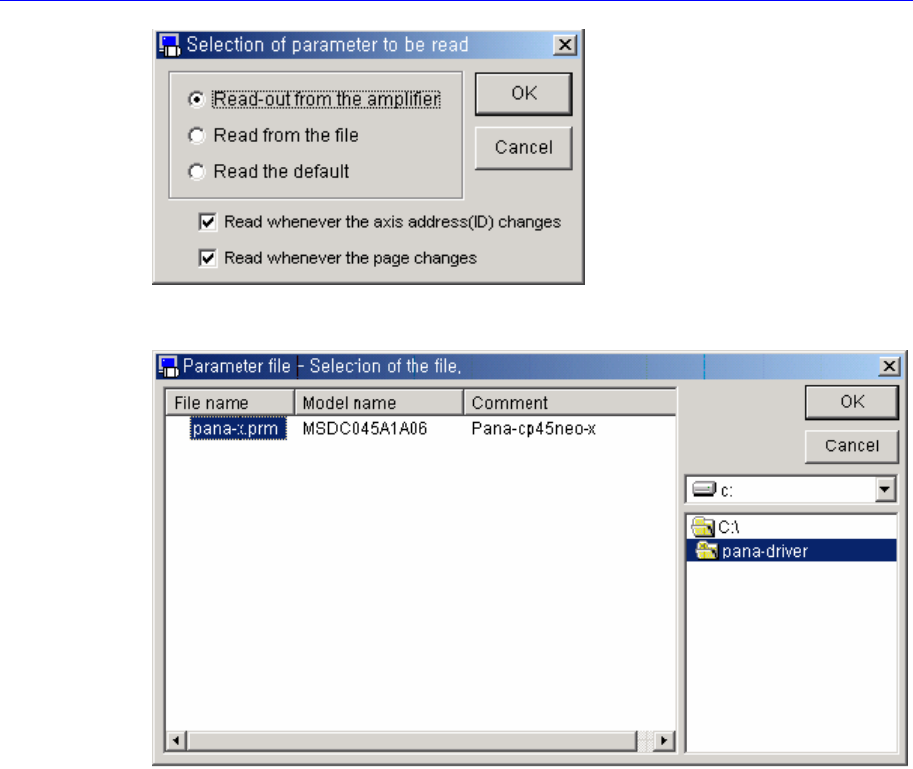
4. Select <Read-out from the amplifier> option button in the ‘Selection of parameter to
be read’ dialog box and click <OK> button.
Software
5. Select the file to be downloaded in the dialog box as shown in the following figure
and click <OK> button.
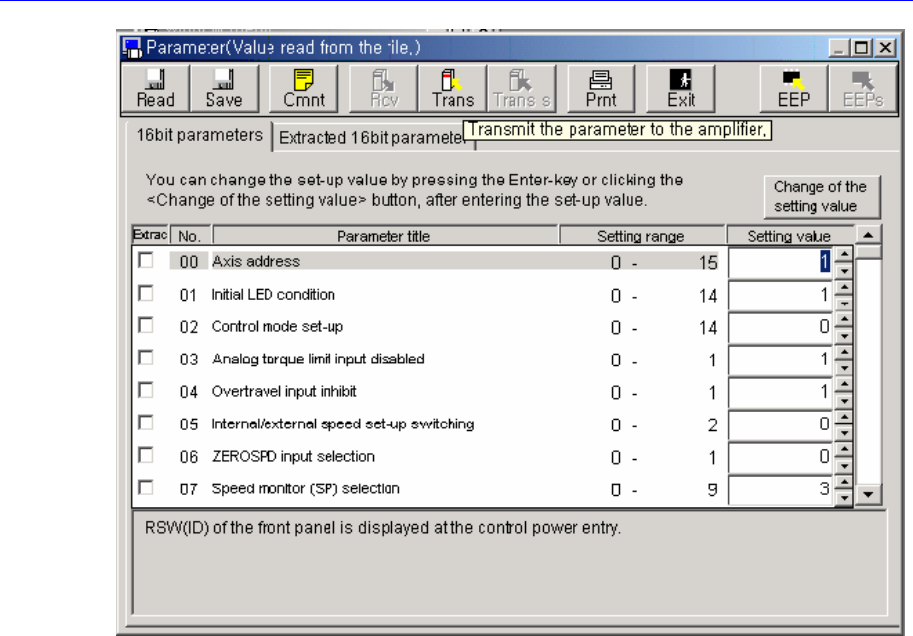
6. If the file is loaded as shown in the following figure, click ‘Trans’ icon to download
the parameter to the driver.
Software
7. Click the ‘EEP’ icon.
8. Turn off the power of the machine or the corresponding driver and then turn it on
again.