SM411F_Service Manual.pdf - 第49页
H1R-Z2: Z axis of head2 of the Gantry2 H1R-Z3: Z axis of head3 of the Gantry2 H1R-Z4: Z axis of head4 of the Gantry2 H1R-Z5: Z axis of head5 of the Gantry2 H1R-Z6: Z axis of head6 of the Gantry2 H1R-M1: Mirror axis of th…
1.2.1. Axis Home Calibration
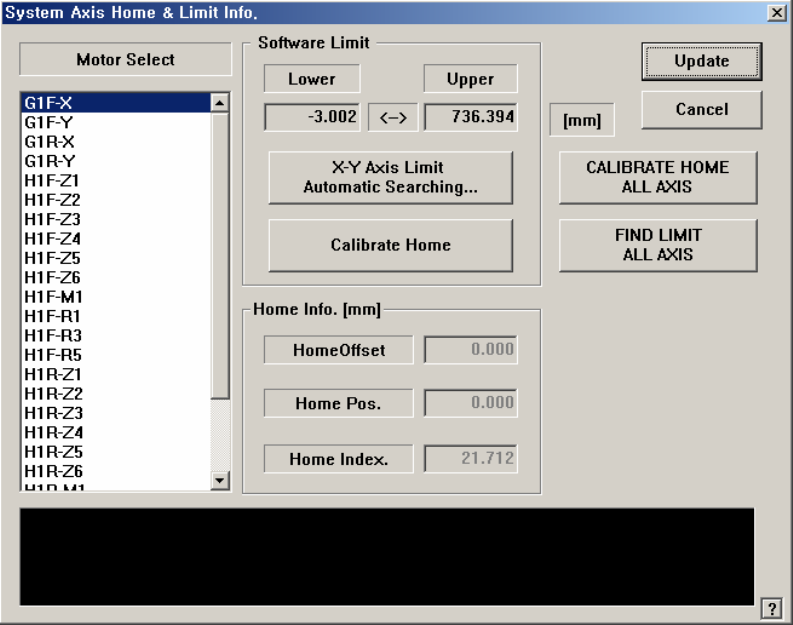
Sets the limit position of each axis to move. When this button is clicked on, the
following dialog box is displayed.
Figure 1-1. “System Axis Limit Info.” dialogbox
<Motor Select> listbox
Select the motor axis for which to set the limit. Available axes are as follows.
G1F-X: X axis of the gantry1
G1F-Y: Y axis of the gantry1
G1R-X: X axis of the gantry2
G1R-Y: Y axis of the gantry2
H1F-Z1: Z axis of head1 of the gantry1
H1F-Z2: Z axis of head2 of the gantry1
H1F-Z3: Z axis of head3 of the gantry1
H1F-Z4: Z axis of head4 of the gantry1
H1F-Z5: Z axis of head5 of the gantry1
H1F-Z6: Z axis of head6 of the gantry1
H1F-M1: Mirror axis of the Gantry1
H1F-R1: Theta axis (H1, H2) of the Gantry1
H1F-R3: Theta axis (H3, H4) of the Gantry1
H1F-R5: Theta axis (H5, H6) of the Gantry1
H1R-Z1: Z axis of head1 of the Gantry2
H1R-Z2: Z axis of head2 of the Gantry2
H1R-Z3: Z axis of head3 of the Gantry2
H1R-Z4: Z axis of head4 of the Gantry2
H1R-Z5: Z axis of head5 of the Gantry2
H1R-Z6: Z axis of head6 of the Gantry2
H1R-M1: Mirror axis of the Gantry2
H1R-R1: Theta axis (H1, H2) of the Gantry2
H1R-R3: Theta axis (H3, H4) of the Gantry2
H1R-R5: Theta axis (H5, H6) of the Gantry2
ST1F-W: Width control motor of the work Station(F2)
<Software Limit> Group
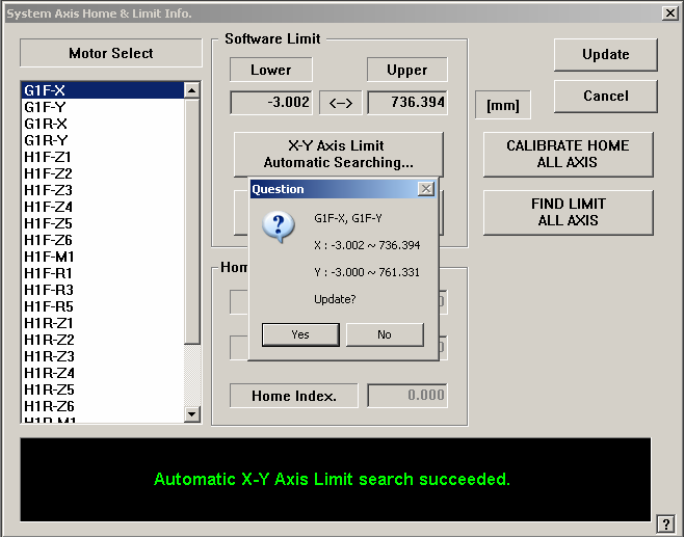
<X-Y Axis Limit Automatic Searching…> button
Finds the limit of the X and Y axes automatically and checks whether to
apply the changed value.
<Skew Compensation> button
Activated when selecting the Y axis. It is used to perform the skew
compensation. For further details, refer to “1.2.2 Skew compensation”.
<Calibrate Home> button
Automatically finds and reflects the home position of the motor selected from
the <Motor Select> list box.
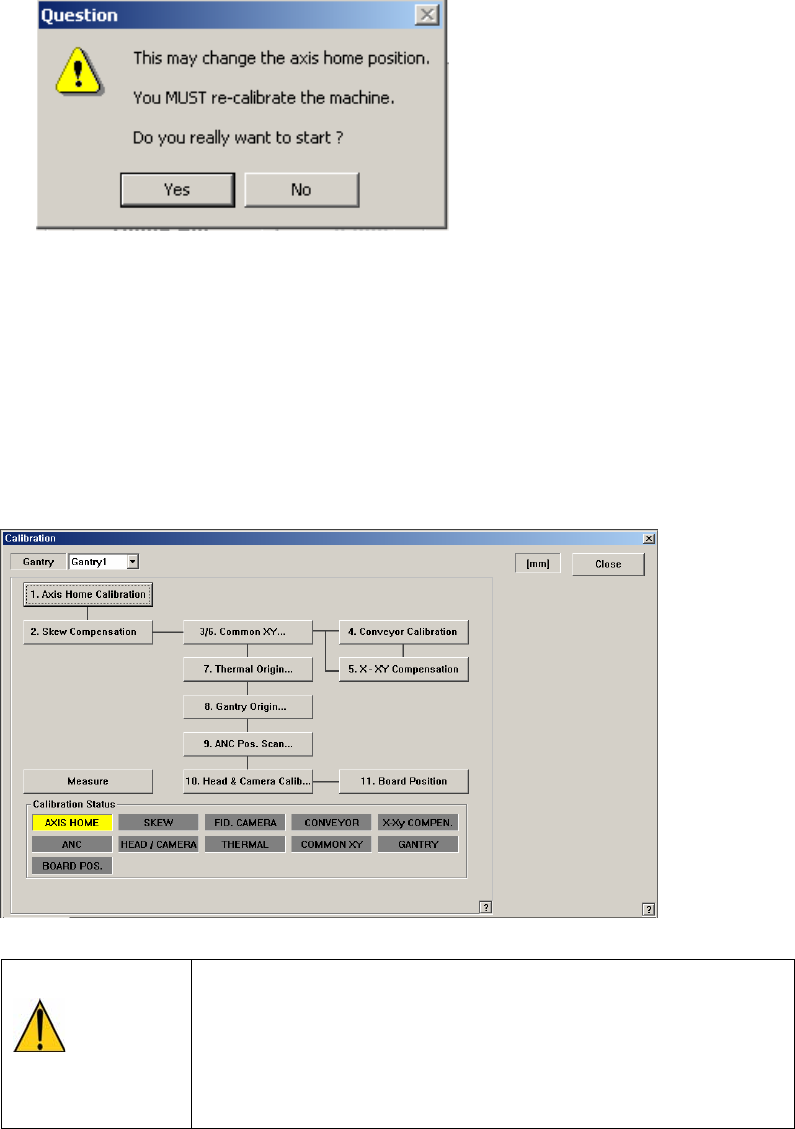
<CALIBRATE HOME ALL AXIS> button
Automatically finds and reflects the home positions of all axes.
<FIND LIMIT ALL AXIS> button
Finds the Limits of all axes.
<Home Info.> Group
If the mirror axis is selected, the <Home Offset> edit box will be enabled. It is
used to perform calibration for the mirror axis.
<Update> button
Transmits the set data to the machine and closes the dialog box.
<Cancel> button
Ignores the set data and closes the dialog box.
Caution
If calibration is done again, the machine might not operate
properly unless the items related to the equipment position,
such as pick up position, ANC, placement origin are taught
again as the home position is changed.
After calibration, be sure to teach the items related to
position again.