SM411F_Service Manual.pdf - 第44页
3. Select the ‘ Manual T ool ’ in the ‘ To o l s ’ shortcut menu and select the ‘ Mirror ’ in the <Axis> combo box of the ‘ Manual Control ’ dialog box. 4. Select the <R> edit box in the <Position> grou…
1.1. Mirror offset check and correction
The swing mirror offset must be set up so that the image that is shown in the fly-
camera through the mirror may be seen correctly.
The following is the proceduer to set the offset of the ‘swing mirror’;
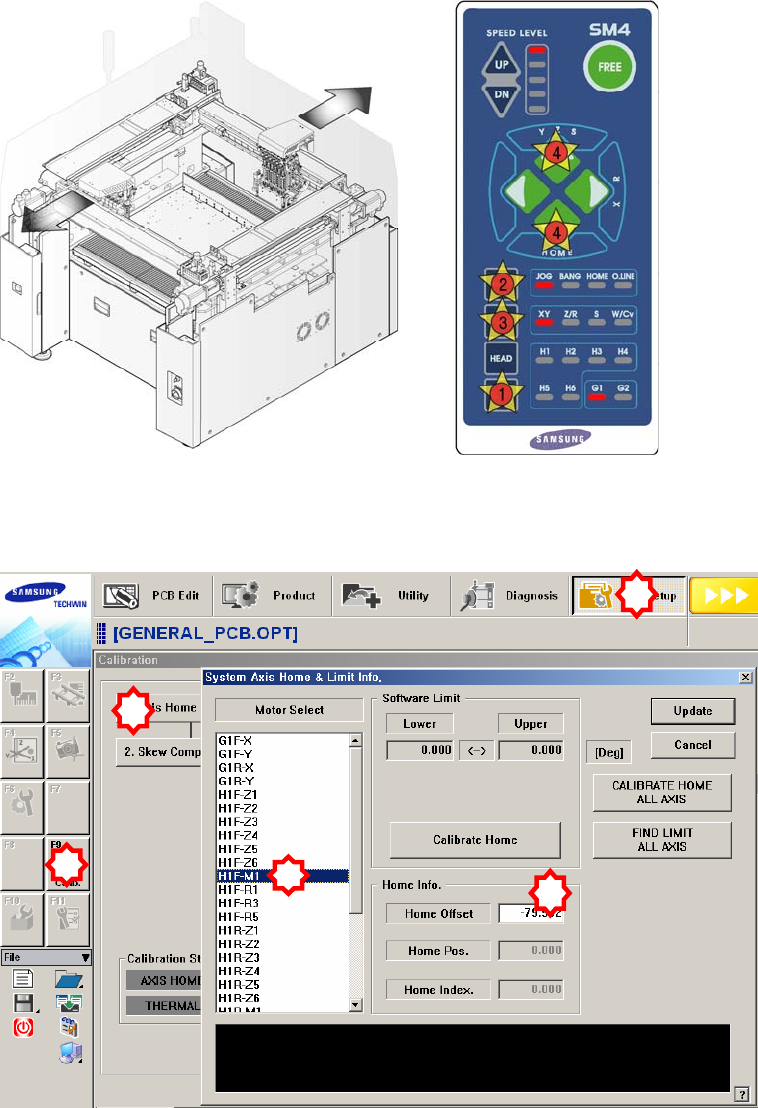
1. Manipulate the teaching box to move the head assembly to both ends as much
as possible.
2. Select the ‘Calib’ submenu from the ‘Sys Setup’ menu. and Click the <1.Axis
Home Calibration> button and then select the ‘H1F-M1’ in the ‘System Axis
Home & Limit Info.’ dialog box (The ‘System Setup Factory’ menu can be
accessed only when the login must be done in service mode).
1
2
3
5
4
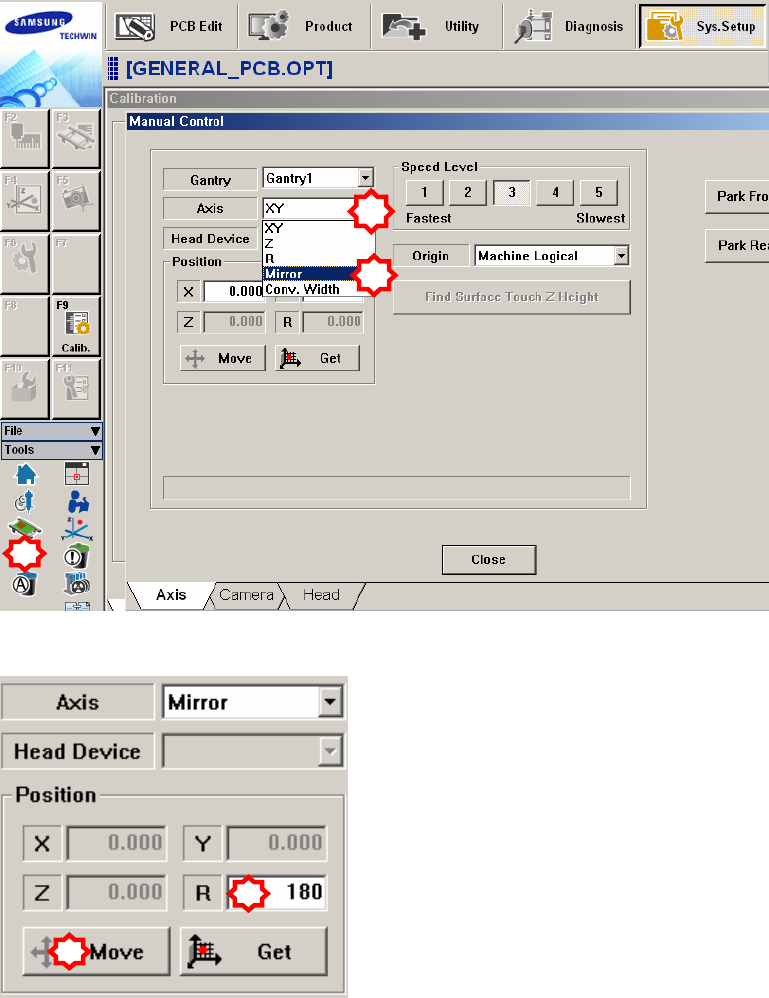
3. Select the ‘Manual Tool’ in the ‘Tools’ shortcut menu and select the ‘Mirror’ in
the <Axis> combo box of the ‘Manual Control’ dialog box.
4. Select the <R> edit box in the <Position> group of the ‘Manual Control’
dialog box and input ‘180’ in it. Then click the <Move> button.
5. When the three points (idler wheel, CAM driving axis and mark) in the
following figure are not aligned, align them by rotating the cam using the
teaching box as shown in the following figure. At this time, the position is
called “180 degrees”.
1
2
3
1
2
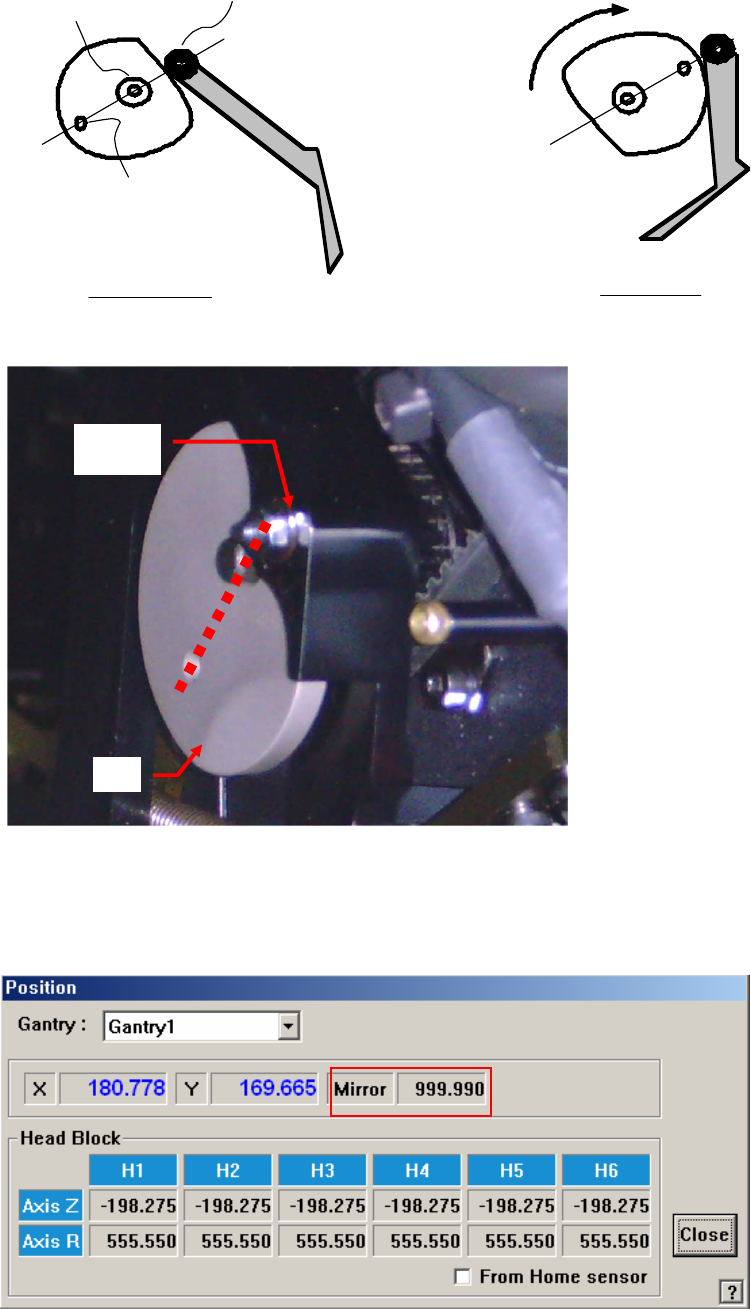
180˚Position
Home Position
Idler wheel
Driving axis
Mark
Swing Mirror
Cam
6. Check if the centers of the 3 circles are aligned by using a general ruler.
7. Ensure safety when performing visual checking. At this time, the
corresponding user must manipulate the machine.
8. Check the mirror data displayed in the ‘Current Position’ dialog box. Then,
measure and input the offset values as shown in the following figure.
Cam
Followe
r
Ca
m