SM411F_Service Manual.pdf - 第87页
6. Rotate the spindle in the R-direction by using the teaching box so that the shape of the nozzle holder becomes ‘( )’. At this time, the nozzle holders of the heads with interlocked mechanism must be assembled in the s…
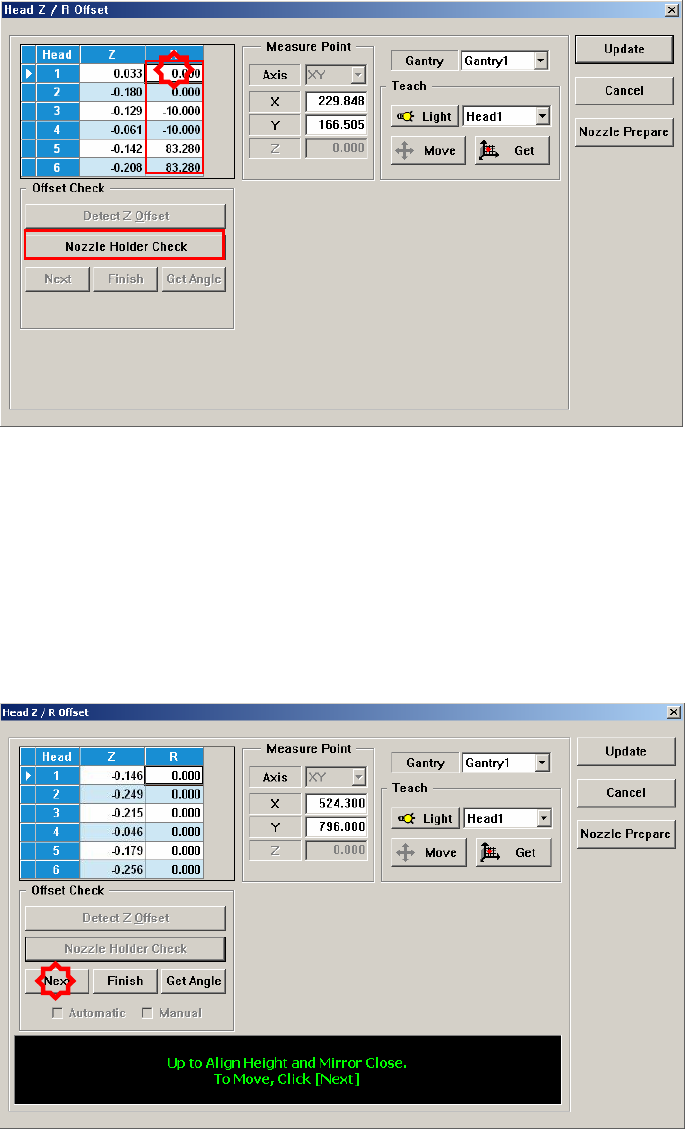
The following is the procedure to perform the ‘R-Offset Calibration’.
1. In the <Grid> area, input “0” for all R-axis values of the heads for which the
calibration is to be performed.
2. In the <Grid> group, select the R-axis for which the calibration is to be
performed and click the <Nozzle Holder Check> button.
3. Then the message “Please Check and Register Nozzle CNT0 to ANC 1-2 Hole.
First, We must Put all Nozzles from Heads manually. To Moving Down Z Axis,
Click [Next]” appears in the message window.Remove all nozzles inserted in
the nozzle-holder manually by clicking the <Next> button. At this time, for the
ANC, the virtual nozzle CNT0 is set for the No. 1 hole of the ANC and it is
regarded that the corresponding head picked the CNT0 nozzle.
4. Then the message “Up to Align Height and Mirror Close. To Move, Click
[Next].” appears. Then move the spindle to the part recognition height so that
the nozzle holder of the head can be seen from the fly camera and click the
<Next> button to close the mirror.
5. Execute the ‘Current Position’ dialog box by clicking the shortcut menu.
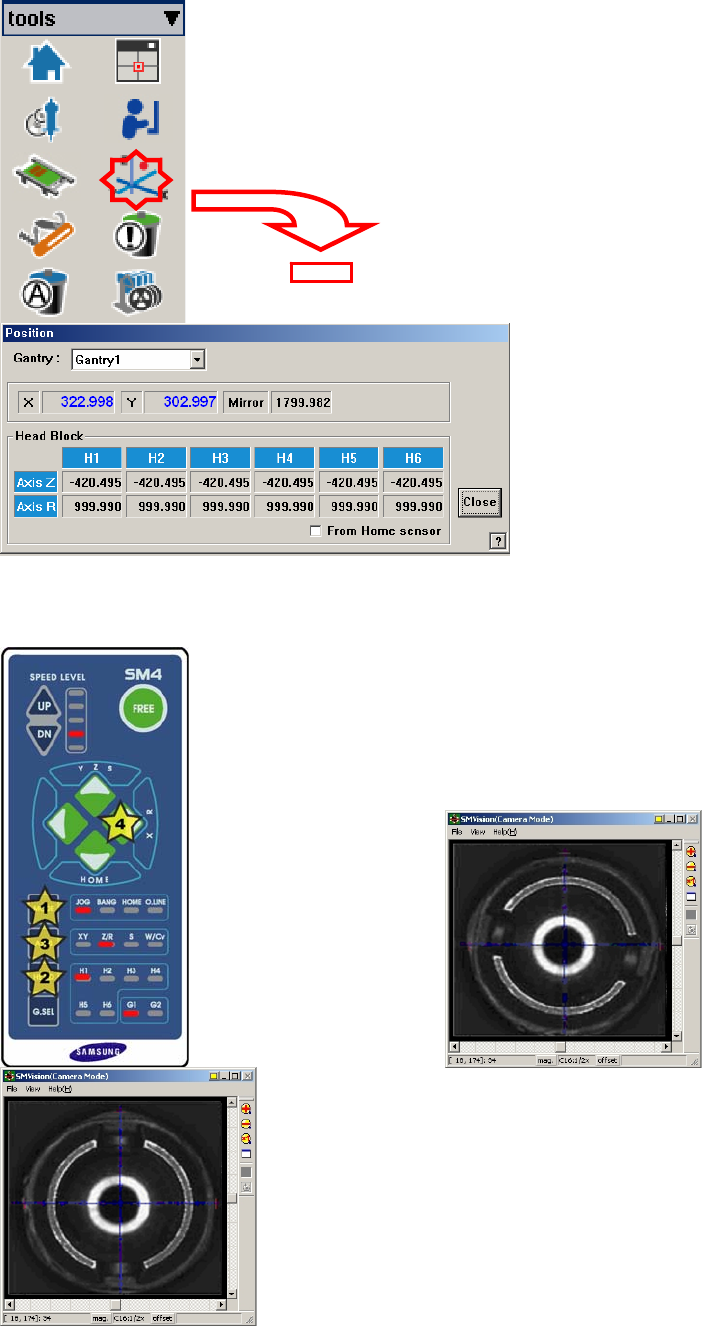
6. Rotate the spindle in the R-direction by using the teaching box so that the
shape of the nozzle holder becomes ‘( )’. At this time, the nozzle holders of the
heads with interlocked mechanism must be assembled in the same direction.
That is, the mechanisms of the #1~#2 heads and #3~#4 heads, #5~#6 heads
must be assembled first in the same direction by using the jig for a nozzle
holder.
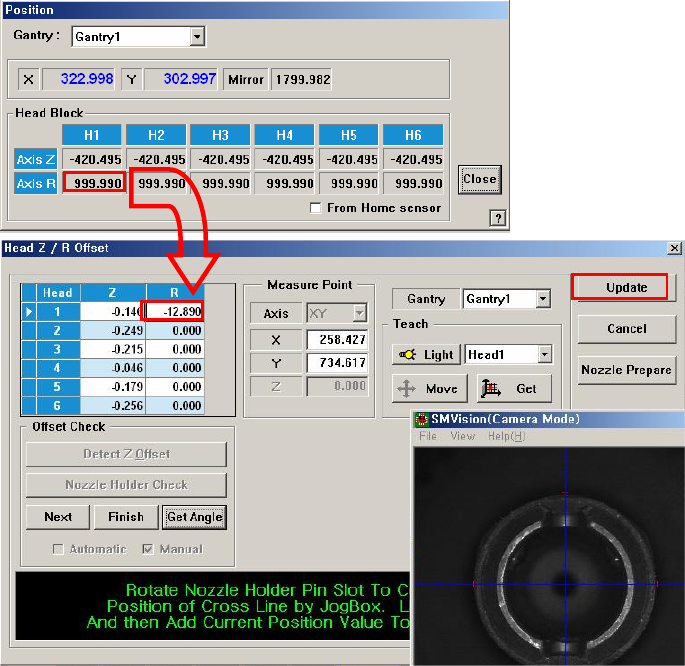
7. At this time, input the current position value of the R-axis and click the
<Update> button.
8. Perform the calibration form Head 2 to Head 6 in the same manner.
9. Click the <Update> button to apply the calibration result to the machine.