SM411F_Service Manual.pdf - 第174页
Electric Device 3.5. Frame Board Ass’y 3.5.1. Required T ools Spanner Screw driver with “ + ” shaped tip and screw driver with “ - ” shaped tip T W rench or Hex W rench 3.5.2. Front Upper Part Feeder Control Boar…
Electric Device
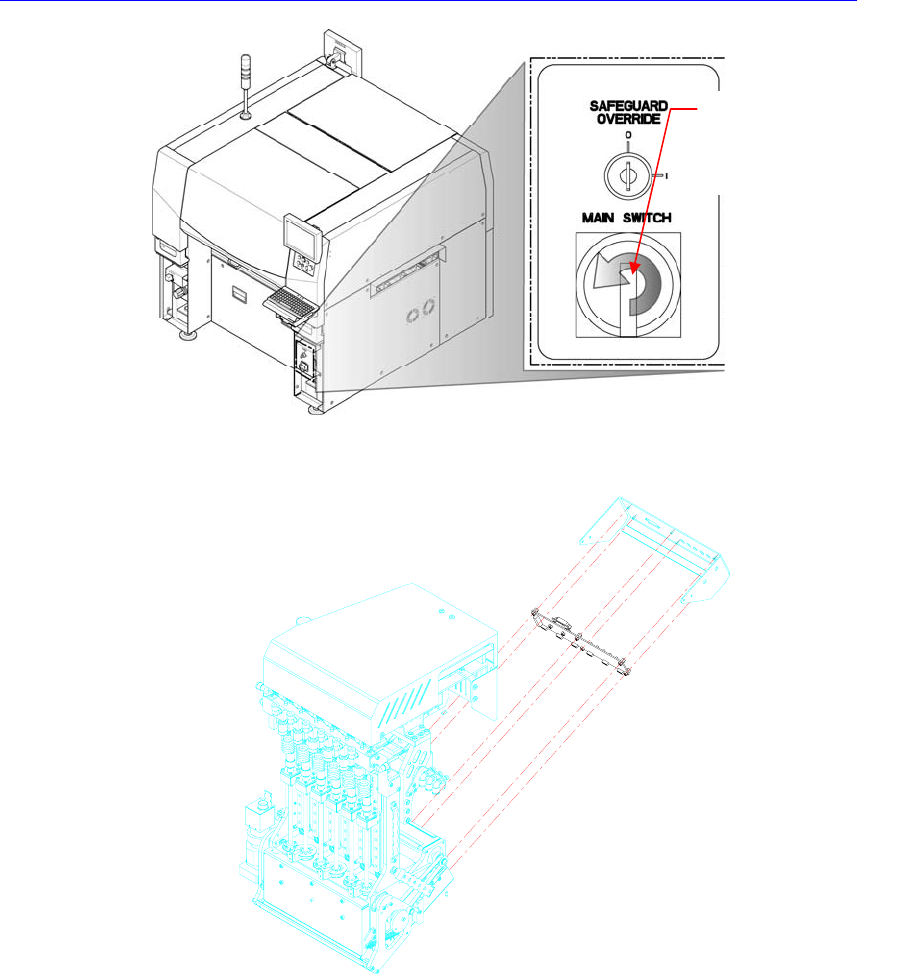
3. Disconnect the camera cable connected to the board.
4. Remove the camera cover by using the wrench.
5. Unscrew the fixing screws by using the screw driver and replace the board.
6. The assembling is performed in the reverse order of disassembling.
7. After turning on the main switch on the front side of the machine, perform the
fly camera related light mapping by referring to “
오류
!
참조
원본을
찾을
수
없습니다
.
오류
!
참조
원본을
찾을
수
없습니다
. (page
오류
!
책갈
피가
정의되어
있지
않습니다
.)“.
Direction in which the
main switch is turned
off (counterclockwise)
Electric Device
3.5. Frame Board Ass’y
3.5.1. Required Tools
Spanner
Screw driver with “+” shaped tip and screw driver with “-” shaped tip
T Wrench or Hex Wrench
3.5.2. Front Upper Part
Feeder Control Board
Feeder Input EXT Board
3.5.2.1. Replacement procedure for the board on the front upper side of
machine
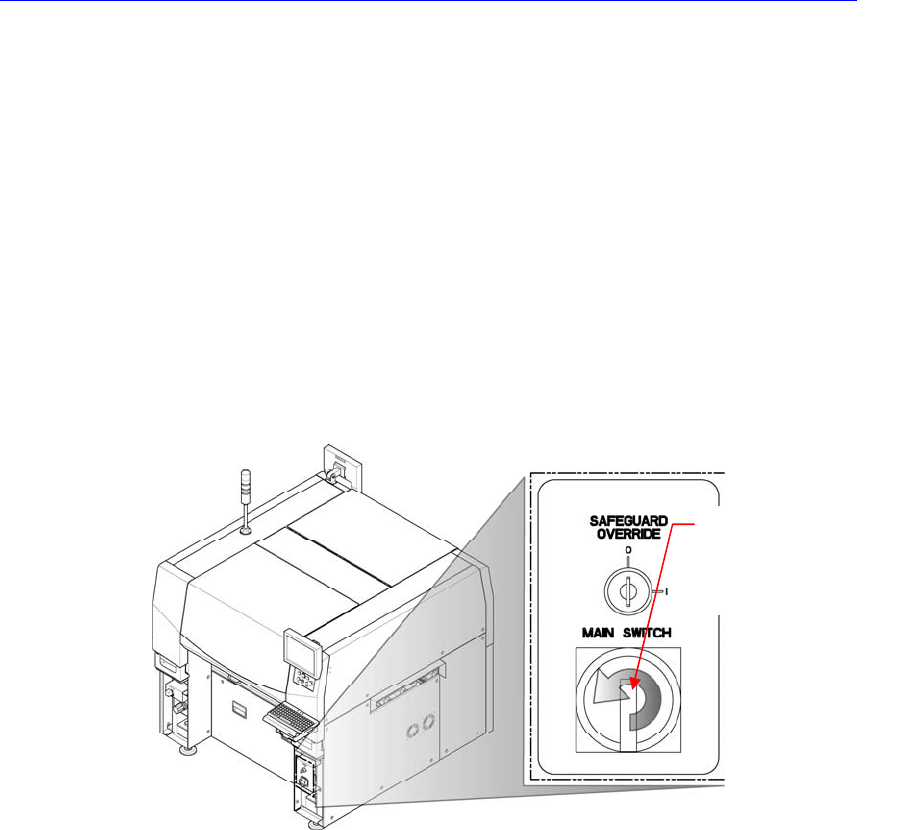
1. Turn Off the PC in normal way. Then turn off the main switch on the front side
of the machine.
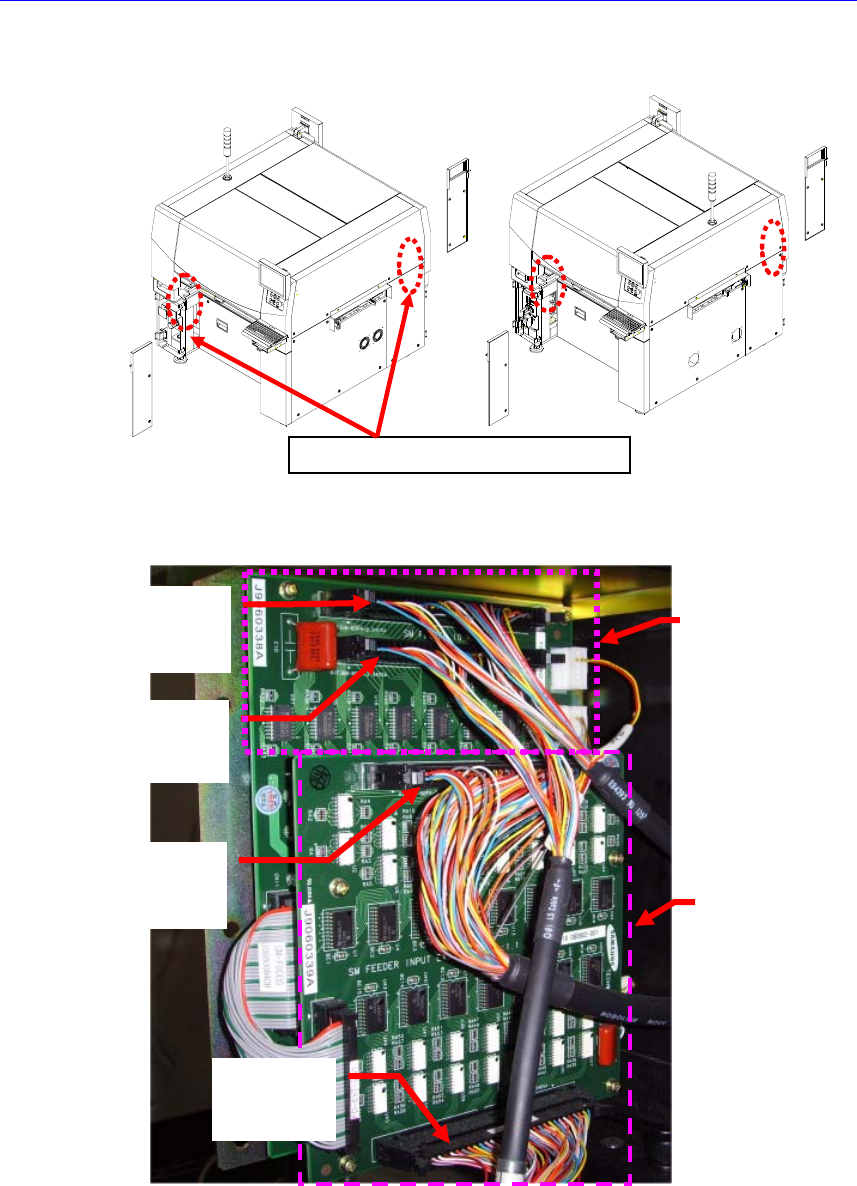
2. In order to remove the feeder control board, unscrew the bolts (6 sets) of the
internal covers at the left and right sides of the machine in the following figure
by using a screw driver with a ‘+’ shaped tip and remove the covers.
Direction in which the
main switch is turned
off (counterclockwise)
Electric Device
3. Disconnect the connectors connected to the Feeder Control Board and Feeder
Input EXT Board.
Left Feede
r
Base Board
Output
Right Feede
r
Base Board
Output
Left Feede
r
Base Board
Input
Right Feede
r
Base Board
Input
Feeder
Control
Board
Feeder
Input
EXT Board
Feeder Control Board Location