00193370-0202.pdf - 第52页
Handbuch für das Achsprüfgerät / Axis T ester Manual SIPLACE Axis T e ster 6 S tructure of the user interface Ausgabe 08/2003 Edition 52 6 S tructure of th e us er interface 6.1 Ma in menu Fig. 6 - 1 Main menu of the use…

SIPLACE Axis Tester Handbuch für das Achsprüfgerät / Axis Tester Manual
Ausgabe 08/2003 Edition 5 Safety instructions
51
5 Safety instructions
WARNING 5
Only SIPLACE engineers or appropriately qualified personnel may make settings and carry out
diagnostic or troubleshooting work on the axis systems. The same applies to running and using
the SITEST program.
Æ Always follow the accident prevention regulations applicable in your country, particularly EN
60204.
Æ Press the emergency stop button before connecting the axis tester.
Æ Only appropriately trained and qualified personnel may set the key switch to set-up mode (‘I’).
During operation, do not turn the key switch to the ‘I’ position (set-up mode) unless you are
prompted to do so in the instructions or in the station software dialog.
Æ NEVER move your head or arms into the gantry travel range while the station is switched on.
Æ Protective devices must not be modified. In particular, circuit-breakers must not be bypassed
and protective devices must not be removed.
WARNING
To avoid damaging the placement head or glue dispensing unit, always observe the following
points when moving the gantry: 5
– NEVER move the gantry by pushing against the placement head or glue dispenser with your
hands.
– NEVER move the gantry while the Z axis is lowered.
Handbuch für das Achsprüfgerät / Axis Tester Manual SIPLACE Axis Tester
6 Structure of the user interface Ausgabe 08/2003 Edition
52
6 Structure of the user interface
6.1 Main menu
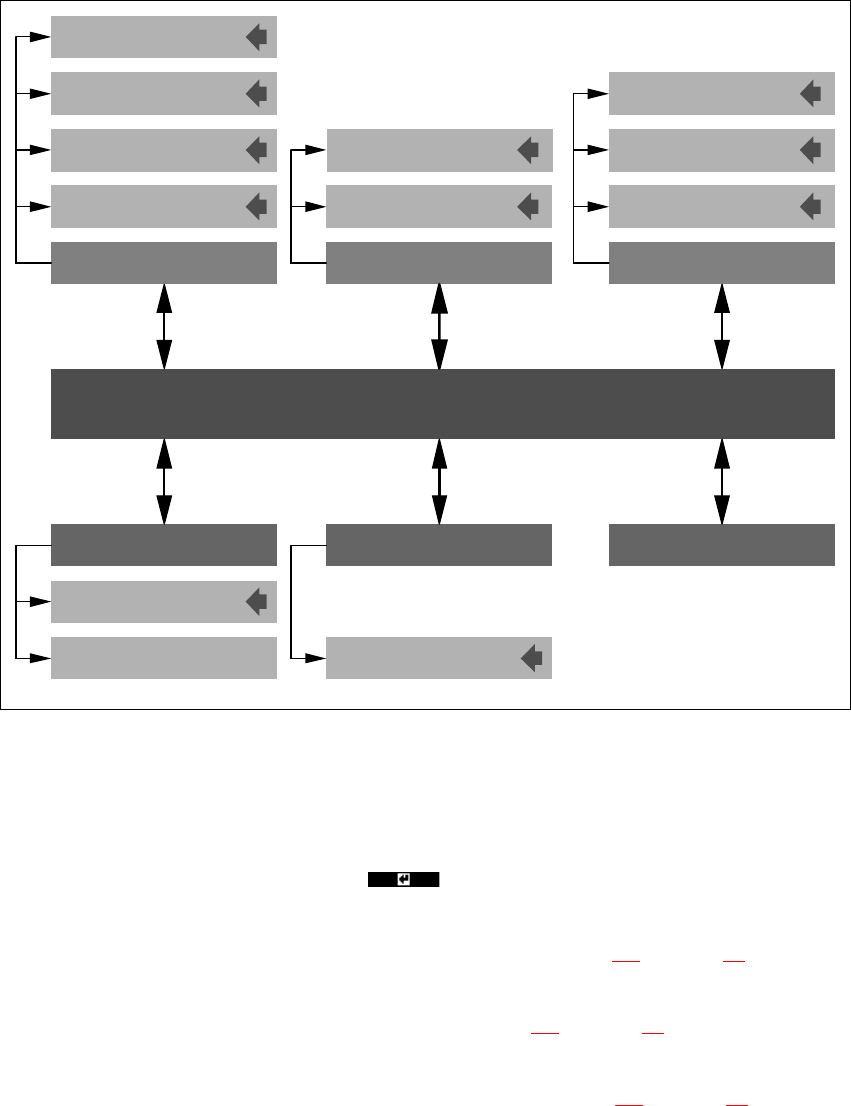
Fig. 6 - 1 Main menu of the user interface
The main menu is called from the axis tester start-up page. A window with the following menu op-
tions appears on screen:
–Quit
Press this button and then RETURN ( ) to close the main menu window.
– Configuration
The structure of the “Configuration” menu can be found in section 6.2
on page 54.
– Machine
The structure of the “Machine” menu is shown in section 6.3
on page 55.
– System control
The structure of the “System control” menu is explained in section 6.4
on page 56.
0DLQPHQX
6KXWGRZQ $ERXW
6\VWHPFRQWURO
&RQILJXUDWLRQ
0DFKLQH
Settings
User control
Display
Panel
Config unit
F machine
HS machine
Shutdown computer:
Shutdown computer: Yes
4XLW
Start-up window
Ports
S machine

SIPLACE Axis Tester Handbuch für das Achsprüfgerät / Axis Tester Manual
Ausgabe 08/2003 Edition 6 Structure of the user interface
53
– Shutdown
The “Shutdown” menu contains two options:
Shutdown computer. Press RETURN to exit the menu without shutting down
the axis tester.
Shutdown computer: Yes If you select this menu option and click on “Yes” to confirm,
all your settings are saved. The axis tester
is then shut down.
PLEASE NOTE: 6
Always select the “Shutdown computer: Yes” menu option to close all your activities with the
axis tester. This is the only way to store all your changes and settings in the tester, since all
changes since the last time they were saved are lost when you detach the cable from the axis
controller. 6
– About ...
This menu option calls up a window containing information about the axis tester, such as the
serial number, software version number, etc.
PLEASE NOTE: 6
Only the “Expert” user level allows access to all the menus. The default user level is “Begin-
ner”, which only allows access to the “Machine” and “About” menus. Selection of the user
level is described in section 8.1 on page 59. 6