00193370-0202.pdf - 第76页
Handbuch für das Achsprüfgerät / Axis T ester Manual SIPLACE Axis T e ster 8 Using the menus Ausgabe 08/2003 Edition 76 Fig. 8 - 40 W indow for displaying the measuring accuracy Æ Select th e “Informati on” menu op tion.…
SIPLACE Axis Tester Handbuch für das Achsprüfgerät / Axis Tester Manual
Ausgabe 08/2003 Edition 8 Using the menus
75
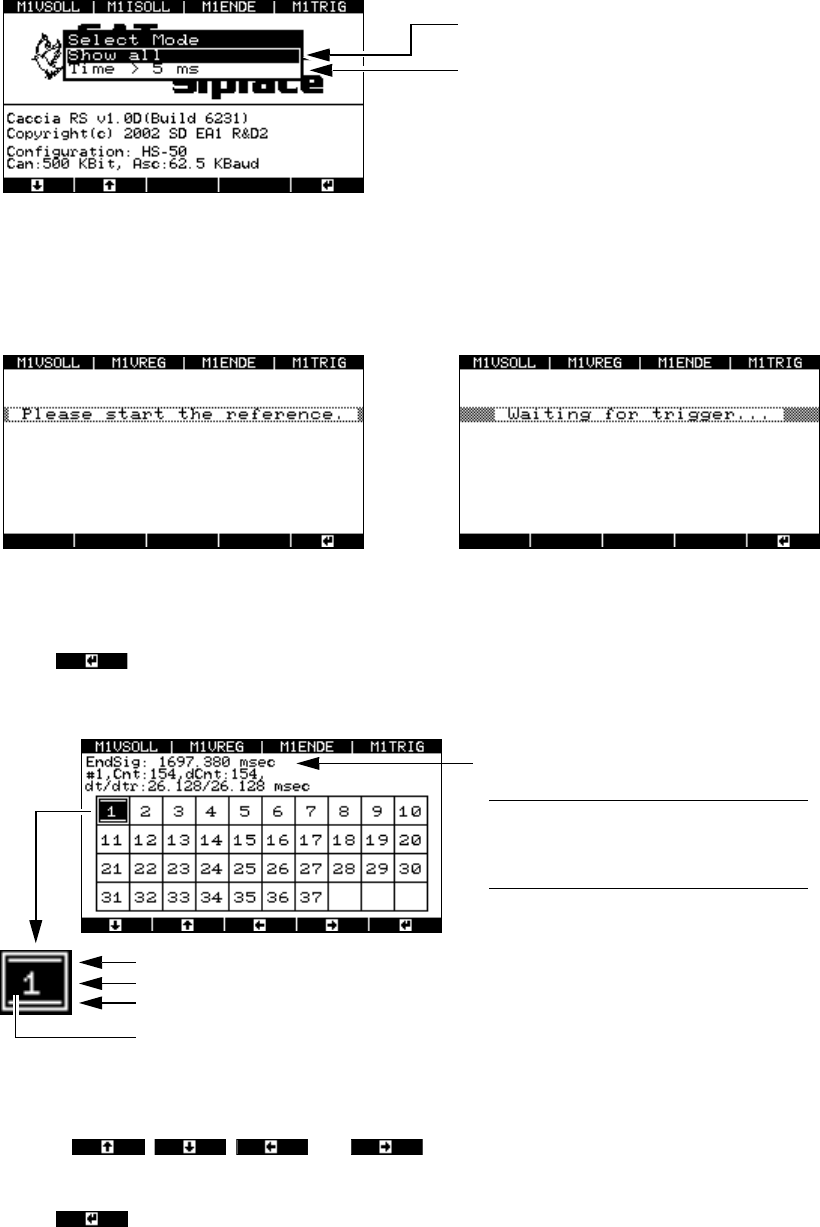
Fig. 8 - 37 “Select mode” menu
Æ Select “Show all”. The window for traversing the axis appears, followed by the window for stop-
ping the measurement.
Fig. 8 - 38 Prompts to traverse the axis and stop the measurement
Æ Press to stop the measurement.
The result window appears.
Fig. 8 - 39 Window for selecting the zero pulse
Æ Use the , , and cursor keys to select the required zero pulse
(the maximum number of zero pulses is 37).
Æ Press
All zero pulses are displayed.
Only zero pulses > 5 msec apart are
displayed.
This filter function should be used for
standard applications.
P
rompt to traverse the axis Prompt to stop the measurement
Duration of the end signal
PLEASE NOTE: The first measurement
is always invalid since there is no refer-
ence point for calculating the difference.8
Signals a counting error
Displays the recorded zero pulse
Signals a timing error
Black background:
The test results for this position are displayed in the next window.
Handbuch für das Achsprüfgerät / Axis Tester Manual SIPLACE Axis Tester
8 Using the menus Ausgabe 08/2003 Edition
76
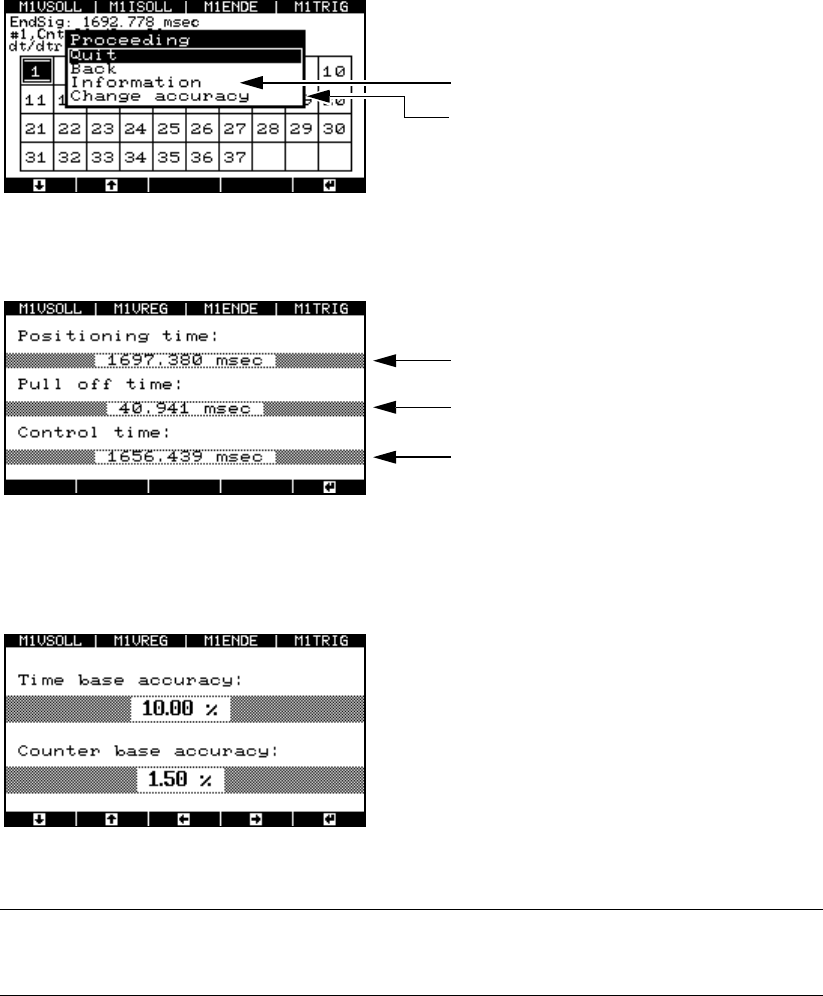
Fig. 8 - 40 Window for displaying the measuring accuracy
Æ Select the “Information” menu option. The test results are displayed.
Fig. 8 - 41 Test results for the distance measurement
Æ Select the “Change accuracy” menu option to change the permitted scatter of the time base or
counter.
Fig. 8 - 42 Setting the accuracy of the time base and counter
PLEASE NOTE: 8
Do not change the default values. 8
8.4.5 “Serial connect” menu
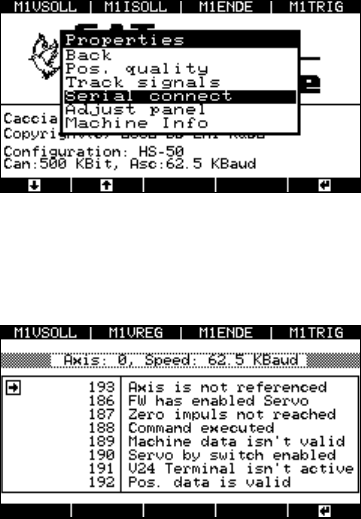
Æ Select the “Serial connect” option from the “Properties” menu.
Displays the test results
Selects the level of measuring accuracy
Duration of the end signal
Pull-off time
Trigger time
SIPLACE Axis Tester Handbuch für das Achsprüfgerät / Axis Tester Manual
Ausgabe 08/2003 Edition 8 Using the menus
77
Fig. 8 - 43 Test results for the distance measurement
Up to eight statuses may be displayed.
Fig. 8 - 44 Status display for the axis controller
The axis tester reads the statuses from the axis
controller’s register, and outputs the controller’s
status to a window with the status numbers used
on the placement machine’s user interface.
Serial connection
Left-hand window: Position display
Right-hand window: Status display for the selecte
d
axis. The information differs for each axis.