00193370-0202.pdf - 第68页
Handbuch für das Achsprüfgerät / Axis T ester Manual SIPLACE Axis T e ster 8 Using the menus Ausgabe 08/2003 Edition 68 8.4.1 Select ing a machine Fig. 8 - 20 Selecting the “ Machine” menu The wafflepack cha nger can be …
SIPLACE Axis Tester Handbuch für das Achsprüfgerät / Axis Tester Manual
Ausgabe 08/2003 Edition 8 Using the menus
67
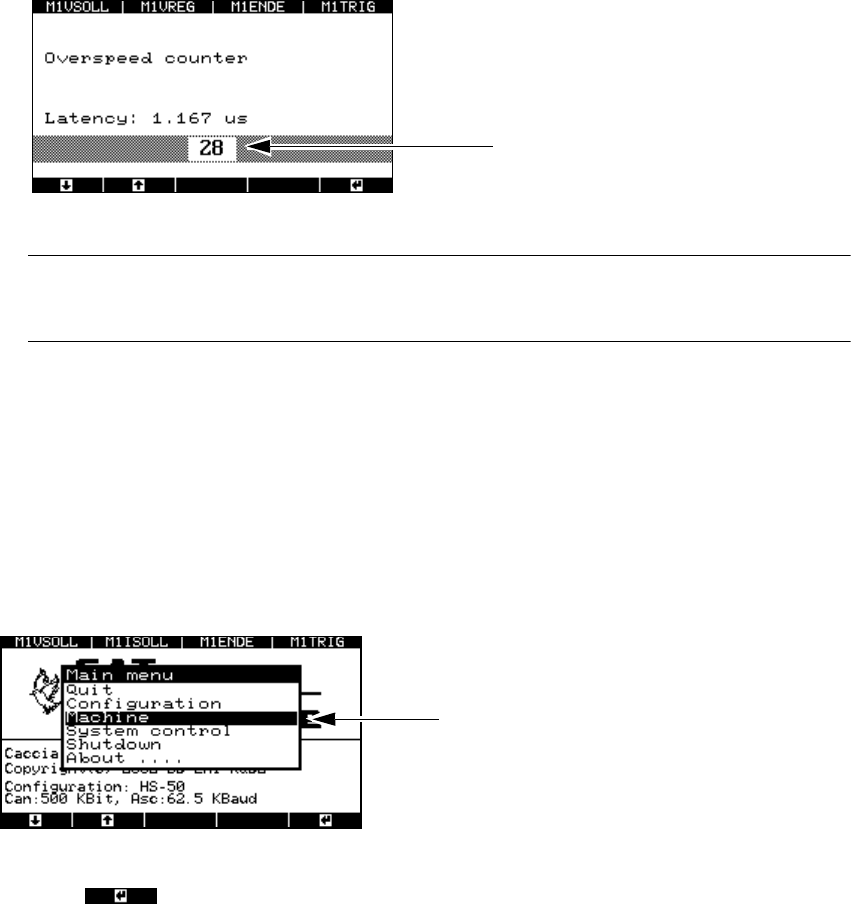
Fig. 8 - 18 Setting the time base for the overspeed
PLEASE NOTE: 8
We recommend that you keep the default value of 83.333. 8
If you have changed any values, then you must save them.
Æ Select from the main menu
- the “System control” menu
→ "Settings" → "Save" or
- the “Shutdown” menu
→ "Shutdown computer: Yes”.
8.4 “Machine” menu
The “Machine” menu is accessed from the main menu.
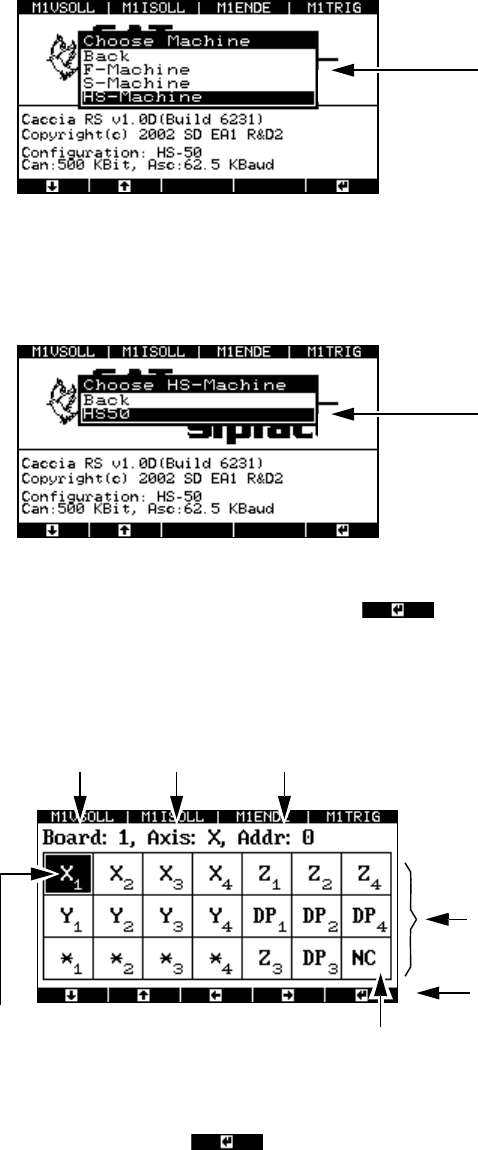
Fig. 8 - 19 Main menu, selecting the “Machine” menu
Æ Press to select the menu.
The menu for selecting the placement machine appears.
Multiplier
Example: 28 x 41.667 nsec = 1.167 µsec
“Machine” menu
Handbuch für das Achsprüfgerät / Axis Tester Manual SIPLACE Axis Tester
8 Using the menus Ausgabe 08/2003 Edition
68
8.4.1 Selecting a machine
Fig. 8 - 20 Selecting the “Machine” menu
The wafflepack changer can be found under F machine.
Æ Select a class of placement machine, e.g. HS machine.
Fig. 8 - 21 Selecting the “Machine type” menu
Æ Move the cursor onto HS-50 and press to confirm your choice. The window for con-
figuring the axis controllers in the control unit appears.
8.4.2 Selecting an axis
Fig. 8 - 22 Axis controller display, configuration
Æ Select the required axis by using the cursor keys to move the black marker onto the field con-
cerned. Then press to confirm your choice.
The window for displaying the axis properties appears.
There is a separate menu for each class of
machine, i.e. 1-gantry, 2-gantry or 4-gantry
machines.
Accesses the configuration menu for the
HS-50 placement machine
The selected axis has
a black background
Axis board no. 1 X axis Address 0
Not used
This display corresponds to the address
-
ing in the HS-50 control unit.
This display corresponds to the arrange-
ment in the HS-50 control unit.
Cursor keys for defining the axis selection
SIPLACE Axis Tester Handbuch für das Achsprüfgerät / Axis Tester Manual
Ausgabe 08/2003 Edition 8 Using the menus
69
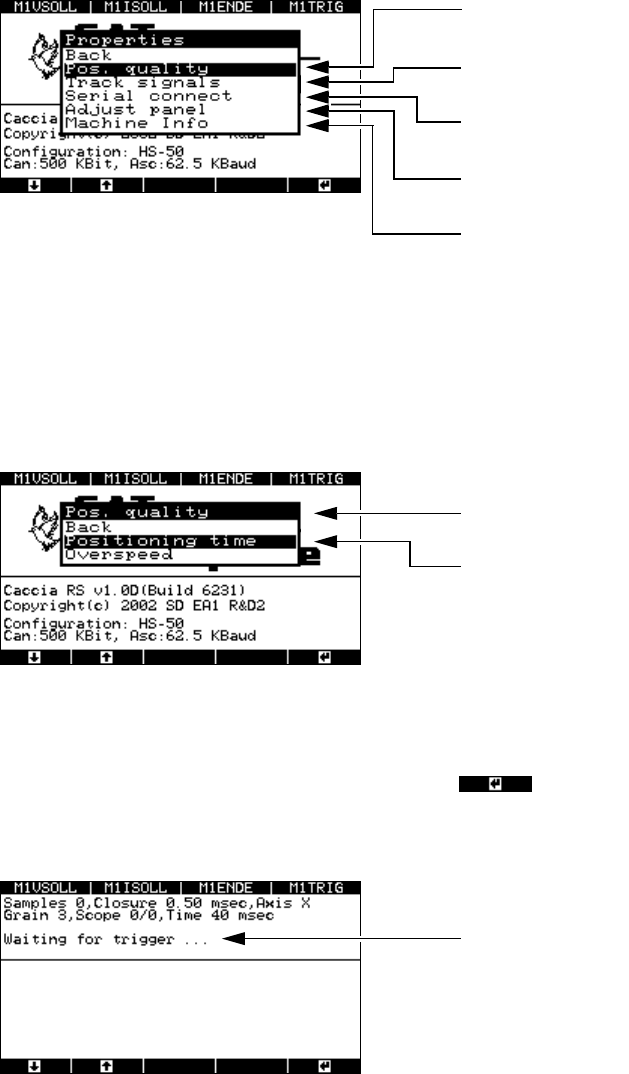
Fig. 8 - 23 “Properties” menu
8.4.3 Testing the axis positioning quality
Æ Select the “Pos. quality” menu from the “Properties” window.
The following window appears.
Fig. 8 - 24 Selecting the “Pos. quality” menu
8.4.3.1 “Positioning time” menu
Æ Select the “Positioning time” menu option and press .
The next window indicates that the axis tester is ready to receive the time and positioning
movement.
Fig. 8 - 25 “Waiting for trigger” menu
Æ Now use the SITEST program and the traversing path data from the setting instructions to start
the axis. The position data is recorded, and the positioning movement is displayed graphically
on screen.
This menu is used to analyze the position
-
ing quality and counting errors.
This menu is used to analyze the track
signals.
Use this menu to look up the axis controller
statuses.
Accepts the default parameters for the se-
lected axis.
This window contains information about the
axis currently being tested.
You can use this menu to test the axis
settings.
This menu helps you to analyze counting
errors.
The axis tester is ready to receive the
measured data.