00193370-0202.pdf - 第54页
Handbuch für das Achsprüfgerät / Axis T ester Manual SIPLACE Axis T e ster 6 S tructure of the user interface Ausgabe 08/2003 Edition 54 6.2 “Configuration” menu Fig. 6 - 2 “Configuration” menu, flow chart The “Con figur…

SIPLACE Axis Tester Handbuch für das Achsprüfgerät / Axis Tester Manual
Ausgabe 08/2003 Edition 6 Structure of the user interface
53
– Shutdown
The “Shutdown” menu contains two options:
Shutdown computer. Press RETURN to exit the menu without shutting down
the axis tester.
Shutdown computer: Yes If you select this menu option and click on “Yes” to confirm,
all your settings are saved. The axis tester
is then shut down.
PLEASE NOTE: 6
Always select the “Shutdown computer: Yes” menu option to close all your activities with the
axis tester. This is the only way to store all your changes and settings in the tester, since all
changes since the last time they were saved are lost when you detach the cable from the axis
controller. 6
– About ...
This menu option calls up a window containing information about the axis tester, such as the
serial number, software version number, etc.
PLEASE NOTE: 6
Only the “Expert” user level allows access to all the menus. The default user level is “Begin-
ner”, which only allows access to the “Machine” and “About” menus. Selection of the user
level is described in section 8.1 on page 59. 6
Handbuch für das Achsprüfgerät / Axis Tester Manual SIPLACE Axis Tester
6 Structure of the user interface Ausgabe 08/2003 Edition
54
6.2 “Configuration” menu
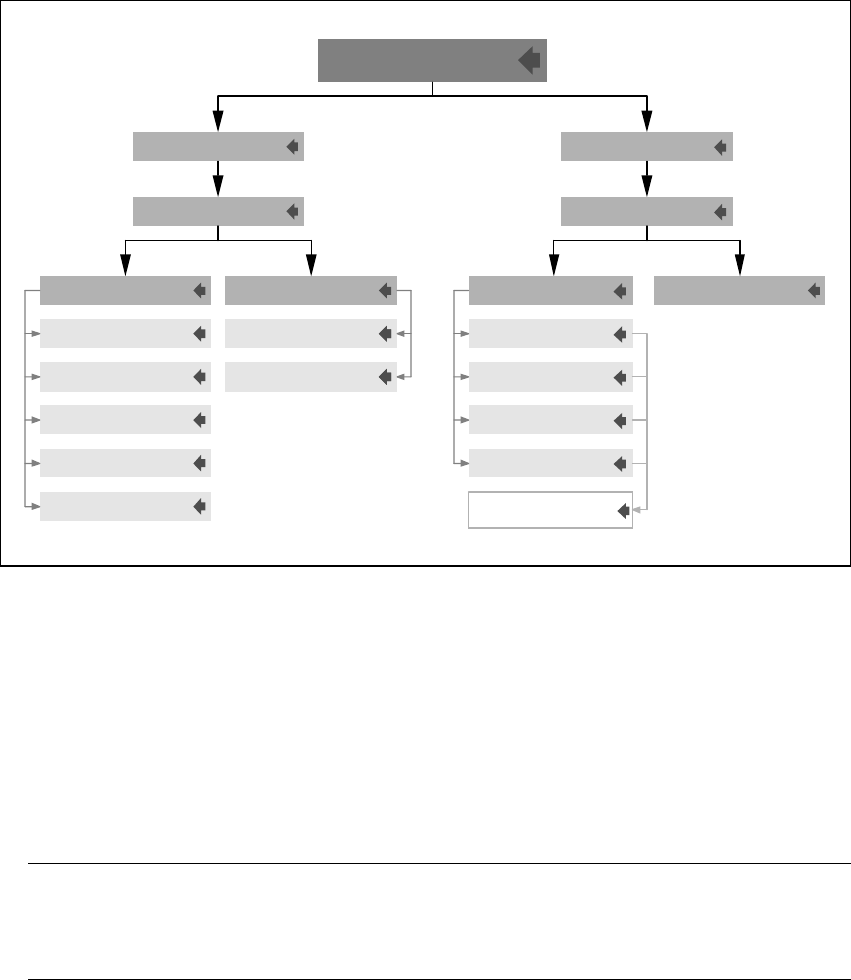
Fig. 6 - 2 “Configuration” menu, flow chart
The “Configuration” menu has two submenus:
Panel This option is used to adapt the assignment of the four BNC outputs to your
requirements. There is a separate menu for each output. In this way, you
can connect an oscilloscope or a plotter, for example.
Config unit Each axis controller board contains three axis controllers. This menu is
used to define the sampling settings for each axis controller individually.
PLEASE NOTE: 6
Please note that your settings are not permanently saved until you select the “Shutdown” op-
tion from the main menu. 6
You can also possible permanently save your changes by selecting the “Settings” option from
the “System control” menu.
&RQILJXUDWLRQ
Window with
30 signals
Reset
Line A
Line B
Trigger
End signal
Reset
Counter
Change line 4
Change line 3
Change line 2
Change line 1
Activate panelChange panelOverspeedSampling
Selection 1/2/3/4
Panel
Select unit 1/2/3
Config unit
SIPLACE Axis Tester Handbuch für das Achsprüfgerät / Axis Tester Manual
Ausgabe 08/2003 Edition 6 Structure of the user interface
55
6.3 “Machine” menu
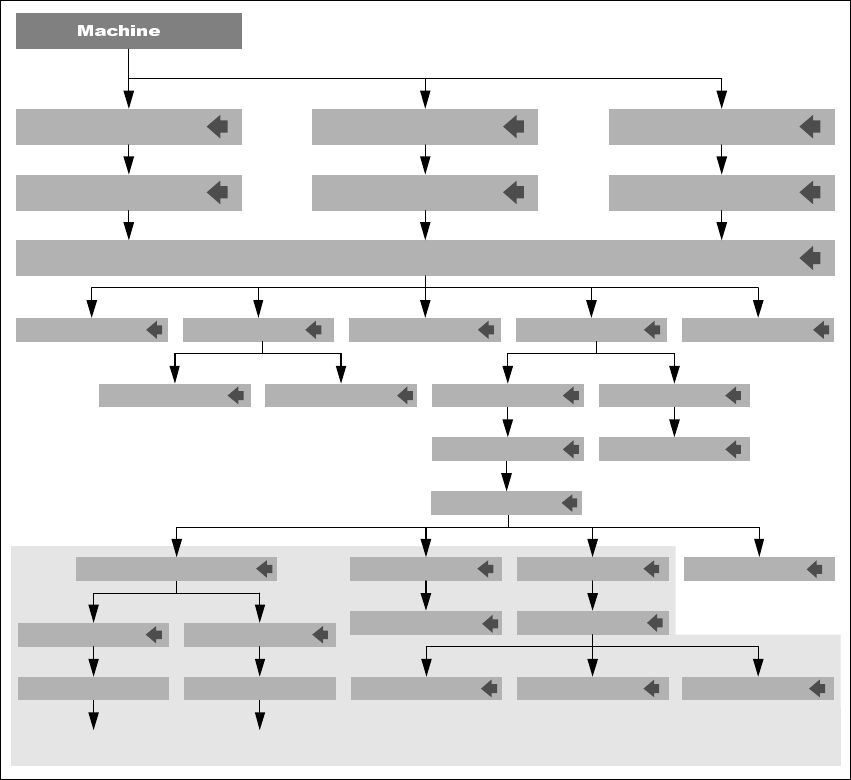
Fig. 6 - 3 “Machine” menu, flow chart
The “Machine” menu contains preconfigured test set-ups for each type of machine:
HS machines This menu contains the axis configuration for 4-gantry placement ma-
chines.
S machines This menu contains the axis configuration for 2-gantry placement machines
and the glue dispenser.
F machines This menu contains the axis configuration for 1-gantry placement machines
and the wafflepack changer (WPC).
BackCursor T1 Cursor T2
Proceding
Grafics w. cursor
QuitStart plotStart FFT
Waiting f. Trigger Start window
OverspeedPositioning timeLine errorReference error
Track signalsMachine info Adjust panelPos. qualitySerial connect.
Select axis / Properties
HS-50
F3, F4, F5,
F5 HM, WPC
F machine
S-15, S-20, S-23
S-25, G
HS machine
S machine
BNC 1/2/3/4
Dynamic
RETURN
Press any key
to go back
Press any key
to go back
BNC 1/2/3/4
Static
Select PWM mode
These menus can only be accessed
if the previous measurement was successful.
Back to Positioning
time menu