D-serie LEVEL II.pdf - 第190页
Modular Conveyor Conveyor Settings Lifting Table Function S tuden t Guide Advanced Level 2 SIPLACE D Series Modular Conveyor EN 05/2007 10-24 10.3.6 Lifting T able Function Lifting table up function Conditions for detect…
Modular Conveyor
Conveyor Control Conveyor Settings
Student Guide Advanced Level 2 SIPLACE D Series
EN 05/2007 Modular Conveyor
10-23
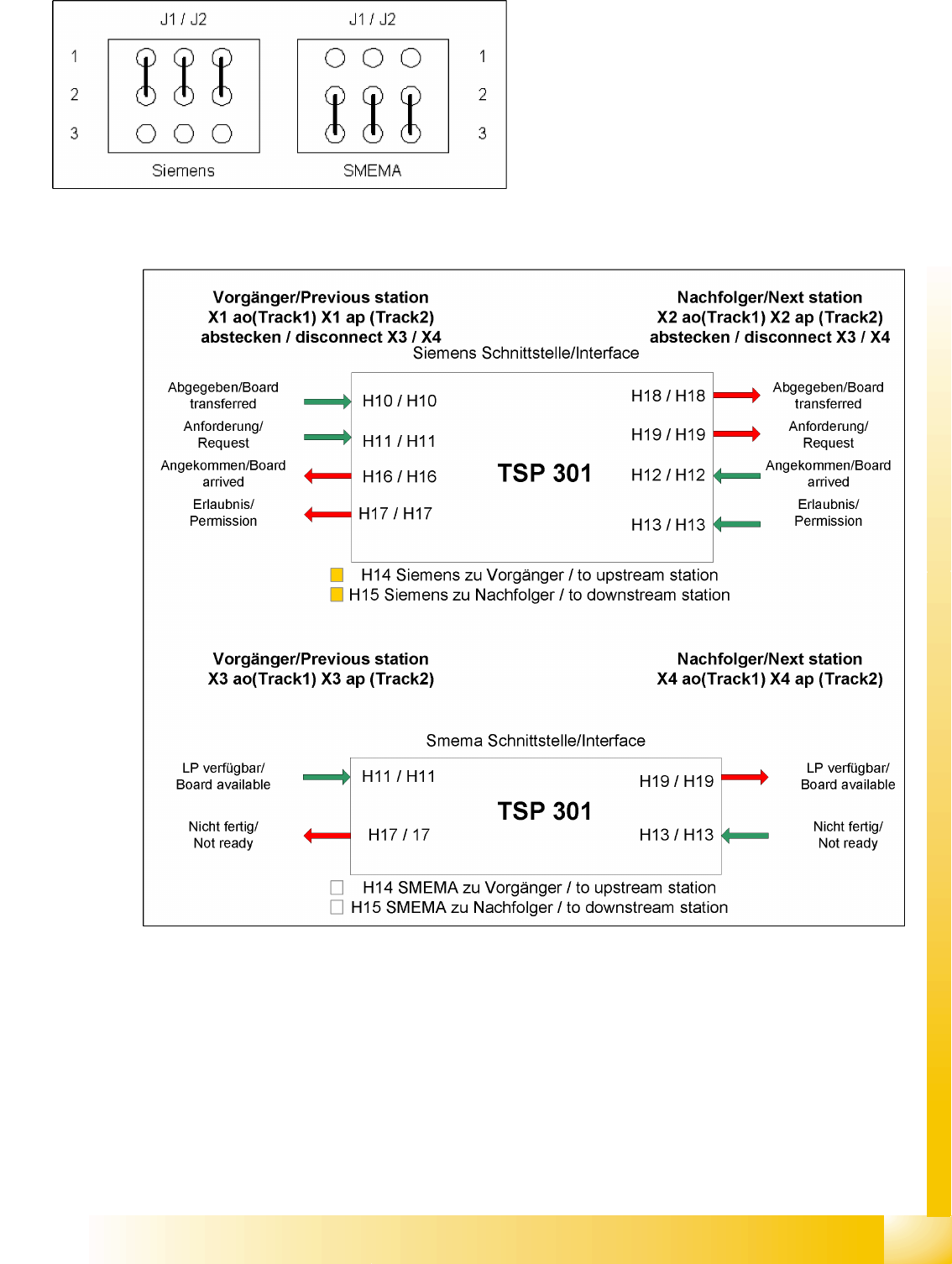
Siemens/SMEMA TSP 301 Interface
10-13: TSP 301 interface
10-12: Jumper J1 and J2 (Siemens/SMEMA)
Modular Conveyor
Conveyor Settings Lifting Table Function
Student Guide Advanced Level 2 SIPLACE D Series
Modular Conveyor EN 05/2007
10-24
10.3.6 Lifting Table Function
Lifting table up function
Conditions for detection that lifting table is up:
7-8 increments on the incremental disc
Software check (see Section 10.3.4 Board Recognition - Function [J10-18]).
Time behavior for board clamping of approx. 500 ms
Lifting table down function
Conditions for detection that lifting table is down:
7-8 increments on the incremental disc
Proximity switch on lifting table cylinder
Time behavior for board release of approx. 480 ms
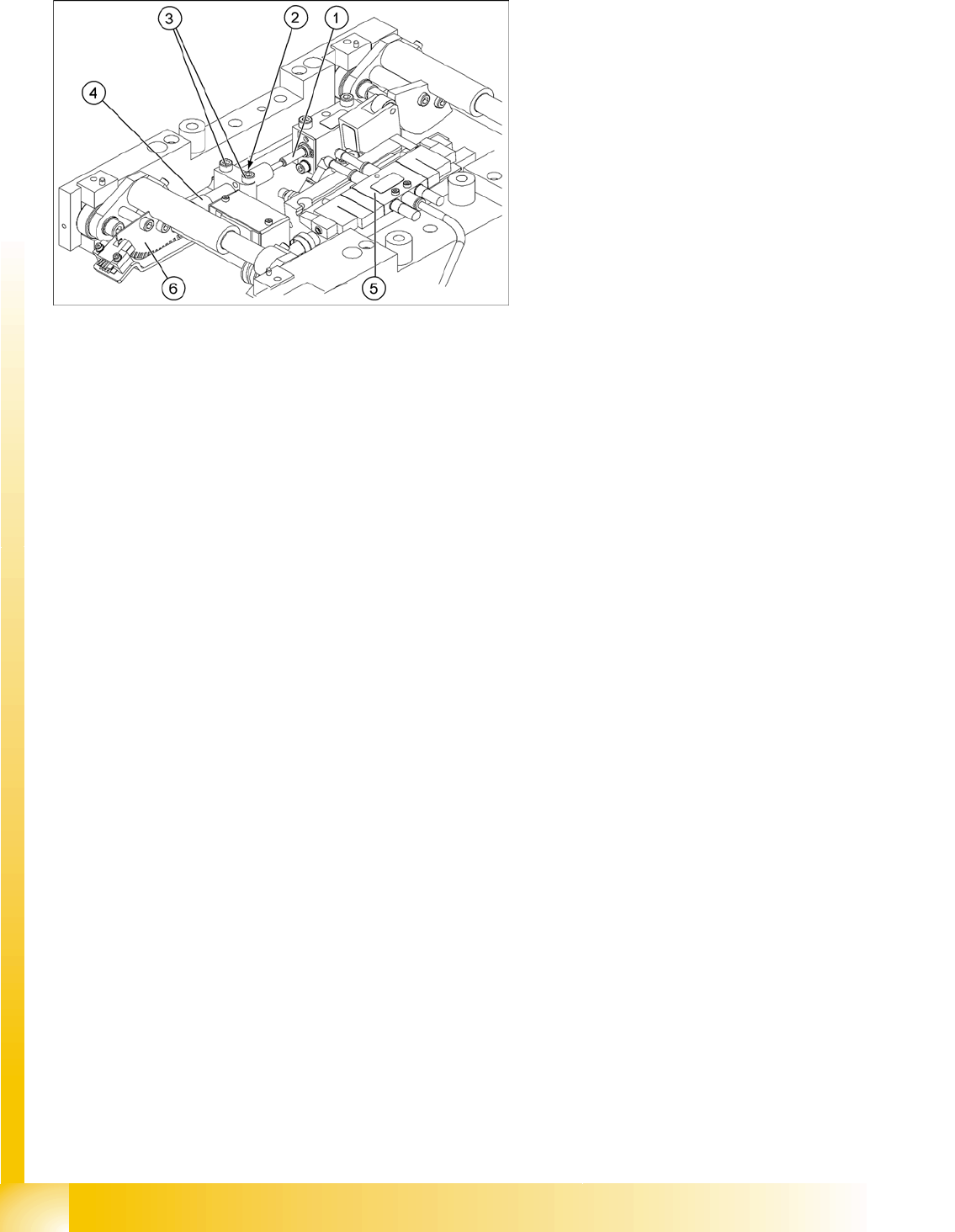
10-14: Lifting table unit
Legend
1. Actuator
2. Locknut for dampening
3. Fastening screw for fixture block
4. Dampening unit
5. 5/3 way valve, with pneumatic cylinder and
end position proximity switch underneath
6. Fork light barriers/incremental disc
Modular Conveyor
Lifting Table Function Conveyor Settings
Student Guide Advanced Level 2 SIPLACE D Series
EN 05/2007 Modular Conveyor
10-25
10.3.6.1 Setting the Lifting Table Speed (from SW 602)
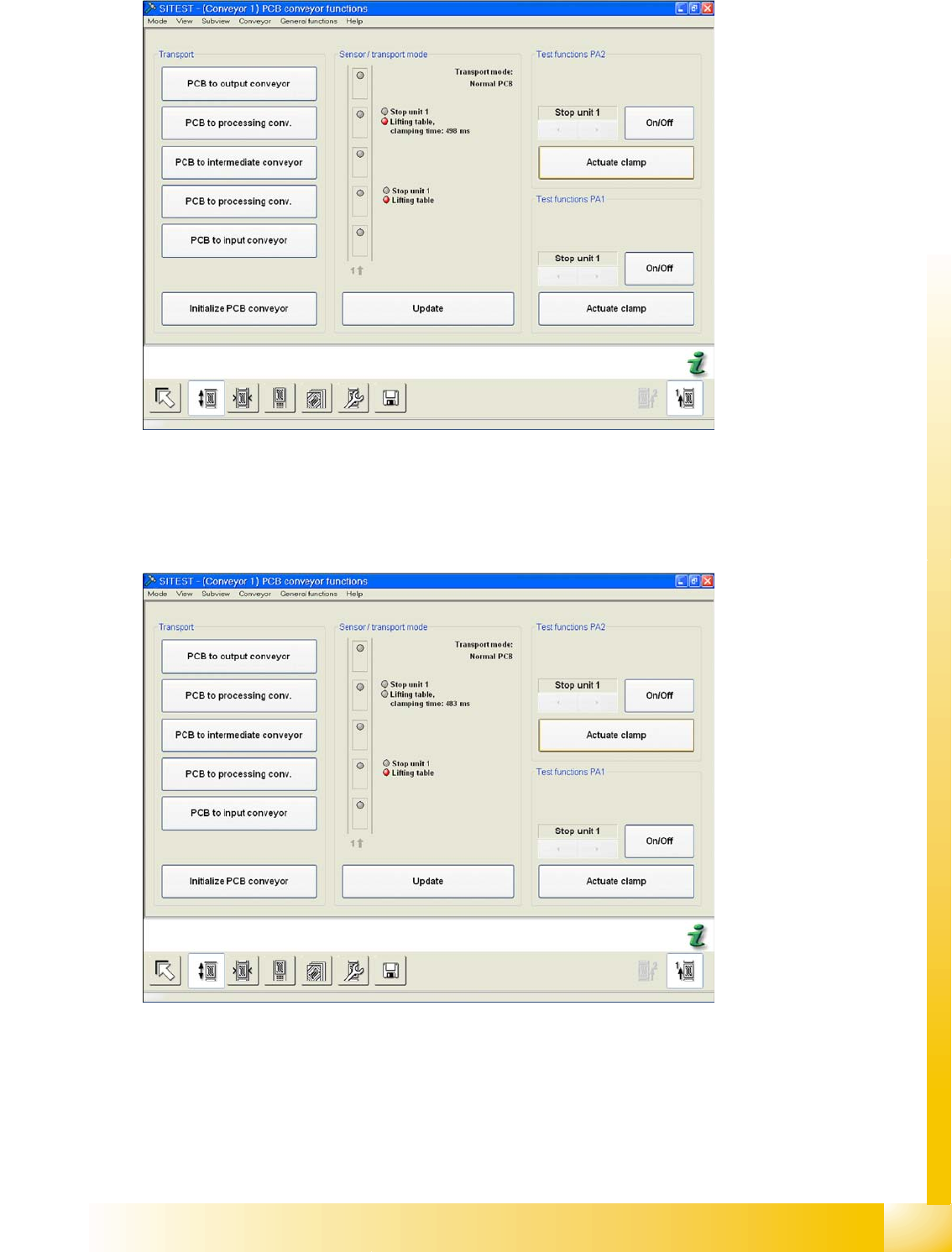
10-15: Time for moving lifting table up with lifting table plate
X Switch the machine on and start the SITEST program.
X In the PCB conveyor functions menu (see adjacent diagram) you can see the travel time for the lifting
table (from SW 602).
X Click on the button
Actuate clamp
.
10-16: Time for moving lifting table down with lifting table plate
X The lifting table is moved up and the travel time is shown (see diagram).
X By selecting the button
Actuate clamp
again, the table will be moved downwards and the travel time
for the downwards movement will be shown.
X If the travel times are not within the tolerance thresholds or if error messages are issued during
production, set the travel times as follows (display since SITEST 60x):