D-serie LEVEL II.pdf - 第216页
SITEST Calibration Basics New Functions in SITEST S tuden t Guide Advanced Level 2 SIPLACE D Series SITEST EN 05/2007 12-16 Legend 1. This is where the axis data (Z and star axes) can be written from the head EPROM to th…
SITEST
New Functions in SITEST Calibration Basics
Student Guide Advanced Level 2 SIPLACE D Series
EN 05/2007 SITEST
12-15
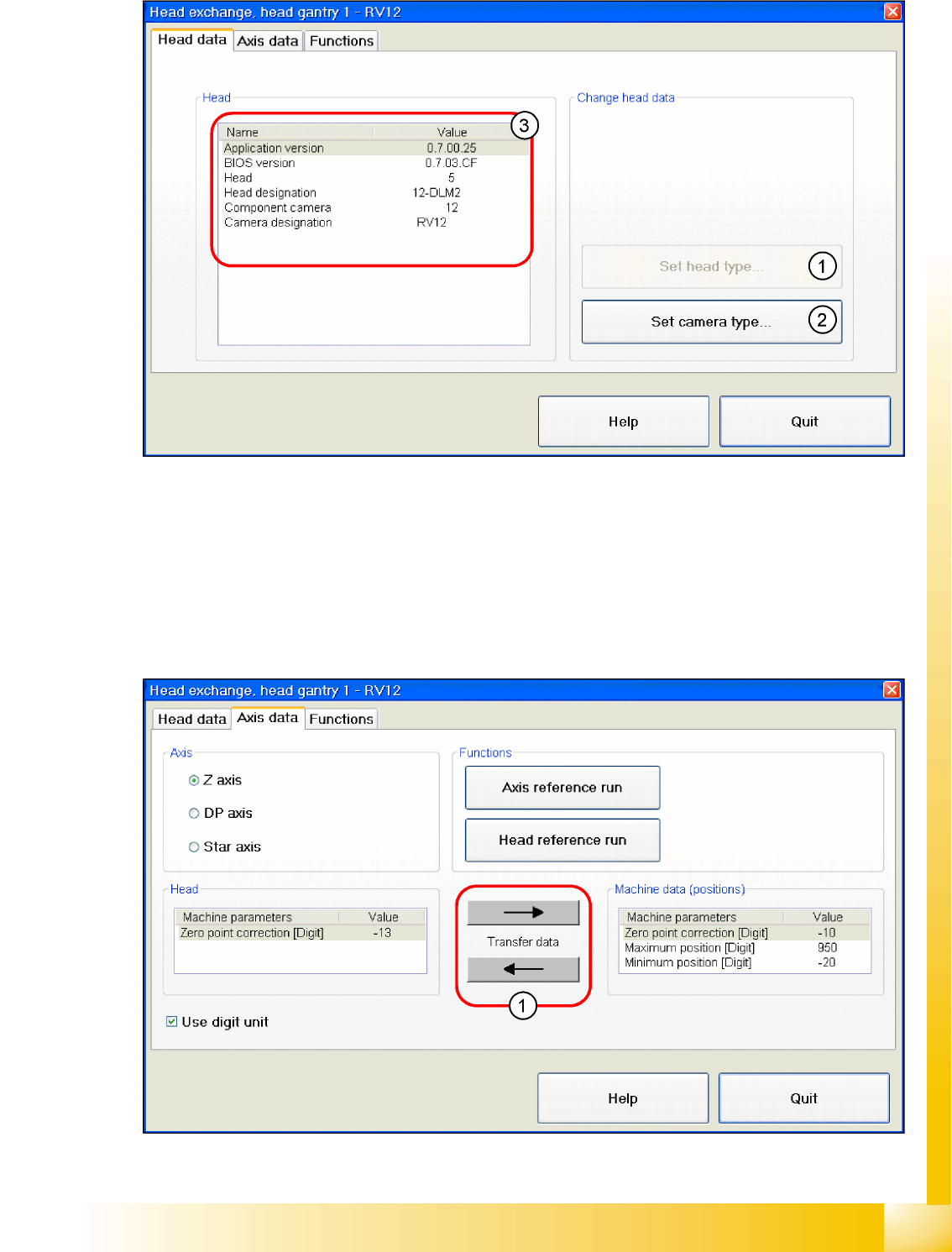
Head Data
12-9: Head modularity - head data
Legend
1. Select and set the relevant head type for the head replacement.
2. Select and set the relevant camera type for the selected head type or head replacement.
3. Shows the data for the head installed. The current BIOS and application version, the head type and
the camera type of the installed head.
Axis Data
12-10: Head modularity - axis data
SITEST
Calibration Basics New Functions in SITEST
Student Guide Advanced Level 2 SIPLACE D Series
SITEST EN 05/2007
12-16
Legend
1. This is where the axis data (Z and star axes) can be written from the head EPROM to the machine
data. You can also write the Z and star axis data from the machine data to the head EPROM.
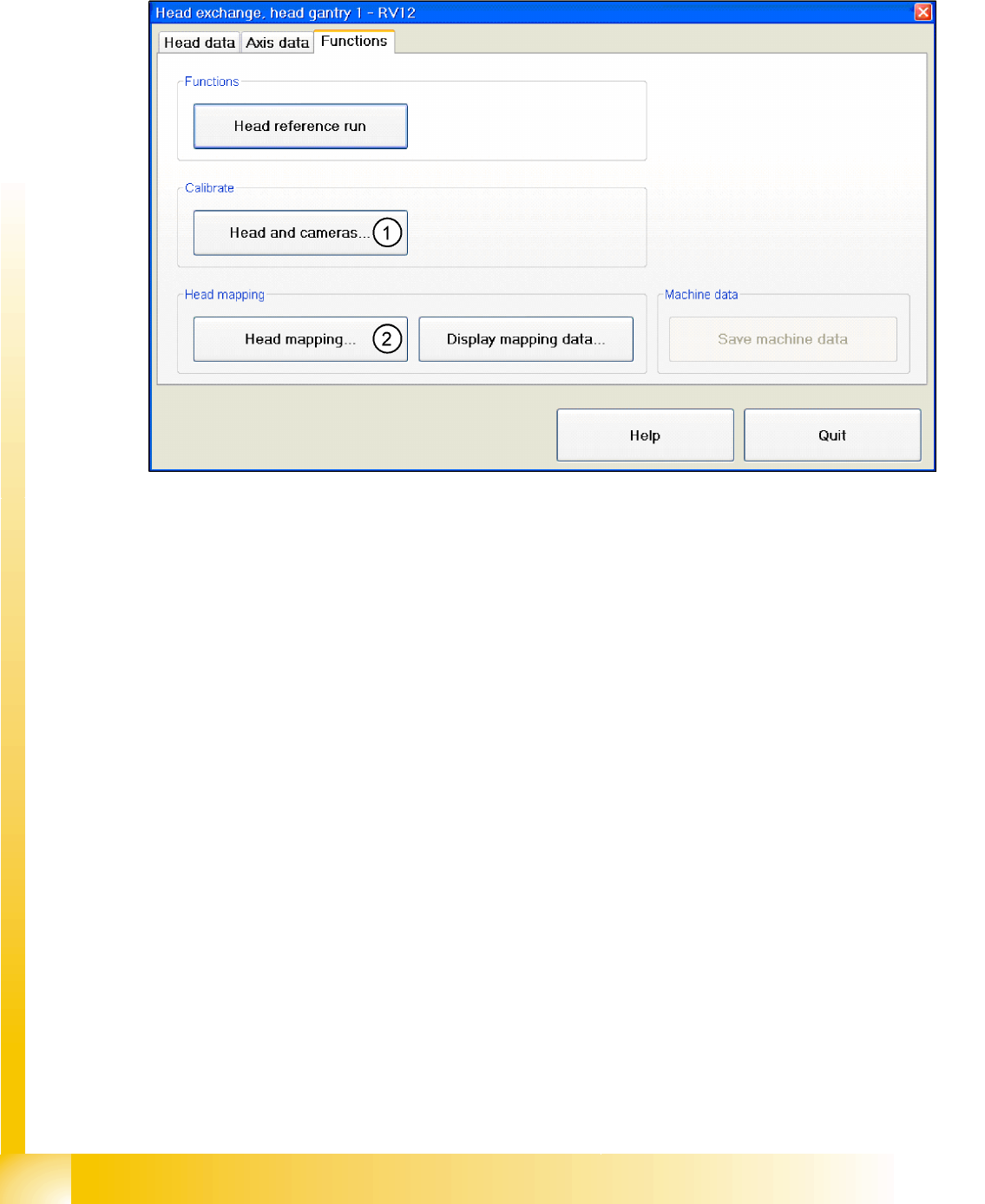
Function
12-11: Head modularity - function
Legend
1. After the head has been replaced, this function enables you to calibrate this head directly in the head
modularity menu. Of course it is also possible to calibrate the other heads with this function. The new
head and other heads can also be calibrated with SITEST, at
Calibrate machine...
,
All heads and
cameras...
.
2. The same applies as in(1). After the head exchange you can directly do a head- mapping. The head
mapping function can be found at
Calibrate machine
,
Head Mapping
.
SITEST
New Functions in SITEST Calibration Steps and Individual Calibration Functions
Student Guide Advanced Level 2 SIPLACE D Series
EN 05/2007 SITEST
12-17
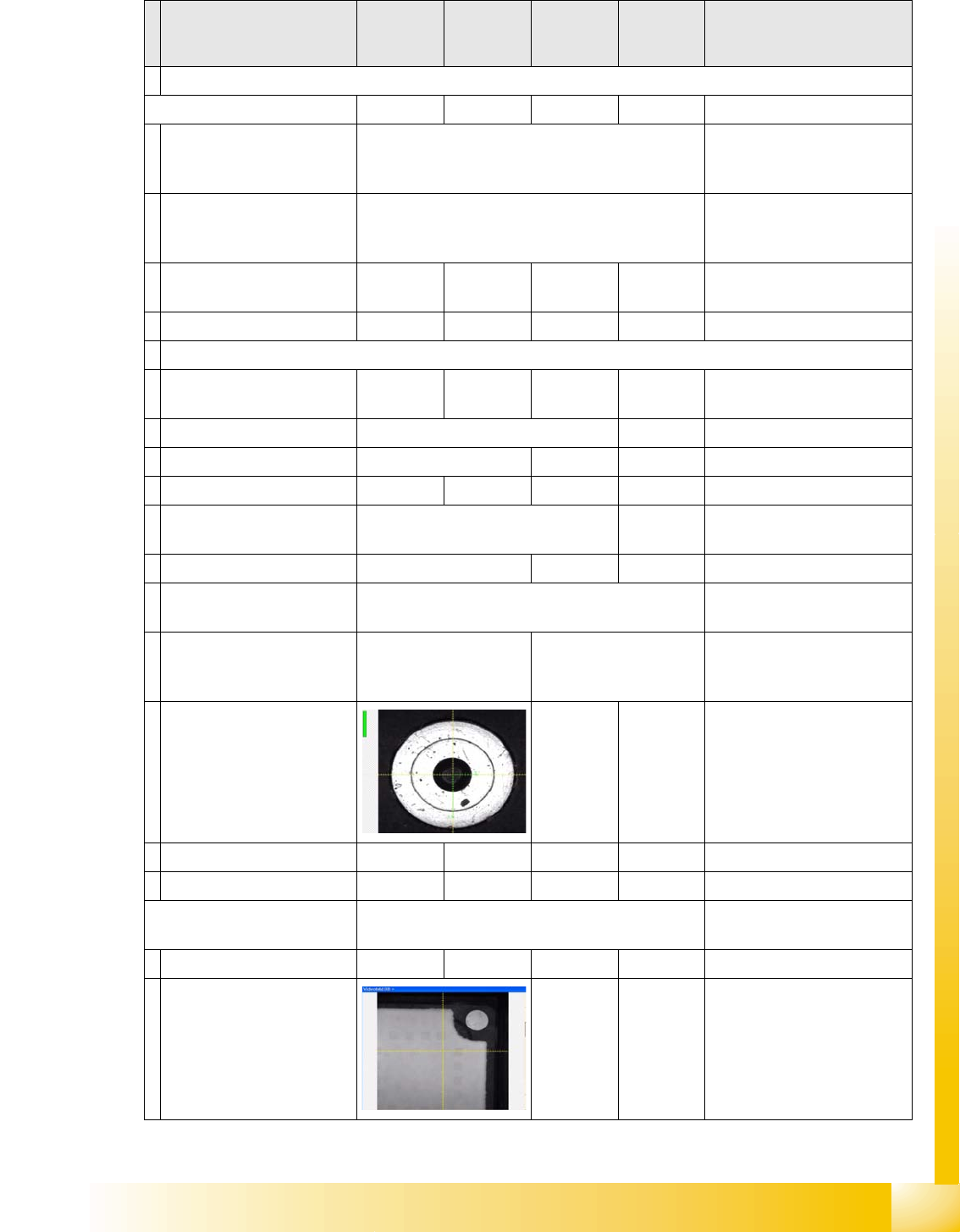
12.3 Calibration Steps and Individual Calibration Functions
Calibration step/
individual calibration
function
For D4 For D3 For D2 For D1 Comments
Programming basic parameters for the different axes
Axis parameter inputs
Zero point correction star
(acc. to label)
YES Before reference run 1 in
SITEST menu 'C&P head/RV
head' 'Axes' Star axis'
Zero point correction star
(after zero point correction
calculation for star axis)
YES
Zero point correction Z-axis/
pretension / force value
YES
With TWIN
YES
With P&P
Save in Achs_ver.ma.
Selection calibration contents 'whole machine calibration'
Selection menu for
calibration contents
'All gantries' YES
Placement area 1 / 2 YES
Gantry 1 YES 'Forced selection'
Gantry 1 and/or 2
(1 and/or 4)
YES
Gantry 2 and/or 3 YES
Machine zero point per
placement area
YES Automatically in 'all heads/
cameras' with Vision image
Optically center fiducial at
machine measurement
point with PCB camera.
Measuring point PA1
and PA2
Measuring point PA1 As single step in: 'gantry'
'position calib' 'MA 0 point'
Correct X /Y axis zero point
correction by calculated
offset.
Perform axis reference run.
Save in Achs_ver.ma.
Calibrating PCB camera YES Automatically in 'all heads/
cameras' with Vision image
Move to calibration tool and
calibrate the 2 mm PCB
camera fiducial at the 4
corners.
As single step in: 'gantry'
'PCB camera calibration'