D-serie LEVEL II.pdf - 第57页
Communication and Control CAN I/O Module (SLIO) - SIPLACE D4 CAN Bus S tude nt Guide Advanced Level 2 SIPLACE D Series EN 05/2 007 Communication and Control 4-17 4-15: Overview CAN I/O module Legend DIP Switch on the Mai…
Communication and Control
CAN Bus CAN I/O Module (SLIO) - SIPLACE D4
Student Guide Advanced Level 2 SIPLACE D Series
Communication and Control EN 05/2007
4-16
4.3.7 CAN I/O Module (SLIO) - SIPLACE D4
There are 2 CAN Bus I/O modules in the D4 machine. Both modules are absolutely identical and are
located in sectors 2 and 4.
Function
Micro controller with integrated CAN controller
Data memory
Program memory (flash)
CAN interface with 9 pin connector and address alignment
16 digital Output 24 V with status LED
24 digital Input 24 V with status LED
Download interface
Power supply 24 V
Extension on I/O module for the CAN interface (changeover tables)
8 digital inputs can be logically linked with the help of a FPGA (freely programmable gate array). The
FPGA is used for incoming security messages.
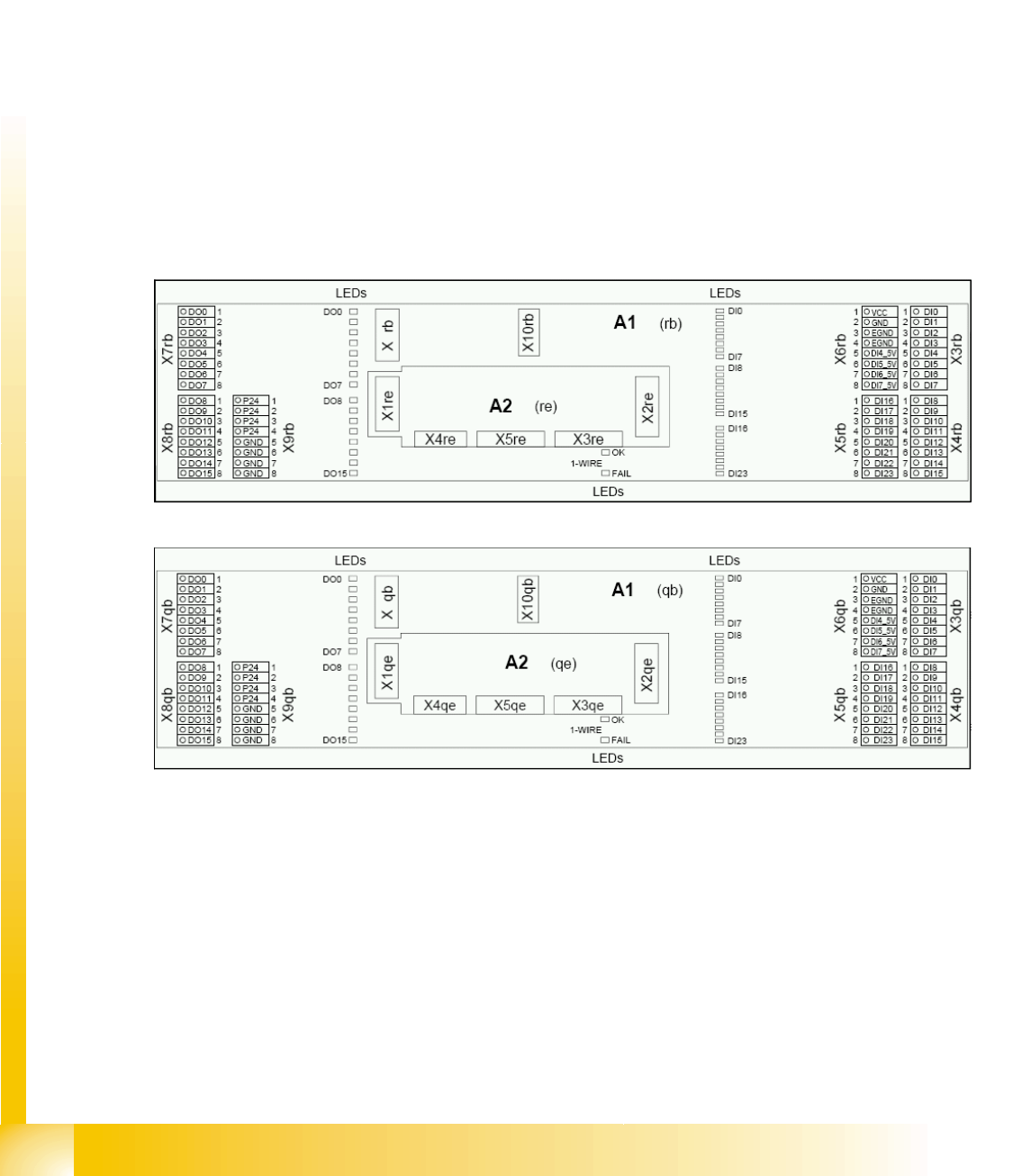
4-13: I/O module sector 2
4-14: I/O module sector 4
Communication and Control
CAN I/O Module (SLIO) - SIPLACE D4 CAN Bus
Student Guide Advanced Level 2 SIPLACE D Series
EN 05/2007 Communication and Control
4-17
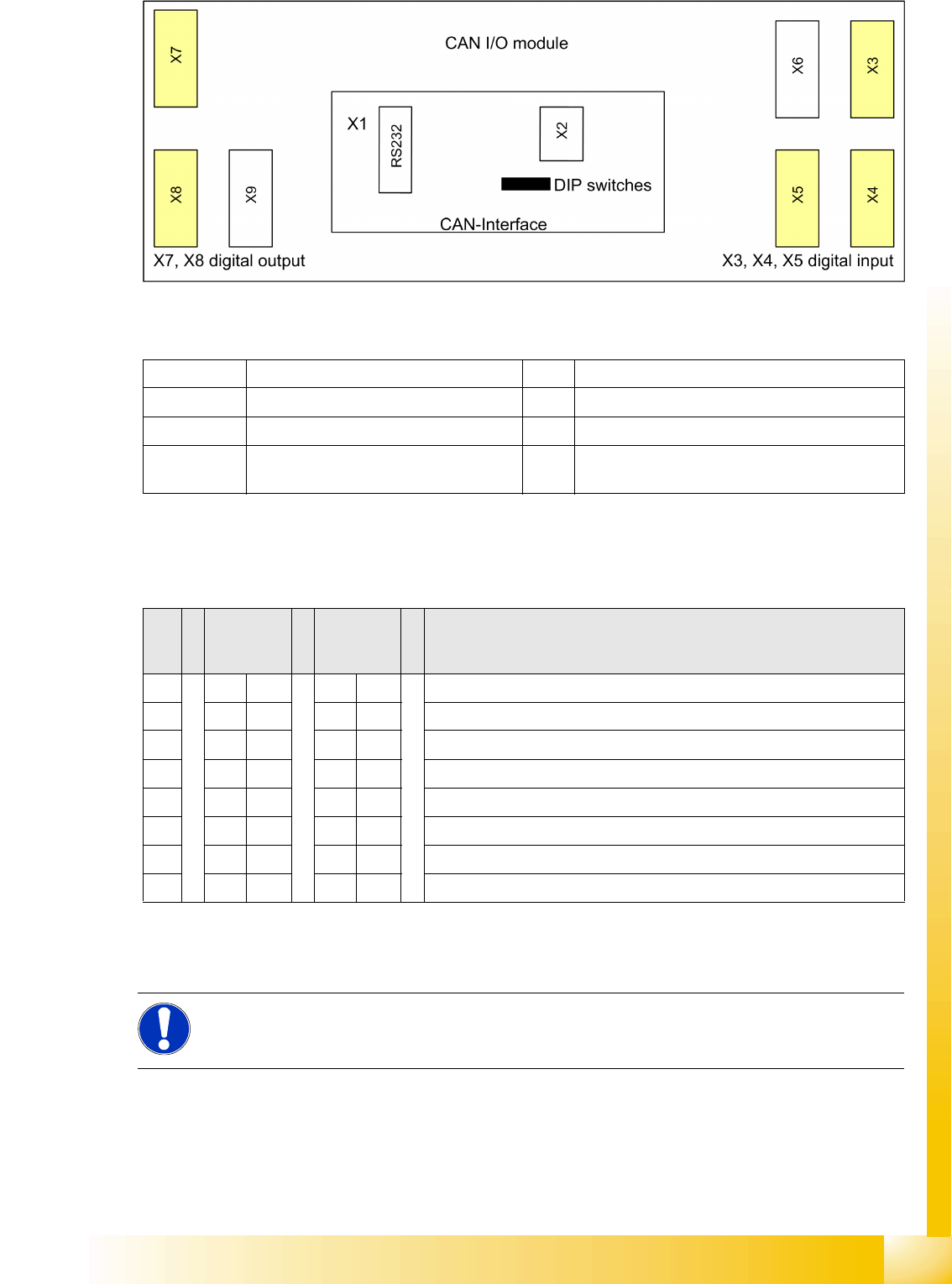
4-15: Overview CAN I/O module
Legend
DIP Switch on the Main- and Sub Distributor
There is an 8-fold DIP switch on the I/O module:
4.3.7.1 CAN I/O Module - Inputs and Outputs
X1 CAN interface X2 Analog interface, bootstrap loader interface
X3, X4, X5 Digital inputs 24V X6 Power supply 5V
X7, X8 Digital outputs 24V X9 Power supply 24V
RS232 Analog interface, bootstrap loader
interface
S Main
distributor
sector 2
Subdistrib
utor
sector 4
Comments
1ONONGateway (activate)
2OFF OFF ON: Slio emulation, OFF: CAN I/O module
3OFF OFF Speed (D1/D2: ON: 1Mbit/s), (D4: OFF: 500Kbit/s)
4ONOFFON: Location sector 2, OFF: Location sector 4 (D1/D2: OFF)
5OFF OFF Not in use
6OFF OFF ON: 1-Wire MA, OFF: 1-Wire PC
7OFF OFF Not in use
8OFF OFF Terminating resistor OFF (not used) (D1/D2: ON)
NOTE:
For the assignment of inputs and outputs on D-series machines, refer to the applicable circuit
diagrams or respective texts in the SITEST I/O menu.
Communication and Control
CAN Bus CAN Bus Communication with Axis Controller
Student Guide Advanced Level 2 SIPLACE D Series
Communication and Control EN 05/2007
4-18
4.3.8 CAN Bus Communication with Axis Controller
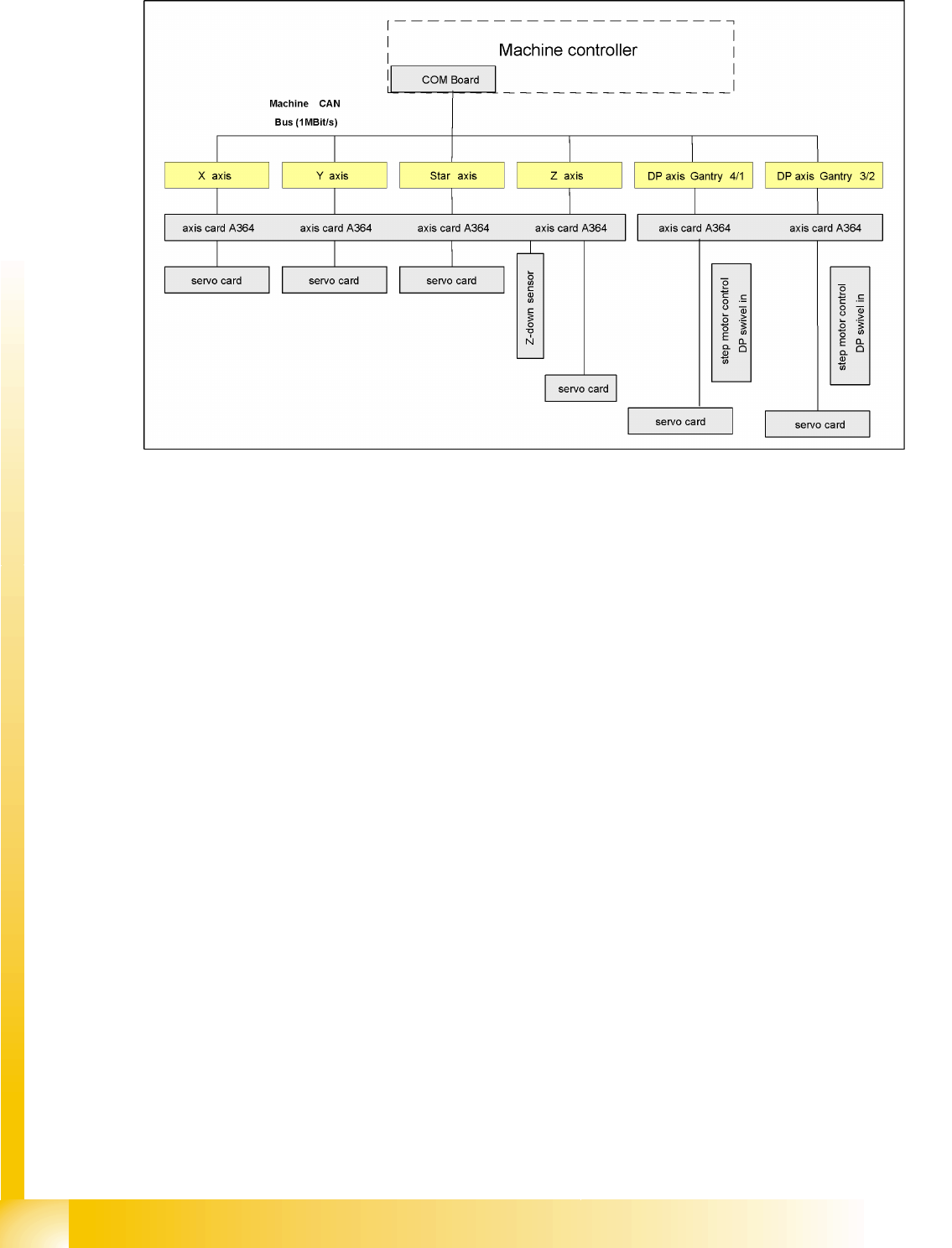
4-16: Overview axis controller
In previous Siplace placement machines, the communication and data flow between axis controller and
machine controller was achieved using the SMP bus. From the HF machine generation onwards, the
SMP bus is no longer used with the axis system.
The communication between the axis controller modules is now achieved using the CAN Bus. All the
information exchanged between these modules is transmitted via the CAN bus (e.g. axis parameters,
target position, end position signal ...). This means that the number of individual telegrams increases
significantly over time, compared to the amount of data in older machine generations.
The axis control system is divided into:
Axis control I and II for gantry and main axes, plus
Axis control III for "remaining head axes".
Axis control I and II communicate directly with one another, via the interrupt lines for the anti-crash
monitoring system. The data communicated is the two Y gantry axis positions and the axis states.