SOM-1655-002.pdf - 第34页
33 Tg0742-PM-SO 0301-001 10. Component Recog. T est Fig. 14 "Component Recog. T est" Window 10. Component Recog. T est 10.1 "Component Recog. T est" T ab • Window Layout When the [Component Recog. T e…
32 Tg0742-PM-SO
9.1.4 Weekly Maintenance
9.1 Periodic Maintenance
0301-001
9.1.3 Daily Maintenance
Maintenance Spots
Description
Fig. No.
Required
Items
Check
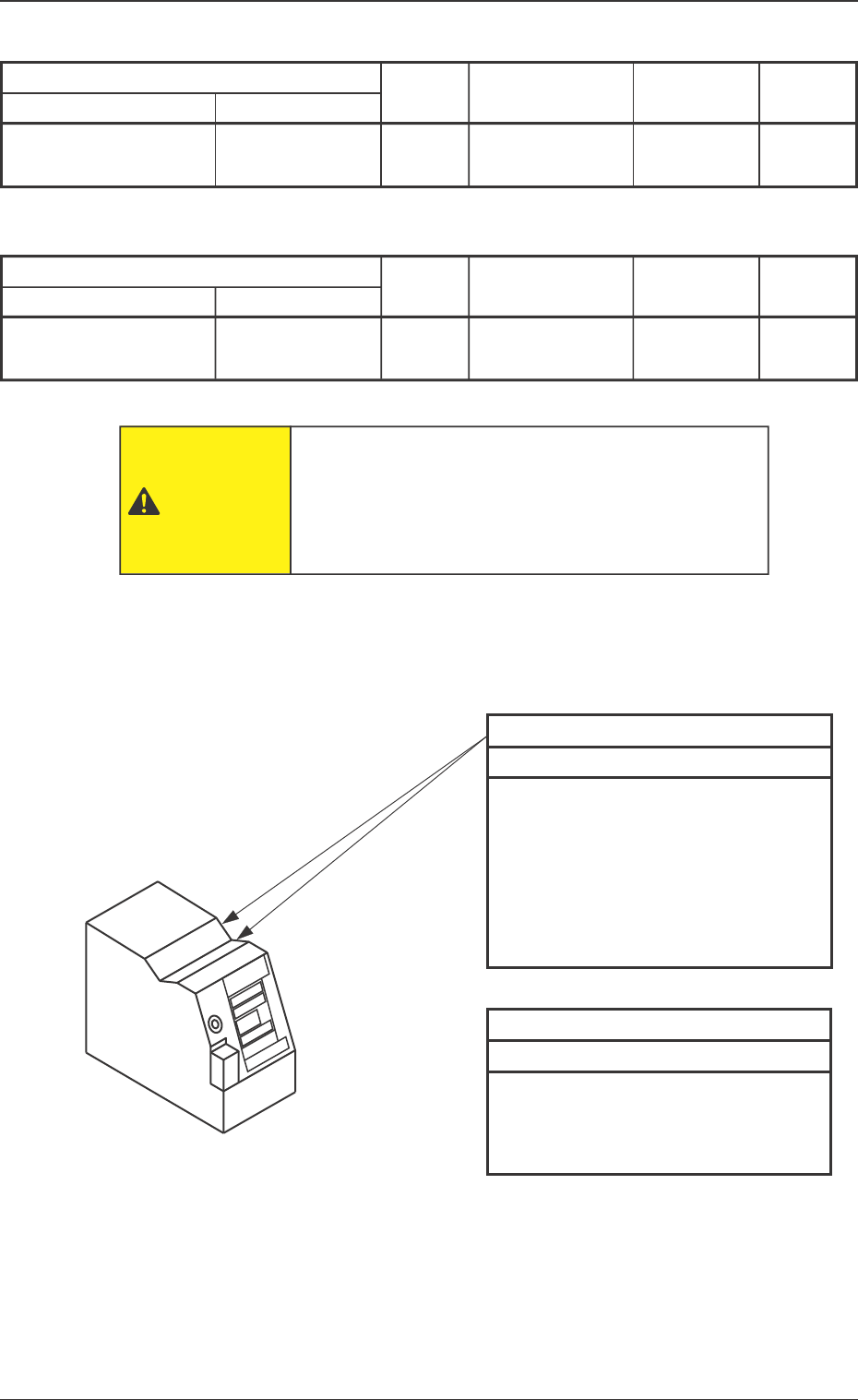
V. Bend Detection Unit
13
Checking and
Cleaning
Fig. 13 V. Bend Detection Unit
Sensor Head Top
Every Day Checking and Cleaning
• Check visually that no foreign mat-
ter has accumulated when the op-
eration is started.
• If any foreign matter has accumu-
lated, remove it by hand.
Note: Do not air-blow.
Sensor Head Top
Every Week Cleaning
• Wipe off dirt and dust using a clean
rag.
Note: Do not air-blow.
Block Name Detailed Name
Sensor Head Top
Rag. etc.
Maintenance Spots
Fig. No.
Required
Items
Check
V. Bend Detection Unit
13
Cleaning
Block Name Detailed Name
Rag
The operator has to enter the machine in this work.
Before performing maintenance work, turn off the
power switch of the machine and the air source and
lock the power breaker using the padlock.
CAUTION
Sensor Head Top
Description
33 Tg0742-PM-SO0301-001
10. Component Recog. Test
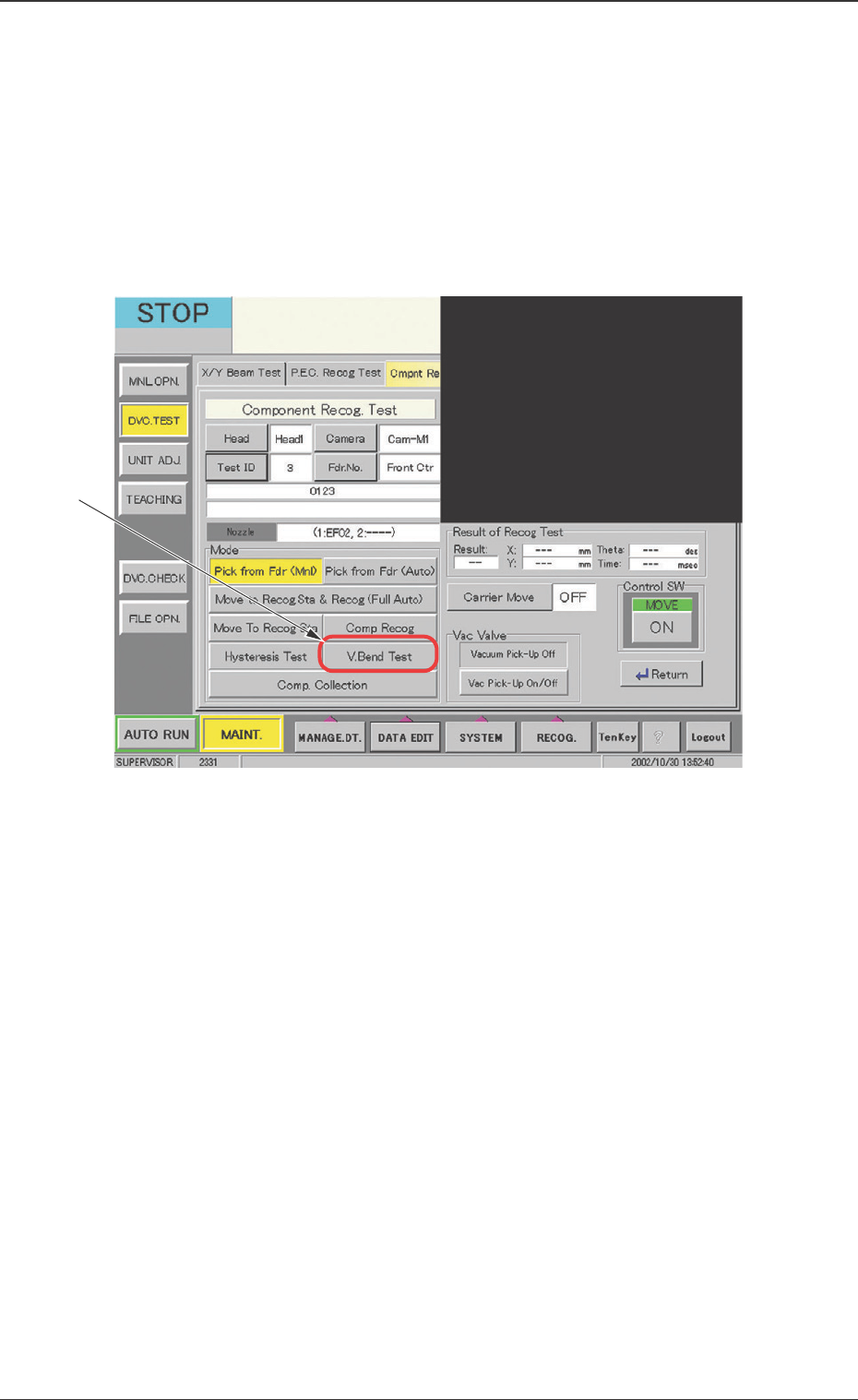
Fig. 14 "Component Recog. Test" Window
10. Component Recog. Test
10.1 "Component Recog. Test" Tab
• Window Layout
When the [Component Recog. Test] button is pressed on the "Com-
ponent Recog. Test" tab sheet, the following "Component Recog.
Test" operation window appears.
Before V. bend testing, the component library data need to be input in
the test ID and the component pick-up and component recognition be
tested.
*1
34 Tg0742-PM-SO
• Window Composition
*1 V. Bend Test
When this button is pressed, the "V. Bend Test" window (Fig. 16)
appears.
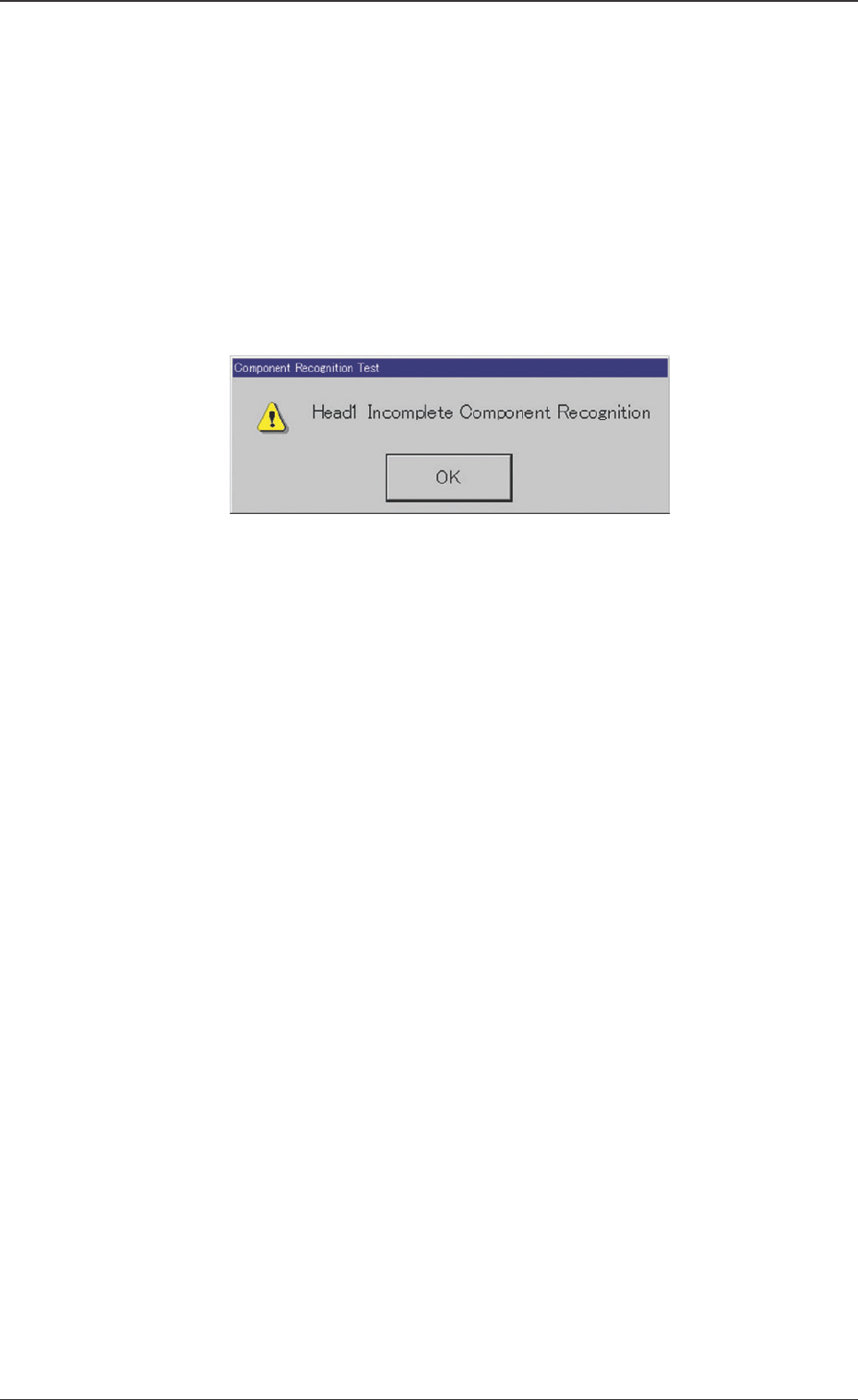
At this time, if the component recognition test has not been
performed yet, the "Component Recognition Test" dialog box
(Fig. 15) is indicated.
When the [OK] button is pressed, the "V. Bend Test" window
appears and the V. bend test can be performed.
Fig. 15 "Component Recognition Test" Dialog Box
0301-001
10.1 “Component Recog. Test” Tab