SOM-1655-002.pdf - 第67页
66 Tg0742-PM-SO 0307-002 Fig. 39 IP Address Setting 13.1 IP Address Setting Procedure (9) Set the IP Address and Subnet Mask. Enter the IP Address using the keyboard. • If the initial value has already been entered, chan…
65 Tg0742-PM-SO0307-002
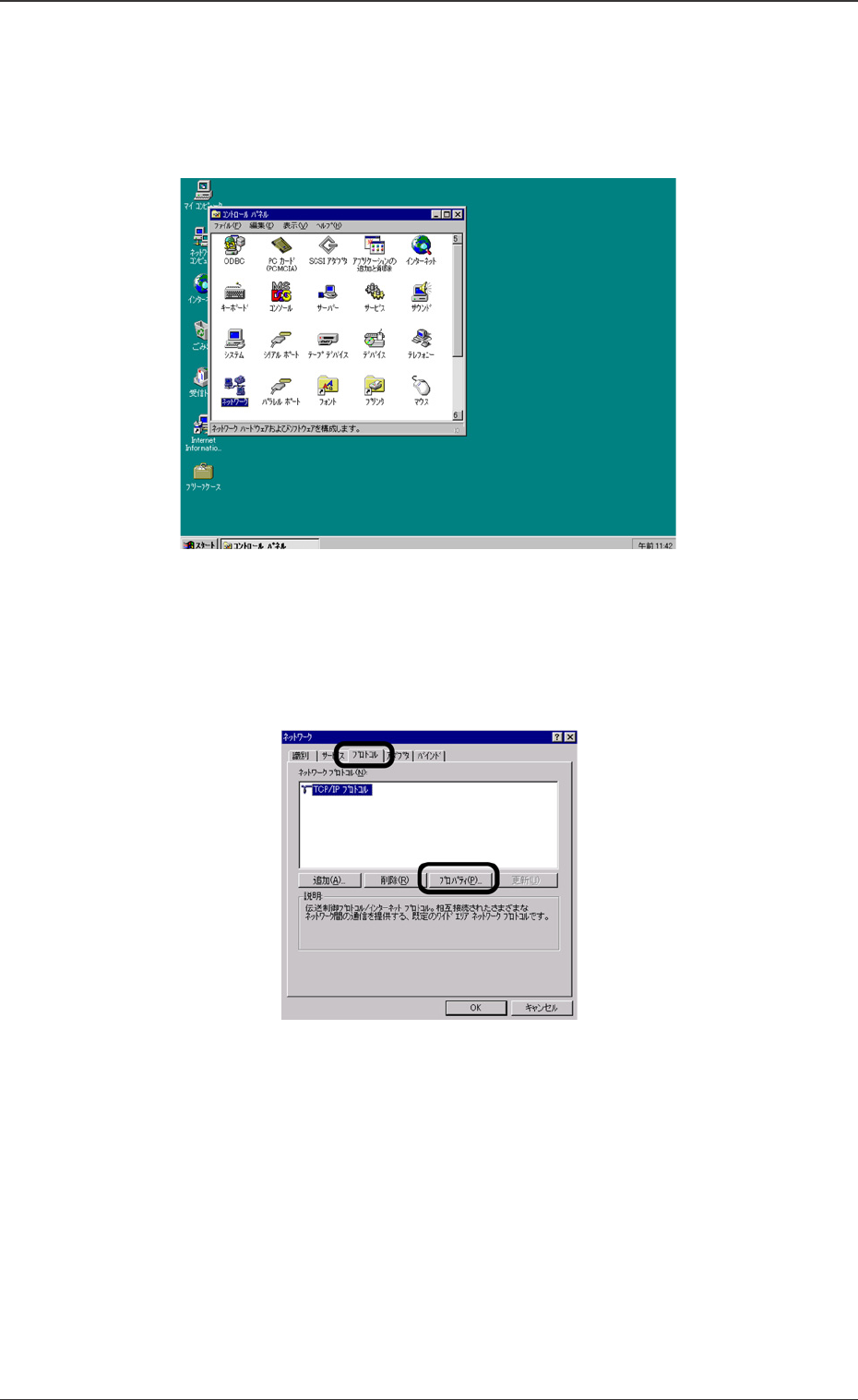
Fig. 37 Network Setting
Fig. 38 TCP/IP Properties Selection
(7) Set the parameters for the V.bend detection unit, using Win-
dows.
When the V-bend detection unit has been started up, select
“Start”, “Setting”, “Control Panel” and “Network” in that order.
(8) The setting window will be opened. Select the [Protocol] tab and
then, select [TCP/IP] and press the [Properties] button.
13.1 IP Address Setting Procedure
66 Tg0742-PM-SO0307-002
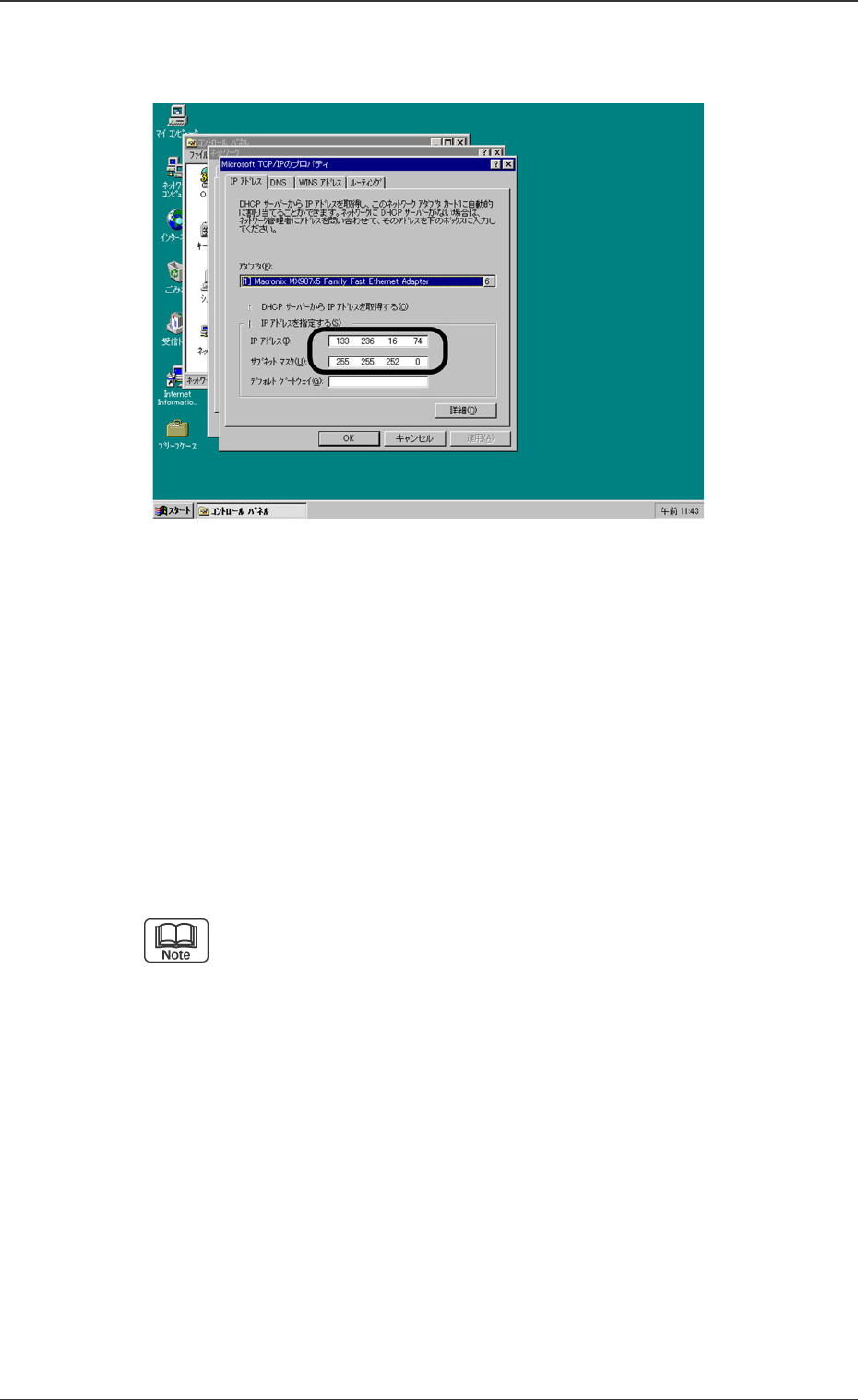
Fig. 39 IP Address Setting
13.1 IP Address Setting Procedure
(9) Set the IP Address and Subnet Mask.
Enter the IP Address using the keyboard.
• If the initial value has already been entered, change it.
Set the Subnet Mask.
• If the initial value has already been entered, change it.
• Enter the Subnet Mask parameters on the value (character
string).
(a) If the IP Address already has the serial number of TIM-
X100’s IP Address then it is not necessary to alter the
initial value of 255.255.255.0.
(b)
The Default Gateway setting is not required. (If it is
needed by the user then set the IP address for
Default Gateway).
67 Tg0742-PM-SO0307-002
13.1 IP Address Setting Procedure
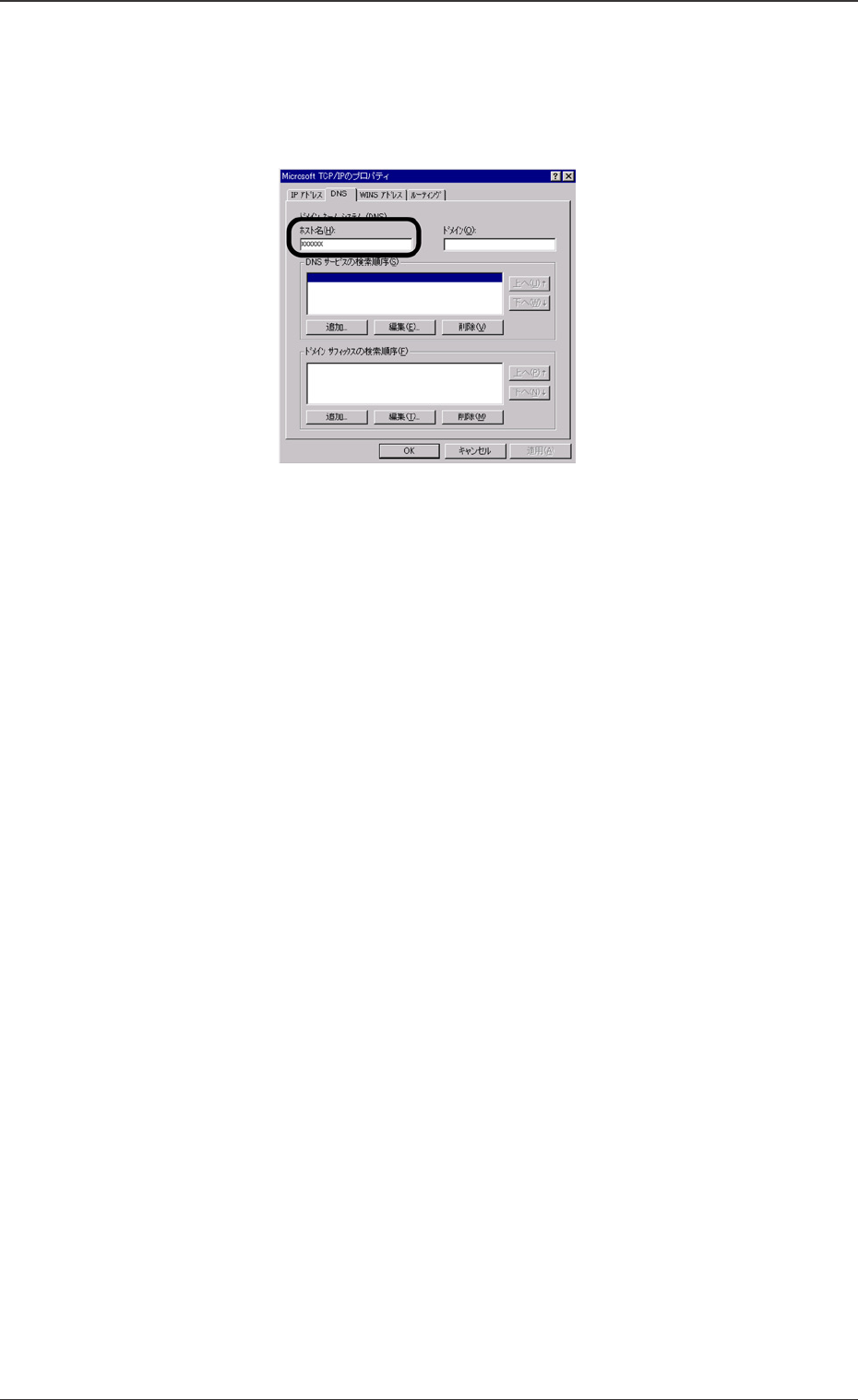
(10) Select the [DNS] tab and set the Host Name.
Enter the name same as the computer name which will be set
later.
(11) “WINS Address” Tab
The setting of the WINS Address is not normally required.
However, if it is needed by the user then set it.
(12) When the setting is completed :
Press the [OK] button and escape from the TCP / IP Properties
window.
If the computer asks whether the machine should be restarted
or not then, later, restart the machine.
Fig. 40 Host Name Setting