SOM-1655-002.pdf - 第45页
44 Tg0742-PM-SO 1 1.3 Comp Carriage Dt Edit • • • • • Sheet Layout Press the [Comp Carriage Dt Edit] tab in the "RECOVER Y" submenu window and press the appropriate tab to select the feeder to be used. When the…
43 Tg0742-PM-SO
Lead No.
Disable : Lead No. is not indicated.
Enable : Lead No. is indicated in blue, close to the detected
lead.
Marking of Ideal Point
Disable : The ideal lead position is not marked.
Enable : The ideal lead position, decided based on the
component shape, is marked in yellow.
11.2 Test Run Setting
••
••
• Sheet Layout
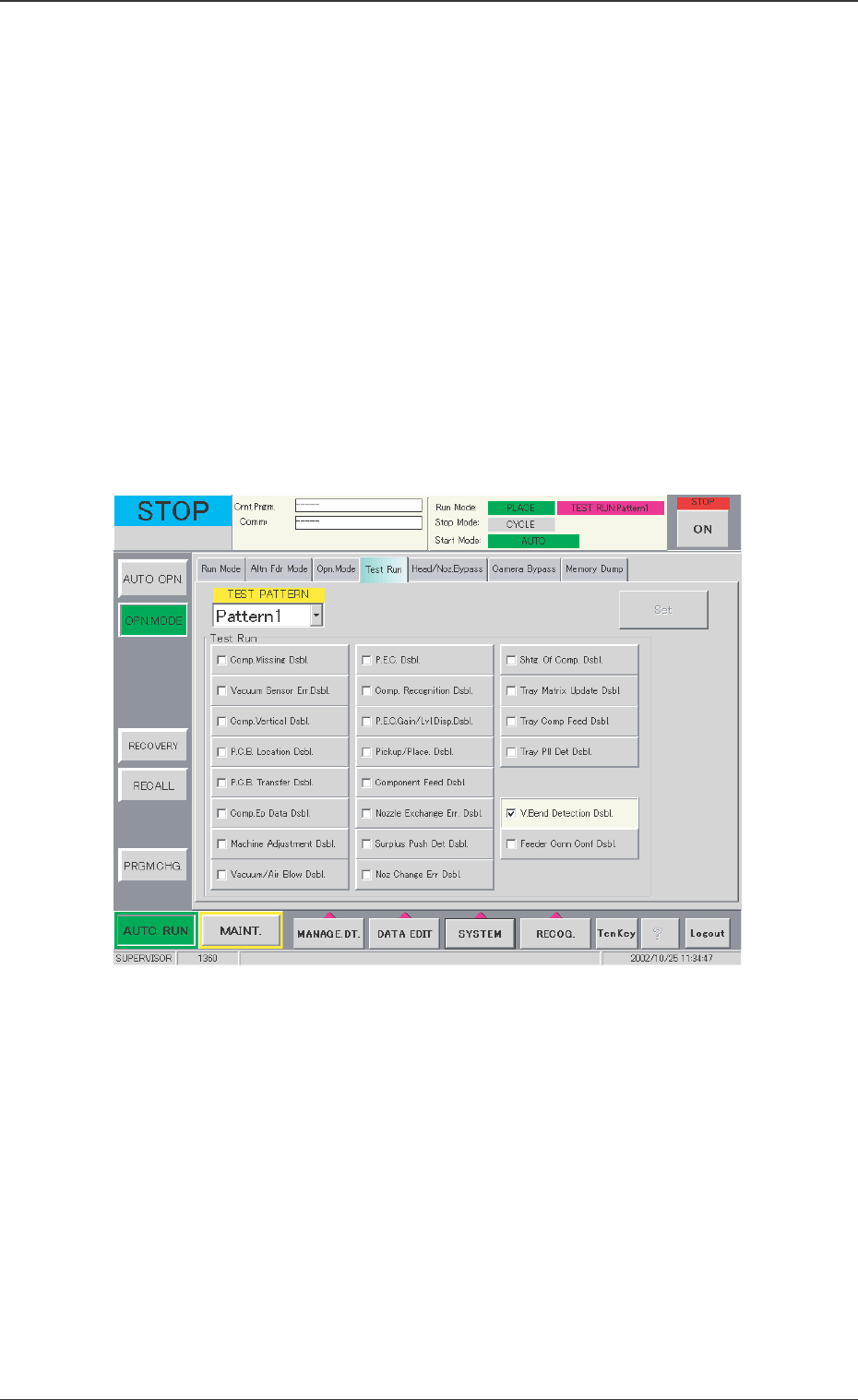
When the [Test Run] button is pressed in the "OPN. MODE" submenu
window, the following tab sheet appears.
Fig. 24 "Test Run" Tab Sheet
When the "V. Bend Detection Dsbl." is check marked in the check
box, the scanning for V. bend is performed in the test run. Then, when
the result is OK, the recognition disable mode can be set.
0301-001
11.2 Test Run Setting
44 Tg0742-PM-SO
11.3 Comp Carriage Dt Edit
••
••
• Sheet Layout
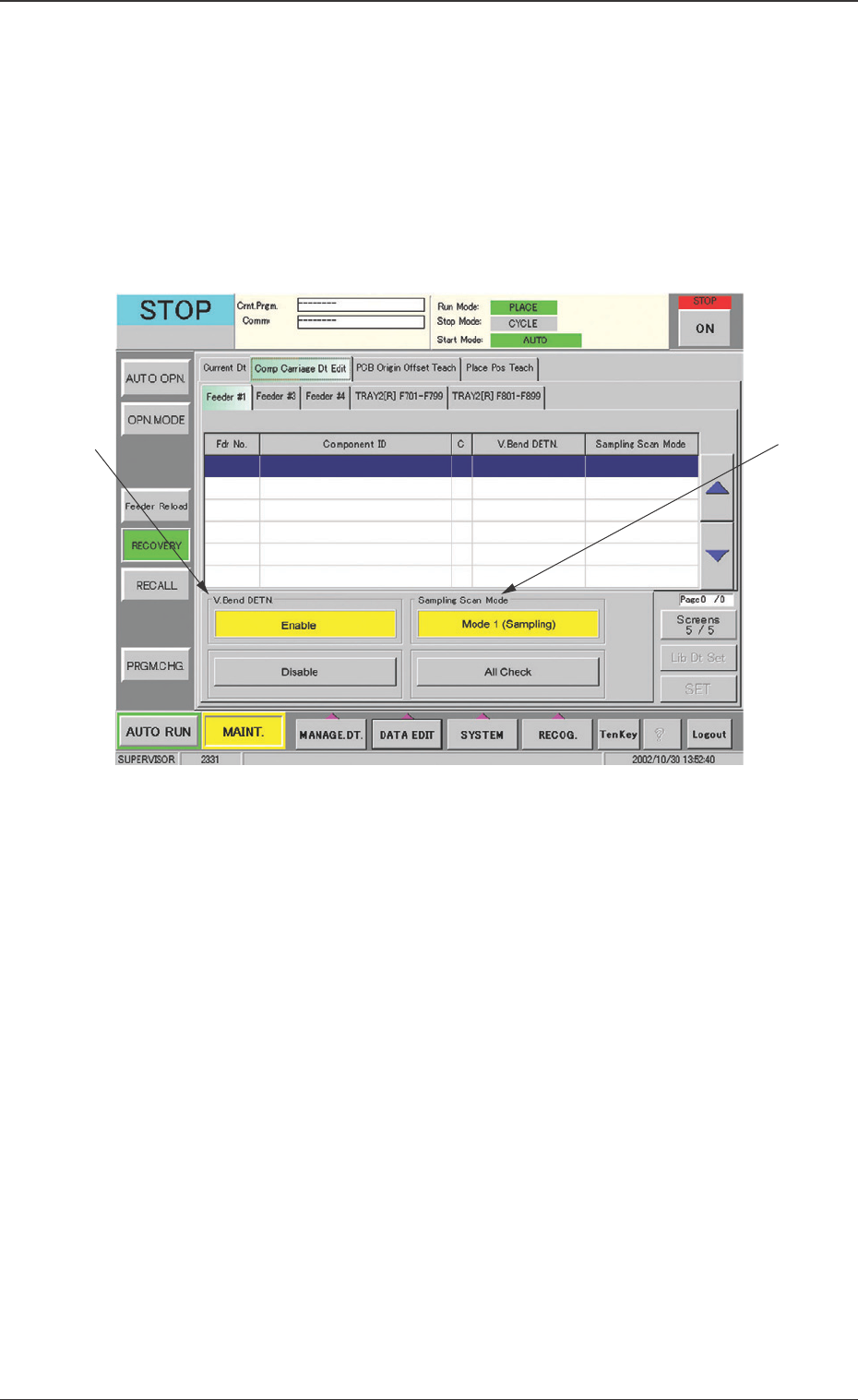
Press the [Comp Carriage Dt Edit] tab in the "RECOVERY" submenu
window and press the appropriate tab to select the feeder to be used.
When the [Screens */5] key is pressed to change it to [Screens 5/5],
the following tab sheet appears.
0301-001
11.3 Comp Carriage Dt Edit
• •
• •
• Sheet Composition
*1 V. Bend DETN.
The V. bend detection function is set.
Enable : The V. bend detection function is used.
Disable : The V. bend detection function is not used.
*2 Sampling Scan Mode
The number of leads is set for V. bend detection.
Mode 1 (Sampling) :
The set number of leads in the component library is scanned
once.
All Check :
All the leads are scanned.
Fig. 25 "Comp Carriage Dt Edit" Tab Sheet
*2
*1
45 Tg0742-PM-SO
12. V. Bend Detection Unit Offset
The V. bend detection unit offset consists of [Insp Head Adj] (In-
stalled Head Adjustment) and [Offset Teaching] functions.
When the V. bend detection unit is installed, the adjustment for sen-
sor head attachment is first performed and the sensor head position
is arranged. Then, the offset teaching is started.
• Sheet Layout
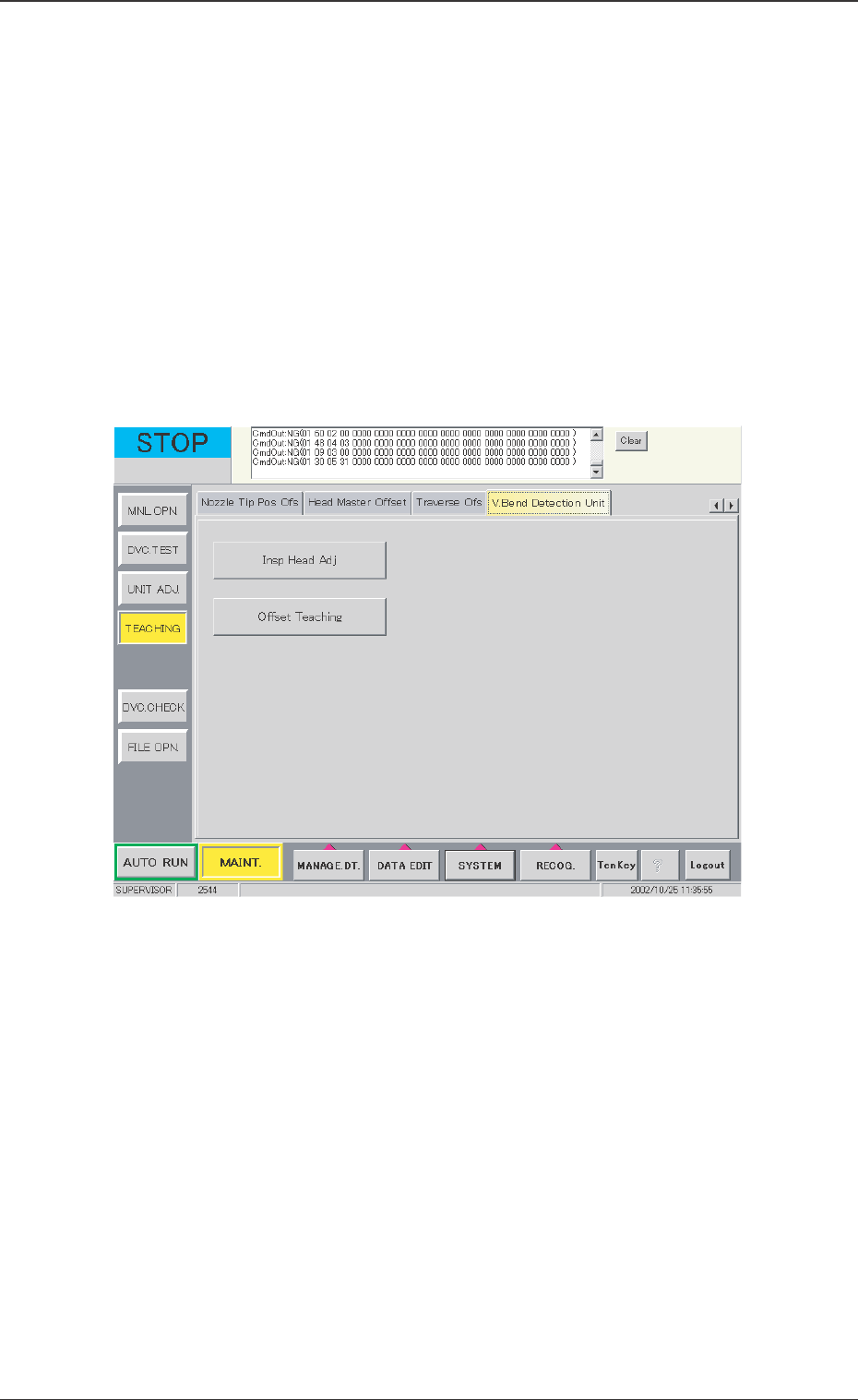
When the [V. Bend Detection Unit] tab in the "TEACHING"
submenu window is pressed, the following tab sheet appears.
12. V. Bend Detection Unit Offset
0301-001
Fig. 26 "V. Bend Detection Unit" Tab Sheet
• Sheet Composition
[Insp Head Adj] Button
When this button is pressed, the window in Fig. 27 appears.
[Offset Teaching] Button
When this button is pressed, the window in Fig. 34 appears.