SOM-1655-002.pdf - 第66页
65 Tg0742-PM-SO 0307-002 Fig. 37 Network Setting Fig. 38 TCP/IP Properties Selection (7) Set the parameters for the V .bend detection unit, using Win- dows. When the V-bend detection unit has been started up, select “Sta…
64 Tg0742-PM-SO0307-002
13.1 IP Address Setting Procedure
13.1 IP Address Setting Procedure
This explains on Japanese screen.
(1) If the TIM-X100 has been connected to the LAN before the
power is turned on, disconnect.
(2) Turn on the power.
(3) Start up the machine.
(4) Press the [ctrl] key twice on the keyboard and switch to the V.
bend detection unit window.
(5) Re-start the V.bend detection unit
• Operation Sequence : “Start”
→ “Shutdown” → “Re-start”.
(6)
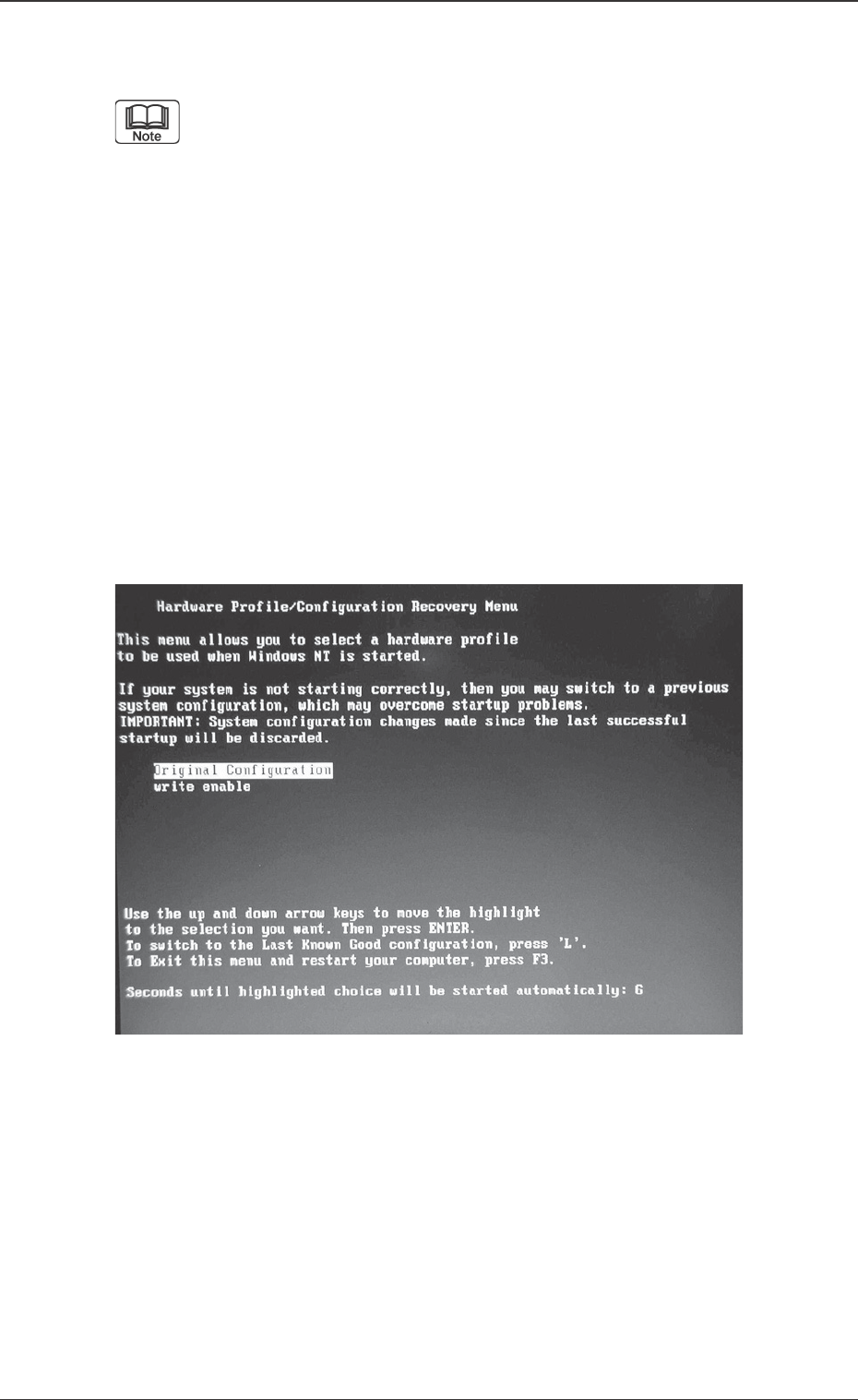
During the start-up operation, press the [↓] key in the
“Write Enable / Disable Section” window (Fig. 36) and
select “write enable”, then start up the V. bend detection
unit in the write enable mode.
Fig. 36 “Write Enable / Disable Section” window
65 Tg0742-PM-SO0307-002
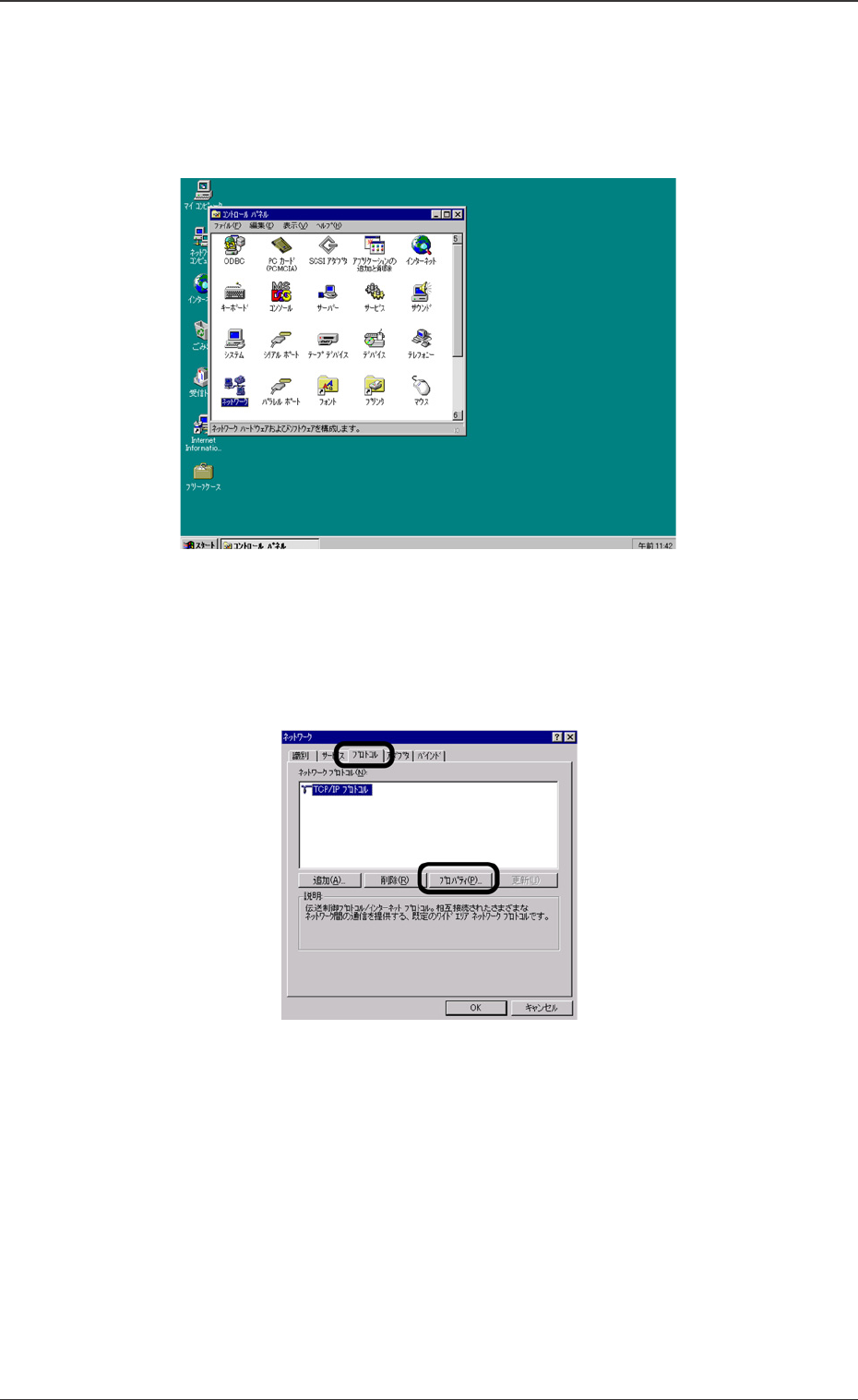
Fig. 37 Network Setting
Fig. 38 TCP/IP Properties Selection
(7) Set the parameters for the V.bend detection unit, using Win-
dows.
When the V-bend detection unit has been started up, select
“Start”, “Setting”, “Control Panel” and “Network” in that order.
(8) The setting window will be opened. Select the [Protocol] tab and
then, select [TCP/IP] and press the [Properties] button.
13.1 IP Address Setting Procedure
66 Tg0742-PM-SO0307-002
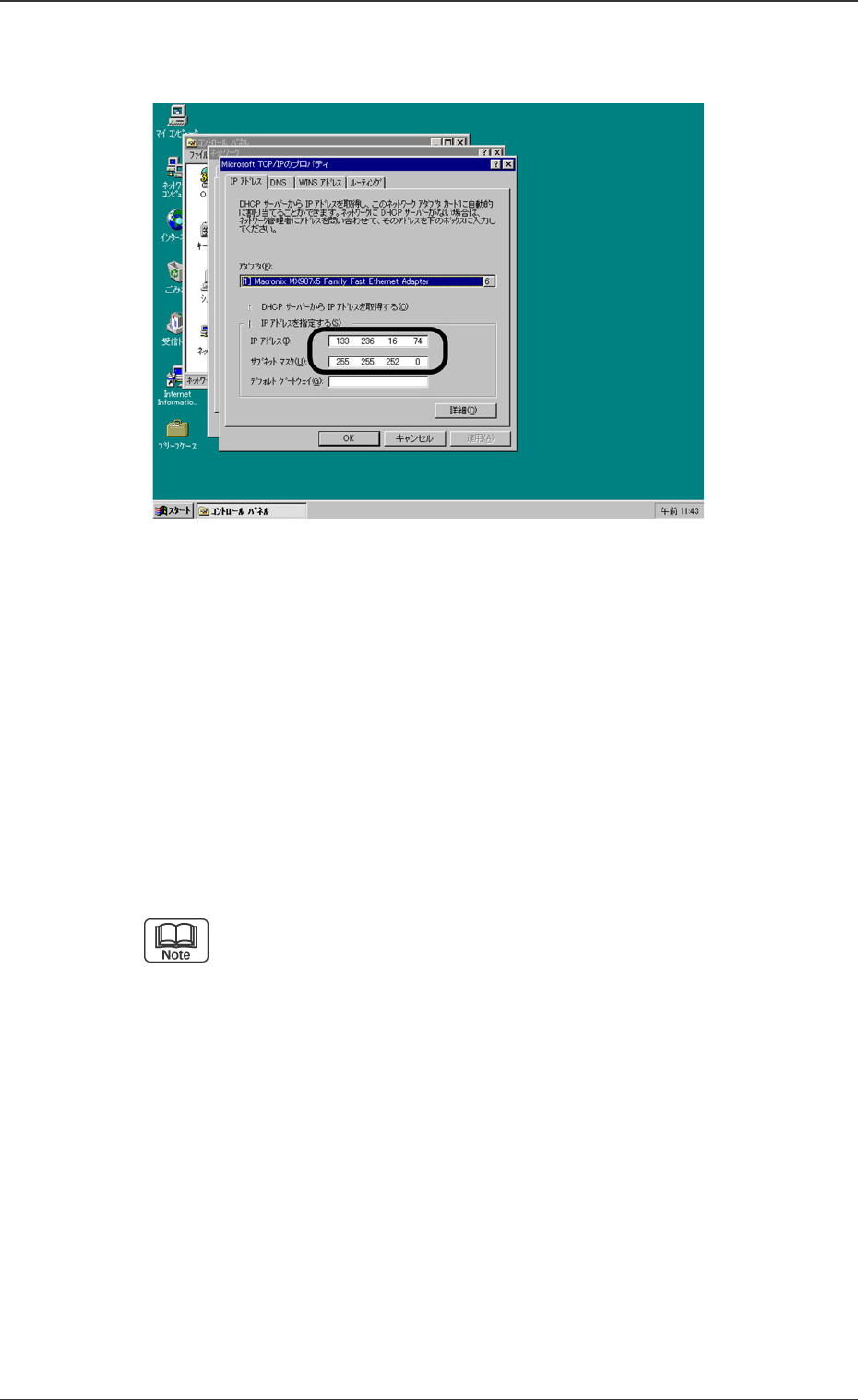
Fig. 39 IP Address Setting
13.1 IP Address Setting Procedure
(9) Set the IP Address and Subnet Mask.
Enter the IP Address using the keyboard.
• If the initial value has already been entered, change it.
Set the Subnet Mask.
• If the initial value has already been entered, change it.
• Enter the Subnet Mask parameters on the value (character
string).
(a) If the IP Address already has the serial number of TIM-
X100’s IP Address then it is not necessary to alter the
initial value of 255.255.255.0.
(b)
The Default Gateway setting is not required. (If it is
needed by the user then set the IP address for
Default Gateway).