SOM-1655-002.pdf - 第56页
55 Tg0742-PM-SO 12.2 Sensor Head Set and Adjustment Procedure 12.2 Sensor Head Set and Adjustment Procedure 0301-001 Fig. 32 Nozzle Rotation Center Ideal Plane dL ω 1 L Offset Ideal Straight Movement Line Actual Y -axis …

54 Tg0742-PM-SO
Operation Procedure
(1) Select the head.
(2) Select the axis to be moved.
(3) Select the movement direction, using the arrow buttons.
(4) Select the axis movement speed.
(5) Press the [ON] button and then, within 2 seconds, press the
[ENABLE] button on the operation panel.
[Clear Adj.] Button
The detected data is cleared.
[Cancel] Button
When the teaching window appears, no other operations are
available. In this case, if there is to be another operation, the
teaching function must be stopped by using this button.
[Return] Button
The previous window appears.
0301-001
12.1 Adjustment for Sensor Head Installation
55 Tg0742-PM-SO
12.2 Sensor Head Set and Adjustment Procedure
12.2 Sensor Head Set and Adjustment Procedure
0301-001
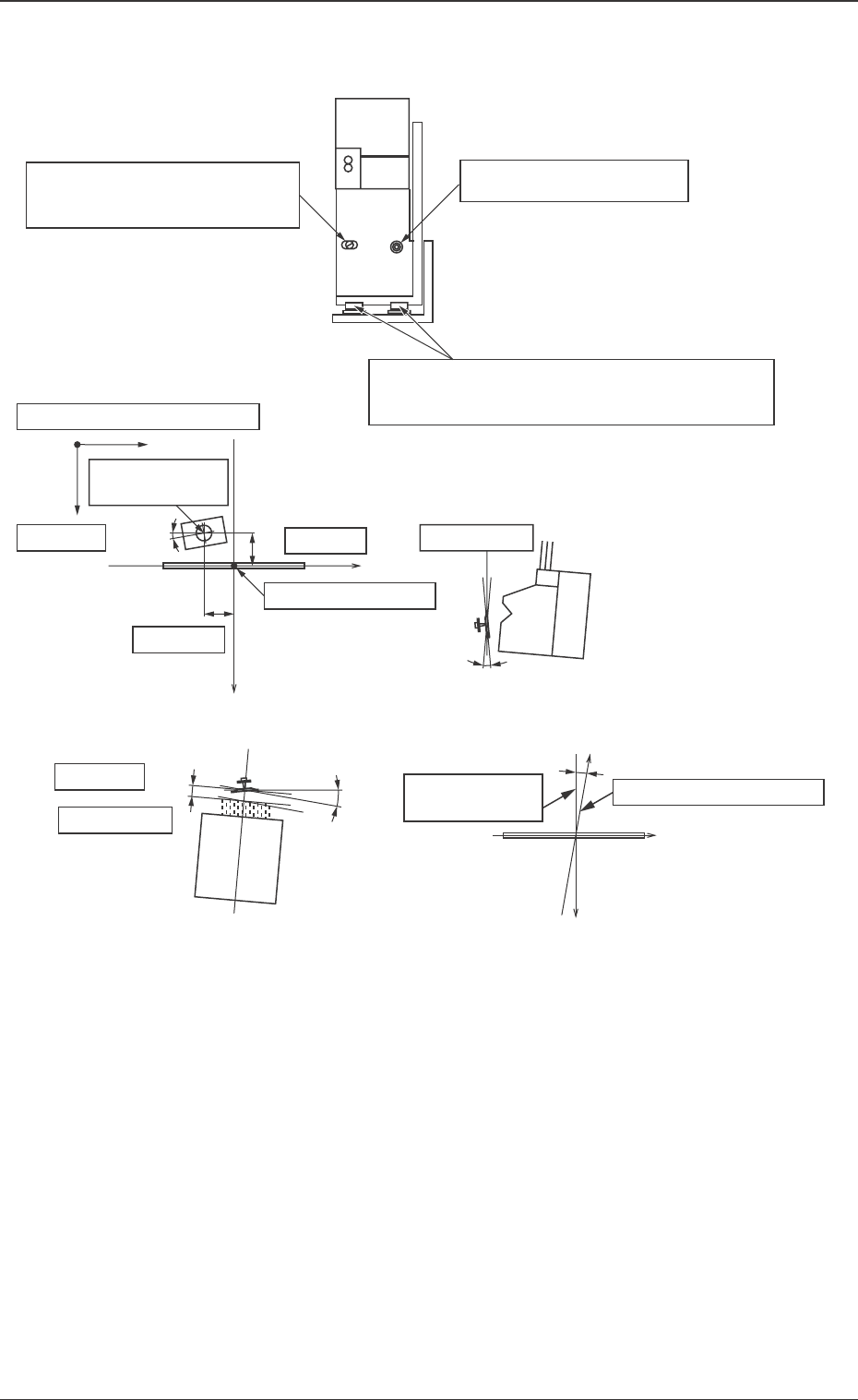
Fig. 32
Nozzle Rotation
Center
Ideal Plane
dL
ω 1
L Offset
Ideal Straight
Movement Line
Actual Y-axis Movement
Center
X
Y
ω 3
y Offset
Center of Detection
x Offset
z Offset
Beam Position Coordinates
Y
dx
dy
dz
ω 2
x
Inclination ω1 can be changed
by turning the eccentric pin.
Set Screw for ω1 direction
X and Y positions and ω3 of the whole sensor
head are adjusted by loosening all set screws.
Ideal Plane
56 Tg0742-PM-SO
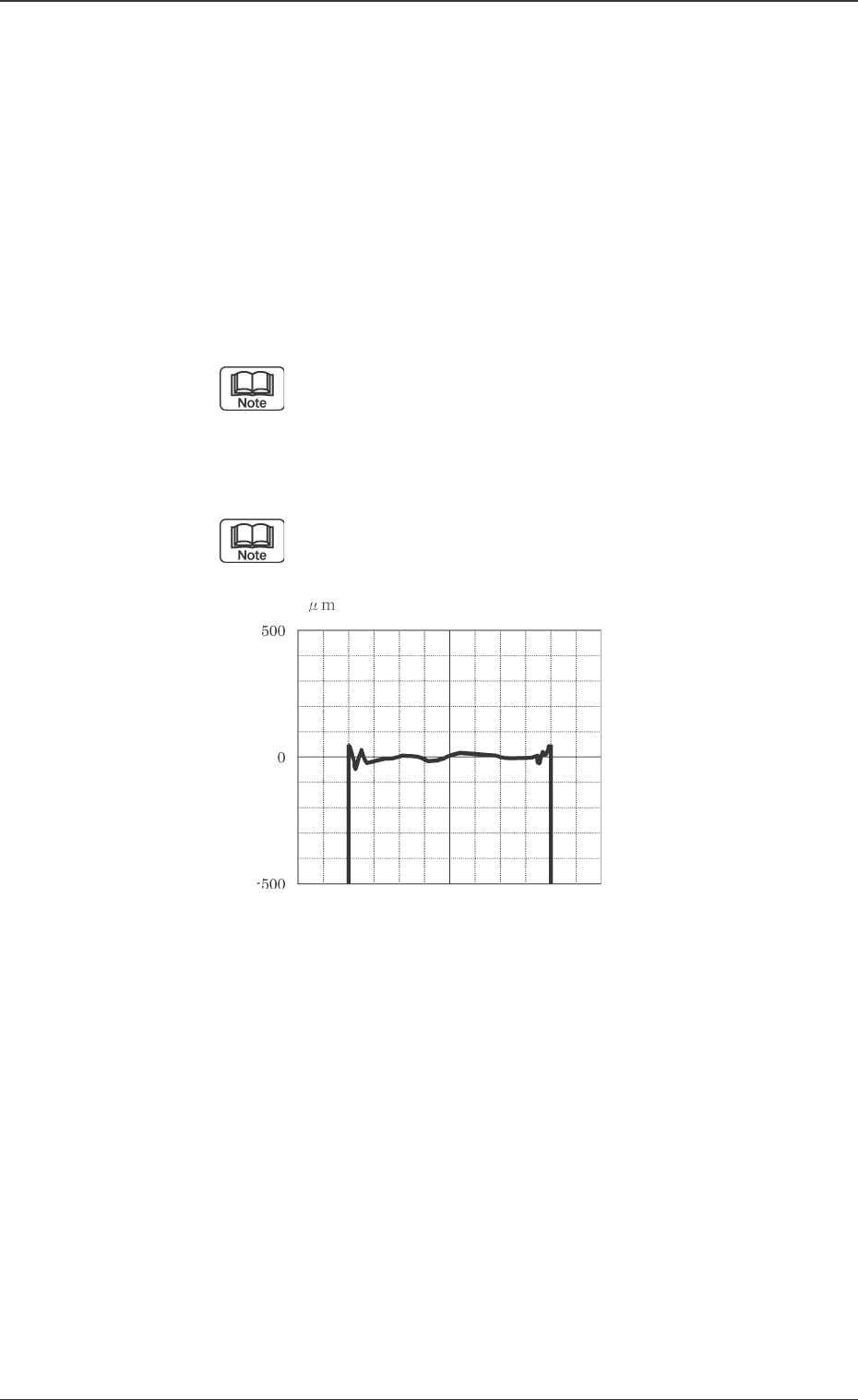
Fig. 33 "Alignment" Screen
12.2 Sensor Head Set and Adjustment Procedure
0301-001
Sensor Head Rough Positioning
(1) Place the correction jig on the jig stocker, so that its mirror
side is turned down.
(2) Return all the nozzles attached to the head to the nozzle
stocker and set the EF01 nozzle in the nozzle stocker B1-10.
Then the EF01 nozzle is set onto the head.
(3) Check that the mode is not "Recognition Dsbl.".
(4) After performing the [Jig Comp. Pickup & Fxd Camera Move]
in the "Insp Head Adj" window, press the [Rough Positioning]
button to move the correction jig to the center of the V. bend
detection sensor detecting range.
When the jig cannot easily be picked up, adjust it by
entering the approximate deviation amount in the
"Correction Jig Offset" data box.
(5) Display a graph on the monitor screen in the V. bend detection
unit by pressing the [Align. Screen ON/OFF] button.
When the [Ctrl] key is pressed twice, the monitor
screen of the V. bend detection unit appears.
(6) Loosen the set screws of the sensor head.
Roughly position the sensor head, looking the graph.
• Adjust the whole position and ω1 angle so that the graph
is shown at the center of the window. Slight vertical devia-
tion is no problem.
(7) Press the [Ctrl] key twice to return to the previous window.
(8) Close the graph display on the monitor screen of the V. bend
detection unit by pressing the [Align. Screen ON/OFF] but-
ton.
(9) Press the [Component Collection] button to return the cor-
rection jig.
(10) Set the EF01 nozzle in the nozzle stocker in the "Mnl. Noz.
Chng" window.