192277 - Micron Technical Reference Volume 3.pdf - 第108页
INTERCHANGEABLE UNDER SCREEN CLEANER MODULE REPLACEMENT PROCEDURES 25.14 Technical Reference Manual Chapter Issue 6, Jan 17 19. Press the Interna l Light button. Check that the paper is being wetted evenly across the spr…
INTERCHANGEABLE UNDER SCREEN CLEANER MODULE
REPLACEMENT PROCEDURES
Chapter Issue 6, Jan 17 Technical Reference Manual 25.13
and understood. When replacing a spray bar, ensure the tubing is unused.
To replace the spray bar proceed as follows:
1. Ensure that the printer is electrically isolated.
2. Open the printhead front cover.
3. If required, pull the USC to the front of the printer.
4. Remove the paper roll.
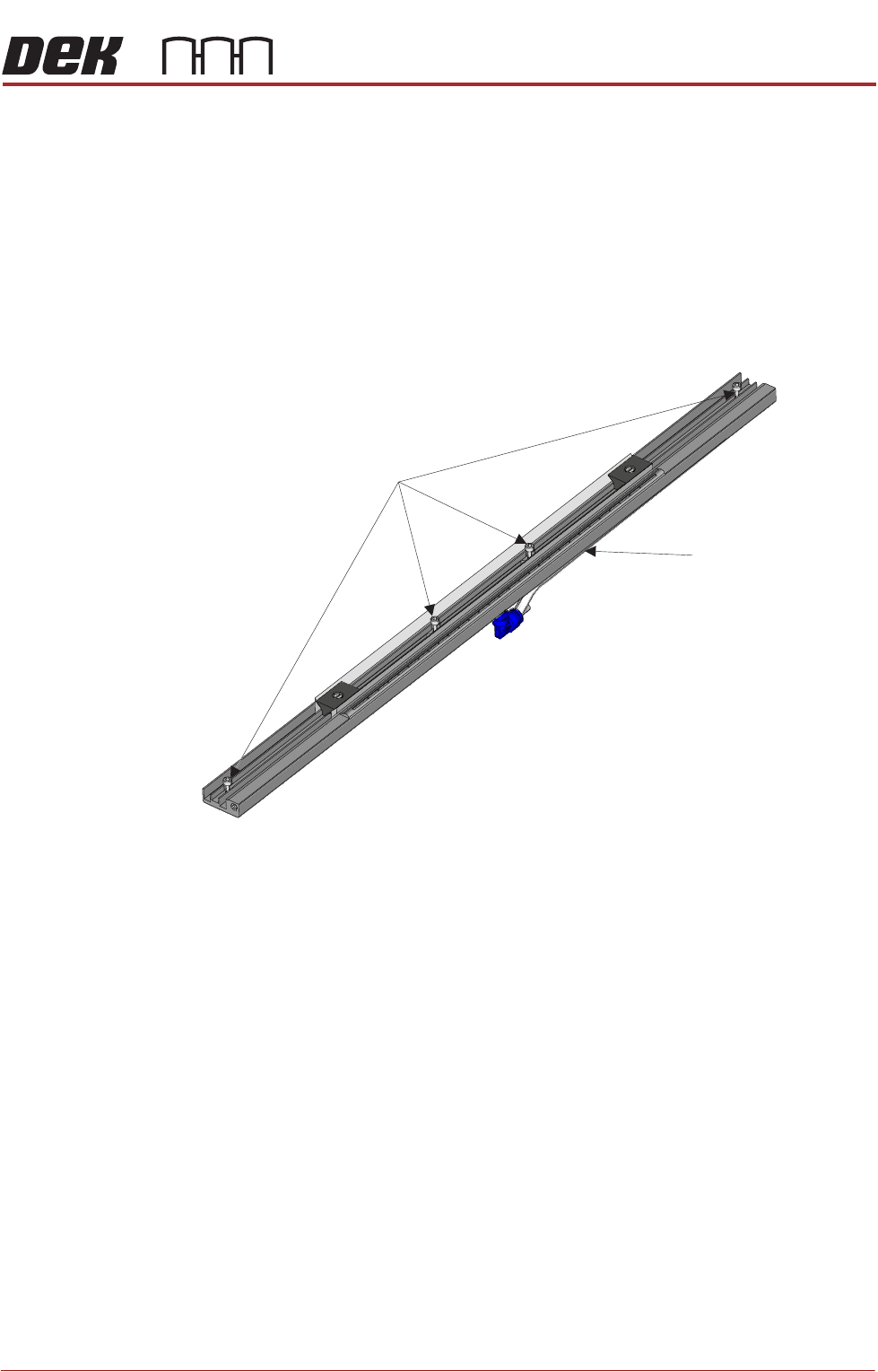
5. Locate the four M3 captive screws that attach the base to the cleaner unit.
6. Using a 2.5mm Allen key loosen the four screws.
7. Lift the spray bar mechanism away from the USC frame slowly to expose
the connector underneath the spray bar.
8. Disconnect the spray bar feed tube from the left hand side of the connector.
9. Connect the spray bar tube of the replacement unit to the solvent tube
connector.
10. Align the replacement unit in the USC frame making sure that the feed tube
is not trapped.
11. Tighten the four M3 captive screws.
12. Tighten the solvent pump connector onto the solvent pump.
13. Fit the paper roll into its holder. Tension the feed and take-up rollers with a
clean portion of paper across the spray bar.
14. Close the print head front cover.
15. Power up the printer.
16. In Diagnostics, select Screen Cleaner.
17. Select Next.
18. Select Toggle Solvent Pump.
M3 Screws (x 4)
Solvent Tube
Connector
Solvent Tube
Connector
INTERCHANGEABLE UNDER SCREEN CLEANER MODULE
REPLACEMENT PROCEDURES
25.14 Technical Reference Manual Chapter Issue 6, Jan 17
19. Press the Internal Light button. Check that the paper is being wetted evenly
across the spray area.
20. Exit Diagnostics.
21. Press the System button.
22. With the printer at the Ready Page, select Print.
23. Ensure that the correct cleaning cycles are performed.
INTERCHANGEABLE UNDER SCREEN CLEANER MODULE
CALIBRATIONS
Chapter Issue 6, Jan 17 Technical Reference Manual 25.15
CALIBRATIONS
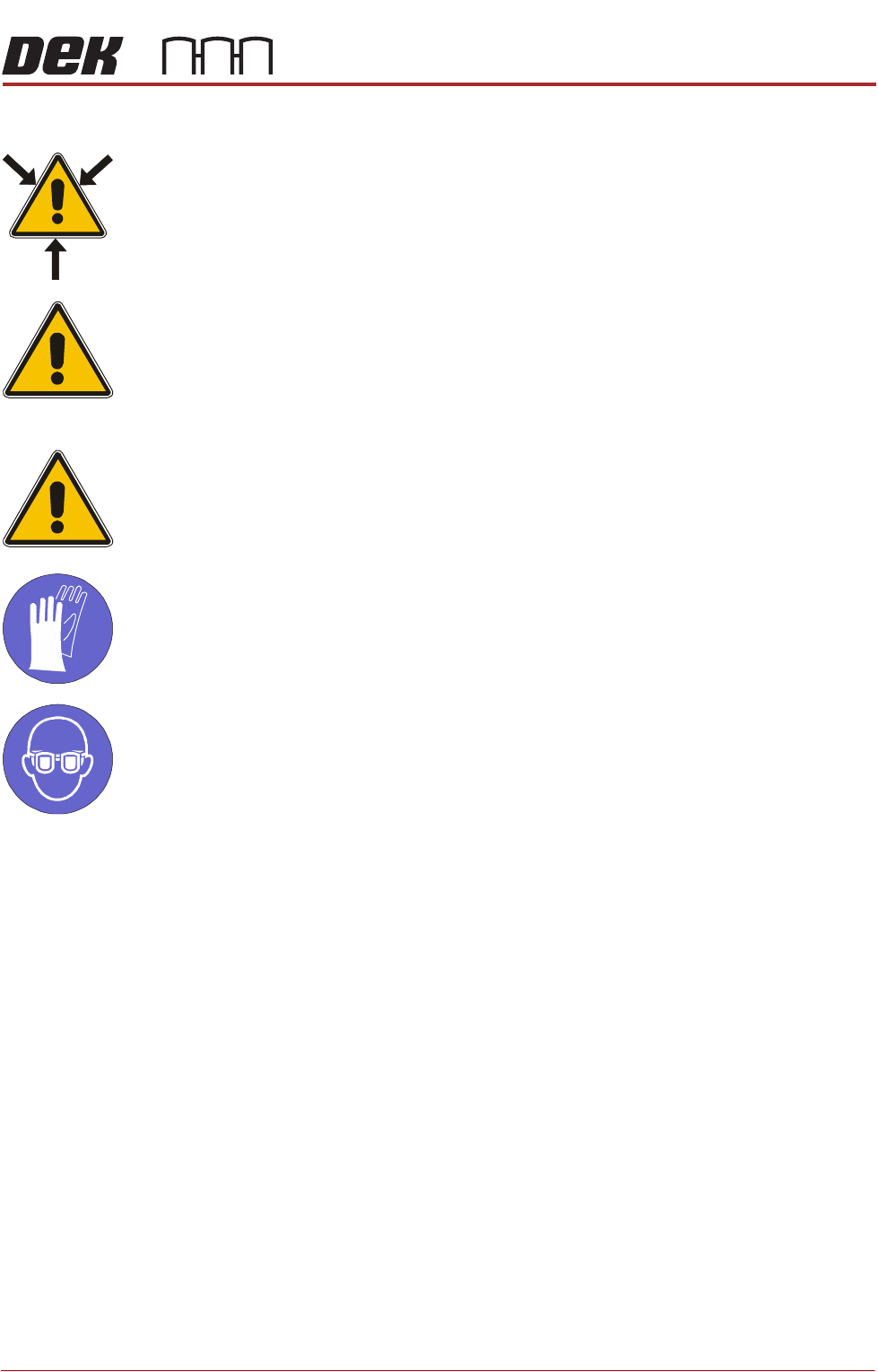
WARNING
SOLVENT SPRAY. THE UNDER STENCIL CLEANER SPRAYS A FINE JET OF
SOLVENT SOLUTION ON TO THE CLEANER. APPROVED PROTECTIVE
CLOTHING SHOULD BE WORN.
CAUTION
RECOMMENDED SOLVENTS. ANY SOLVENTS USED MUST COMPLY WITH
LOCAL ENVIRONMENTAL GUIDELINES. ASM RECOMMEND USING SOLVENTS
THAT ARE ENVIRONMENTALLY FRIENDLY, IE CFC FREE AND WATER BASED.
SOLVENTS USED MUST HAVE FAST EVAPORATION RATES AND FLASHPOINT
SPECIFICATIONS GREATER THAN 39ºC.
CAUTION
PRINT MEDIUM AND SOLVENTS. WHEN USING OR HANDLING ANY PRINT
MEDIUM OR SOLVENT FORMULATION THE MANUFACTURERS’ SAFETY DATA
SHEETS MUST BE STRICTLY ADHERED TO.
MANDATORY
TOXIC CHEMICALS MAY BE PRESENT. SAFETY GLOVES MUST BE WORN.
MANDATORY
TOXIC CHEMICALS MAY BE PRESENT. EYE PROTECTION MUST BE WORN.
External Solvent
Tank
The software needs to know the weight of the external solvent tank when fitted
with an empty container and when fitted with a full container of the solvent to be
used.
NOTE
Due to solvents having different gravities, the weight must be re-calibrated
when changing solvents.
To calibrate the software carry out the following procedure:
1. Ensure that the external solvent tank is fitted with an empty 5 litre container.
2. Select Maintenance.
3. Select Calibrations.
4. Select Solvent.
5. Select Set Solv Empty.
6. Confirm by selecting Yes.