192277 - Micron Technical Reference Volume 3.pdf - 第197页
BARCODE READER AND VERIFICATION AND TRACEABILITY REPLACEMENT PROCEDURES Chapter Issue 10, Feb 17 Technical Reference Manual 32.9 NOTE The barcode set up is shown in code format. The code format for a barcode of length 14…
BARCODE READER AND VERIFICATION AND TRACEABILITY
REPLACEMENT PROCEDURES
32.8 Technical Reference Manual Chapter Issue 10, Feb 17
30. Select Accept.
31. Select Back.
32. Select Back.
33. Select Back.
34. Refit the rear panel ensuring that the cables are not trapped.
35. Use the configuration code cards to configure the remote barcode reader
(described later in this chapter).
Fitting the
Handheld Barcode
Reader
1. Select Shut Down and switch the mains isolator to OFF.
2. For types 1, 2 and 4, go to Step 3. For types 3 & 5 go to Step 6.
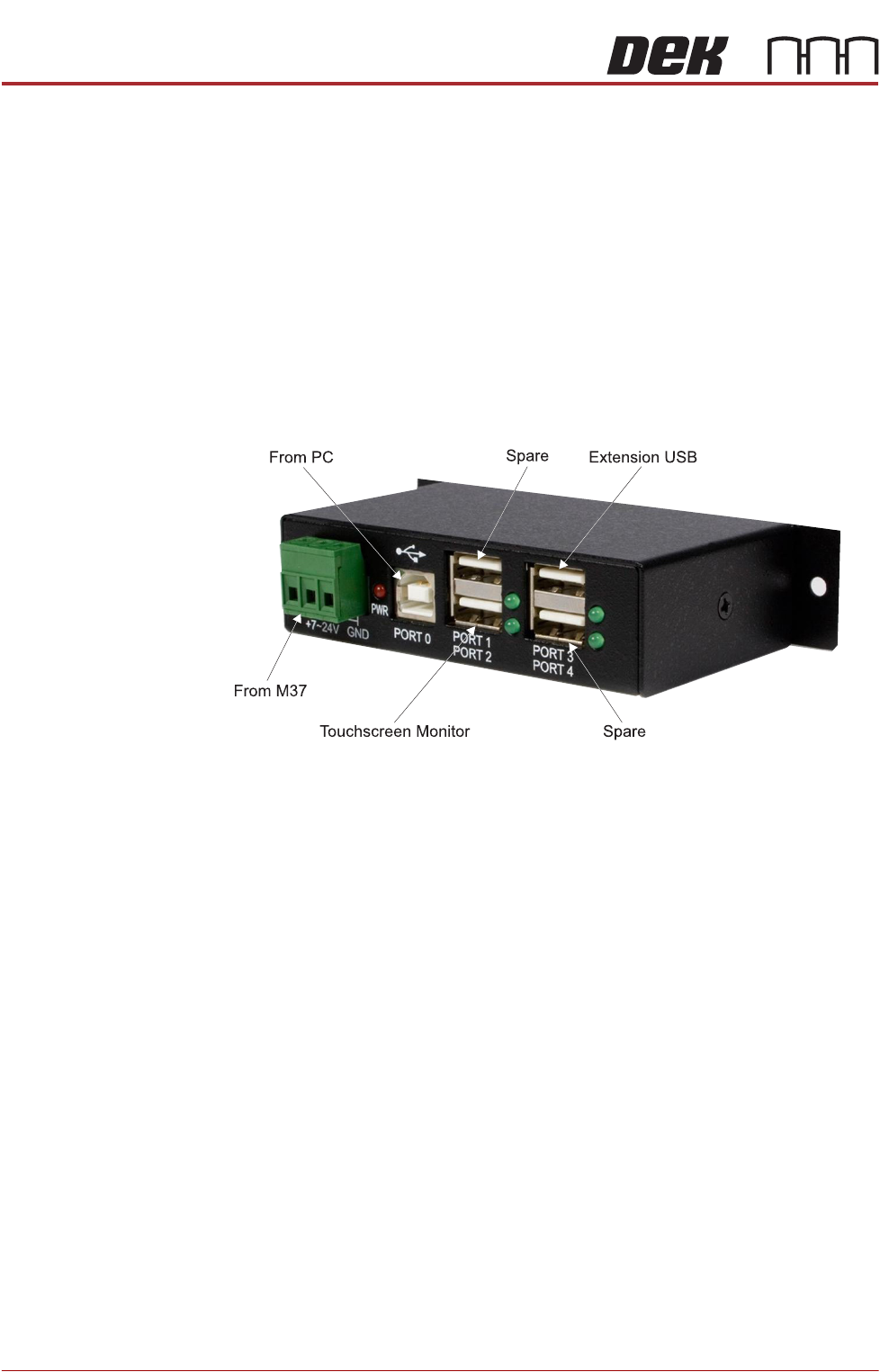
3. Gain access to the 4 port USB hub behind the front panel.
4. Connect the handheld barcode reader to a spare USB port on the hub.
5. Refit the front cover ensuring that the cable is routed between the MMI
monitor bracket and the front cover. Go to Step 7.
6. Connect the handheld barcode reader to the spare external USB port on the
RH corner panel of the machine.
7. Power up the machine.
8. Select Maintenance.
9. Select Machine Setup.
10. Select Barcodes.
11. Select Handheld Barcode HW.
12. Select Fitted.
13. Select Accept.
14. Select Start Character.
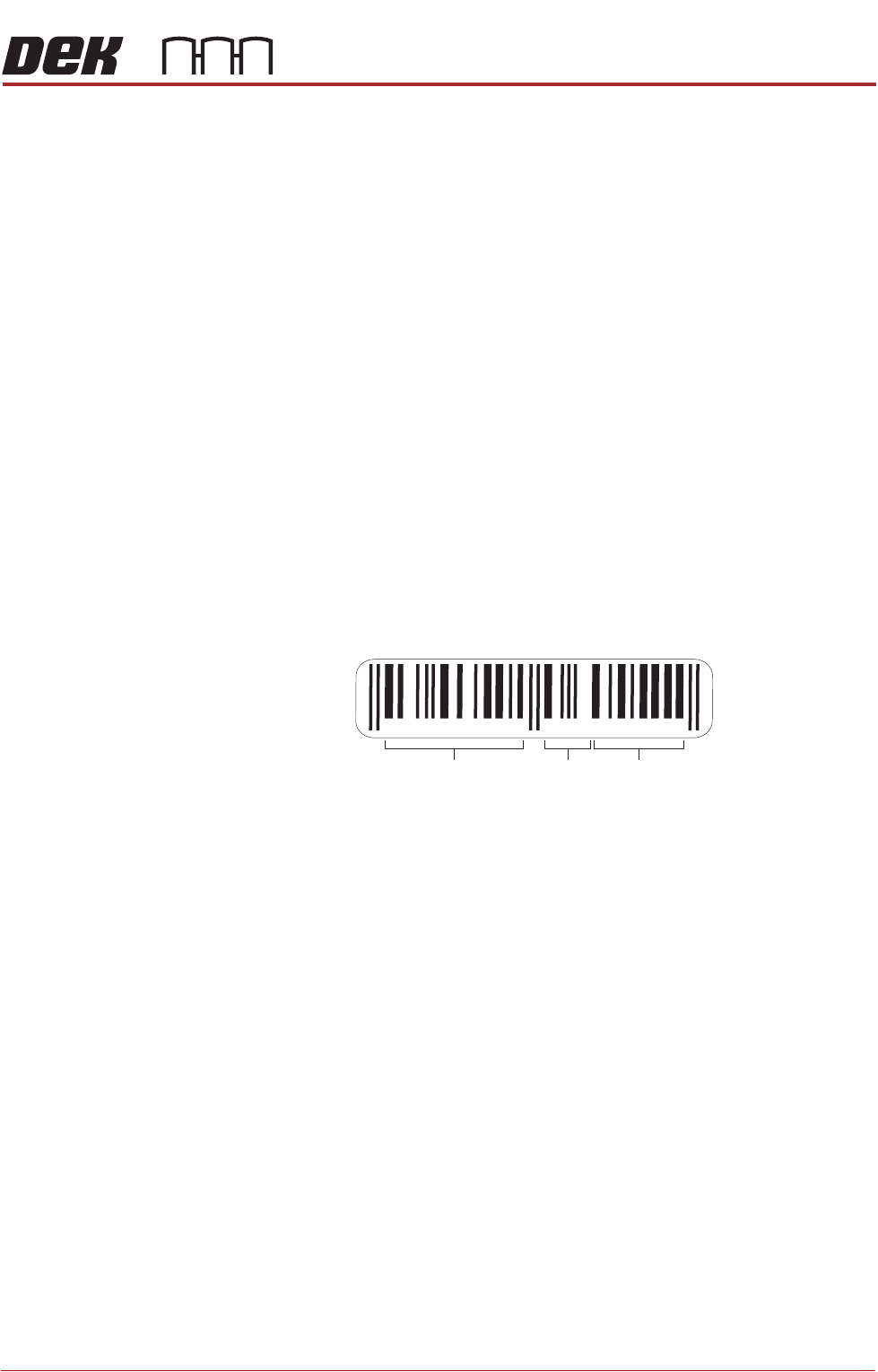
15. Set the start character for the barcode (see barcode label below).
16. Select Accept.
17. Select Name Length.
18. Set the name length for the barcode.
19. Select Accept.
BARCODE READER AND VERIFICATION AND TRACEABILITY
REPLACEMENT PROCEDURES
Chapter Issue 10, Feb 17 Technical Reference Manual 32.9
NOTE
The barcode set up is shown in code format. The code format for a barcode
of length 14 starting at character 4 would be:
###PPPPPPPPPPPPPP###
20. Select Back.
21. Select Back.
22. Select Back.
23. Use the documentation supplied with the reader to setup the language,
keyboard format and barcode symbology.
Barcode Start
Character and
Name Length
A barcode may consist of many types of information, setting the start character
and the name length allows only part of the barcode to be considered whilst
ignoring the rest.
The start character is the numerical position in the barcode from which to start,
ignoring any previous characters.
The name length is the amount of characters to be considered, beginning with
the start character.
In the following example, the barcode is made up of the product type, batch
number and date code:
If the batch number was the only part of the barcode that needed to be
considered for verification, the start character would be 7 and the name length
would be 2.
NOTE
Once the start character and name length are set, i.e. for solvent, this is global.
Solvent in all the product files on this machine must use the same barcode
format.
To set the start character and name length for the required verification items,
use the following procedure:
1. Select Maintenance.
2. Select Machine Setup.
3. Select Barcodes.
987654 321012
Product
Type
Batch
Number
Date
Code
BARCODE READER AND VERIFICATION AND TRACEABILITY
REPLACEMENT PROCEDURES
32.10 Technical Reference Manual Chapter Issue 10, Feb 17
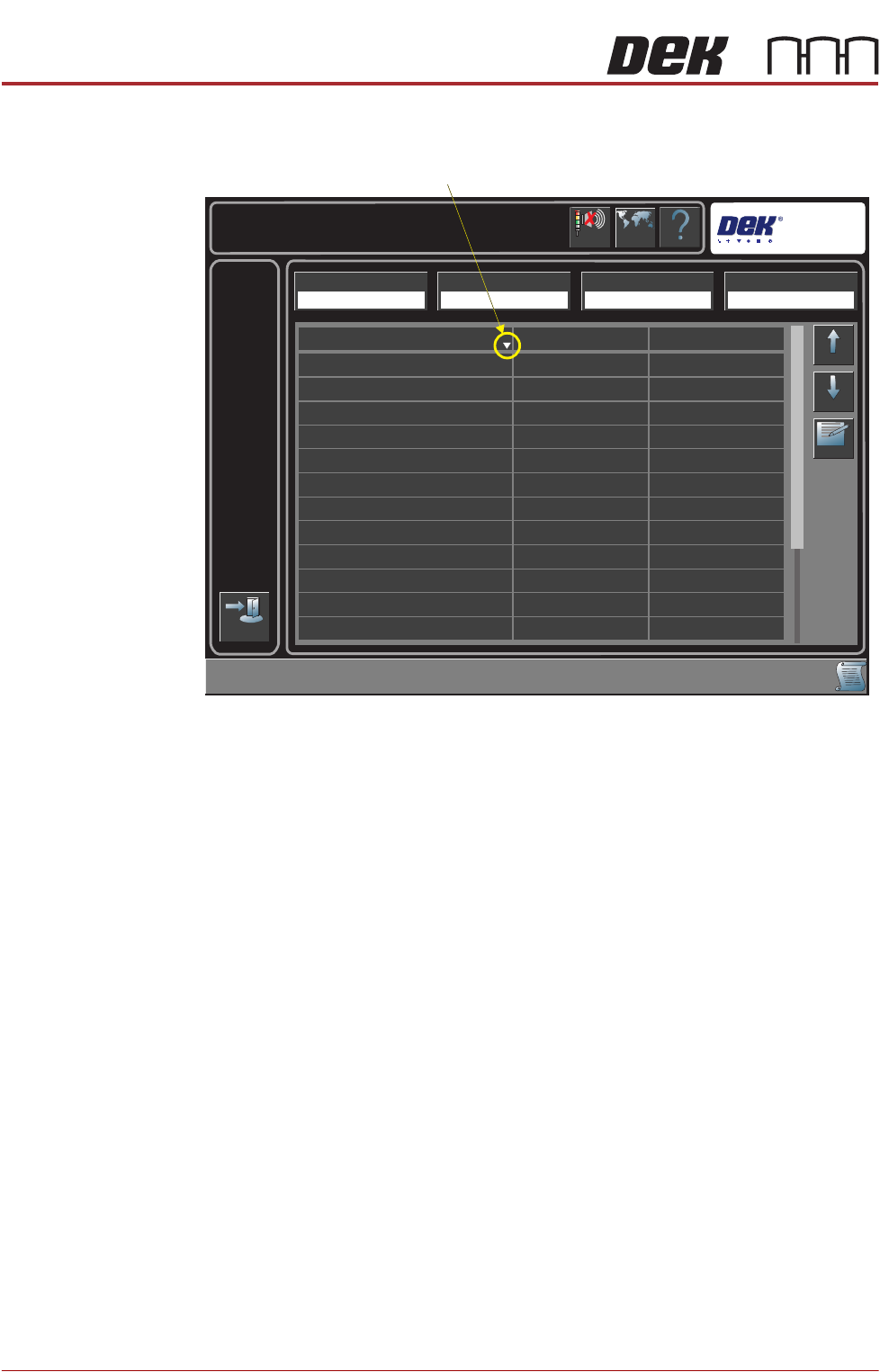
The following page is displayed:
4. Highlight the required item in the table.
NOTE
The sort direction button switches the table display alphabetically between
A to Z and Z to A.
5. Select Edit.
6. Select Name Length.
7. Enter the required name length.
8. Select Start Character.
9. Enter the required start character.
10. Select Accept.
11. Repeat Steps 4 to 9 for all the items that need to be verified.
Help
Maintenance \ Machine Setup \ Barcodes
Language
Cancel
Buzzer
Exit
Up
Down
Edit
Start Character
Item Name
201
1
1
1
1
1
1
1
1
1
1
1
20
20
20
20
20
20
20
20
20
20
20
Squeegee Holder Front
Squeegee Holder Rear
Screen
Cleaner Paper
Print Medium
Print Medium Cartridge
Cleaner Solvent
Squeegee Blades
Tooling
Board Identifier
ProFlow Cassette
ProFlow Head
Name Length
Remote Barcode HW Handheld Barcode HW Load Product Start Character Load Product Name Length
Fitted Fitted 1 20
Sort Direction