192277 - Micron Technical Reference Volume 3.pdf - 第25页
RAPID TRANSIT CONVEYOR (R TC) MODULE ADJUSTMENTS AND SETTINGS Chapter Issue 4, Aug 14 Technical Reference Manual 22.13 5. Remove the two board clamp securing screws using a flat b laded screw- driver . 6. Remove the boar…
RAPID TRANSIT CONVEYOR (RTC) MODULE
ADJUSTMENTS AND SETTINGS
22.12 Technical Reference Manual Chapter Issue 4, Aug 14
5. If adjustment is not required, go to the next section - Rear Rail Parallelism.
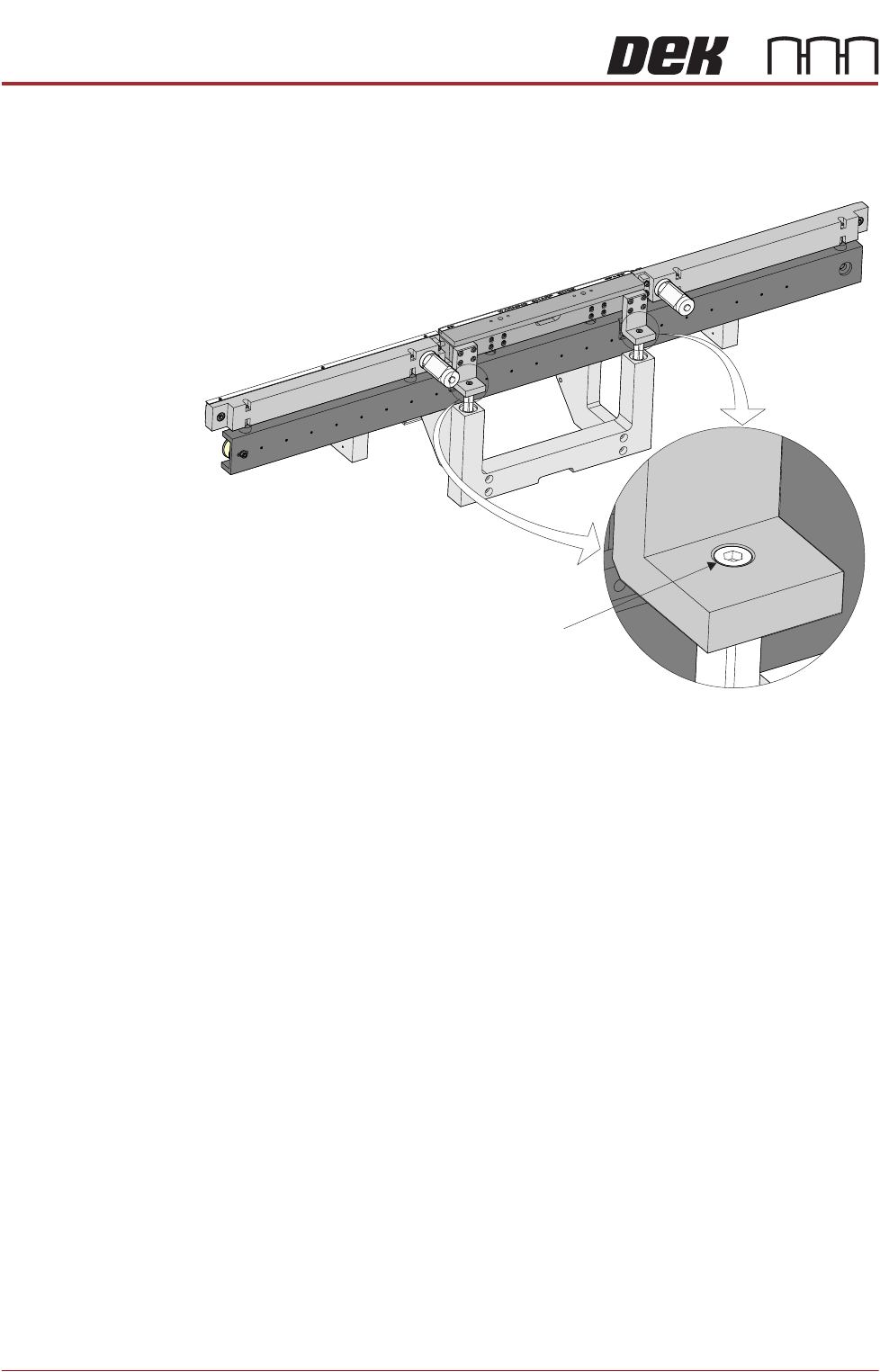
6. To adjust the front print station rail parallelism, loosen the two front print
station rail securing screws.
NOTE
The securing screws need to be loosened just enough to allow the rail to be
moved.
7. Move the front print station rails so that the front print station rail abuts both
stops on the jig without any pressure.
8. Tighten the securing screws.
9. Repeat Steps 4 to 8 until parallelism is achieved.
Rear Rail
Parallelism
NOTE
Front rail parallelism must be carried out before this procedure.
1. Using the drive belt, manually move the rear rail so that the rear print station
rail abuts the two stops on the rail setting jig without any pressure.
2. Using a 0.05mm feeler as a NO-GO gauge, check that no gap exists
between the stops and the board support plate.
3. If adjustment is not required, manually move the rear rail away from the jig
and remove the jig from the rising table.
4. To adjust the parallelism of the rear print station rail, the board clamp must
be removed.
Front Print Station Rail Securing Screw
(in 2 positions)
RAPID TRANSIT CONVEYOR (RTC) MODULE
ADJUSTMENTS AND SETTINGS
Chapter Issue 4, Aug 14 Technical Reference Manual 22.13
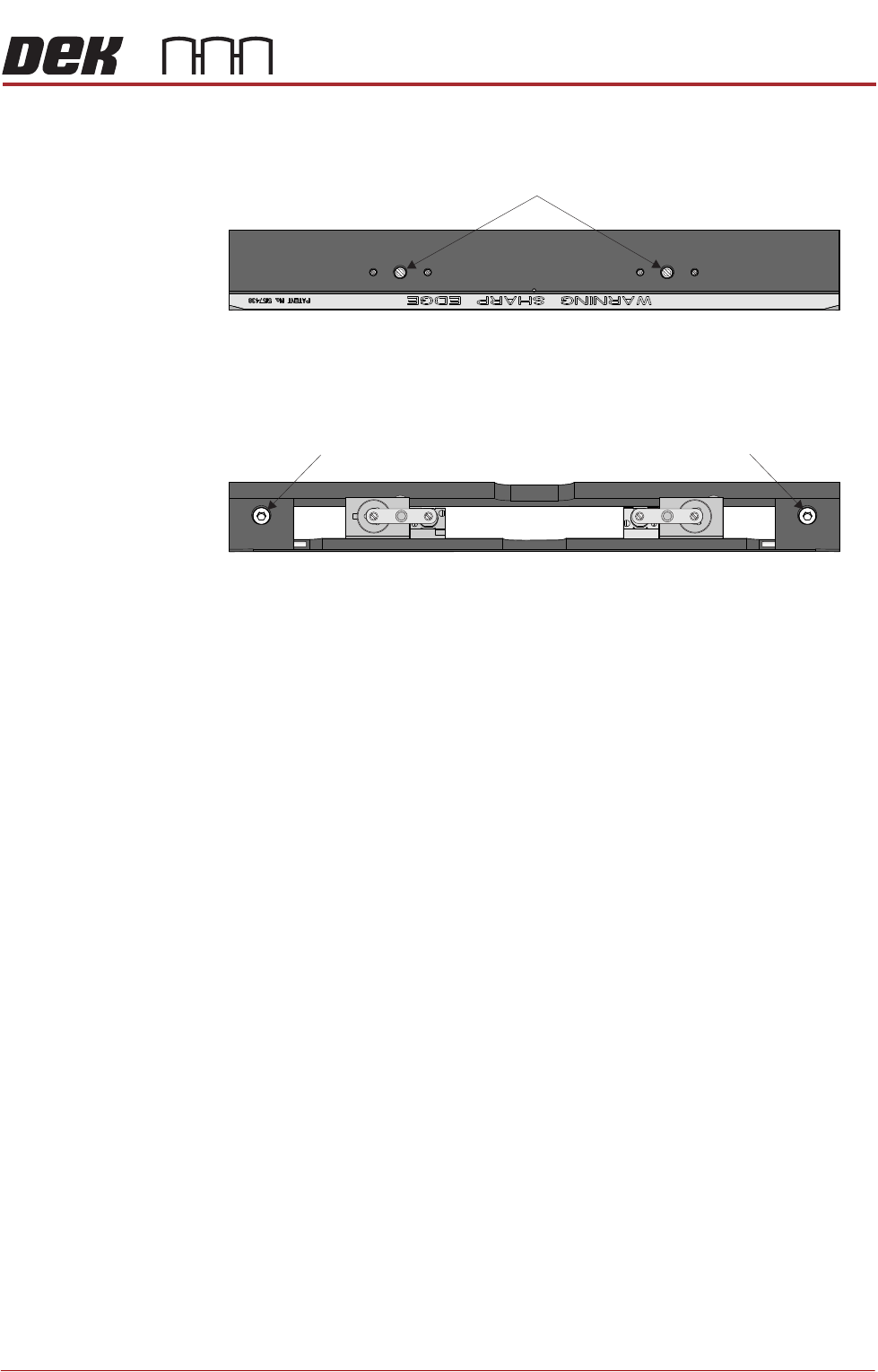
5. Remove the two board clamp securing screws using a flat bladed screw-
driver.
6. Remove the board clamp to access the rail securing screws.
7. Loosen the two rail securing screws.
NOTE
The securing screws need to be loosened just enough to allow the rail to be
moved.
8. Move the rear print station rails so that the rear print station rail abuts both
stops on the jig without any pressure.
NOTE
If parallelism cannot be achieved with the slack available, check that the rail
width drive belt has not jumped a tooth on one of the drive cogs.
9. Tighten the securing screws.
10. Using a 0.05mm feeler as a NO-GO gauge, check that no gap exists
between the stops and the board support plate.
11. Repeat Steps 7 to 10 until parallelism is achieved.
12. Refit the board clamp.
13. Manually move the rear rail away from the jig and remove the jig from the
rising table.
Plan View of Print Station Rail
Board Clamp Securing Screws
Plan View of Print Station Rail
Rail Securing Screw Rail Securing Screw
RAPID TRANSIT CONVEYOR (RTC) MODULE
ADJUSTMENTS AND SETTINGS
22.14 Technical Reference Manual Chapter Issue 4, Aug 14
Camera X Axis Parallelism
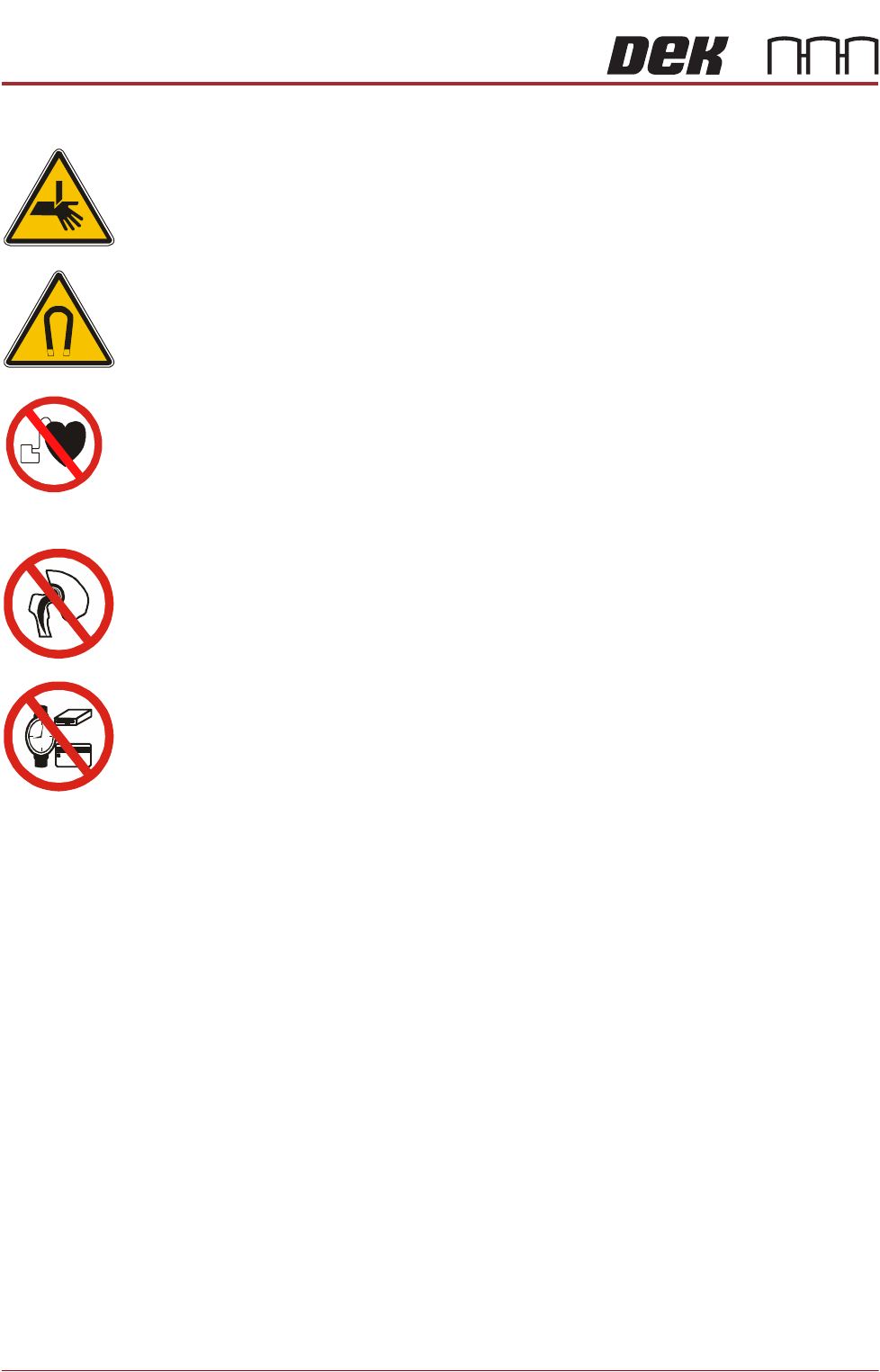
WARNING
BOARD CLAMPS. EXTREME CARE MUST BE EXERCISED WHEN WORKING IN
THE TOOLING AREA OF THE MACHINE TO AVOID INJURY. THE FOILS ON THE
FRONT AND REAR BOARD CLAMPS ARE VERY SHARP.
WARNING
STRONG MAGNET FIELD. A STRONG MAGNETIC FIELD EXISTS IN THE
VICINITY OF THIS LABEL. THIS MAY PRESENT A HAZARD TO PERSONNEL OR
EQUIPMENT.
))
((
PROHIBITION
ELECTROMAGNETIC FIELD. AN ELECTROMAGNETIC FIELD EXISTS WITHIN
THE MACHINE FROM THE LINEAR MOTORS. THESE MAY PRESENT A HAZARD
TO PEOPLE FITTED WITH AN IMPLANTED CARDIAC DEVICE. THE MOTOR
MANUFACTURER RECOMMENDS A SAFE DISTANCE OF AT LEAST 15MM.
PROHIBITION
ELECTROMAGNETIC FIELD. AN ELECTROMAGNETIC FIELD EXISTS WITHIN
THE MACHINE FROM THE LINEAR MOTORS. THESE MAY PRESENT A HAZARD
TO PEOPLE FITTED WITH AN IMPLANTED CARDIAC DEVICE. THE MOTOR
MANUFACTURER RECOMMENDS A SAFE DISTANCE OF AT LEAST 15MM.
PROHIBITION
STRONG MAGNETIC FIELD. A STRONG MAGNETIC FIELD EXISTS IN THE
VICINITY OF THE LINEAR MOTORS THAT REPRESENT A SERIOUS HAZARD TO
PEOPLE FITTED WITH METALLIC IMPLANTS.
PROHIBITION
STRONG MAGNETIC FIELD. A STRONG MAGNETIC FIELD EXISTS IN THE
VICINITY OF THE LINEAR MOTORS THAT MAY ACT UPON FERROUS OBJECTS
WHOSE MOVEMENTS COULD LEAD TO PERSONAL INJURY AND/OR DAMAGE
TO THE MACHINE.
NOTE
The camera X axis parallelism is factory set and shouldn’t normally need to be
adjusted.
1. To move the vanes clear of the front print station rails, set the board length
to maximum and home the rapid transit conveyor board loader.
2. Home the RTC rails and set the rising table to vision height.