192277 - Micron Technical Reference Volume 3.pdf - 第266页
MAN MACHINE I NTERFACE CALIBRATIONS 34.22 Technical Reference Manual Chapter Issue 11, Jan 17

MAN MACHINE INTERFACE
CALIBRATIONS
Chapter Issue 11, Jan 17 Technical Reference Manual 34.21
CALIBRATIONS
Touchscreen
Calibration
To Recalibrate the touchscreen carry out the following procedure:
1. To access the Start button on the Windows task bar, press the Windows
key.
2. Select All Programs.
3. Select the Touchscreen Calibration folder.
4. Double click on the J2 725 Calibration file to open it.
5. Select Align from the General tab.
6. Select the three targets as they appear on the monitor.
7. Select the green tick.
8. Select OK. Touchscreen calibration is now complete.
9. Close the folder and return to the DEK program.

MAN MACHINE INTERFACE
CALIBRATIONS
34.22 Technical Reference Manual Chapter Issue 11, Jan 17
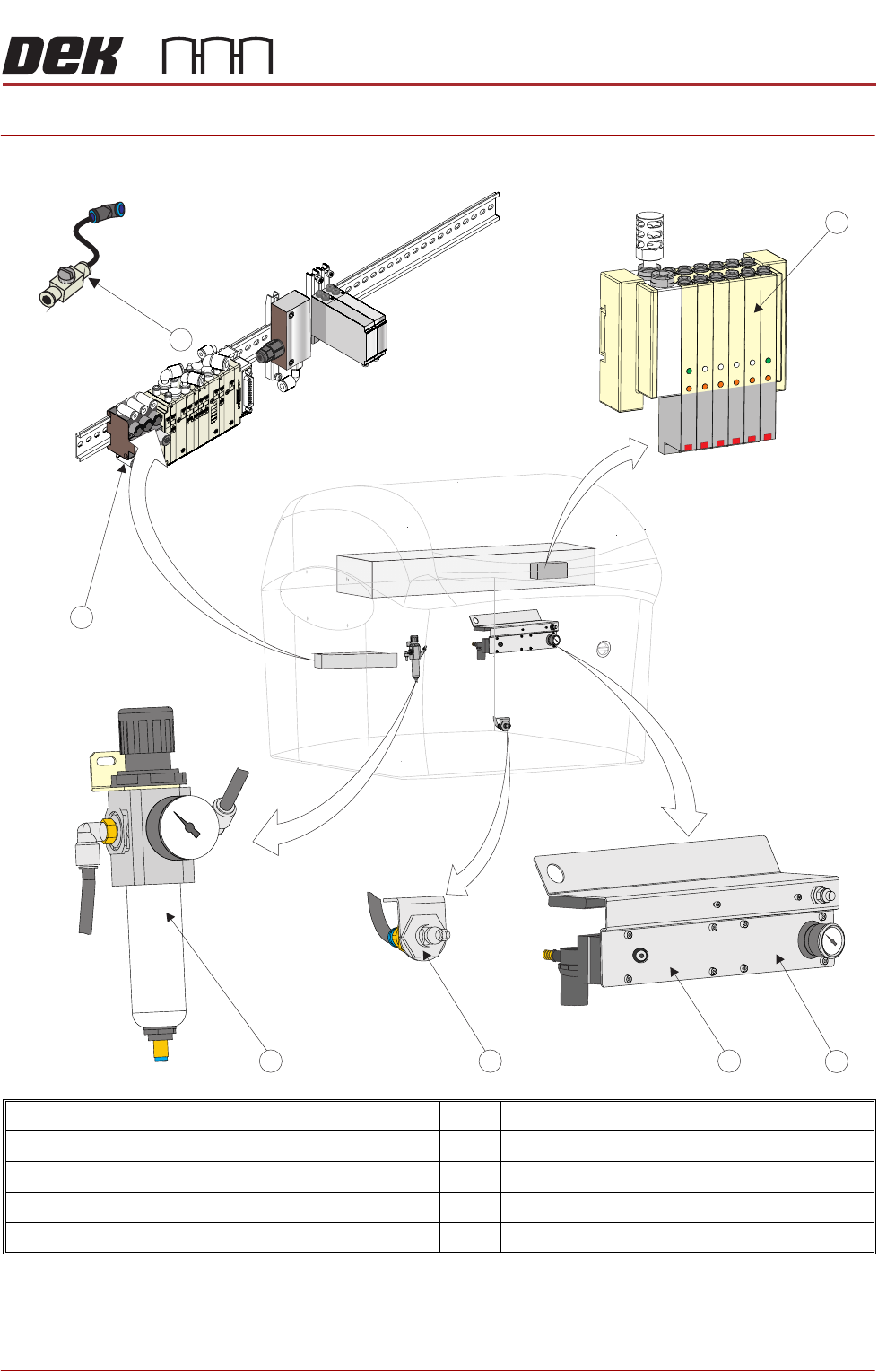
PNEUMATIC MODULE
OVERVIEW
Chapter Issue 7, Aug 14 Technical Reference Manual 35.1
CHAPTER 35 PNEUMATIC MODULE
OVERVIEW
NOTE
The Pneumatic Module is located at the front of Type 4 printers and accessed
by removing the front panel.
Item Description Item Description
1 Print Carriage Solenoids 5 Filter, Regulator, Sensor and Gauge Assembly
2 Venturi Vacuum Pump (Vacuum Tooling) 6 Printer Rear Solenoids
3 VF10 Venturi Vacuum Filtration Unit 7 Isolator Switch Valve
4 External Connection
6
5 4 3
2
1
7