192277 - Micron Technical Reference Volume 3.pdf - 第33页
RAPID TRANSIT CONVEYOR (R TC) MODULE ADJUSTMENTS AND SETTINGS Chapter Issue 4, Aug 14 Technical Reference Manual 22.21 Front Conveyor Alignment The front inroad conveyor must be perfectly aligned to the print station rai…
RAPID TRANSIT CONVEYOR (RTC) MODULE
ADJUSTMENTS AND SETTINGS
22.20 Technical Reference Manual Chapter Issue 4, Aug 14
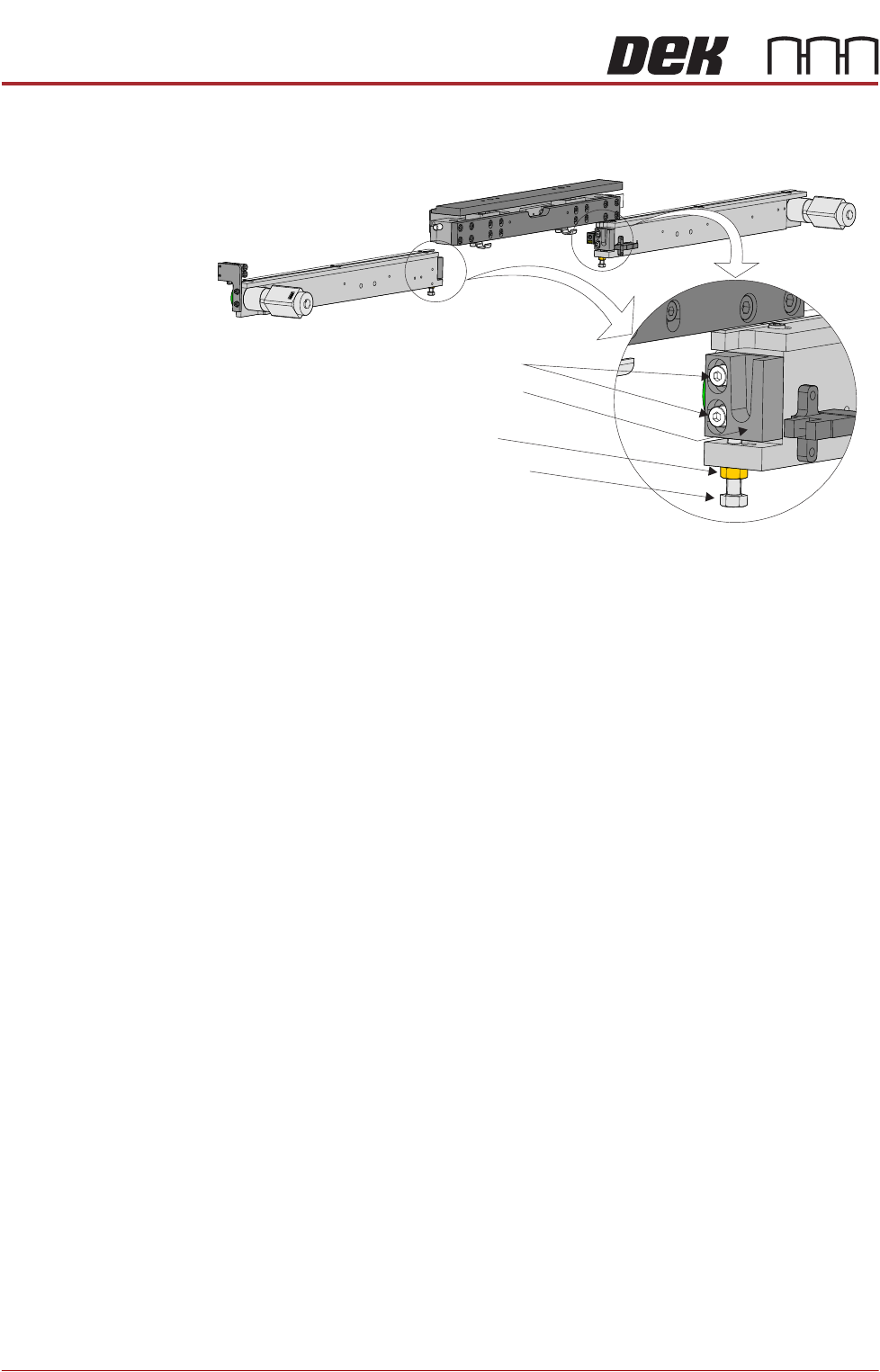
12. Loosen the two print station lift bracket locking screws on the rear inroad
conveyor.
13. Lower the rear print station rail.
14. Using an 8mm spanner, loosen the locking nut.
15. Move the board clamp setting plate back to its original position.
16. Adjust the adjusting screw until the board clamp setting plate is sitting evenly
on the print station board support plate and the transport belts of the rear
inroad conveyor.
17. Move the board clamp setting plate fully on to the inroad conveyor.
18. Manually lift the rear print station rail.
19. Tighten the two print station lift bracket locking screws on the rear inroad
conveyor.
20. Lower the rear print station rail.
21. Using two 8mm spanners, hold the adjusting screw whilst tightening the
locking nut.
22. Move the board clamp setting plate back to its original position and recheck
the level.
23. Remove the board clamp setting plate from the rail system.
24. Move the rapid transit conveyor board loader to the ready position.
25. Place the board clamp setting plate half on the print station and half on the
outroad conveyor.
26. Viewing from the right side of the machine, ensure that the board clamp
setting plate is in contact with the transport belts on the outroad conveyor.
27. If adjustment is required, repeat Steps 4 to 23 on the outroad conveyors.
Locking Screws
Locking Nut
Adjusting Screw
Print Station Lift
Bracket
View on Rear of Rear RTC Rail
RAPID TRANSIT CONVEYOR (RTC) MODULE
ADJUSTMENTS AND SETTINGS
Chapter Issue 4, Aug 14 Technical Reference Manual 22.21
Front Conveyor
Alignment
The front inroad conveyor must be perfectly aligned to the print station rail as
the vanes travel the whole length of the rail system. Use the following procedure
to check and adjust the alignment:
1. To move the vanes clear of the front print station rails, set the board length
to maximum and home the rapid transit conveyor board loader.
2. Using a 1 metre straight edge rule above the transport belt on the inroad
conveyor and above the board support plate on the print station rail, check
that the inroad conveyor and print station are aligned.
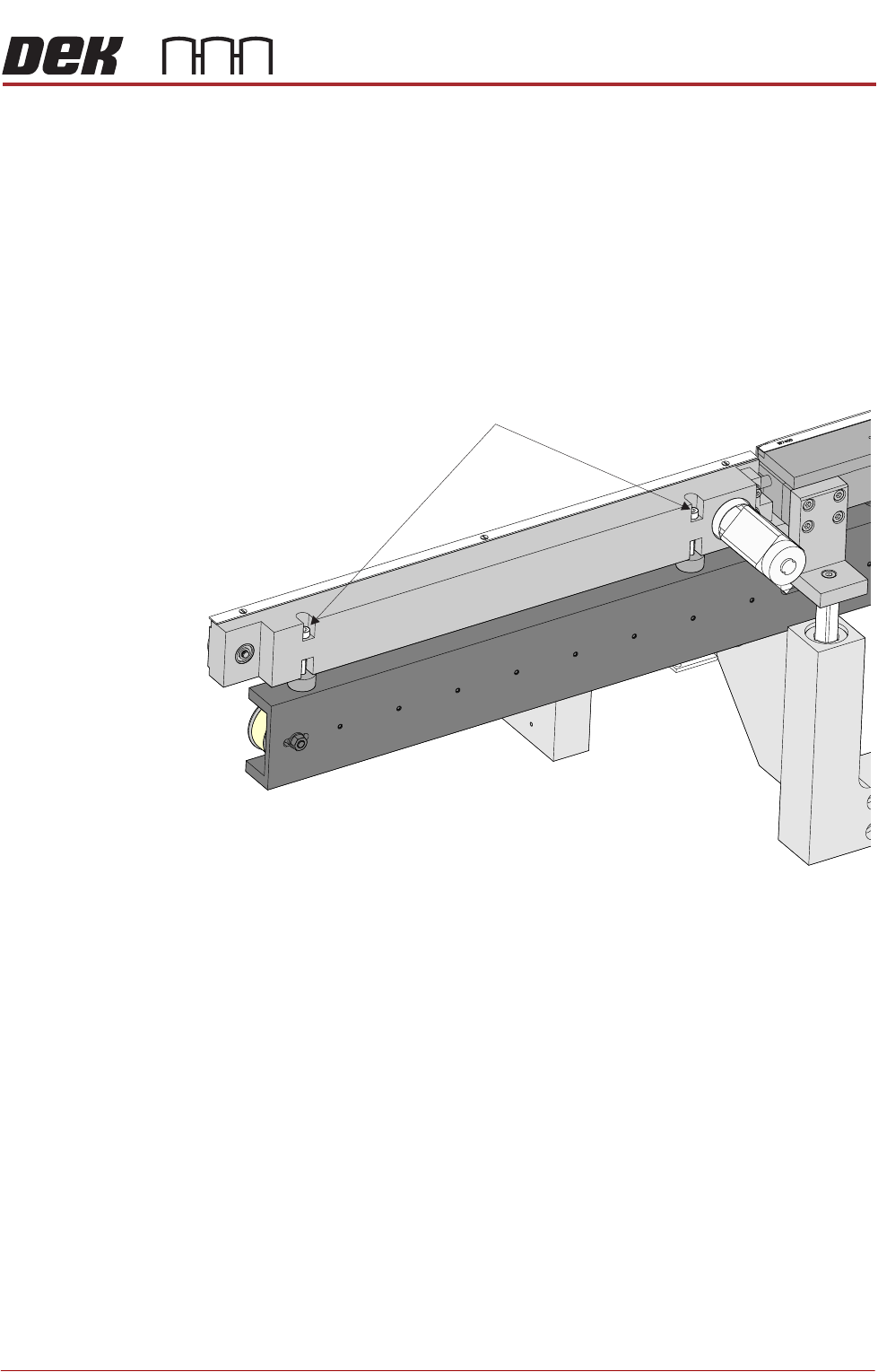
3. If adjustment is required, loosen the two front inroad conveyor securing
screws.
4. Place a 5mm Allen key between the conveyor and the print station to
maintain the correct gap.
5. Adjust the conveyor to achieve alignment with the print station rail.
6. Tighten the securing screws, remove the Allen key and recheck the align-
ment.
7. Move the rapid transit conveyor board loader to the ready position.
8. Using a 1 metre straight edge rule above the transport belt on the outroad
conveyor and above the board support plate on the print station rail, check
that the outroad conveyor and print station are aligned.
9. If adjustment is required, loosen the two front outroad conveyor securing
screws.
10. Place a 5mm Allen key between the conveyor and the print station to
maintain the correct gap.
11. Adjust the conveyor to achieve alignment with the print station rail.
12. Tighten the securing screws, remove the Allen key and recheck the align-
ment.
View on Front Inroad Conveyor
Front Inroad Conveyor Securing Screws
RAPID TRANSIT CONVEYOR (RTC) MODULE
ADJUSTMENTS AND SETTINGS
22.22 Technical Reference Manual Chapter Issue 4, Aug 14
Rear Conveyor
Alignment
The rear inroad and outroad conveyors taper slightly away from the print station.
Use the following procedure to check and adjust the alignment:
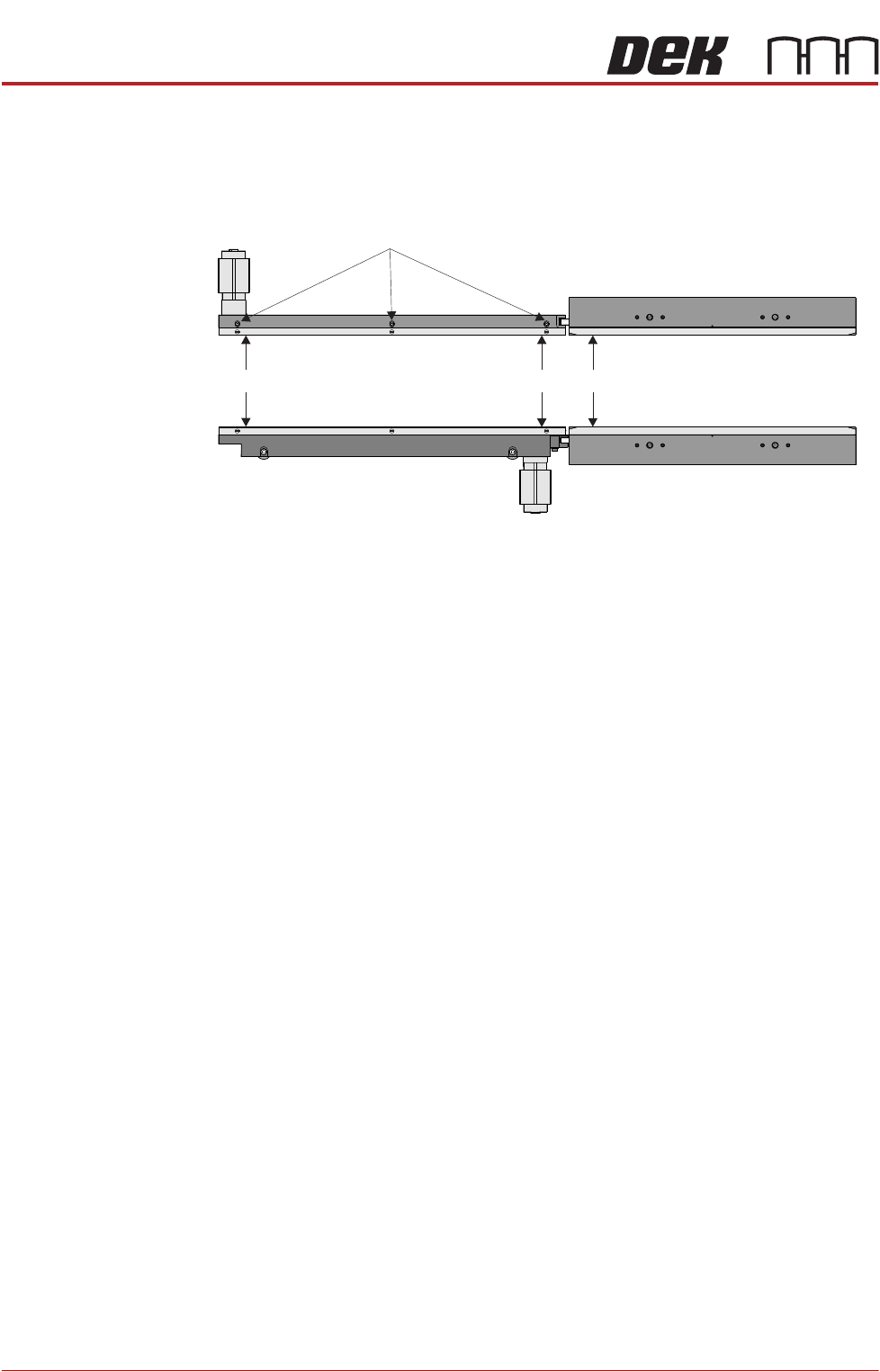
1. Using a vernier above the board support plate, measure the rail width on the
print station (Dimension A).
2. Measure the rail width on the inroad conveyor close to the print station
(Dimension B). Dimension B must be between Dimension A and A plus
0.05mm.
NOTE
Ensure that the measurement is taken from the flat and not the chamfered
end.
3. Measure the rail width on the inroad conveyor close to the end of the inroad
conveyor (Dimension C). Dimension C must be between Dimension B plus
0.10mm and B plus 0.20mm.
NOTE
Ensure that the measurement is taken from the flat and not the chamfered
end.
4. If adjustment is required, loosen the board guide securing screws and adjust
the board guide to achieve the measurements above.
5. Tighten the board guide securing screws.
6. Repeat Steps 1 to 5 for the outroad conveyor.
Rail Lifted Sensor There is no adjustment on the rail lifted sensor or the vane.
Board Guide Securing Screws
C
B
A