192277 - Micron Technical Reference Volume 3.pdf - 第42页
RAPID TRANSIT CONVEYOR (RTC) MODULE CALIBRATIONS 22.30 Technical Reference Manual Chapter Issue 4, Aug 14 4. Using a tachometer fitted with the surface speed test wheel, positioned on the input or output pulley , measure…
RAPID TRANSIT CONVEYOR (RTC) MODULE
CALIBRATIONS
Chapter Issue 4, Aug 14 Technical Reference Manual 22.29
CALIBRATIONS
Conveyor Transport Belt Speed
WARNING
LETHAL VOLTAGE. DANGEROUS VOLTAGES EXIST IN THIS EQUIPMENT.
ENSURE ALL ELECTRONIC COVERS AND MAIN MACHINE COVERS ARE
FITTED BEFORE OPERATING THIS EQUIPMENT.
The inroad and outroad conveyor transport belts are driven independently by
four variable speed motors. Inevitably one motor drives faster than the other
motor. It is necessary to calibrate these motors so they drive at the same speed.
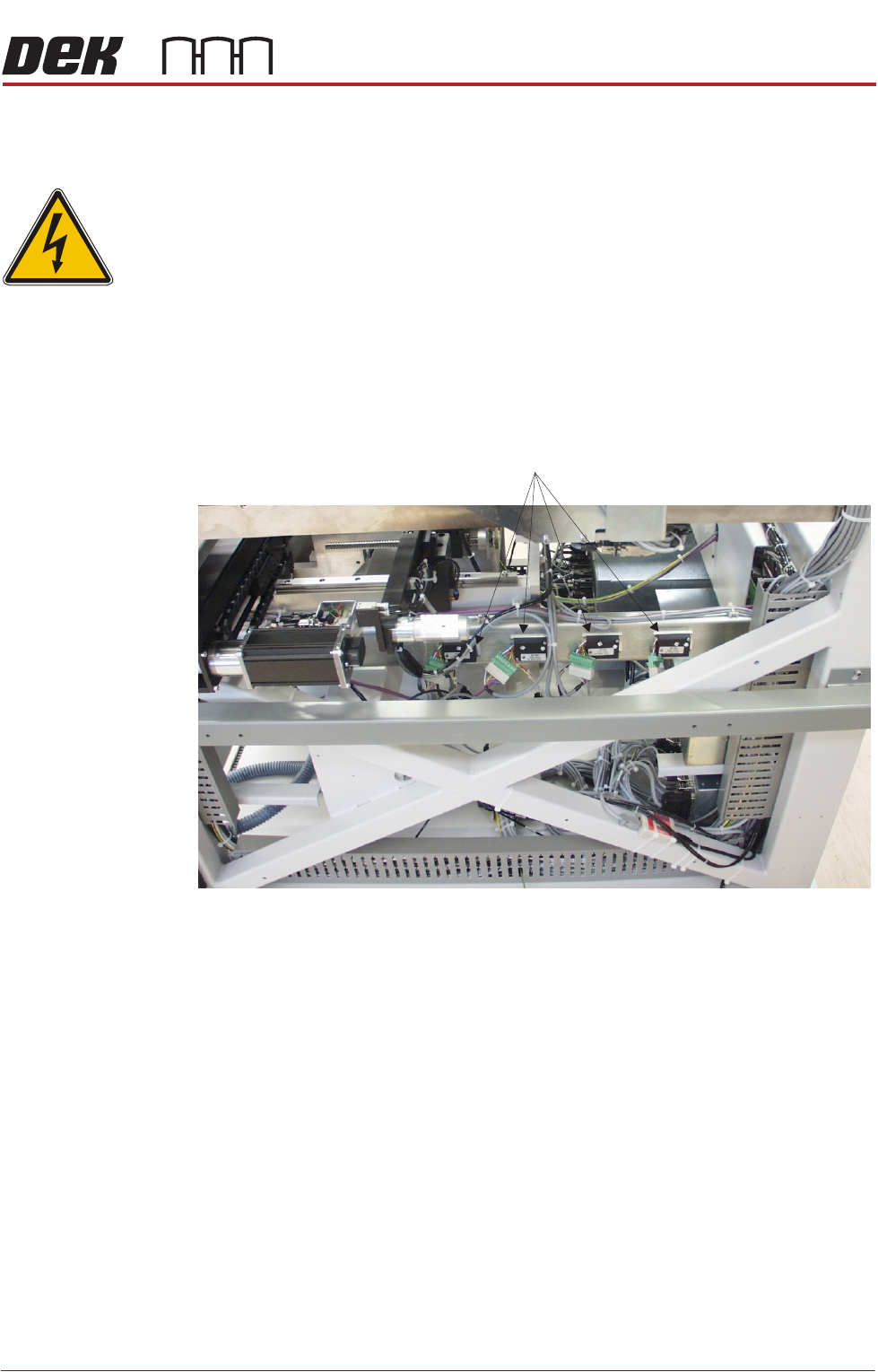
Each belt motor speed is controlled by a separate speed controller module
situated on the right hand RTC rail support beam.
The belt speed is measured using a tachometer on the transport belt pulley and
adjusted using the potentiometer on the speed controller module.
Calibration
Procedure
1. In Diagnostics, select Rapid Transit Conveyor.
2. Select Toggle Inroad Belts to start the belts on the inroad conveyor.
3. Select Toggle Outroad Belts to start the belts on the outroad conveyor.
View on Right Hand Side of Machine
Transport Belt Speed Controllers
RAPID TRANSIT CONVEYOR (RTC) MODULE
CALIBRATIONS
22.30 Technical Reference Manual Chapter Issue 4, Aug 14
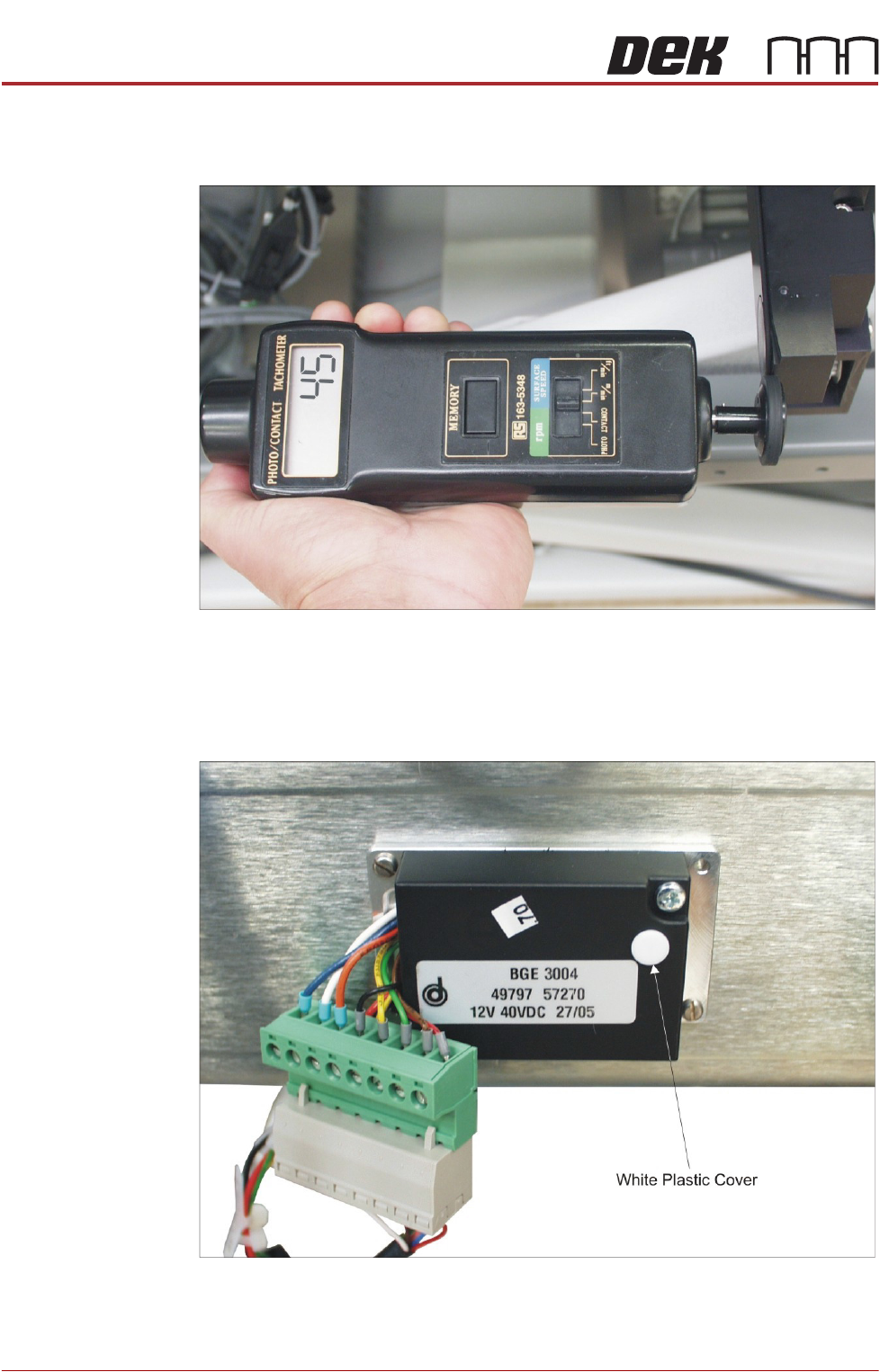
4. Using a tachometer fitted with the surface speed test wheel, positioned on
the input or output pulley, measure the speed of all four transport belts and
check that the speed is 44 - 46 metres/min.
5. If adjustment is required, using the labels attached to the cables connecting
to the motor speed controllers, identify which motor speed controller is
associated with the transport belt that needs to be adjusted.
6. Adjust the appropriate motor speed using the potentiometer situated
beneath the white plastic cover on the motor speed controller module.
7. Select Toggle Inroad Belts to stop the belts on the inroad conveyor.
8. Select Toggle Outroad Belts to stop the belts on the outroad conveyor.
9. Select Exit to leave diagnostics.
CAMERA SYSTEM MODULE
OVERVIEW
Chapter Issue 9, Feb 18 Technical Reference Manual 23.1
CHAPTER 23 CAMERA SYSTEM MODULE
OVERVIEW
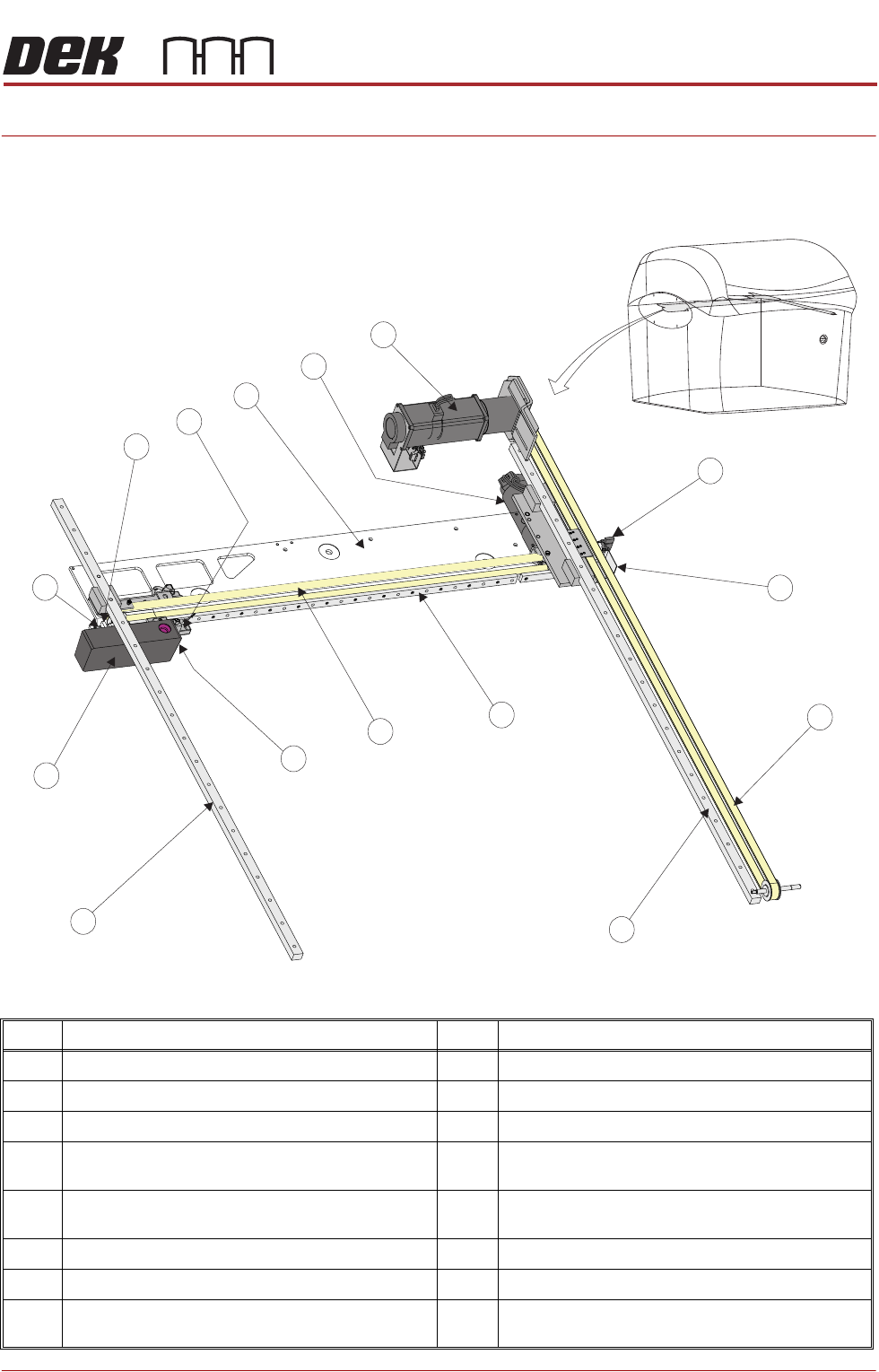
Figure 23-1 Camera Overview Rotary Drive
Item Description Item Description
1 Camera Y Home Sensor 9 Camera Assembly
2 Camera Y Home Vane 10 Camera X Home Vane
3 Y Axis Timing Belt 11 Camera X Home Sensor
4 Y Axis Right Hand Linear Bearing
(mounted on bottom of right hand printhead)
12 Camera Mounted Board Stop &
Board Stop Extended Sensor
5 X Axis Linear Bearing 13 Camera X Axis Support Platform
(shown transparent for clarity)
6 X Axis Timing Belt 14 Camera X Motor Node 8
7 Board at Stop Sensor 15 Camera Y Motor Node 9
8 Y Axis Left Hand Linear Bearing
(mounted on bottom of left hand printhead)
1
4
2
3
5
6
7
8
9
15
10
11
12
13
14