M8_ServiceManual_e.pdf - 第73页
4 Electrical Section 4-5 DO Operation This tab allows you to operate th e tape feeders set in the fort and rear feed er banks ■ Feeder tab This tab allows you to operate th e tape feeders set in the front and rear feed e…
4 Electrical Section
4-4
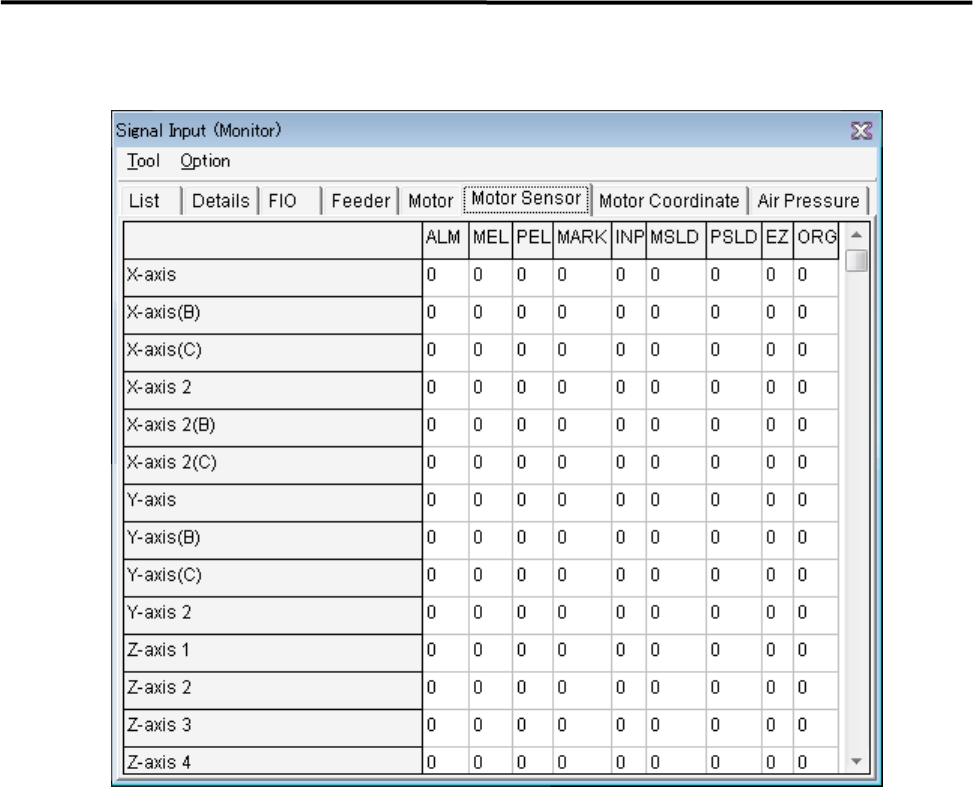
■ Motor Sensor tab
It can be checked the status of sensors.
Window:
ALM: Alarm
MEL: Minus End Limited
PEL: Plus End Limited
MARK: Mark
INP: In Position
MSLD: Minus Slow Down
PSLD: Plus Slow Down
EZ: 0 Phase
ORG: Origin
4 Electrical Section
4-5
DO Operation
This tab allows you to operate the tape feeders set in the fort and rear feeder banks
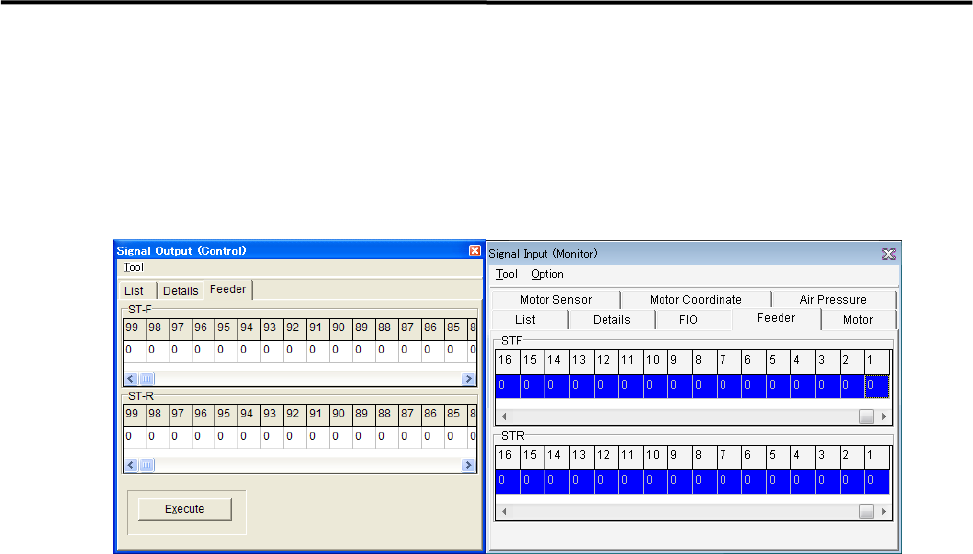
■ Feeder tab
This tab allows you to operate the tape feeders set in the front and rear feeder banks.
Action:
① Scroll left or right to display the desired feeder number.
② Click “0” of the desired feeder number “0” switches to “1”.
③ Click <Execute> button allows the feeder for one feeder indexing.
4 Electrical Section
4-6
Serial I/O
■ Serial I/O List
Device No. DO/DI Main Function Communication
Device 1 DO control Camera Illumination
Device 2 DI monitor Head Vacuum Measurement
Xio.Hi
Device 3 DO control Safety Circuit Operation
Device 4 DI monitor Safety Circuit Control
XiO.Mi8
Device 5 DO control Front Operation Switch LED Lighting
Device 6 DI monitor Front Operation Switch Key Input
XiO.Ui(F)
Device 7 DO control Rear Operation Switch LED Lighting
Device 8 DI monitor Rear Operation Switch Key Input
XiO.Ui(R)
Device 9 DO control Conveyor Actuator
Device10 DI monitor Conveyor Sensor
CIO7
Device11 DO control
Front Bank・CTF・CFB
Device12 DI monitor
Front Bank・CTF・CFB
XiO.Fi
XiO.Ti
Device13 DO control
Rear Bank・CTF・CFB
Device14 DI monitor
Rear Bank・CTF・CFB
XiO.Fi
XiO.Ti
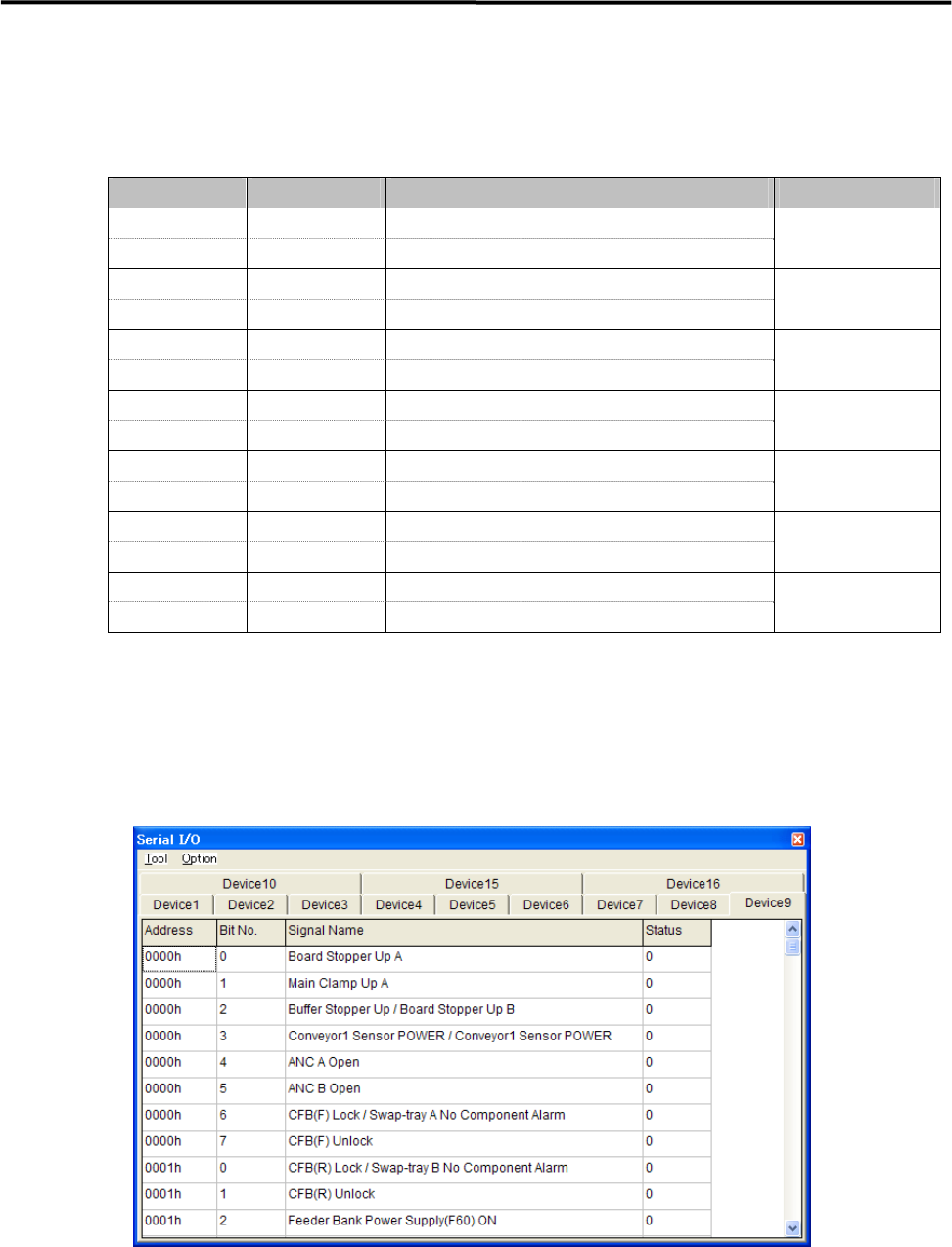
Action:
① Click the cell corresponding to the desired actuator.
② At the same time you click the cell, the display changes 1(On) or 0(Off), and the actuator moves
accordingly.
Example:
■ Moving Up and Down the Board Stopper
① Select Manual> Signal I/O to open [Serial I/O] window.
② Select [Device9] tab.
③ Click [State] of [Board Stopper Up A] cell, Status changes “0” to “1” and the board stopper lifts.
At this time, confirm that State of [Board Stopper Up A (0002h)] in [Device10] switches from “0” to “1”.
④To move down the board stopper, click [State] of [Board Stopper Up A] in [Device9]. And State changes
“1” to “0”. At this time, State of [Board Stopper Up A (0002h)] in [Device10] switches from “1” to “0”.