00191369-02.pdf - 第130页
3 Introduction and Basic Concepts User Manual HS-50 3.3 User Interface - Views and Menus Software Version S R.501.xx 12 /99 Issue US 130 t I I t 3.3.2.6 "Help" Menu his menu gives you ac cess to all the fun cti…
User Manual HS-50 3 Introduction and Basic Concepts
Software Version SR.501.xx 12/99 Issue US 3.3 User Interface - Views and Menus
129
t IIt
3.3.2.5 "Settings" Menu
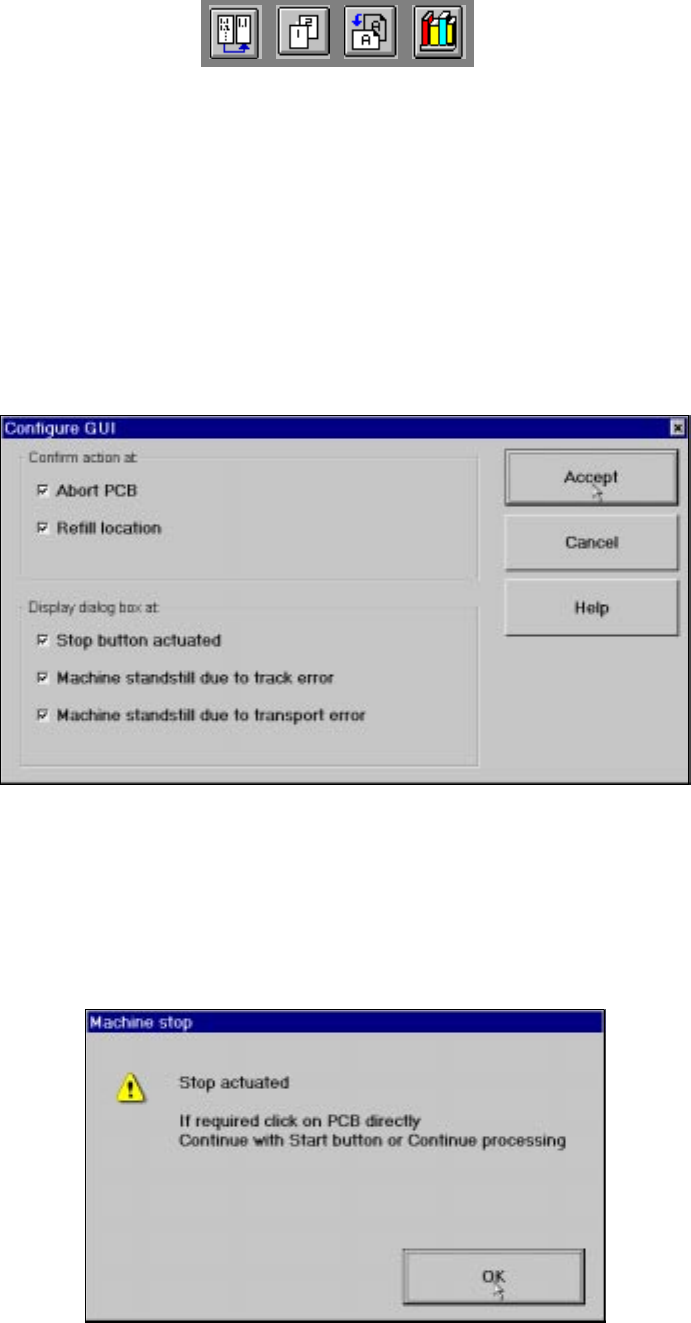
The "Settings" menu is only available in the main view. The options in this menu can be used to
set whether a particular action must be confirmed again before it is executed. Or whether, when
a particular event occurs, a dialog box containing the relevant information is to be displayed and
then, similarly, confirmed by the user. 3
Å Click the menu item Configure GUI ... .
This displays the following window.
3
Å Activate/deactivate the check box for the required options.
Å Click Accept to save the settings.
3
Example: If the stop button is activated and the "Stop button actuated" box is checked,
the following dialog box is displayed and must be confirmed. 3
3
If the box is not checked, the dialog box does not appear. 3
3 Introduction and Basic Concepts User Manual HS-50
3.3 User Interface - Views and Menus Software Version SR.501.xx 12/99 Issue US
130
t IIt
3.3.2.6 "Help" Menu
his menu gives you access to all the functions required to call the help system and general infor-
mation concerning the station computer or the software. 3
Content Ctrl+F1 3
This calls on-line help. 3
Help Alt+F1 3
Help information relating to the current view is displayed. 3
Use help 3
Information on how to use Help is displayed. 3
Info ... 3
This displays information on the currently installed software version (SC , MC, WPC, GEM ver-
sion) together with general information on the station computer. 3
NOTE
You can use the key combination CTRL+F1 to call the on-line Help function from within any view
in the user interface.
You can use the key combination Alt+F1 to call up help on the current view and the key combina-
tion Shift+F1 to access help on menu items, icons and buttons.
For a detailed description of the functions in the Help menu, refer to Chapter 9. 3
Å Click the required menu item in the "Help" menu or press the corresponding key combination.
3
User Manual HS-50 4 Placement Functions
Software Version SR.501.xx 12/99 Issue US 4.1 Setup Display
131
t IIt
4 Placement Functions
4.1 Setup Display
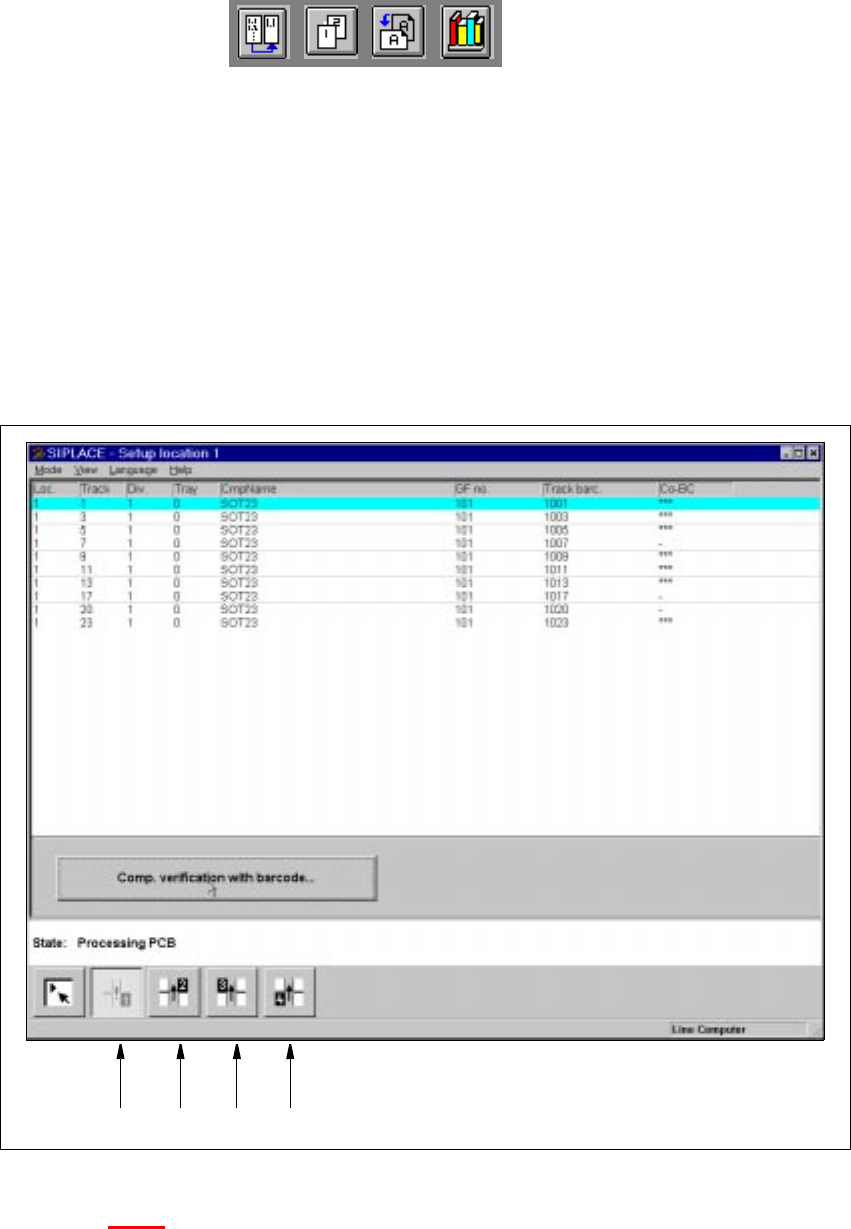
If the cluster has been specified with its corresponding setup, then the setup of each of the
4 locations can be displayed in this view.
4
Fig. 4.1 - 1 "Setup location 1" view
Key to Fig. 4.1 - 1
(1) Display the setup for location 1
(2) Display the setup for location 2
(3) Display the setup for location 3
(4) Display the setup for location 4
1234