00191369-02.pdf - 第151页
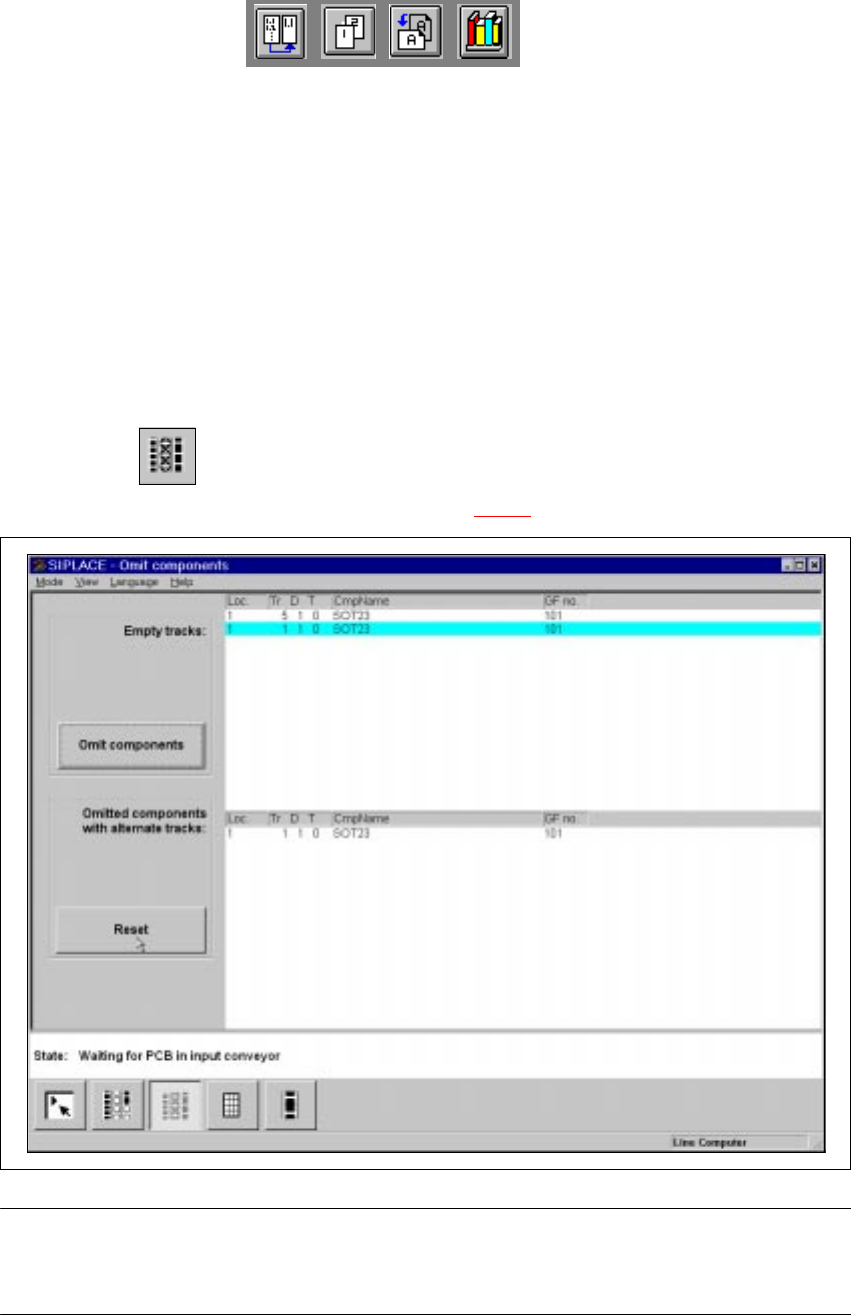
User Manual HS-50 4 Placement Functions Software Vers ion SR.501.xx 12/99 Issue US 4.3 Feeders 151 t I I t 4.3.2.1 Meaning of the Entries in the T ables of the "Omit Components " View – Loc. Number of the loca …
4 Placement Functions User Manual HS-50
4.3 Feeders Software Version SR.501.xx 12/99 Issue US
150
t IIt
4.3.2 "Omit components" view
The “Omit components” function is used to deliberately leave out components on selected tracks
when processing the PCB.
This may be necessary, for example, in order to check component placement when introducing
the first PCB of a new cluster. When the PCB is produced, any components set to “Omit compo-
nents” will then be ignored on all the tracks on which they are set up. The incomplete PCBs will
then be transported to the output belt, where they must be removed manually.
When this function is activated, the specified components will be omitted from all subsequent
PCBs until you reset the function.
4
Å Click on the icon.
The “Omit components” view will appear (see Fig.
4.3 - 3
).
4
Fig. 4.3 - 3 “Omit components” view
PLEASE NOTE
The “Omit components” function cannot be used at the “Operator” access level.
4
User Manual HS-50 4 Placement Functions
Software Version SR.501.xx 12/99 Issue US 4.3 Feeders
151
t IIt
4.3.2.1 Meaning of the Entries in the Tables of the "Omit Components" View
– Loc.
Number of the location
– Tr D T
Number of the track and of the feeder division
The entry for "T" is irrelevant for model SIPLACE HS-50 machines.
(Only valid for automatic machines with wafflepack changers)
– CmpName
Name of the component
– GF no.
Number of the package form
4
4.3.2.2 Omit component
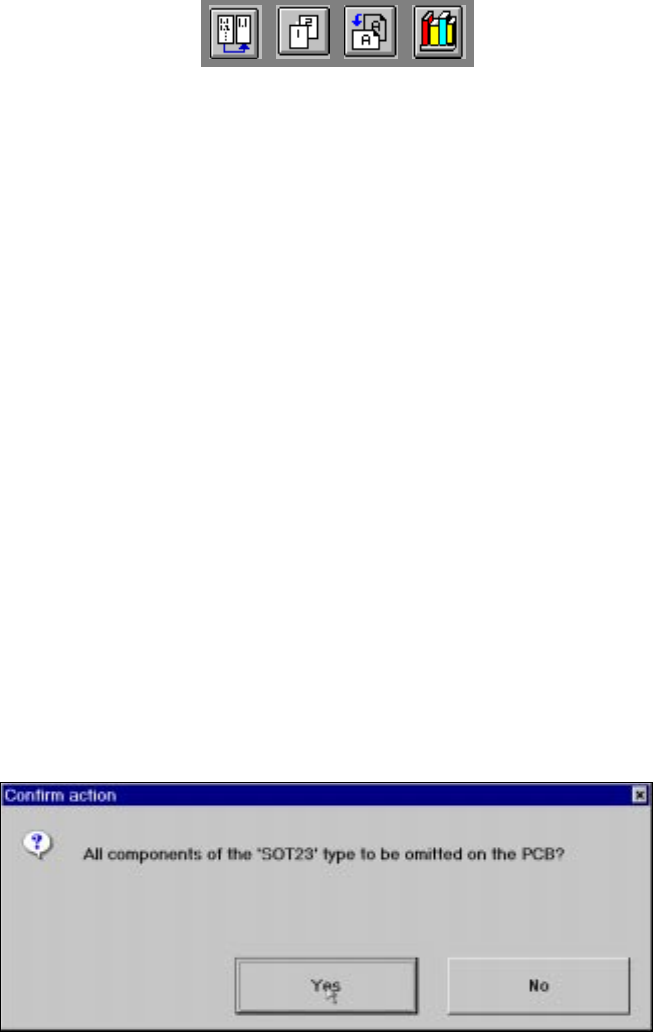
Å Select the component to be omitted from the “Empty tracks” table. The selected line will be
highlighted in light blue.
The “Omit components” button is active.
Å Click on the Omit components button. The following dialog box will appear.
4
Å Click on Yes to confirm the prompt.
The “Omitted components with alternate tracks” table lists all the tracks that have feeders set
up with components to be omitted from the placement process. When this function is activated,
the specified components will be omitted from all subsequent PCBs until you reset the function.
4
4 Placement Functions User Manual HS-50
4.3 Feeders Software Version SR.501.xx 12/99 Issue US
152
t IIt
4.3.3 "Linear Feeder" View
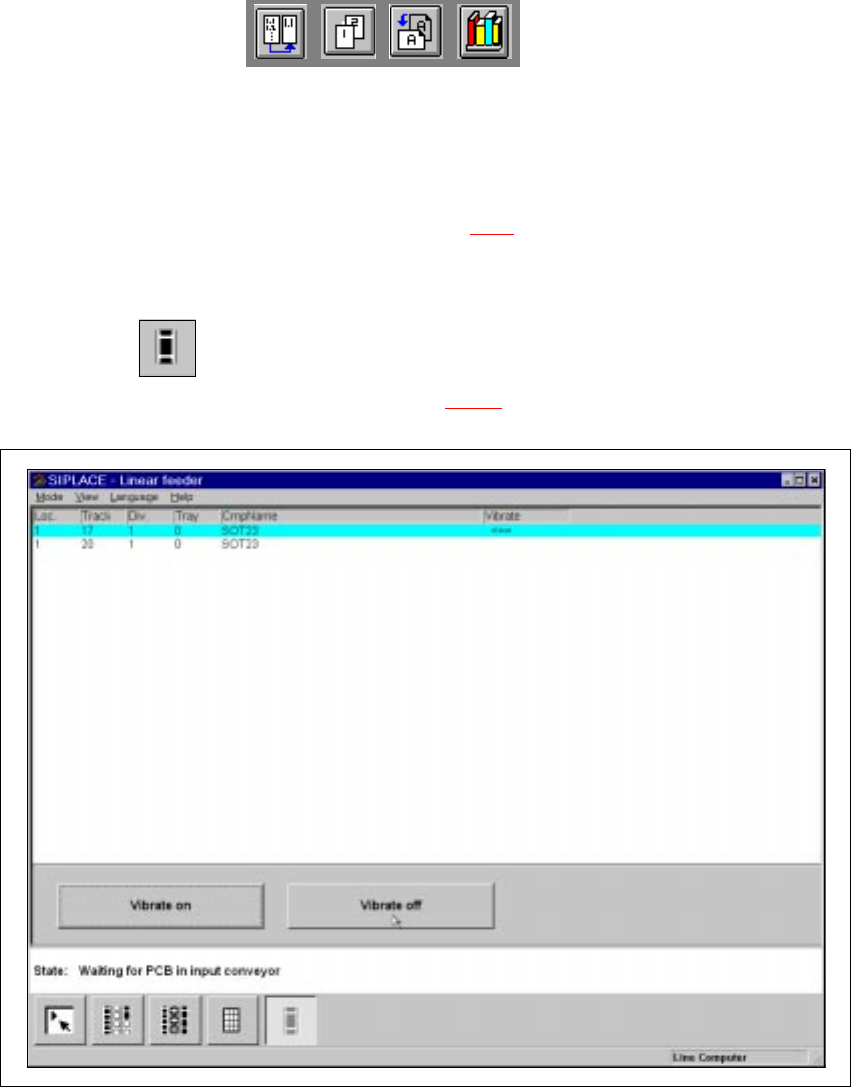
When refilling the linear feeders with components, the operator must select the correct component
in the Setup view to refill an empty track (see Section 4.1.1
). The track with the corresponding lin-
ear feeder must be vibrated so that the new components move to the front after the tray has been
inserted. 4
4
Å Click on the icon.
The "Linear feeder" view is displayed (see Fig. 4.3 - 4
).
4
Fig. 4.3 - 4 "Linear feeder" view