00191369-02.pdf - 第386页
11 Station extensions / hardware User Manual HS -50 11.1 HS-50 nozzle changer Software Version S R.501.xx 12 /99 Issue US 386 t I I t 1 1.1.5 Position dete ction There is a posi tion d etecti on fidu cial on e very maga …
User Manual HS-50 11 Station extensions / hardware
Software Version SR.501.xx 12/99 Issue US 11.1 HS-50 nozzle changer
385
t IIt
(6) Slot for the parallel pin (7) for centering the magazines
(7) Parallel pin for centering the magazines
(8) Parallel pins for opening and closing the locking plate
(9) Magazines
11.1.4 Notes on operation
Å When you fill a magazine with a certain nozzle type for the first time, attach an adhesive label
to identify the type.
PLEASE NOTE 11
Only ONE
nozzle type must be used in each magazine.
Fill the magazines off the machine and always replace complete magazines. 11
Å Open the locking plate and place the nozzles in the nozzle garages.
Å Close the locking plate so that the nozzles cannot drop out of the magazines.
CAUTION 11
Before you fill magazine, make sure that all the nozzles on the revolver head have been re-
turned to their magazines. 11
Å See the UNIX line computer operating instructions for programming the nozzle changers on
the line computer.
PLEASE NOTE 11
Å Do not allow components to drop onto the magazines. If they do, they could jam the locking
plate.
Å Do not allow components to drop onto free feeder module locations because they will stick to
the magnetic bar. Production may have to be interrupted if the feeder modules are not placed
on the component table correctly. You should therefore regularly clean the magazines and free
locations.
11 Station extensions / hardware User Manual HS-50
11.1 HS-50 nozzle changer Software Version SR.501.xx 12/99 Issue US
386
t IIt
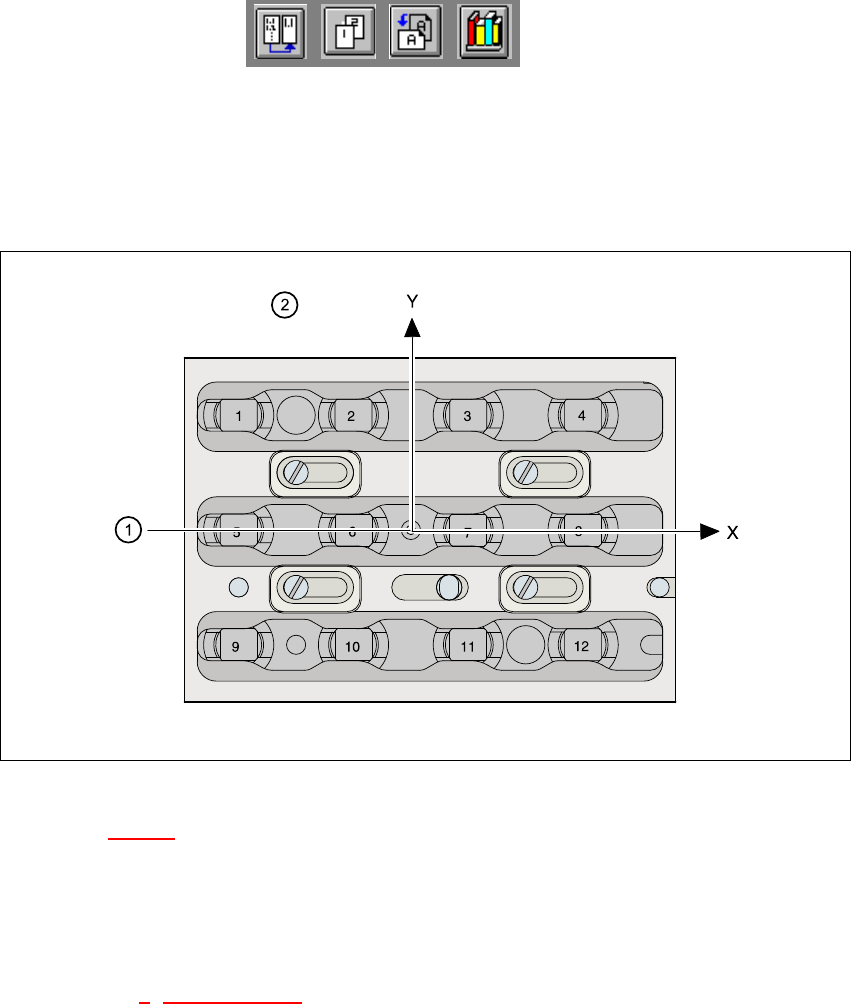
11.1.5 Position detection
There is a position detection fiducial on every magazine. 11
11
Fig. 11.1 - 3 Nozzle changer - position detection
Key to Fig. 11.1 - 3
(1) Positioning fiducial
(2) Position of the nozzles in the magazine with respect to the positioning fiducial
11
Å See section 6 "Vision functions" for the use of fiducials.
User Manual HS-50 11 Station extensions / hardware
Software Version SR.501.xx 12/99 Issue US 11.2 Component barcode
387
t IIt
11.2 Component barcode
11.2.1 General
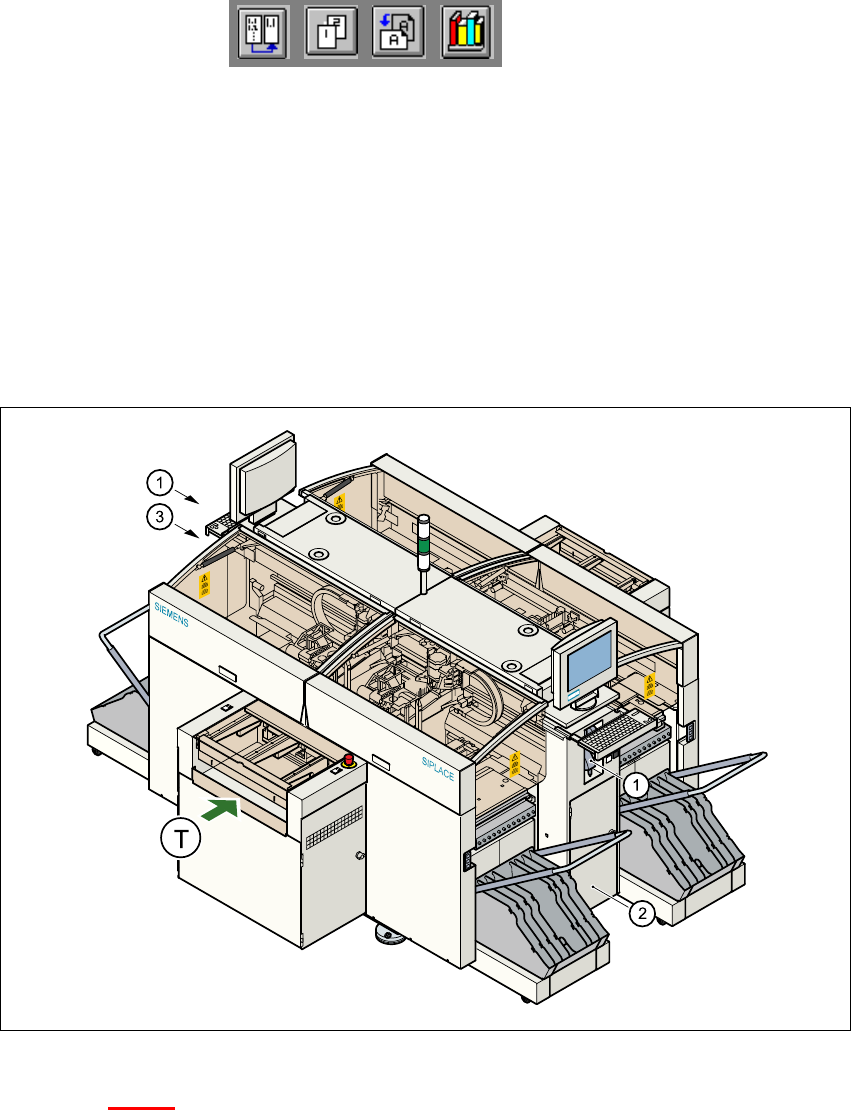
With the HS-50 placement system, a barcode reader can be used to check that the track allocation
is correct and to read component data from component reels. A barcode reader is attached to both
of the operating panels on the placement system. 11
11
Fig. 11.2 - 1 Component barcode reader
Key to Fig. 11.2 - 1
(1) Barcode reader
(2) Operating panel, right
(3) Operating panel, left
T PCB transport direction 11