00191369-02.pdf - 第285页
User Manual HS-50 6 Vision functions Software Version S R.501.xx 12/99 Issue US 6.6 Test Comp onent 285 t I I t Setting the contrast sensitivity to inte nsify the contrast for low-co ntrast components 6 Å Sele ct the f o…
6 Vision functions User Manual HS-50
6.6 Test Component Software Version SR.501.xx 12/99 Issue US
284
t IIt
Notes on using the transformation tables to set the contrast sensitivity 6
– Select up to 3 sections.
– The range of values for the individual sections should be at least 75.
– Program the ranges so that no jumps occur at the range limits.
Set the contrast sensitivity so that the shape of the curve roughly corresponds to one of the
three following examples:
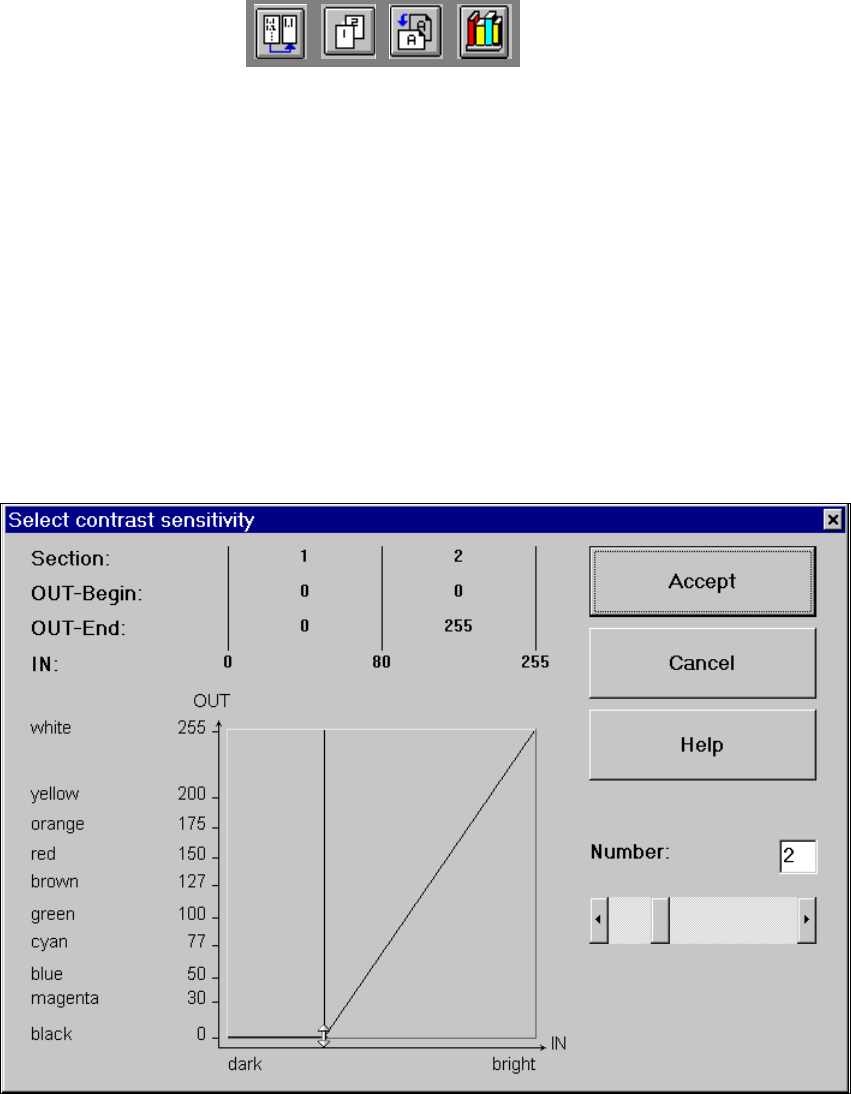
Setting the contrast sensitivity to suppress defective structures 6
Å Select the following settings to suppress the defective structures that can start from bases, la-
bels, the body of components and nozzles, for example.
6
Fig. 6.6 - 31 Setting the contrast sensitivity to suppress defective structures
User Manual HS-50 6 Vision functions
Software Version SR.501.xx 12/99 Issue US 6.6 Test Component
285
t IIt
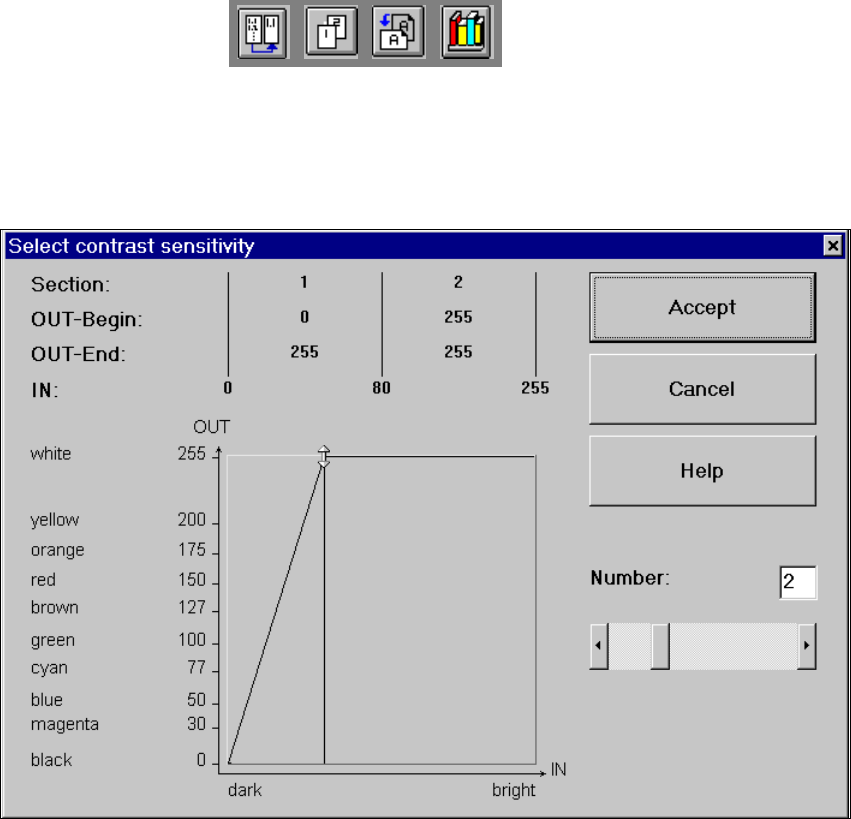
Setting the contrast sensitivity to intensify the contrast for low-contrast components 6
Å Select the following settings for low-contrast components in order to intensify the contrast:
6
Fig. 6.6 - 32 Setting the contrast sensitivity to intensify the contrast for low-contrast components
6 Vision functions User Manual HS-50
6.6 Test Component Software Version SR.501.xx 12/99 Issue US
286
t IIt
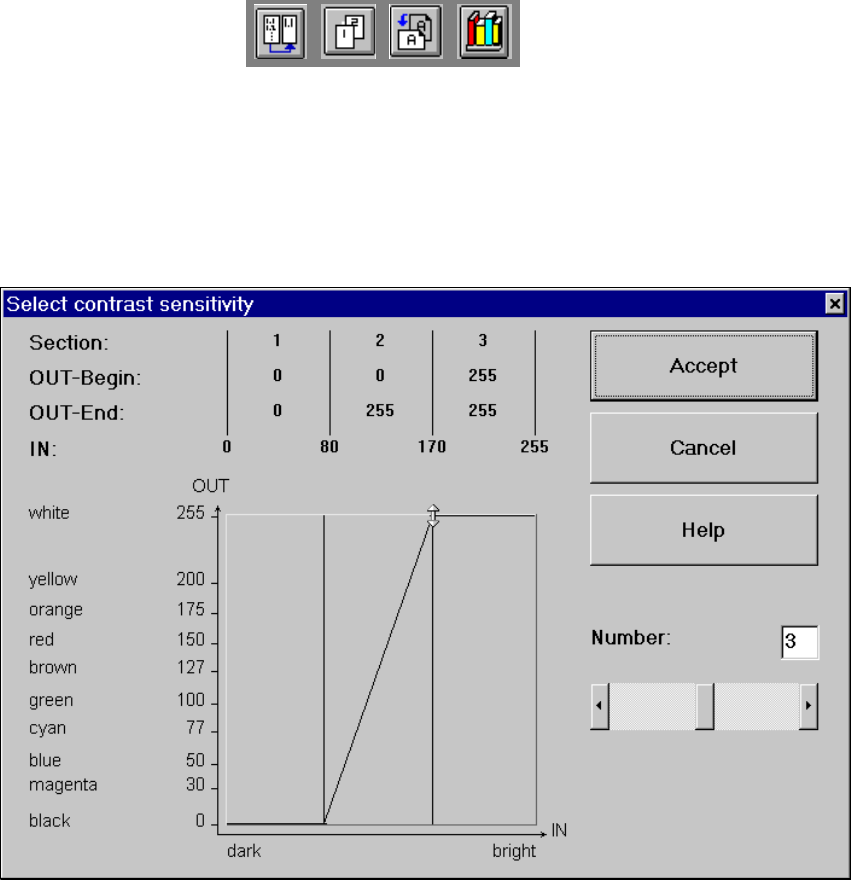
Setting the contrast sensitivity to suppress defective structures and intensify the contrast at
the same time 6
Å Select the following settings to suppress defective structures and at the same time to intensify
the contrast for low-contrast components:
6
Fig. 6.6 - 33 Setting the contrast sensitivity to suppress defective structures and
to intensify the contrast at the same time