00191369-02.pdf - 第260页
6 Vision functions User M anual HS-50 6.6 Test Component Software V ersion SR.501.xx 12/99 Issue U S 260 t I I t 6 Fig. 6.6 - 17 T est component menu, Displ ay component video image Å Use Es c to end the fun ction. The v…
User Manual HS-50 6 Vision functions
Software Version SR.501.xx 12/99 Issue US 6.6 Test Component
259
t IIt
6.6.4.2 Display Component Option
NOTE 6
Before you can activate this option you must have already loaded a package form number.
6
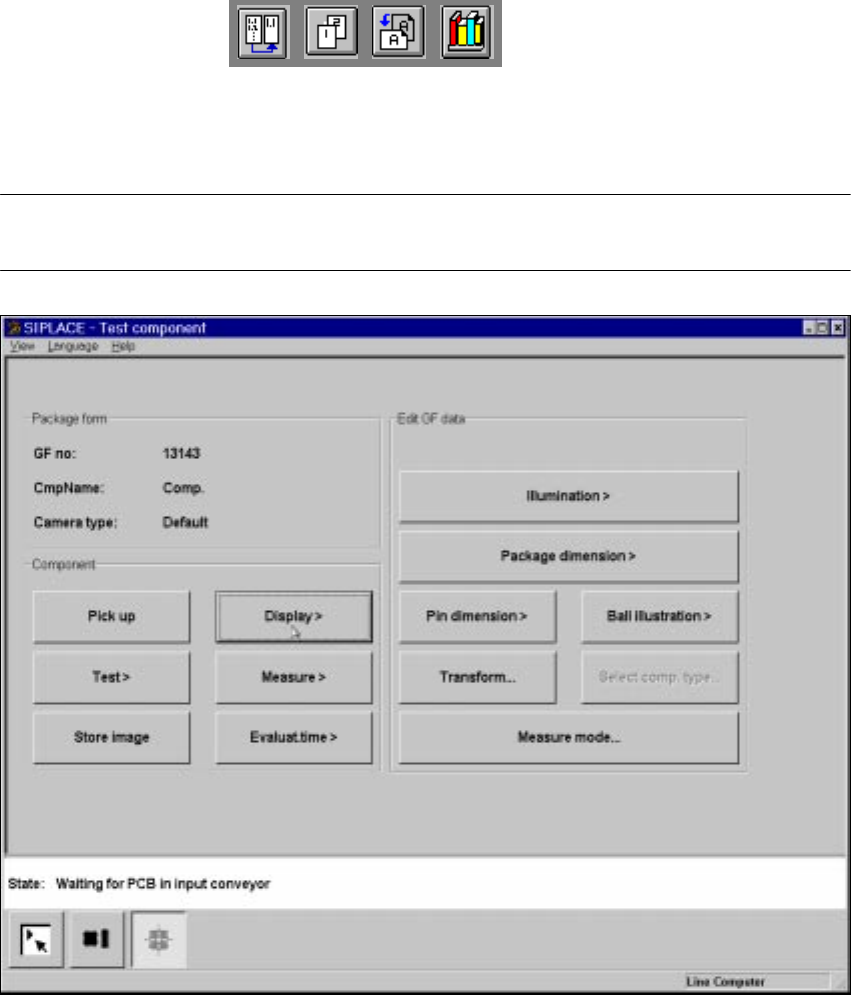
Fig. 6.6 - 16 Test component menu, Display component option
When this option is activated the following actions are started: 6
– The teach command will be given.
– The vision system generates the outside contours of the component from the synthetic descrip-
tion.
– The video image with the real camera image and the model overlayed on it will be displayed
on the screen.
– The header with commentaries is displayed.
The operator can now check the synthetic description visually against the real component. 6
6 Vision functions User Manual HS-50
6.6 Test Component Software Version SR.501.xx 12/99 Issue US
260
t IIt
6
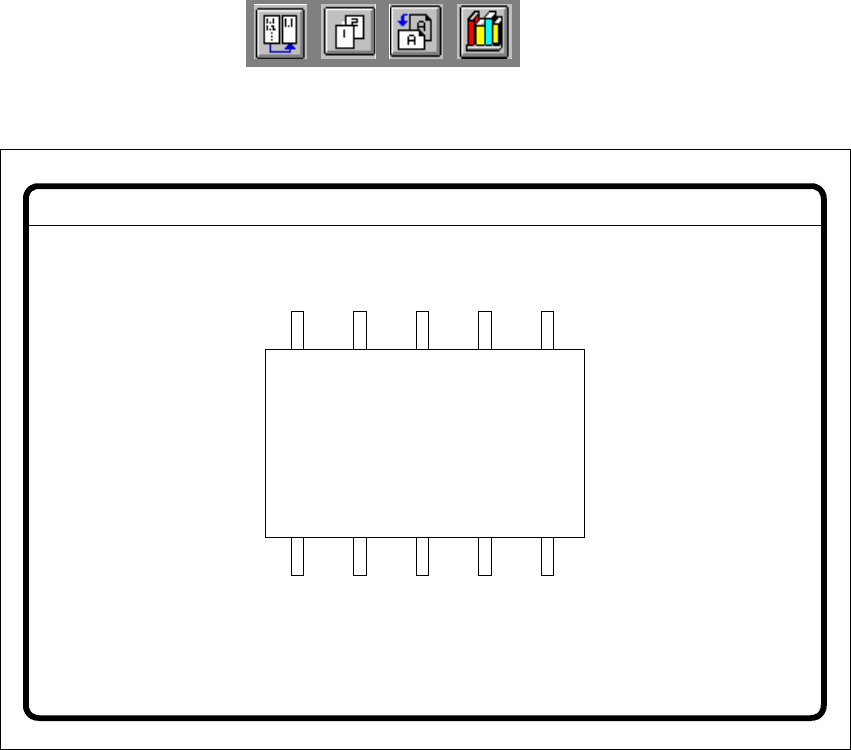
Fig. 6.6 - 17 Test component menu, Display component video image
Å Use Esc to end the function. The video image disappears and the Test component menu is
displayed once more.
GF No. = 5Display component
User Manual HS-50 6 Vision functions
Software Version SR.501.xx 12/99 Issue US 6.6 Test Component
261
t IIt
6.6.4.3 Test Component Option
NOTE 6
This option can only be activated if you have already loaded a package form number and a com-
ponent has been picked up.
With this option you can check the centering procedure. Every time a measuring step has been
carried out the procedure is stopped for you to check the function individually. The measurement
results are displayed on the screen but not saved. 6
6
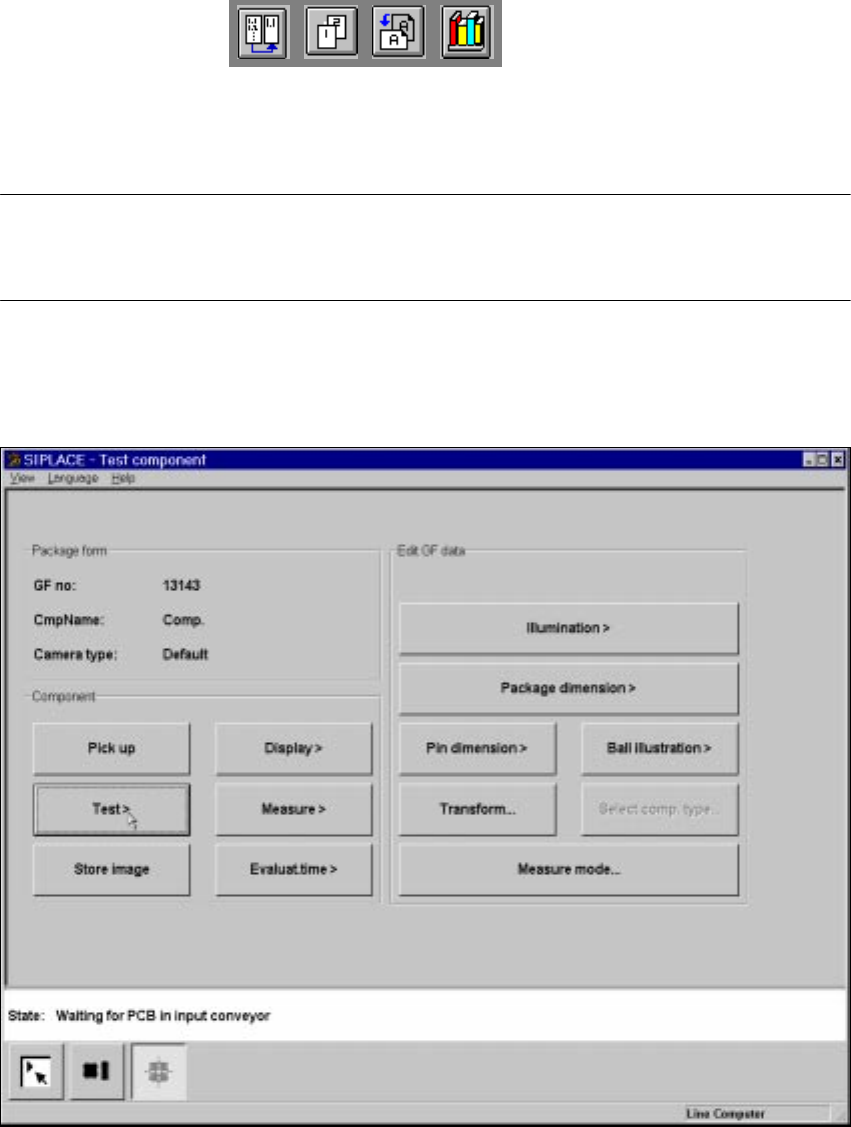
Fig. 6.6 - 18 Test component menu, Test component option
When this option is activated the following actions are started: 6
– The measurement procedure is activated.
– The video image appears on the screen.
– The header and footers are displayed.