00191369-02.pdf - 第142页
4 Placement Functions User Manual HS-50 4.2 Error Display Software Version SR.501.xx 12 /99 Issue US 142 t I I t V ac uum err ors 43 a nd 44 take the form o f white bars. Al l othe r errors are sh own as bla ck b ars. Th…
User Manual HS-50 4 Placement Functions
Software Version SR.501.xx 12/99 Issue US 4.2 Error Display
141
t IIt
The entry for "T" is irrelevant for model SIPLACE HS-50 machines.
(Only valid for automatic machines with wafflepack changers)
– Seg
The number of the segment that was used to insert the component is entered here.
– #E
This column displays how often the corresponding error has occurred until now.
– Text
The error that has occurred is described in this column.
4.2.3 "Track errors location X" view
4
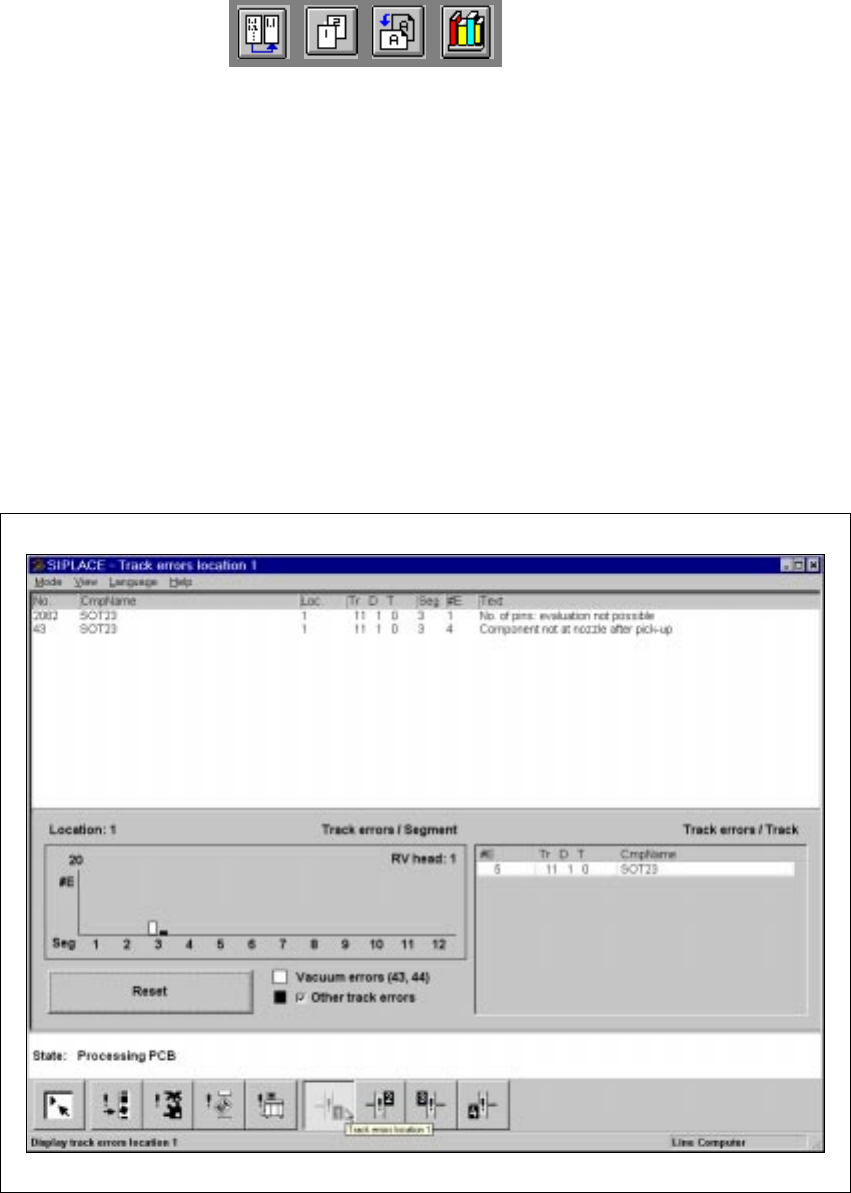
Fig. 4.2 - 2 “Track errors location X” view
The “Track errors view” menu contains a general overview of all the track errors. The “Track errors
location X” menu also displays the errors separately for locations 1 – 4. This list contains all track
errors, apart from ‘Track empty’. The errors are also totaled and then displayed in the “Track errors
/ Segment’ bar chart, sorted by segment number. 4
4 Placement Functions User Manual HS-50
4.2 Error Display Software Version SR.501.xx 12/99 Issue US
142
t IIt
Vacuum errors 43 and 44 take the form of white bars. All other errors are shown as black bars.
The black error bars can be hidden, as required. 4
The track errors are
not
deleted when tracks or locations are filled, although they can be deleted
using the “Reset” button. The counter is reset when a new set-up is loaded. 4
The tracks are displayed, sorted in ascending frequency of errors, in the table beside the “Track
errors / Segment” bar chart. This provides the relevant data in a format suitable for error analysis.4
4.2.4 "Machine Errors" View
4
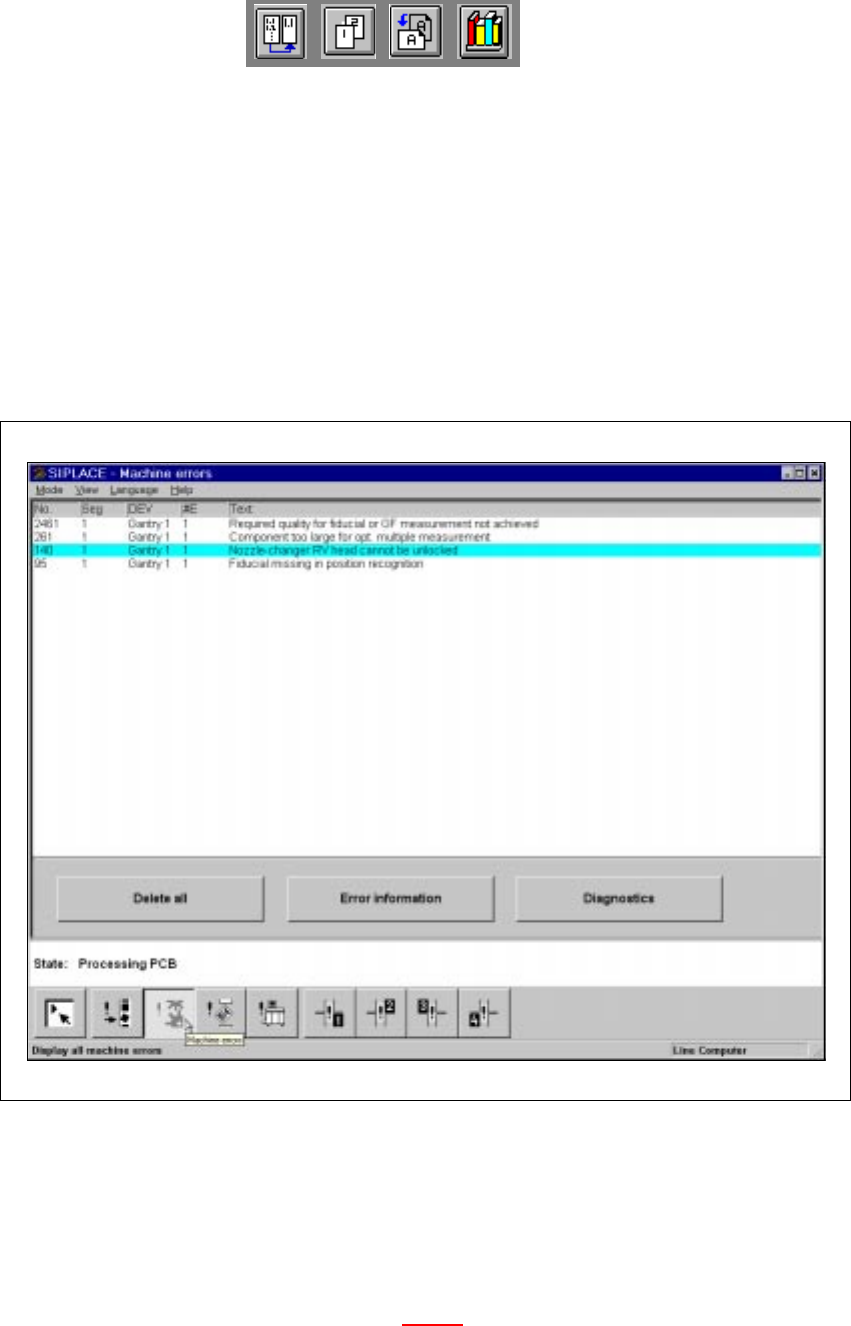
Fig. 4.2 - 3 "Machine errors" view
4.2.4.1 Meaning of the Entries in the Table for "Machine Errors"
– No
Error number of the corresponding error
– Seg
Number of the segment (see also Section 4.2.2.1
)
– DEV
Short description of the sender of the error (e.g. "MC1" of an error has occurred on gantry 1)
User Manual HS-50 4 Placement Functions
Software Version SR.501.xx 12/99 Issue US 4.2 Error Display
143
t IIt
– #E
Error counter (see also Section 4.2.2.1
)
– Text
Description of the corresponding error
4.2.5 "Transport Errors" View
4
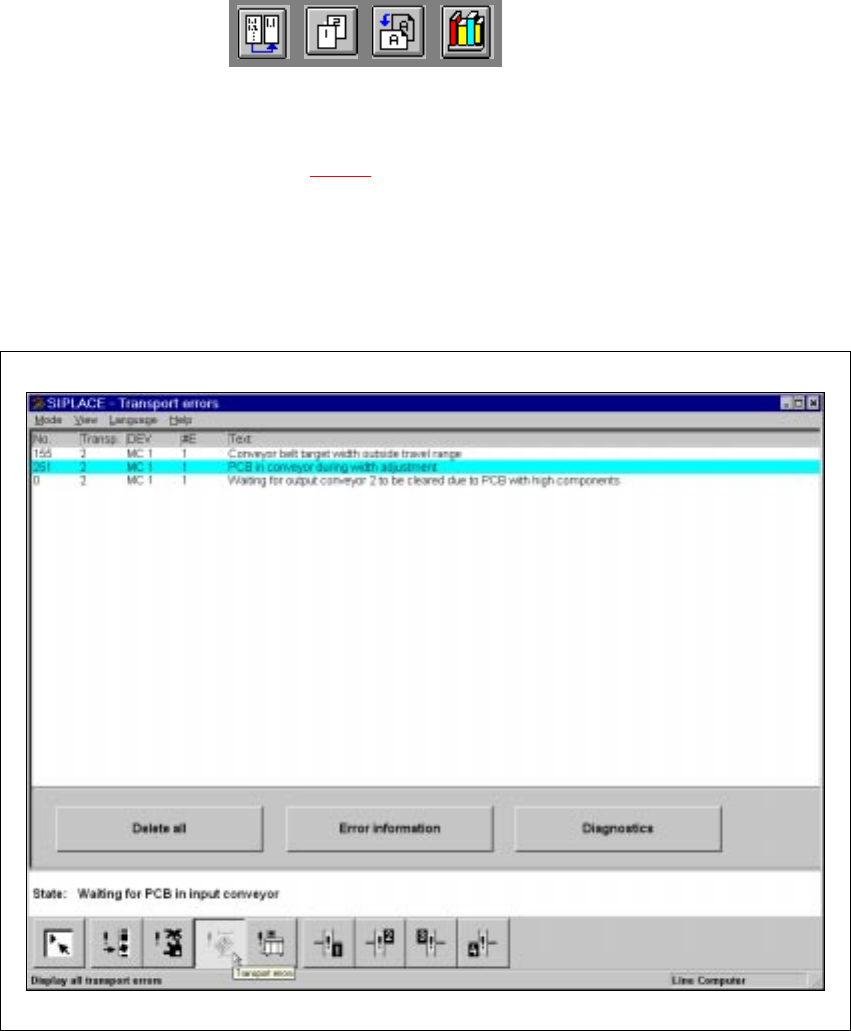
Fig. 4.2 - 4 "Transport errors" view
4.2.5.1 Meaning of the Entries in the Table for "Transport Errors"
– No
Error number of the corresponding error.
– Transp
The number of the transport in which the error has occurred is entered here.
1 = Transport 1 (Standard transport or right transport track for dual transports)
2 = Transport 2 (Left transport track for dual transports)