00191369-02.pdf - 第361页
User Manual HS-50 9 Online Help System Software Vers ion SR.501.xx 12/99 Issue US 9.1 General 361 t I I t Å Clic k the Displ ay button. If there are n o help t opics assoc iated with th e sele cted inde x entr y , the &q…
9 Online Help System User Manual HS-50
9.1 General Software Version SR.501.xx 12/99 Issue US
360
t IIt
9.1.2.3 Searching for a help topic
The station computer’s help system allows you to search for specific help topics. 9
Å To do this, open the main help system window (e.g. as described in section 9.1.1.3).
Å In this window, click the Help Topics button (below the menu bar).
The "Help Topics" window is opened with the tabs "Index" and "Find".
9
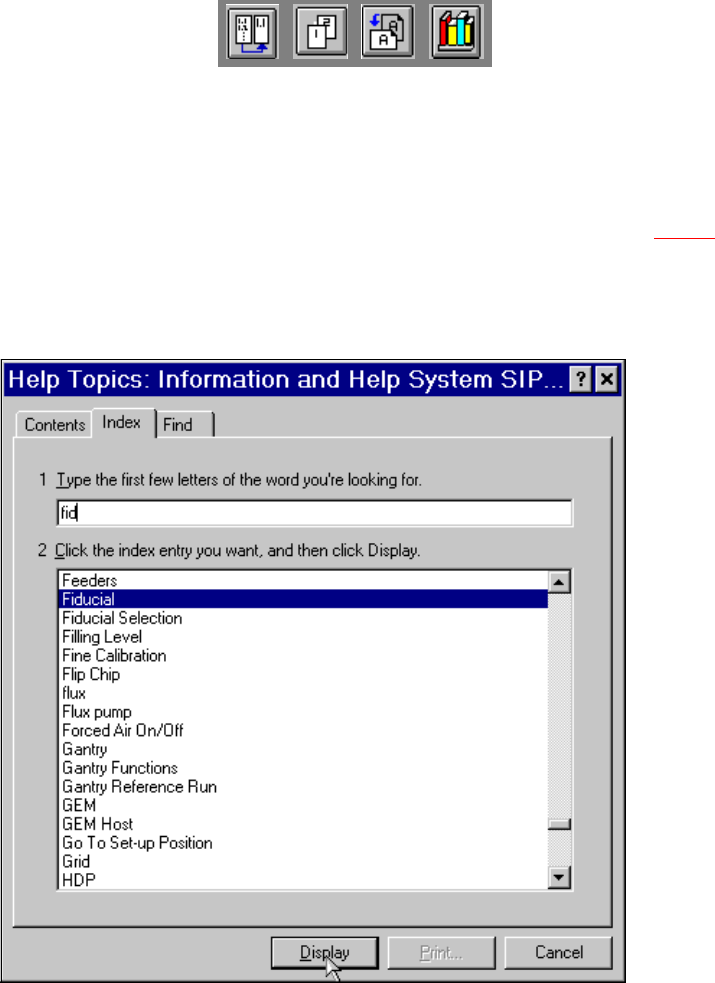
Fig. 9.1 - 7 "Help Topics" window (Index)
9
Å Enter the first few letters of the required term in the edit field.
The first index entry that starts with the entered letters is selected in the list.
User Manual HS-50 9 Online Help System
Software Version SR.501.xx 12/99 Issue US 9.1 General
361
t IIt
Å Click the Display button.
If there are no help topics associated with the selected index entry, the "Help Topics" window
closes and the corresponding topic is immediately displayed in the main help system window.
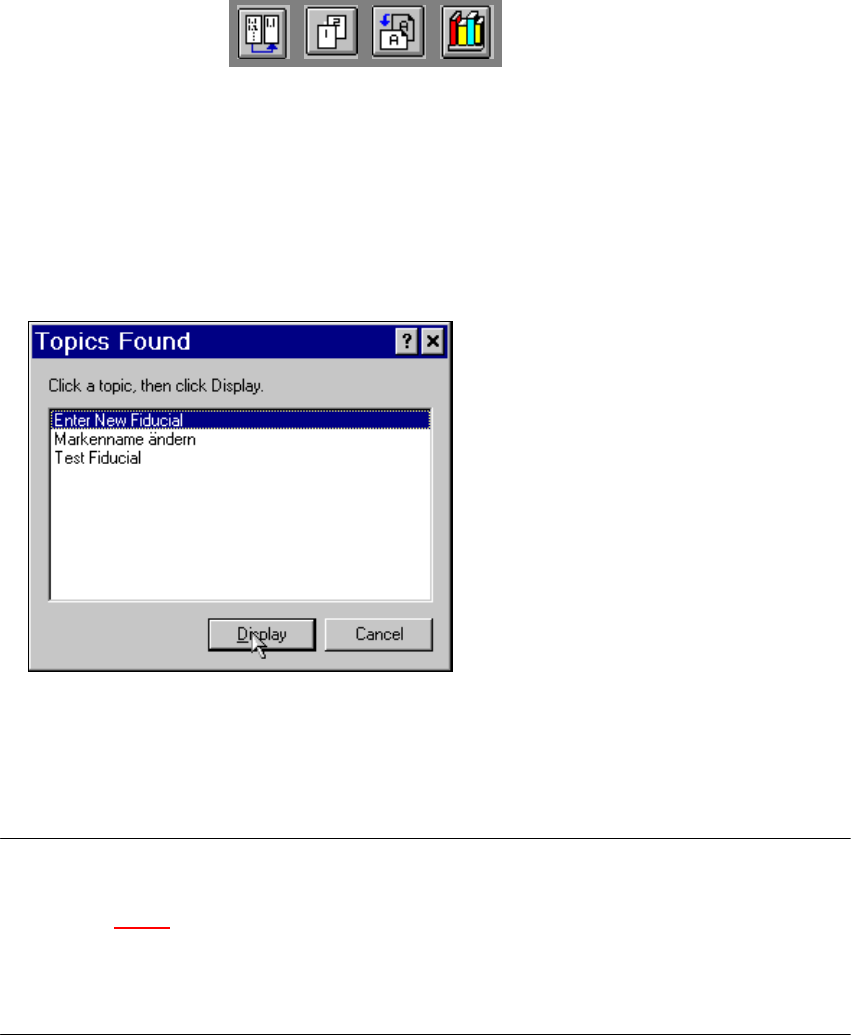
If further help topics are associated with the selected index entry, the following window is first
opened.
9
Å Select the entry for the required topic and click the Display button. Both windows are closed
and the selected topic is displayed in the main help system window.
9
NOTE
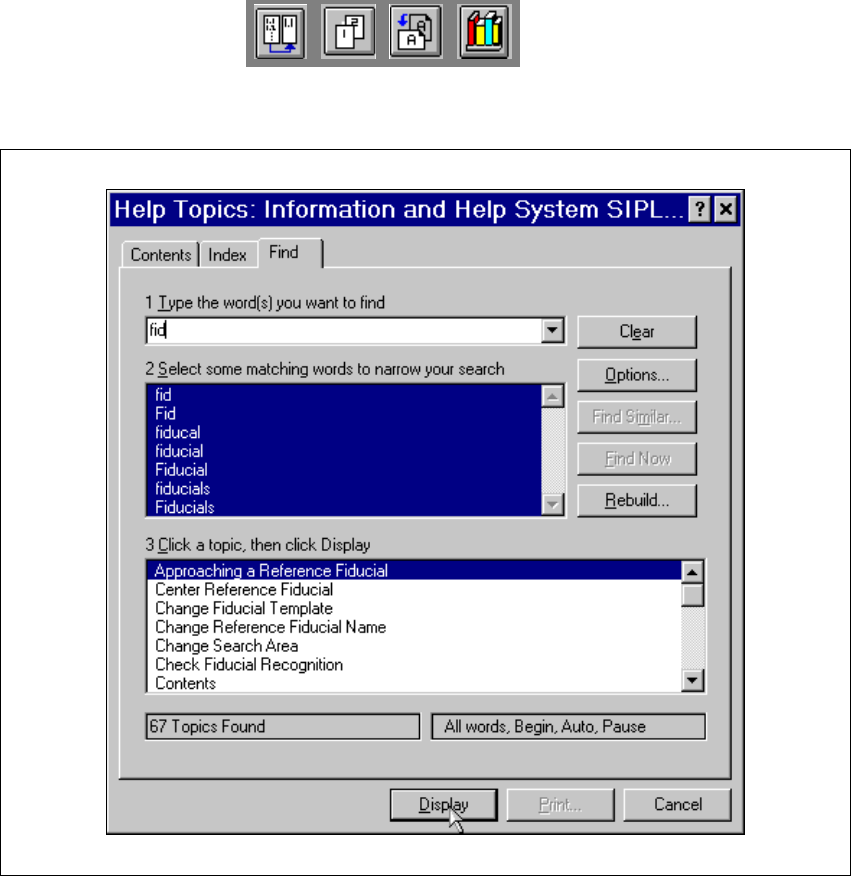
If you click the "Find" tab in the "Help Topics" window, the extended search functions are displayed
(see section 9.1 - 8
). You can use these functions to search for words or composite expressions
which are present in the help topics.
By clicking the "?" button (top right of window), you can call up a description of or help on the
different objects in this window 9