OM-1606-006w_GT-28x.pdf - 第149页
OM-1606 6. Splicing 6-47 1005-001 (5) After caulking the metal plate, afx the splicing tape according to the splicing procedure for each tape width. • For the jigs to be used, the jigs made by the following manufacture…
OM-1606
6-46
6. Splicing
1005-001
6.11 Splicing Procedure using a Metal Plate
Procedure
(1) Cut the new tape and tape on the feeder side according to the splicing
procedure for each tape width.
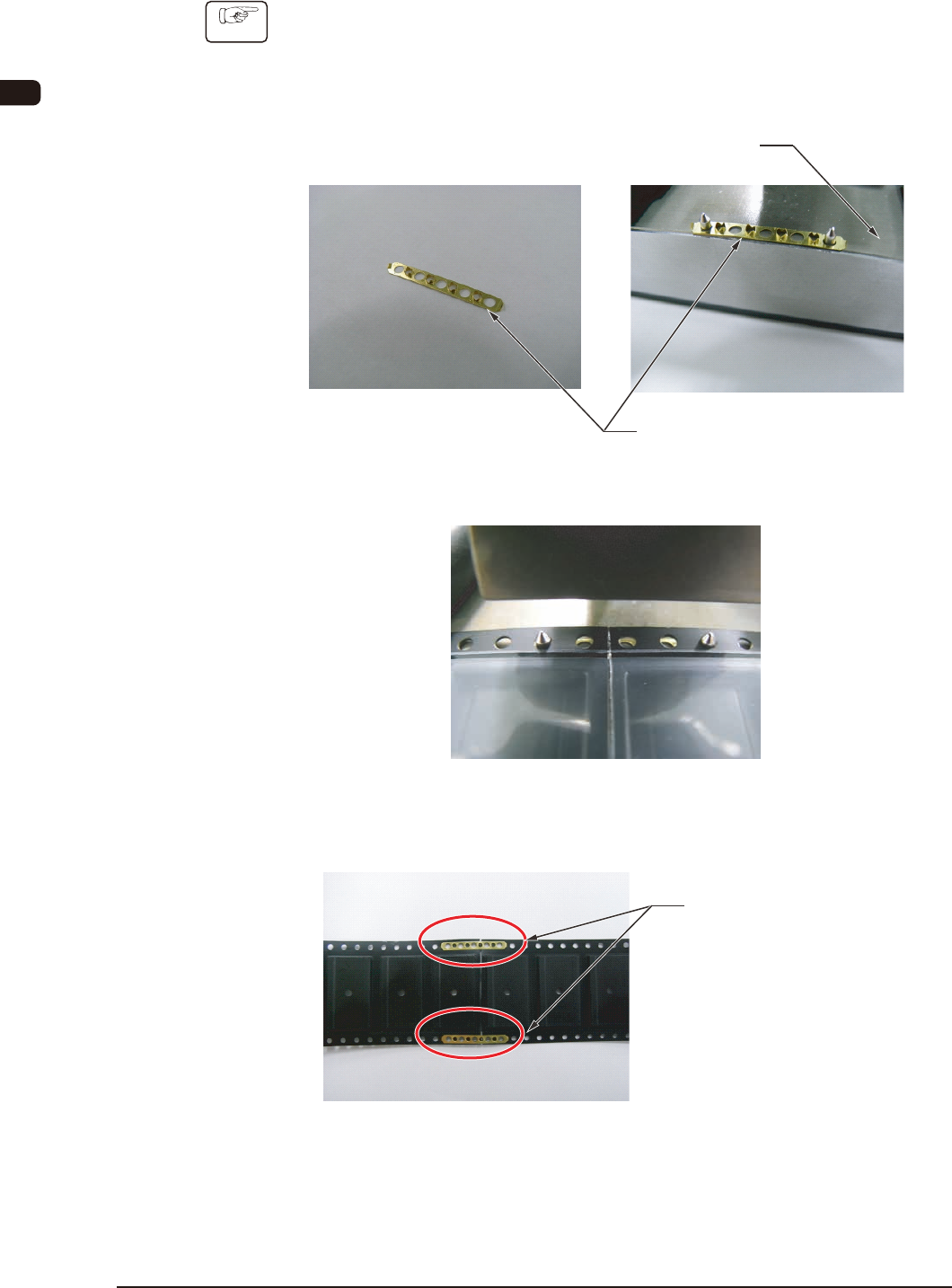
(2) Set the metal plate on the caulking jig.
Metal Plate
Caulking Jig
(3) Set the tape to be spliced on the metal plate.
(4) Caulk the metal plate using the caulking jig. At that time, take care not to
catch your nger between the caulking jig and metal plate.
Status where the metal
plate has been caulked

OM-1606
6. Splicing
6-471005-001
(5) After caulking the metal plate, afx the splicing tape according to the
splicing procedure for each tape width.
•
For the jigs to be used, the jigs made by the following manufacturer are
recommended. Contact the following manufacturer for the purchase of
the jigs.
Component Name Manufacturer
Metal Plate
FUJI CHEMICAL INDUSTRIAL Co., Ltd.
Caulking Jig
OM-1606
6-48
6. Splicing
1005-002
6.12 Conrmation of the No. of Components to be replenished
•
If the components are replenished with the new carrier tape spliced
(1) Press the [Comp. Reload] button in the "Comp. Reload" window (See FF5).
Check the No. of remaining components in the Feeder List window to
conrm that the components have been replenished.
•
If the components are replenished with the used carrier tape spliced
(The No. of components is different from the default value)
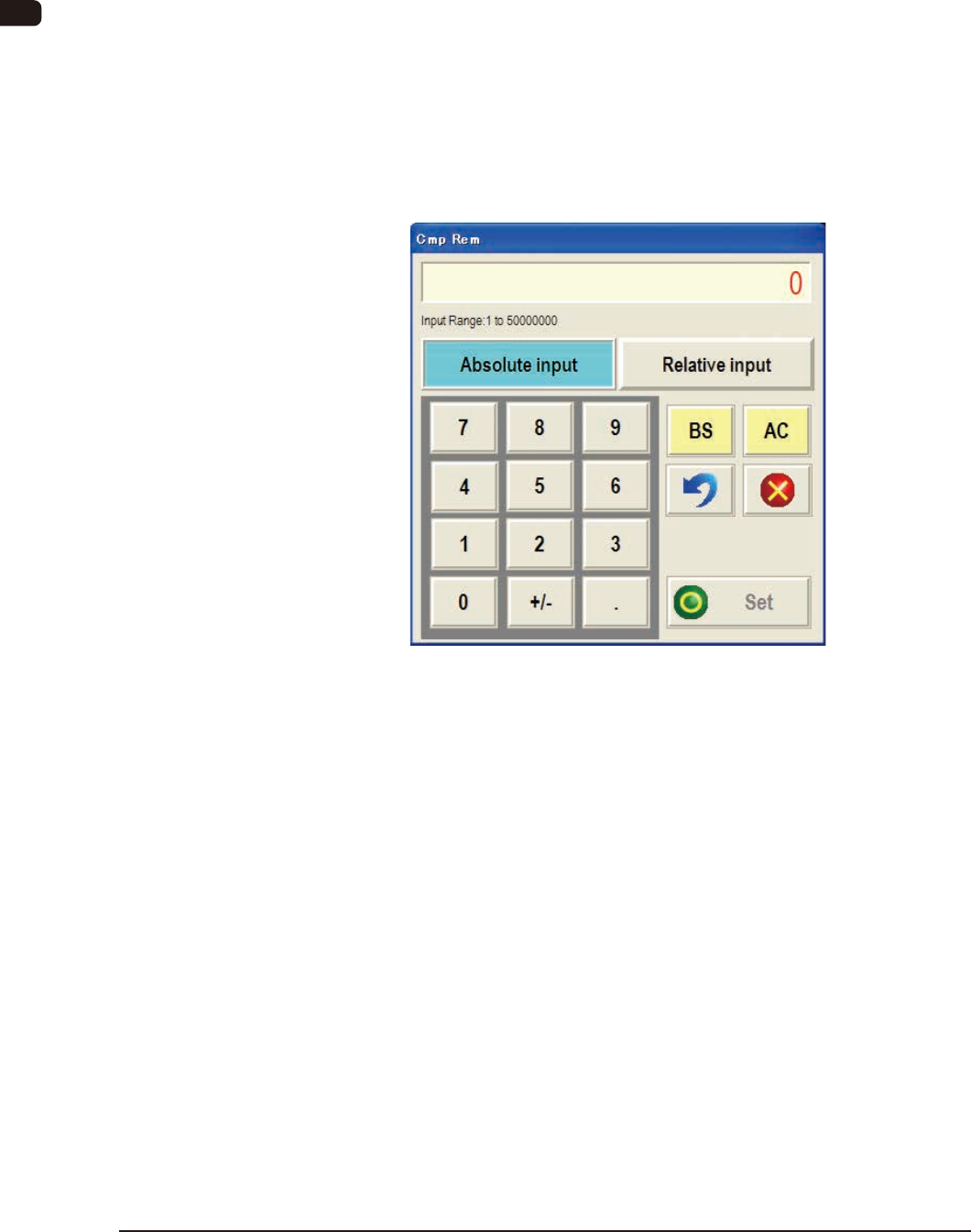
(1) Press the [Spl Comp Rem] button in the "Comp. Reload" window (See FF5).
The "Cmp Rem" input window will appear.
"Edit Add Cmp" Input Window FF10
(2) Enter the number of replenished components.
Input Range :
1 to 50000000
The values "Fdr Reload" (Component Replenishment Status) will be revised.
When the [AC] button is pressed, if necessary, the remaining number of
components on the selected feeder No. can be zeroed.
(3) Conrm the values in "Fdr Reload" (Component Replenishment Status) and
press the [Set] button to dene these values (status).