5OM-1011-002.pdf - 第28页
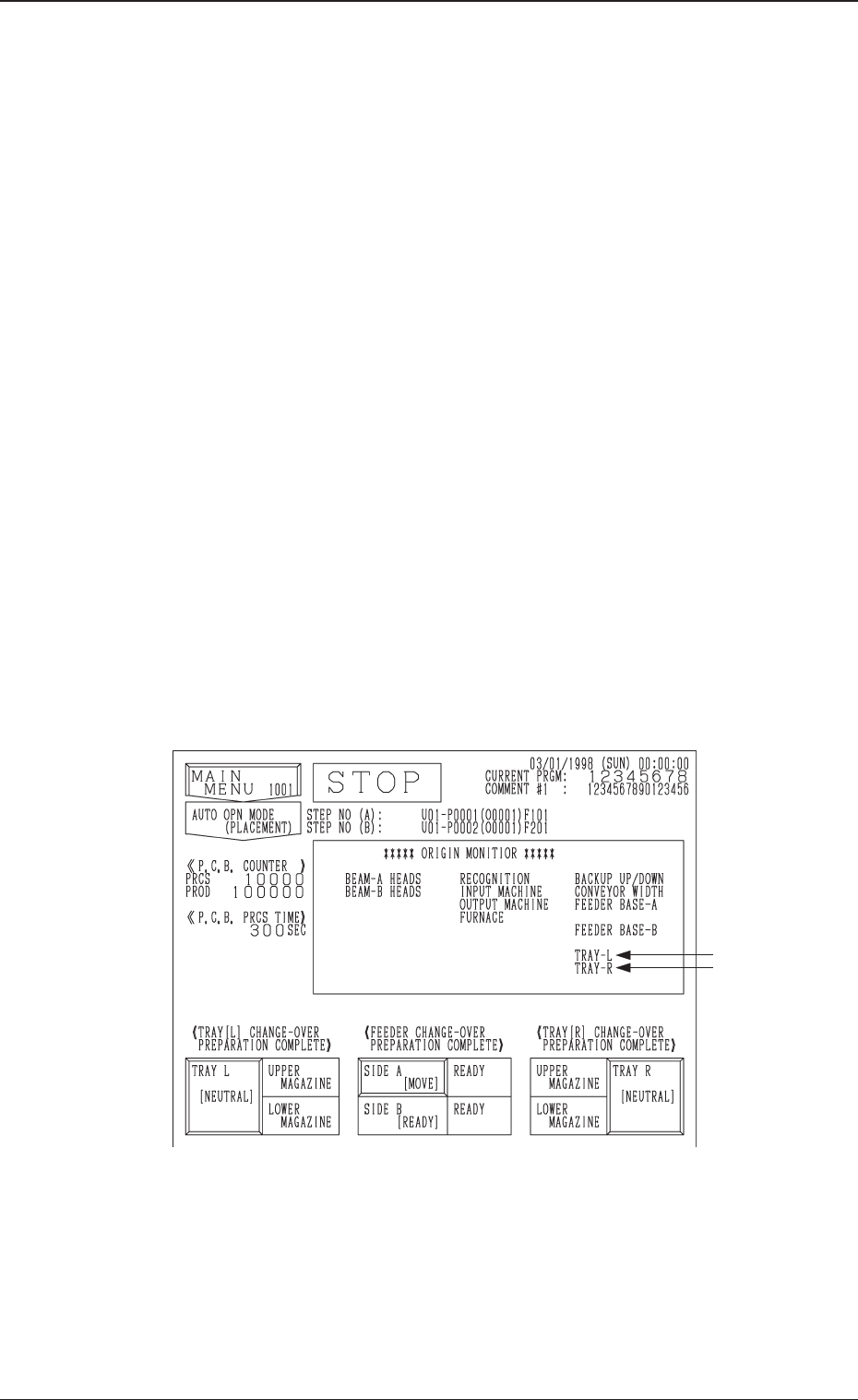
1. One-T ouch Jump Function (Jump to Substitute AUTO OPN. MODE <PLACEMENT> Display) • This function enables the operator to shift quickly to the substitute “AUT O OPN. MODE <PLACEMENT>” display from another d…

0305-001 3-B Tg0861-PM-MD
1. One-Touch Jump Function (Jump to Substitute
AUTO OPN. MODE <PLACEMENT> Display)
• This function enables the operator to shift quickly to the substitute “AUTO
OPN. MODE <PLACEMENT>” display from another display by pressing
the [RTN] key (one-touch operation).
• When a display other than the “AUTO OPN. MODE <PLACEMENT>”
display is on the screen during automatic operation and the machine stops in
an error condition, the operator must find the “AUTO OPN. MODE <PLACE-
MENT>” display and open it to re-start the operation.
This is regulated in the touch-screen operation system for security reason.
However, if the operator follows this regulation, he/she has to go through
many hierarchical tree branches before reaching the “AUTO OPN. MODE
<PLACEMENT>” display, losing precious time before the machine can be
re-started. To avoid this, a substitute display of the “AUTO OPN. MODE
<PLACEMENT>” display is provided to give a series of operations such as
machine re-start instructions and operation, quick shift to the original dis-
play, etc.
Operation Procedure
(1) When the machine is in the “PAUSE” mode and a display other than the
“MAIN MENU” or “AUTO OPN. MODE <PLACEMENT>” display is
on the screen, hold down the [RTN] key for about 1.5 seconds.
The following substitute display appears on the screen.
Note: The ♦-marked items are optional.
(2) Remove the cause of the error and press the [START] button.
(3) Press the [RTN] key.
The original display (the display before the substitute one was opened)
resumes.
1. One-Touch Jump Function (Jump to Substitute “AUTO OPN. MODE <PLACEMENT>” Display)
0305-001 3-1 Tg0861-PM-MD
♦
♦
Fig. 5C1
Tg0861-PM-MD
2. Management Information
2.1 INFO. Display
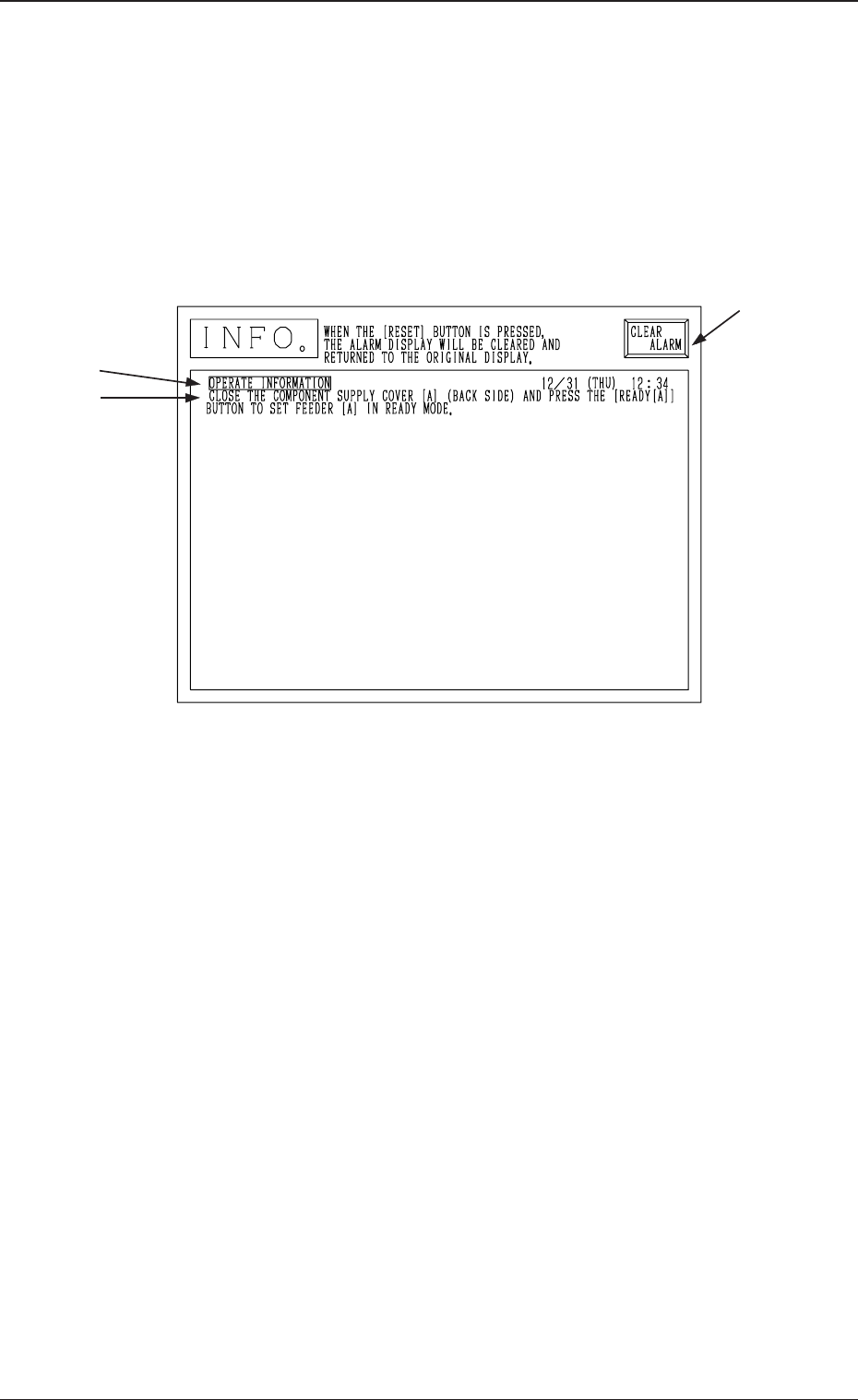
• This display shows various information during automatic operation.
After each information, automatic operation still continues.
When device information is issued, the following display appears on the screen.
The sample display in Fig. 5C2 shows that the supply cover on the Beam A side
(rear side) is open.
(Operation Possible on Beam B Side.)
A : Item
B : Device Information Message
C : This key is used to stop buzzer sound.
Ref.: When the [RESET] button on the operation panel is pressed, buzzer
sound stops and the display before the device information was
issued resumes.
Refer to “2.2 List of Device Information Messages” for details.
A
B
C
0305-001 3-2
2. Management Information
Fig. 5C2