APC - 224650 Issue 1.pdf - 第103页
APC SOFTWARE SETUP AN D RECOMMENDED SETTIN GS CALIBRATION Chapter Issue 1 Nov 16 All Purpose Clamping (APC) Manual 2.7 CALIBRA TION The APC Calibration is a p art-software / p art-hardware procedure for calib rating the …
APC SOFTWARE SETUP AND RECOMMENDED SETTINGS
SOFTWARE SETUP PARAMETERS
2.6 All Purpose Clamping (APC) Manual Chapter Issue 1 Nov 16
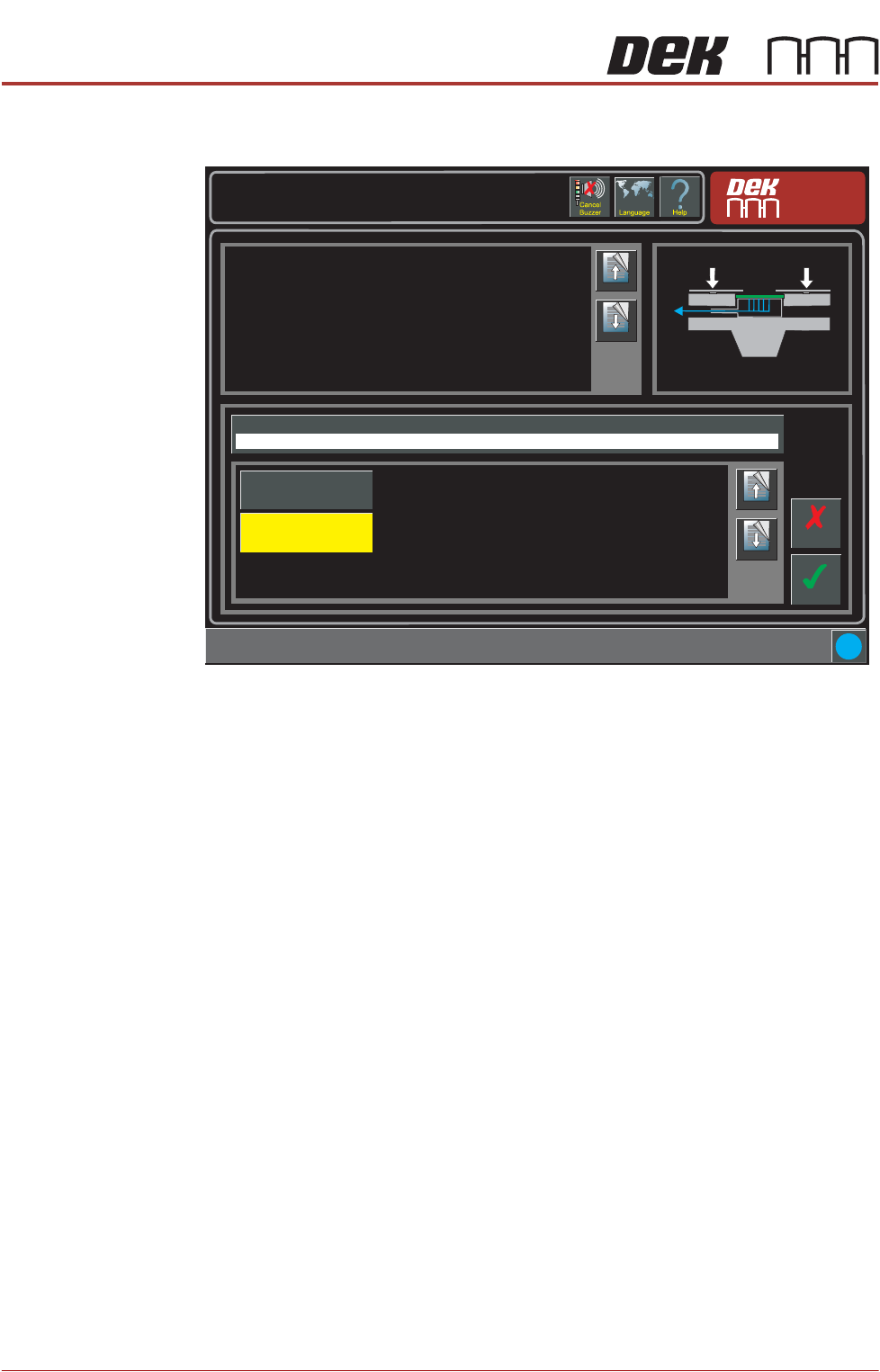
OTS Vacuum Mode If vaccum tooling is fitted, the vacuum can be set to engage before or after the
board is clamped/snugged.
Setup \ Tooling
Page Up
Page
Down
This parameter sets determines if the vacuum is to be applied before or
after snugging and clamping the board.
If the board snuggers are applied and the board becomes dislodged it
cannot be clamped. To prevent any movement, the vacuum is applied
beforehand.
The options are:
Before
The product is held by the vacuum prior to snugging and clamping taking
place.
After
The board edges are flattened by the clamps before the vacuum is applied.
Accept
Cancel
i
OTS Vacuum Mode
Before
Page Up
Page
Down
After
Before
APC SOFTWARE SETUP AND RECOMMENDED SETTINGS
CALIBRATION
Chapter Issue 1 Nov 16 All Purpose Clamping (APC) Manual 2.7
CALIBRATION
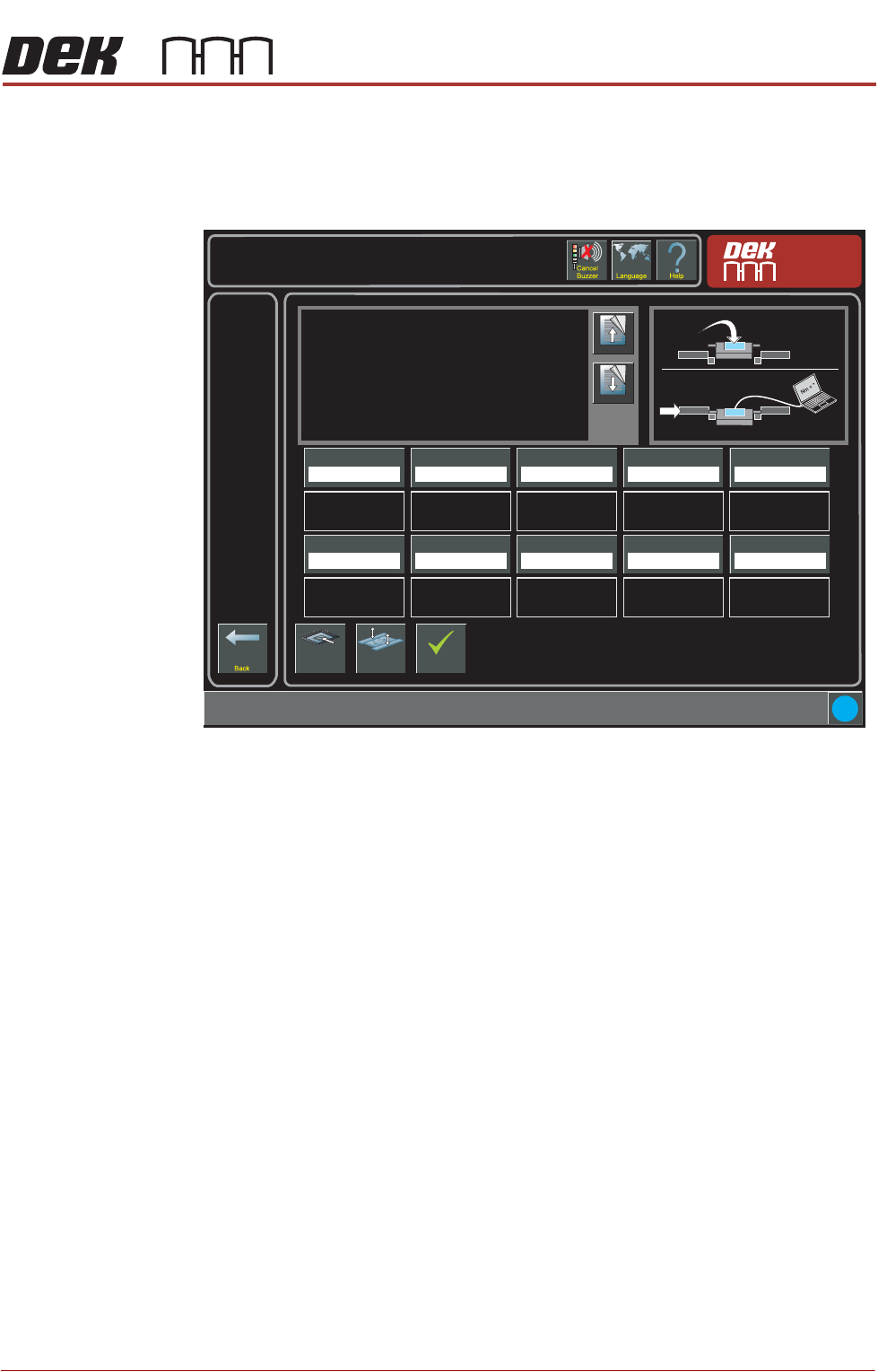
The APC Calibration is a part-software / part-hardware procedure for calibrating
the torque force used when clamping. The calibration page can be found at
Maintenance -> Machine Setup -> Basics -> APC Calibration page.
Using a calibration jig and a laptop with specialist software installed, the torque
force requested by the machine software and the actual force applied on the
machine can be measured, compared and adjusted to ensure accurate forces
are being applied.
NOTE
See Snug Force Calibration in the All Purpose Clamping chapter of this manual
for details of the calibration procedure.
Torque Value 1
27.0%
i
Maintenance \ Machine Setup \ Basics \ APC Calibration
Page Up
Page
Down
On selecting this parameter, the rising table moves to
transport height, the transport rails are checked for boards,
and the rear rail is moved into position to allow the user to
place the test jig between the front and rear rails.
The ten read only Torque Value parameters represent the
percentage of the torque delivered. The torque applied to
the jig is measured by the sensor at its centre. Selecting
Torque On/Off applies torque to the jig, selecting Torque
On/Off again releases it.
Values are input into the ten Calibration Value parameters
Load Screen
Board
Clamps
Accept
Torque Value 2
28.0%
Torque Value 3
29.0%
Torque Value 4
30.0%
Torque Value 5
31.0%
Calibration Value 1
20.0 Newtons
Calibration Value 2
25.0 Newtons
Calibration Value 3
30.0 Newtons
Calibration Value 4
35.0 Newtons
Calibration Value 5
40.0 Newtons
Torque Value 6
32.0%
Torque Value 7
33.0%
Torque Value 8
34.0%
Torque Value 9
35.0%
Torque Value 10
36.0%
Calibration Value 6
45.0 Newtons
Calibration Value 7
50.0 Newtons
Calibration Value 8
55.0 Newtons
Calibration Value 9
60.0 Newtons
Calibration Value 10
65.0 Newtons
Nm
APC SOFTWARE SETUP AND RECOMMENDED SETTINGS
DIAGNOSTICS
2.8 All Purpose Clamping (APC) Manual Chapter Issue 1 Nov 16
DIAGNOSTICS
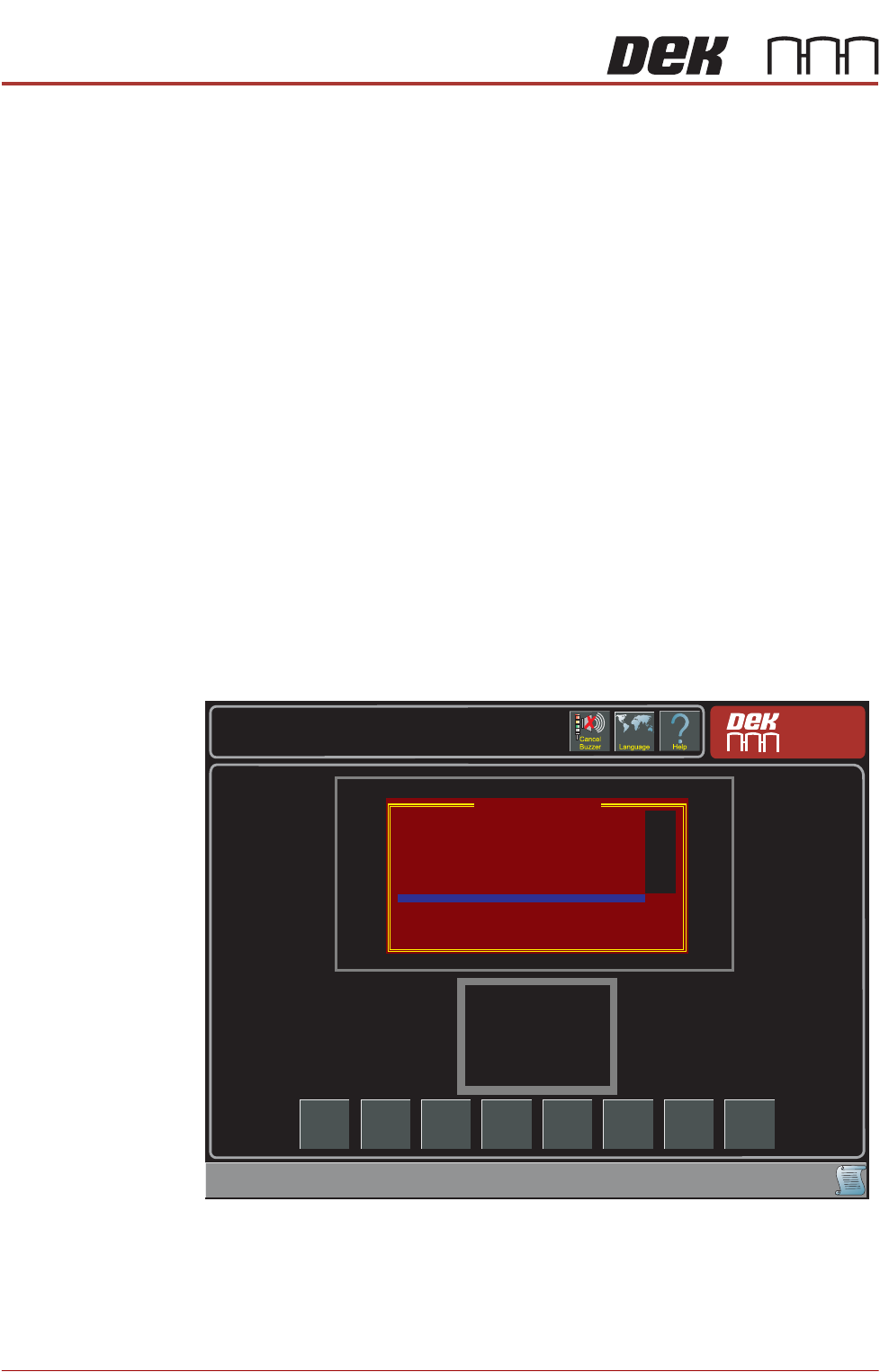
The diagnostic function is an aid to the user to allow individual access and
control of motors and modules. It allows the user to control the sequence of
the machine so that a particular module can be exercised.
NOTE
The APC specific diagnostics are titled with OTS instead of APC.
Rail System
Diagnostics
The APC diagnostics have been grouped under the rail system diagnostics.
1. Select Maintenance
2. Select Diagnostics
3. Using the Next/Previous buttons select Print Carriage
4. Select Select Module
5. Using the Next/Previous buttons select Drive Carriage To Rear Position
6. Select Run Diagnost
7. Select Exit
8. Using the Next/Previous buttons select Rail System.
NOTE
The Clamp Type and APC Types can be set by selecting the Adjust button.
Scroll down to any of the APC diagnostic functions.
Toggle OTS Over
Top Clamp
This functionality moves the top clamp forward or backward.
Toggle OTS Mid
Plate Down
This functionality controls the mid plate operation Down.
Run
Diagnost
Snug
Maintenance \ Diagnostics
Adjust Next Previous Exit
Rail System Diagnostics
Toggle Board Clamp
Toggle Board Stop
Toggle Downline Board Stop
Toggle Mid Rail
Toggle OTS Over Top Clamp
Toggle OTS Mid Plate Down
Toggle OTS Mid Plate Up
Toggle OTS Brake
Cycle OTS Brake
Cycle OTS Over Top Clamp
Cycle OTS Mid Plate Up and Down
Cycle OTS Clamps
Cycle Board on Belts
OFF
OFF
OFF
OFF
OFF
OFF
OFF
OFF