APC - 224650 Issue 1.pdf - 第83页
ALL PURPOSE CLAMPING (APC) REPLACEMENT PROCEDURES Chapter Issue 1 Nov 16 All Purpose Clamping (APC) Manual 1.71 Mid Rail T o remove and replace a mid rail: 1. Slip the transport belt of f the associated end and mid rail …
ALL PURPOSE CLAMPING (APC)
REPLACEMENT PROCEDURES
1.70 All Purpose Clamping (APC) Manual Chapter Issue 1 Nov 16
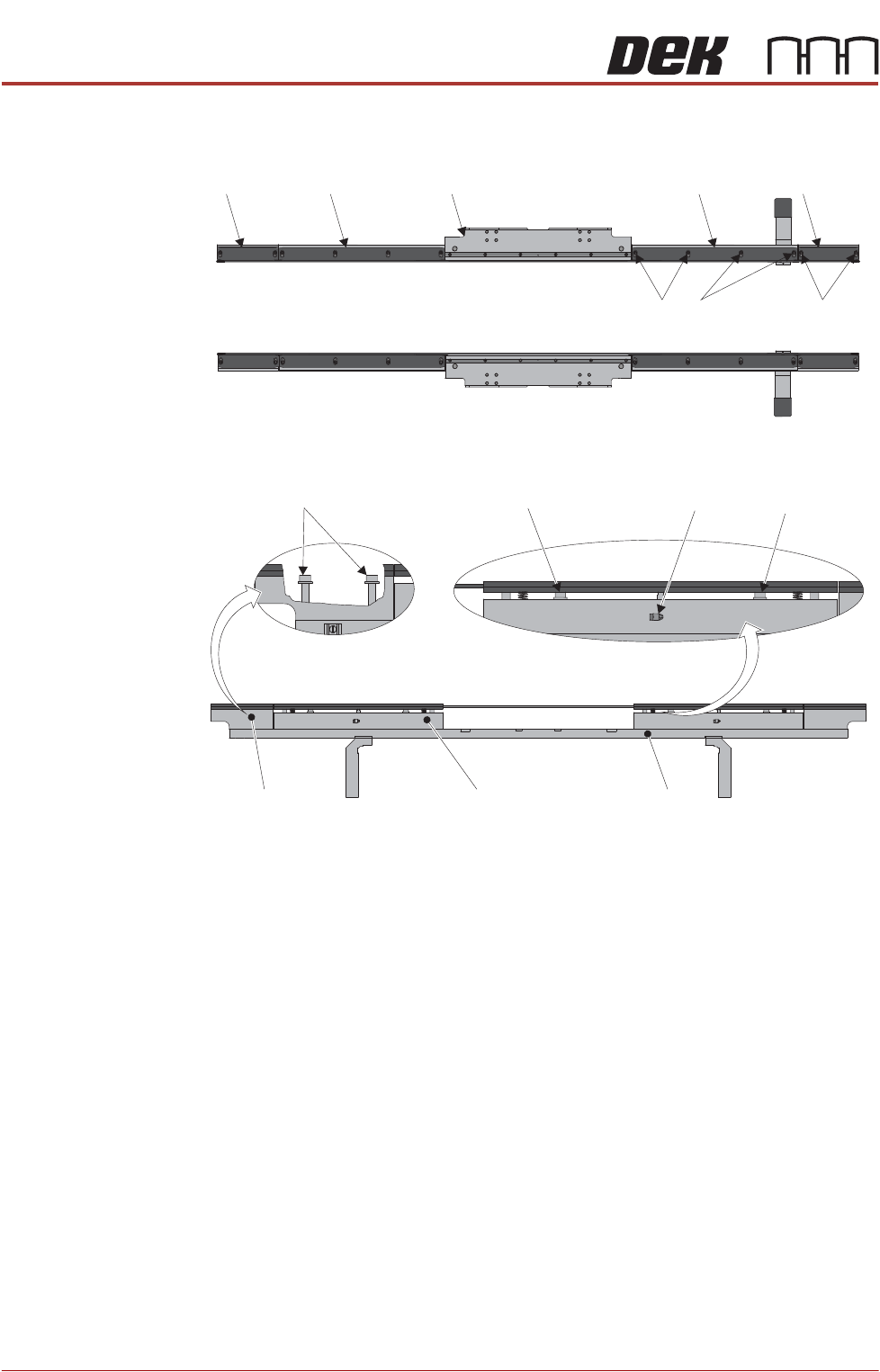
End, Centre and
Mid Rail Removal
The MTR system comprises two end rails, two mid rails and a centre section
per rail.
End Rail To remove and replace an end rail:
1. Slip the transport belt off the associated end rail pulley.
2. Locate the two M3 x8mm board guide retaining screws and remove them.
3. Remove the end rail board guide.
4. Locate the two M6 x 50mm end rail screws and remove them. The end rail
is attached to the chassis and lifts free when the screws are removed.
5. Replacement is the reverse procedure (Steps 1 to 4).
6. To correctly adjust the board guide, perform the Home Position Rail Width
and Board Guide Setting procedure found in the Adjustments and Settings
section of this Chapter.
Top View
End Rail
Mid Rail
Centre Section (APC)
End Rail
Chassis
Mid Rail
Side View
(Centre Section not shown)
Mid Rail
End Rail
End Rail
Screws
Mid Rail
Screws
Mid Rail Screw
Mid Rail Screw
Pneumatic
Connection
End Rail Screws
End Rail
(Cut Away)
ALL PURPOSE CLAMPING (APC)
REPLACEMENT PROCEDURES
Chapter Issue 1 Nov 16 All Purpose Clamping (APC) Manual 1.71
Mid Rail To remove and replace a mid rail:
1. Slip the transport belt off the associated end and mid rail pulleys.
2. Locate the mid rail pneumatic connections and remove the pneumatic tube
(push the collar on the elbow connector and pull the tube free).
3. Locate the two M3 x6mm board guide retaining screws and remove them.
4. Remove the mid rail board guide.
5. Locate the two M6 x 50mm mid rail screws and remove them. The mid rail
is attached to the chassis and lifts free when the screws are removed.
6. Replacement is the reverse procedure (Steps 1 to 5).
7. To correctly adjust the board guide, perform the Home Position Rail Width
and Board Guide Setting procedure found in the Adjustments and Settings
section of this Chapter.
Centre Section -
APC Module
Where like-for-like replacement is required; this procedure can be used to
remove and replace the centre section of the MTR.
NOTE
If the APC assembly is to be replaced by a different centre section module, all
pneumatic connections must be end terminated or completely removed as
necessary.
1. Locate the APC module (centre section) to be replaced.
2. Slip the transport belt off of the associated left-hand end rail pulley.
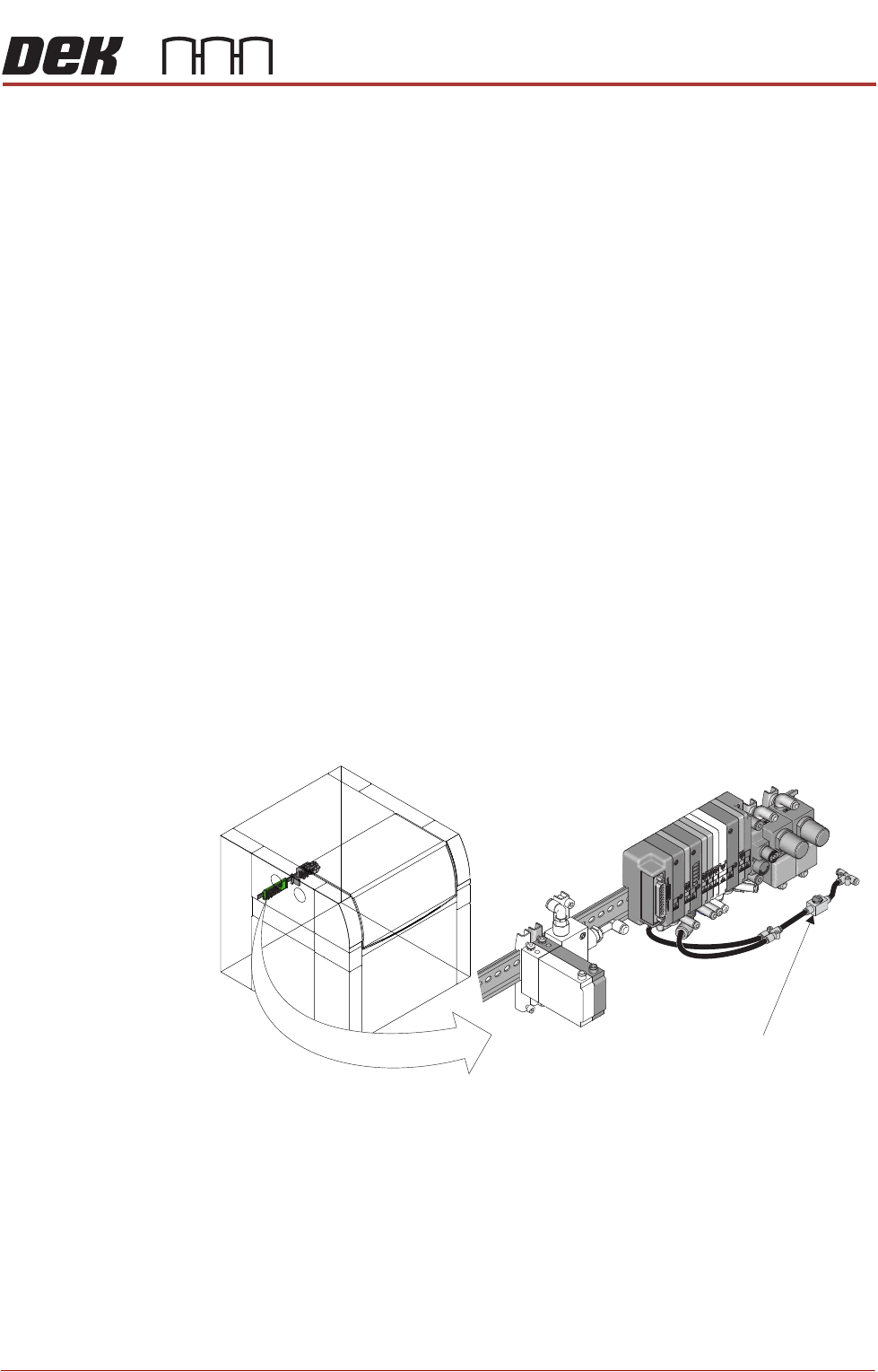
3. Isolate the air supply by switching off the isolator switch valve.
Isolator Switch Valve
Location of APC Pneumatic Manifold
ALL PURPOSE CLAMPING (APC)
REPLACEMENT PROCEDURES
1.72 All Purpose Clamping (APC) Manual Chapter Issue 1 Nov 16
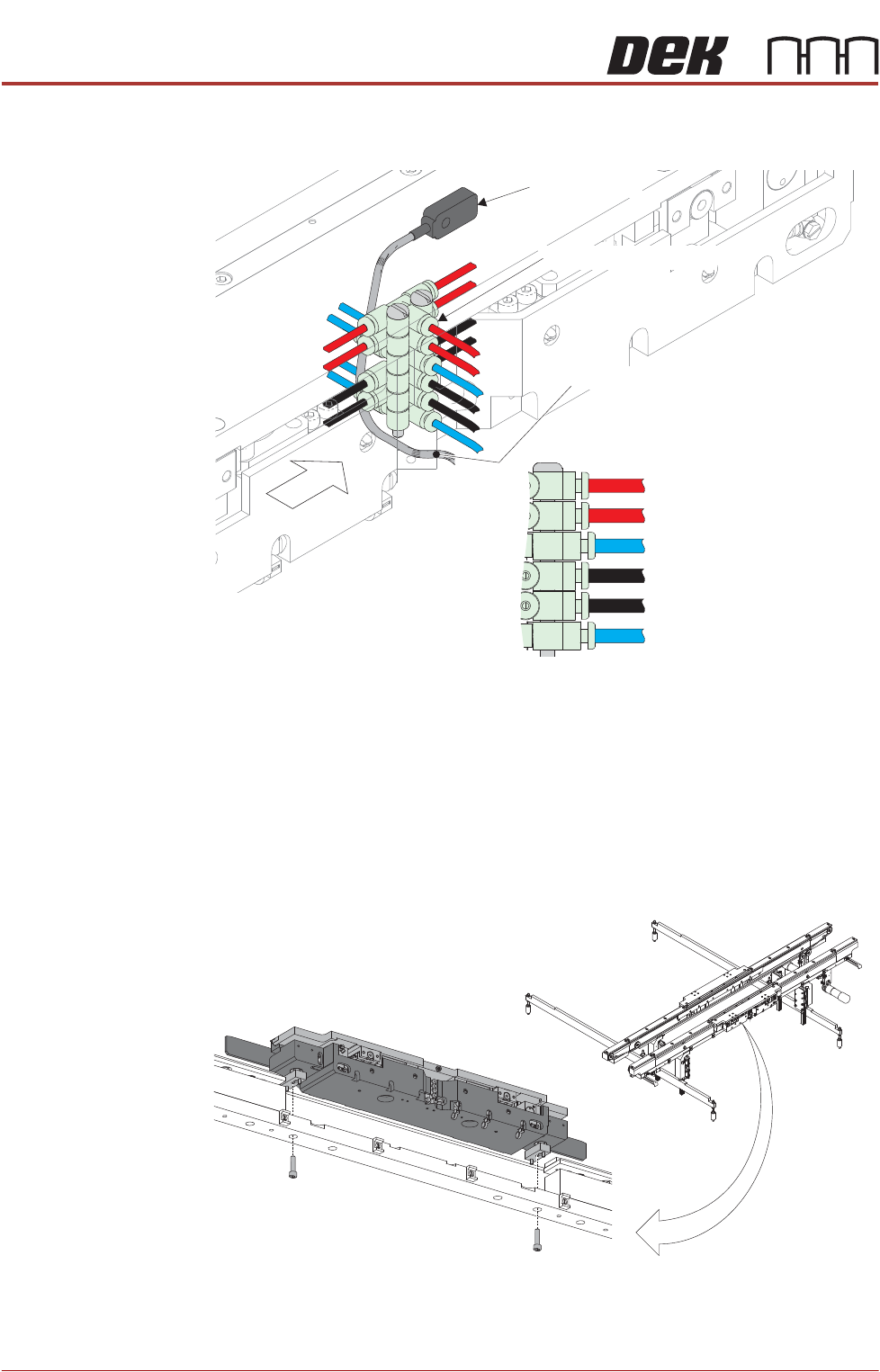
4. Locate the pneumatic manifolds and the pneumatic connections at the rear
of the APC module.
5. Disconnect the pneumatic connectors; to remove, push the collar in while
simultaneously pulling the tube out.
6. Remove pneumatic tubing and sensor loom from module mounted cable
ties.
7. Follow sensor loom, and disconnect 8PL235 (front APC module)/8PL236
(rear APC module) from its socket.
8. Locate the two M5 x 20 screws under the APC module, that hold it to the rail.
9. Remove the screws and lift the unit free of the rail.
Retract Sensor
Pneumatic Connections
A
Retract Sensor Loom (Grey)
3A Clamp Extend (Red)
3B Clamp Retract (Red)
2 Mid Plate Down (Blue)
4B Z Clamp On (Black)
1 Mid Plate Up (Blue)
4A Z Clamp Off (Black)
View on A
View on Underside of APC Module