APC - 224650 Issue 1.pdf - 第88页
ALL PURPOSE CLAMPING (APC) CALIBRATIONS 1.76 All Purpose Clamping (APC) Manual Chapter Issue 1 Nov 16 6. Ensure that Reading has no decimal point and is at zero when n o force is applied, and that Units is set to N for N…
ALL PURPOSE CLAMPING (APC)
CALIBRATIONS
Chapter Issue 1 Nov 16 All Purpose Clamping (APC) Manual 1.75
Snug Force
Calibration
NOTE
The APC snug force is factory set and should not normally require calibrating.
The procedure should only be carried out by ASM trained Field Service Engi
-
neers, who will have access to the required equipment.
To calibrate the APC snug force:
1. Start the DEK software.
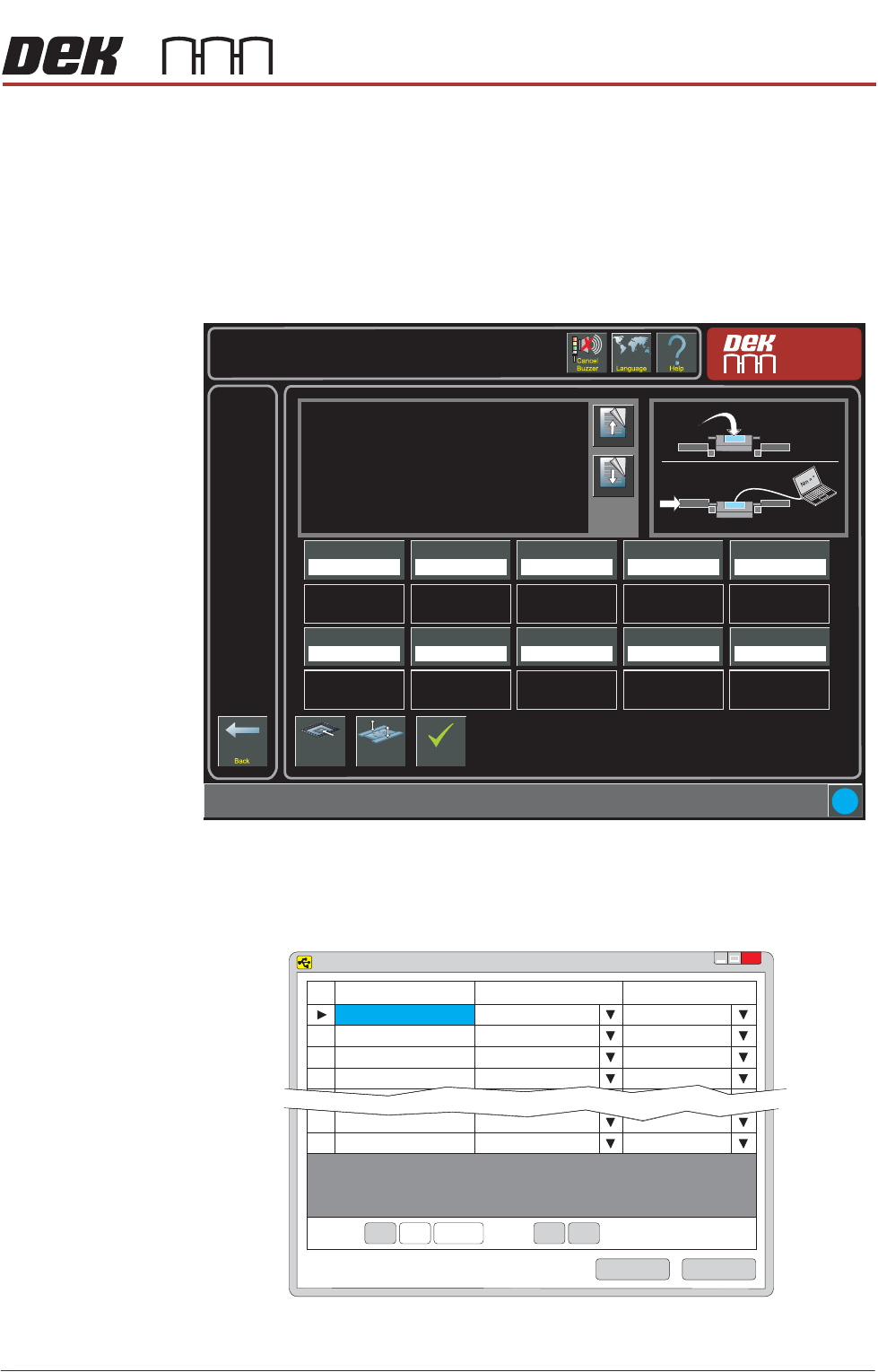
2. Select Maintenance/Machine Setup/Basics/APC Calibration.
3. Plug the calibration jig USB cable into the laptop.
4. Open the Sensit software on the laptop.
5. Select the Load button.
Torque Value 1
27.0%
i
Maintenance \ Machine Setup \ Basics \ APC Calibration
Page Up
Page
Down
On selecting this parameter, the rising table moves to
transport height, the transport rails are checked for boards,
and the rear rail is moved into position to allow the user to
place the test jig between the front and rear rails.
The ten read only Torque Value parameters represent the
percentage of the torque delivered. The torque applied to
the jig is measured by the sensor at its centre. Selecting
Torque On/Off applies torque to the jig, selecting Torque
On/Off again releases it.
Values are input into the ten Calibration Value parameters
Load Screen
Board
Clamps
Accept
Torque Value 2
28.0%
Torque Value 3
29.0%
Torque Value 4
30.0%
Torque Value 5
31.0%
Calibration Value 1
20.0 Newtons
Calibration Value 2
25.0 Newtons
Calibration Value 3
30.0 Newtons
Calibration Value 4
35.0 Newtons
Calibration Value 5
40.0 Newtons
Torque Value 6
32.0%
Torque Value 7
33.0%
Torque Value 8
34.0%
Torque Value 9
35.0%
Torque Value 10
36.0%
Calibration Value 6
45.0 Newtons
Calibration Value 7
50.0 Newtons
Calibration Value 8
55.0 Newtons
Calibration Value 9
60.0 Newtons
Calibration Value 10
65.0 Newtons
Nm
SENSIT Test and Measurement
TM
x
Device
Status
Serial Number
1
Enabled
641469
2
Disabled
3
Disabled
4
Disabled
15
Disabled
16
Disabled
Record: Of 16<< <
<< <
1
Save
Load
ALL PURPOSE CLAMPING (APC)
CALIBRATIONS
1.76 All Purpose Clamping (APC) Manual Chapter Issue 1 Nov 16
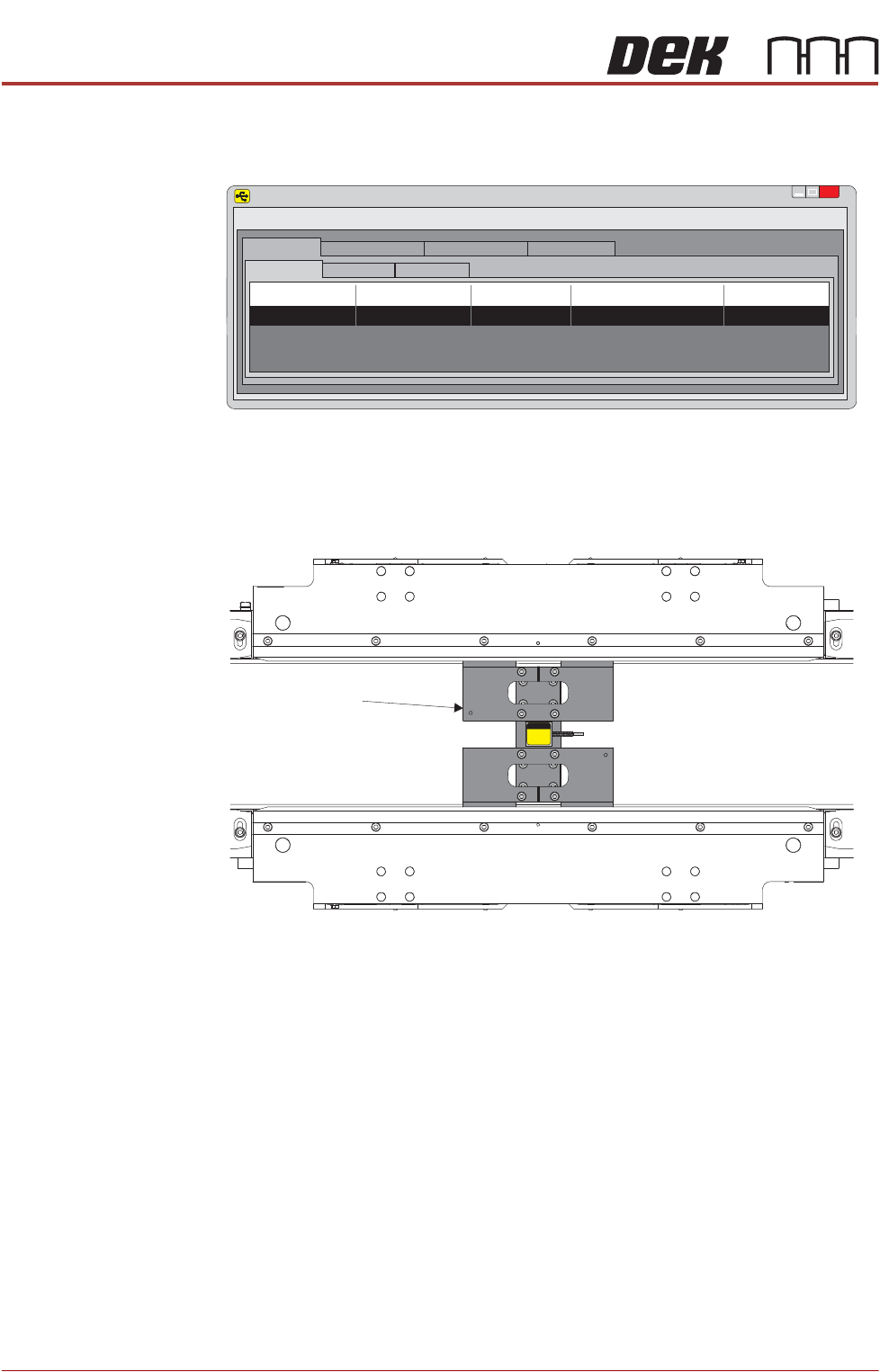
6. Ensure that Reading has no decimal point and is at zero when no force is
applied, and that Units is set to N for Newtons.
7. Install the calibration jig in the centre of the APC clamps. Ensure Reading
is still showing zero on the laptop, with no force applied.
SENSIT Test and Measurement
TM
x
File
Edit
View
Format
Help
Display Mode
Data Logging Mode
Live Graphing Mode Calibration Mode
Display Table
Sum Channel Math Channel
Device
Status S/N
Reading
Units
1 Enabled 641469 0 N
Calibration Jig
Plan View on APC Modules
ALL PURPOSE CLAMPING (APC)
CALIBRATIONS
Chapter Issue 1 Nov 16 All Purpose Clamping (APC) Manual 1.77
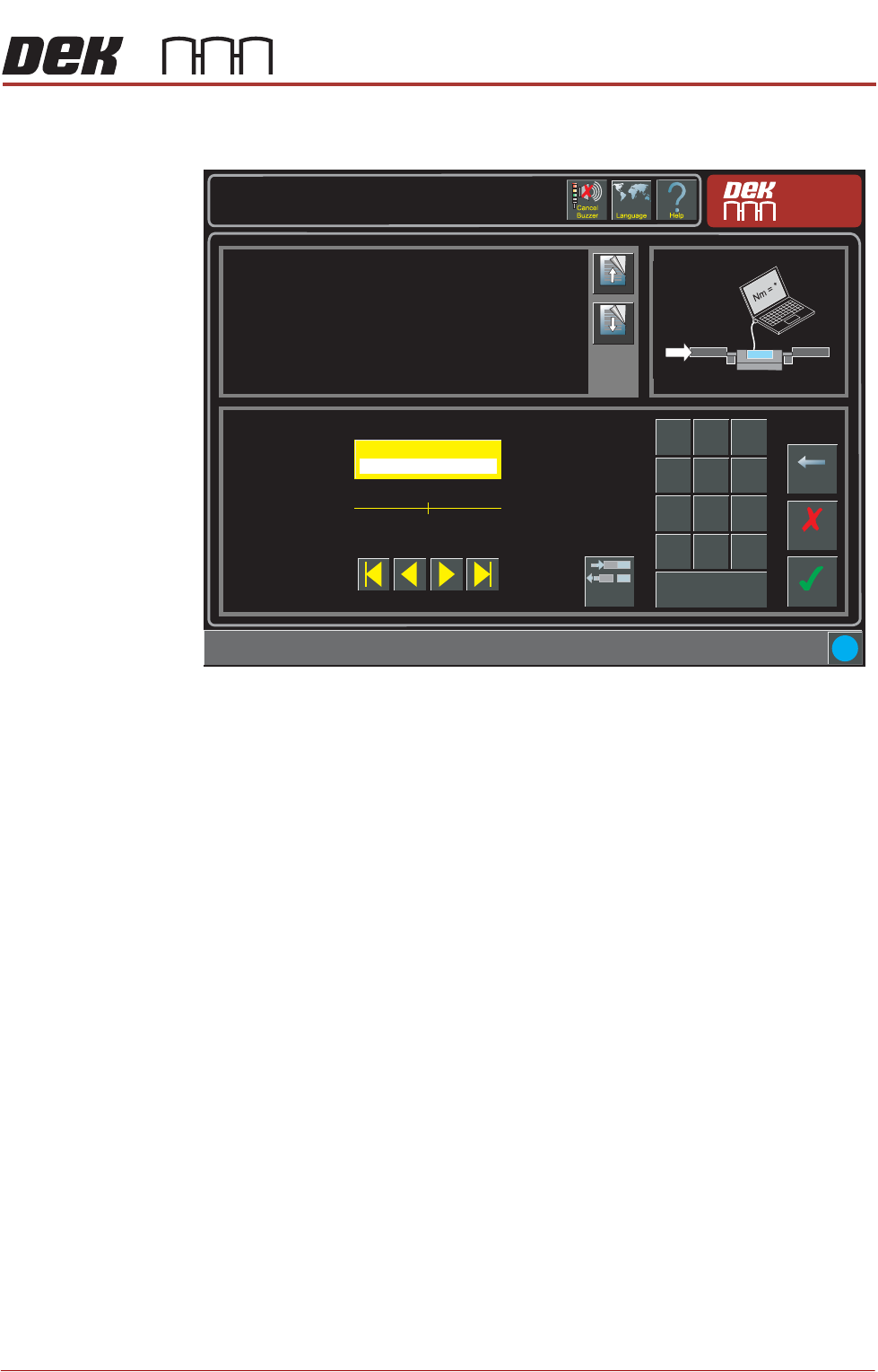
8. On the APC Calibration page, select Torque Value 1 parameter. Select
Torque On/Off toggle button. Calibration Torque is now ON.
9. Compare the actual Newtons reading from the laptop to Calibration Value
1. The displayed reading needs to be the same as Calibration Value 1.
10. Adjust the Torque Value 1 parameter up or down as required.
11. Select Torque On/Off toggle button. Calibration Torque is now OFF.
12. Select Accept.
13. Select Torque Value 1 parameter. Select Torque On/Off toggle button.
Calibration Torque is now ON.
14. Compare the actual Newtons reading from the laptop to Calibration Value
1. The displayed reading needs to be the same as Calibration Value 1.
15. Repeat Steps 10 to 14, until the Torque Value 1 matches the reading on the
laptop.
16. Repeat Steps 8 to 15 for the remaining nine calibration values.
17. Remove the calibration jig from the machine.
18. Close down the DEK software.
Maintenance \ Machine Setup \ Basics \ APC Calibration
Page Up
Page
Down
Sets the first torque value for APC Calibrations.
Accept
Cancel
Torque Value 1 ( % )
27.0
Backspace
Min
5.0
Max
75.0
7
8 9
4
5
6
1 2
3
0
.
+/-
Apply
i
Torque
On/Off
Nm