APC - 224650 Issue 1.pdf - 第86页
ALL PURPOSE CLAMPING (APC) CALIBRATIONS 1.74 All Purpose Clamping (APC) Manual Chapter Issue 1 Nov 16 10. Using a t achometer fitted with t he surface speed test wheel, positioned on the input or output pulley of the fro…
ALL PURPOSE CLAMPING (APC)
CALIBRATIONS
Chapter Issue 1 Nov 16 All Purpose Clamping (APC) Manual 1.73
CALIBRATIONS
Board Transport
Belt Speed
NOTE
Where the printer is connected to inline equipment, make sure that the FMI
functionality is turned OFF before proceeding.
The front and rear board transport belts are driven independently by two
variable speed motors. Inevitably, one motor drives faster than the other motor.
It is necessary to calibrate these motors so that they drive at the same speed.
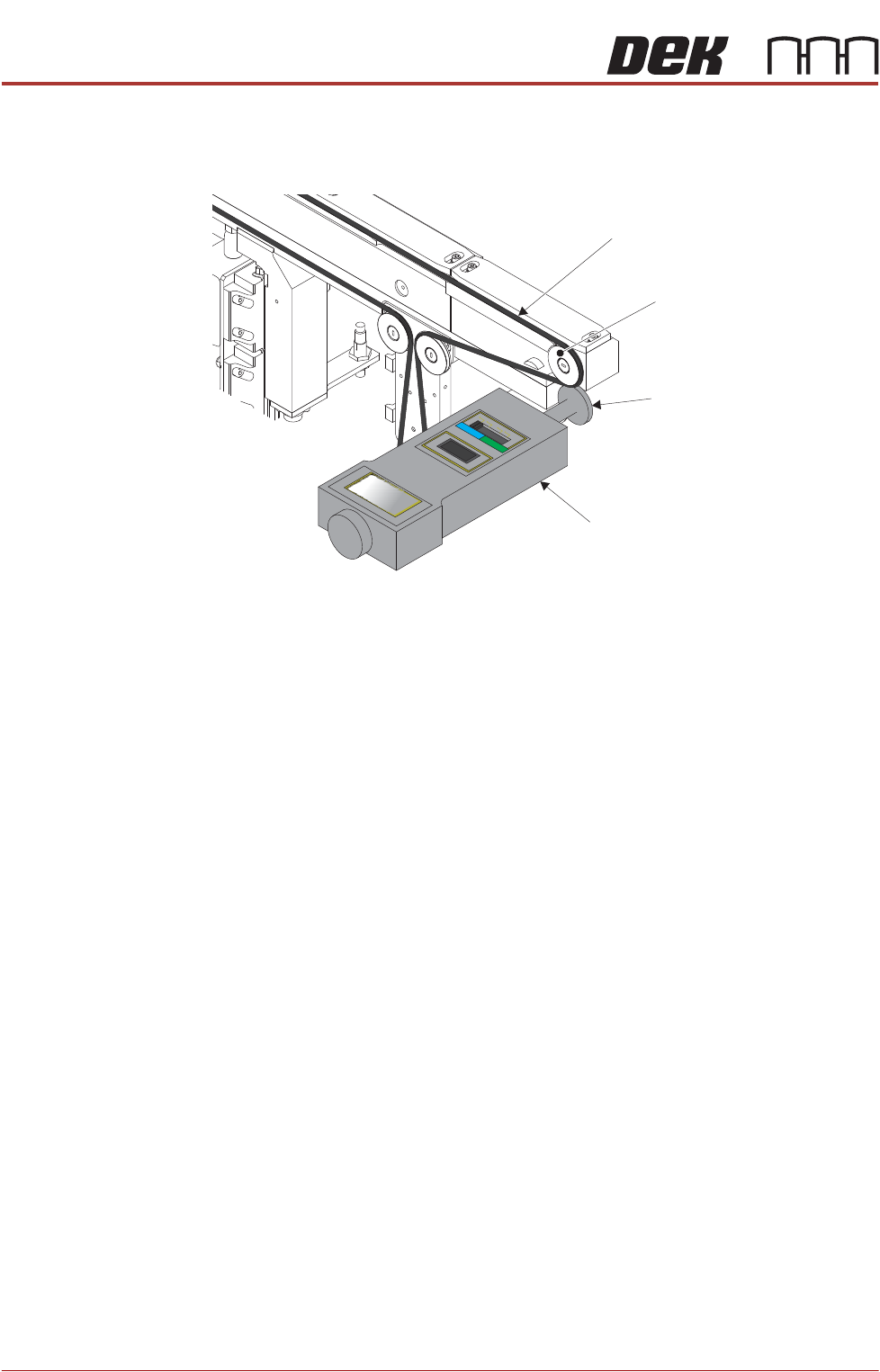
Feeder motor speed is measured using a tachometer on the input or output
pulley and adjusted by a potentiometer control on each motor.
1. Remove the right hand safety cover to gain access to the transport belt
motors.
2. Select Maintenance.
3. Select Diagnostics.
4. Use Next or Previous to highlight Rail System.
5. Select Select Module.
6. Use Next or Previous to highlight Rail System.
7. Select Run Diagnost.
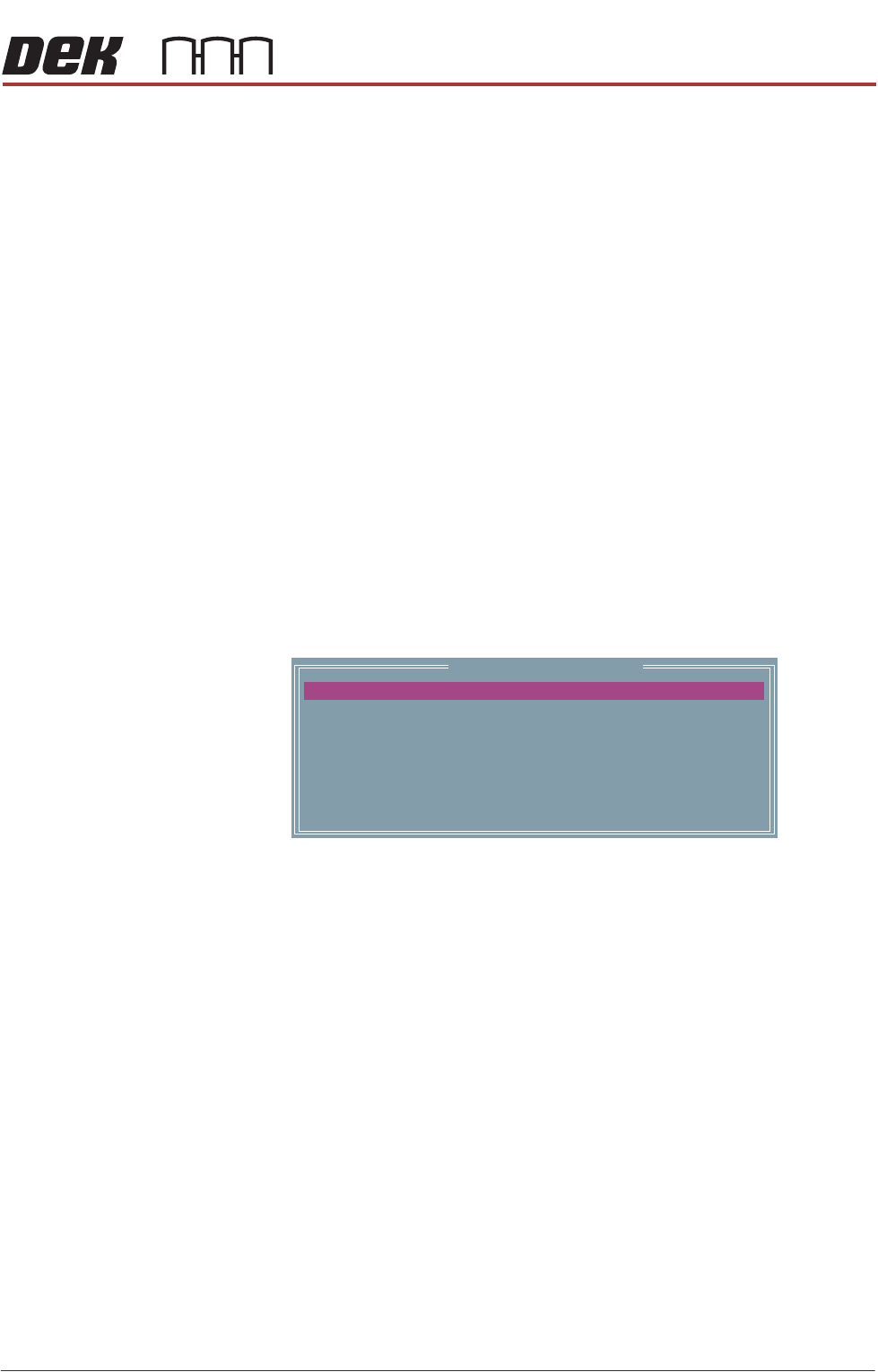
The following window is displayed:
NOTE
Belt Speed Calibration figures displayed on this page have no relevance to
the belt speeds on the machine.
8. Select Front L 2 R Speed.
9. Select Incr. or Decr. to start the belts.
Belt Speed Calibration
64
64
64
64
64
64
64
64
FRONT L 2 R SPEED
FRONT R 2 L SPEED
REAR L 2 R SPEED
REAR R 2 L SPEED
FRONT L 2 R ALT SPEED
FRONT R 2 L ALT SPEED
REAR L 2 R ALT SPEED
REAR R 2 L ALT SPEED
ALL PURPOSE CLAMPING (APC)
CALIBRATIONS
1.74 All Purpose Clamping (APC) Manual Chapter Issue 1 Nov 16
10. Using a tachometer fitted with the surface speed test wheel, positioned on
the input or output pulley of the front belt motor, measure the speed of the
motor left to right.
11. Ensure that a speed of 29 to 31 m/min is achieved.
12. Repeat steps 10 and 11 for Front R 2 L Speed, Rear L 2 R Speed and Rear
R 2 L Speed.
13. In the table highlight Front L 2 R ALT Speed.
14. Using a tachometer fitted with the surface speed test wheel, positioned on
the input or output pulley of the front belt motor, measure the speed of the
motor left to right.
15. Select Incr. or Decr. to adjust the motor speed to achieve 14 to 16 m/min.
16. Repeat steps 14 and 15 for Front R 2 L ALT Speed, Rear L 2 R ALT Speed
and Rear R 2 L ALT Speed.
17. If adjustment is required, remove the belt speed adjuster cap on the appropi-
ate motor and adjust using a suitable trimming tool.
18. Select Next.
19. Select Incr. or Decr. to start the belts running left to right.
20. Ensure that a speed of 29 to 31 m/min is achieved for both the front and
rear belts.
NOTE
There is no separate adjustment between left to right and right to left. If the
above speed is not achievable in both directions, the motor may be faulty.
21. Select Exit.
22. Select Exit.
23. Select Back.
24. Refit the safety cover.
Conveyor Belt
Output Pulley
Tachometer
Surface Speed Test Wheel
View on Rear Conveyor Belt
ALL PURPOSE CLAMPING (APC)
CALIBRATIONS
Chapter Issue 1 Nov 16 All Purpose Clamping (APC) Manual 1.75
Snug Force
Calibration
NOTE
The APC snug force is factory set and should not normally require calibrating.
The procedure should only be carried out by ASM trained Field Service Engi
-
neers, who will have access to the required equipment.
To calibrate the APC snug force:
1. Start the DEK software.
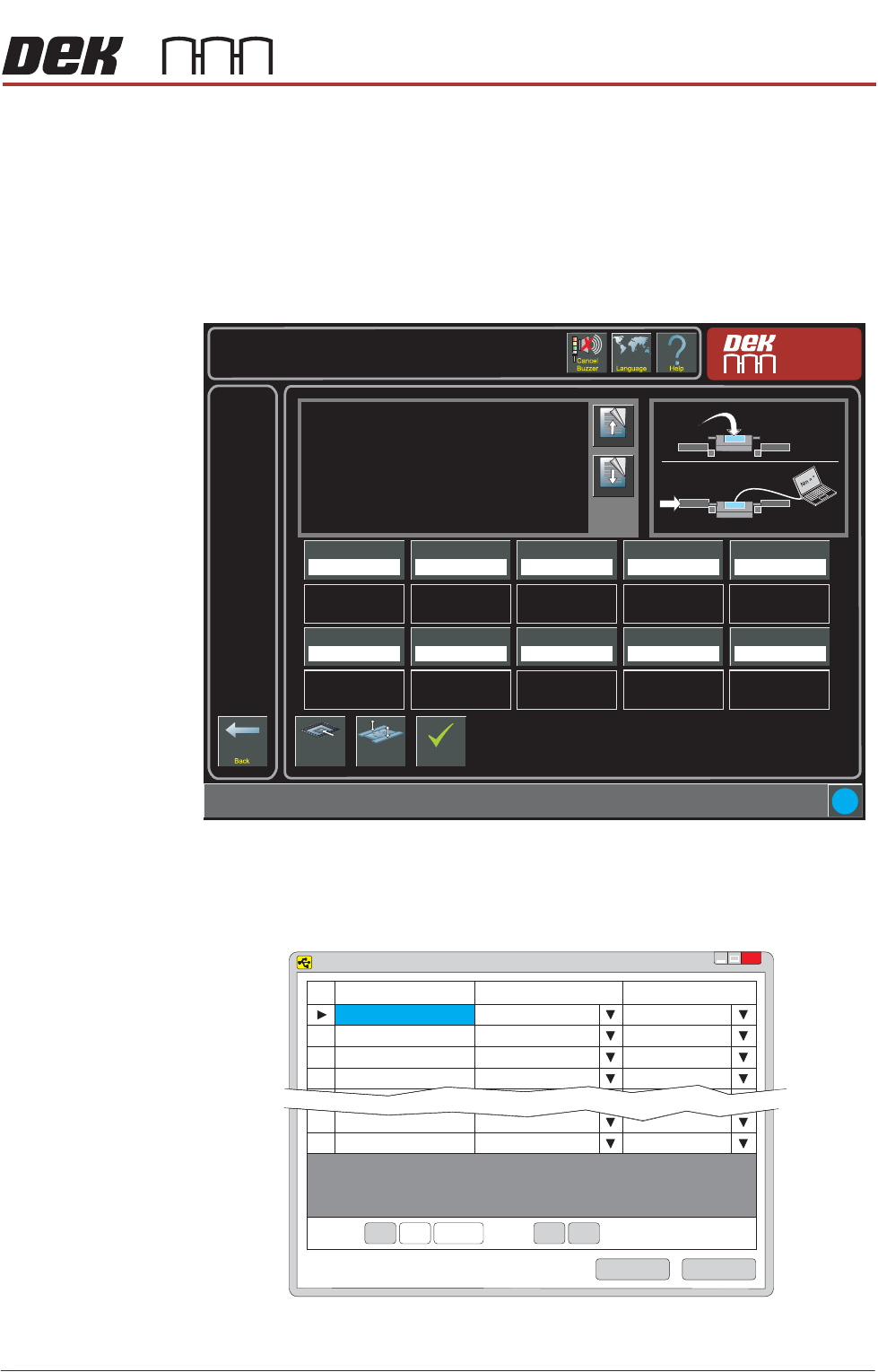
2. Select Maintenance/Machine Setup/Basics/APC Calibration.
3. Plug the calibration jig USB cable into the laptop.
4. Open the Sensit software on the laptop.
5. Select the Load button.
Torque Value 1
27.0%
i
Maintenance \ Machine Setup \ Basics \ APC Calibration
Page Up
Page
Down
On selecting this parameter, the rising table moves to
transport height, the transport rails are checked for boards,
and the rear rail is moved into position to allow the user to
place the test jig between the front and rear rails.
The ten read only Torque Value parameters represent the
percentage of the torque delivered. The torque applied to
the jig is measured by the sensor at its centre. Selecting
Torque On/Off applies torque to the jig, selecting Torque
On/Off again releases it.
Values are input into the ten Calibration Value parameters
Load Screen
Board
Clamps
Accept
Torque Value 2
28.0%
Torque Value 3
29.0%
Torque Value 4
30.0%
Torque Value 5
31.0%
Calibration Value 1
20.0 Newtons
Calibration Value 2
25.0 Newtons
Calibration Value 3
30.0 Newtons
Calibration Value 4
35.0 Newtons
Calibration Value 5
40.0 Newtons
Torque Value 6
32.0%
Torque Value 7
33.0%
Torque Value 8
34.0%
Torque Value 9
35.0%
Torque Value 10
36.0%
Calibration Value 6
45.0 Newtons
Calibration Value 7
50.0 Newtons
Calibration Value 8
55.0 Newtons
Calibration Value 9
60.0 Newtons
Calibration Value 10
65.0 Newtons
Nm
SENSIT Test and Measurement
TM
x
Device
Status
Serial Number
1
Enabled
641469
2
Disabled
3
Disabled
4
Disabled
15
Disabled
16
Disabled
Record: Of 16<< <
<< <
1
Save
Load