APC - 224650 Issue 1.pdf - 第98页
APC SOFTWARE SETUP AND REC OMMENDED SETTINGS SOFTWARE SETUP PARAMETERS 2.2 All Purpose Clamping (APC) Manual Chapter Issue 1 Nov 16 SOFTW ARE SETUP P ARAMETERS There are four APC related process p arameters to be configu…
APC SOFTWARE SETUP AND RECOMMENDED SETTINGS
RECOMMENDED SETTINGS
Chapter Issue 1 Nov 16 All Purpose Clamping (APC) Manual 2.1
CHAPTER 2 APC SOFTWARE SETUP AND RECOMMENDED SETTINGS
RECOMMENDED SETTINGS
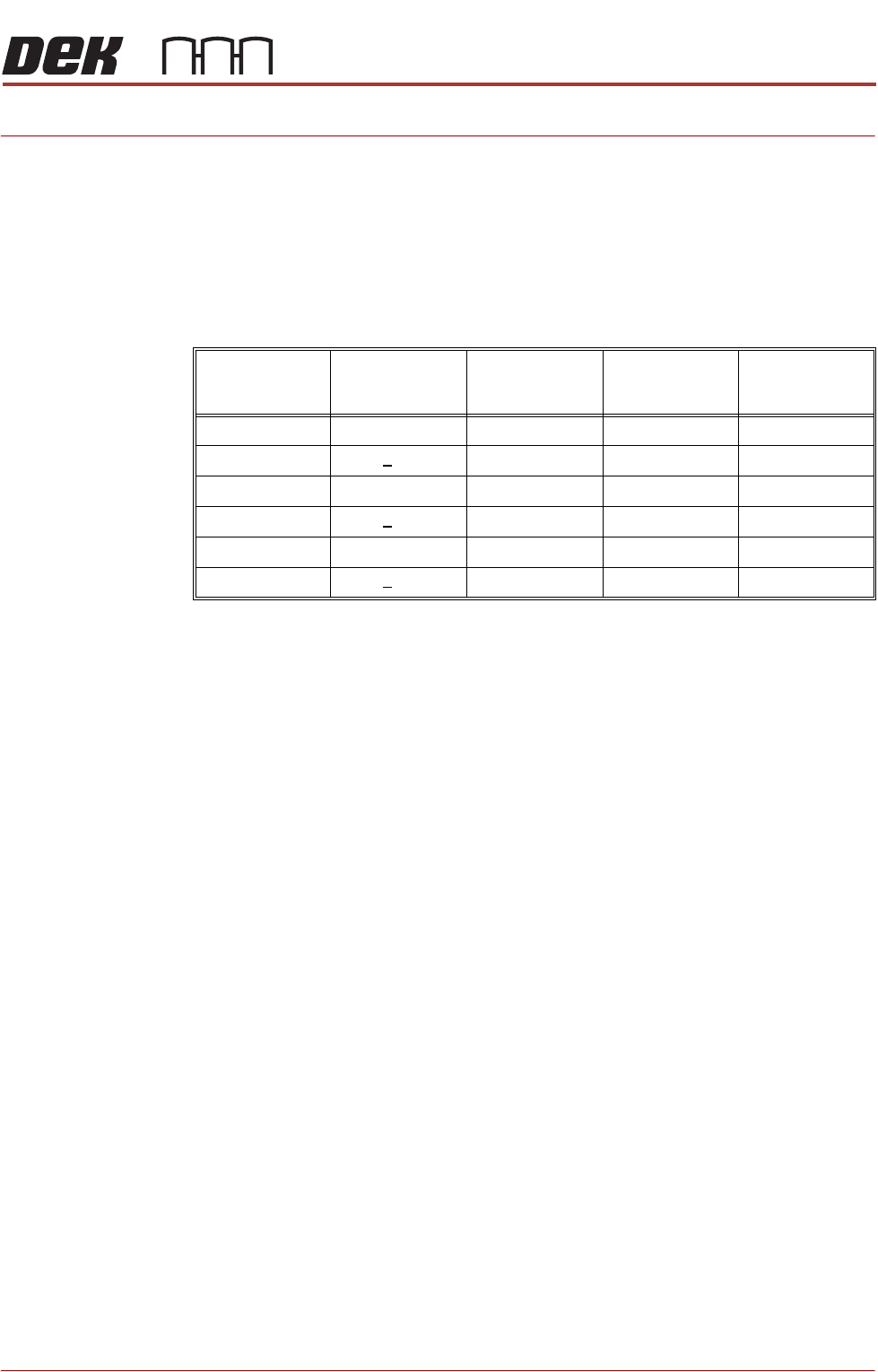
The following table details recommended settings for APC parameters.
NOTE
Recommended settings are parameter settings that have been shown to be
reliable for board lengths shown, but these settings should be treated as useful
starting points to be used - some adjustment may still be required.
Board
Length
(mm)
Board
Thickness
(mm)
Snugging
Force
(Newtons)
Clamp
Pressure
(bar)
OTS
Vacuum
Mode
<150mm <1.6 30 2 Before
<150mm >1.6 35 2.5 Before
150 - 250 <1.6 35 2.5 Before
150 - 250 >1.6 40 3 Before
>250 <1.6 40 2.5 Before
>250 >1.6 45 3 Before
APC SOFTWARE SETUP AND RECOMMENDED SETTINGS
SOFTWARE SETUP PARAMETERS
2.2 All Purpose Clamping (APC) Manual Chapter Issue 1 Nov 16
SOFTWARE SETUP PARAMETERS
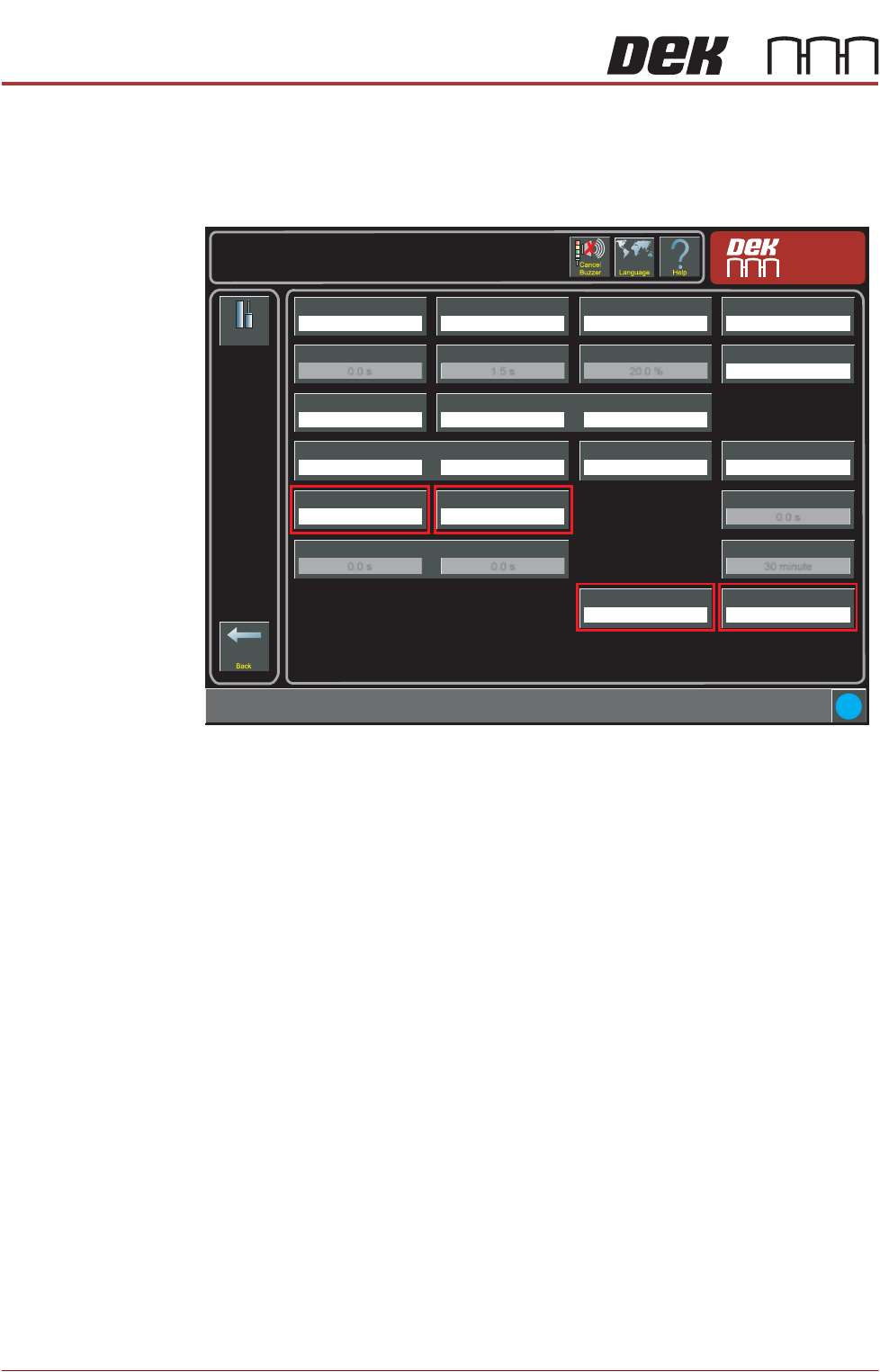
There are four APC related process parameters to be configured; APC Clamp
Mode, Snugging Force, Clamp Pressure and OTS Vacuum Mode. These are all
found on the Setup -> Tooling page.
Setup
Tooling
Tooling Type
Vacuum
Board Stop X
50.0 mm
Setup \ Tooling
Board Stop Y
66.0 mm
Under Clearance
19.0 mm
Right Feed Delay
0.0 s
Vacuum Sensor Delay
1.5 s
Tooling Deviation
20.0 %
Board Run On Period
0.3 s
Print Gap
0.000 mm
Separation Speed
5.0 mm/s
Separation Distance
3.0 mm
Board Length
100.0 mm
Board Width
100.0 mm
Board Thickness
2.0 mm
Board Stop Retract Delay
0.0 s
Snugging Force
20 newtons
Clamp Pressure
3.0 bar
Vacuum Decay Delay
0.0 s
Flatten Vac Delay
0.0 s
Separate Vac Delay
0.0 s
Stop After Idle
30 minute
APC Clamp Mode
Snug
OTS Vacuum Mode
Before
i
APC SOFTWARE SETUP AND RECOMMENDED SETTINGS
SOFTWARE SETUP PARAMETERS
Chapter Issue 1 Nov 16 All Purpose Clamping (APC) Manual 2.3
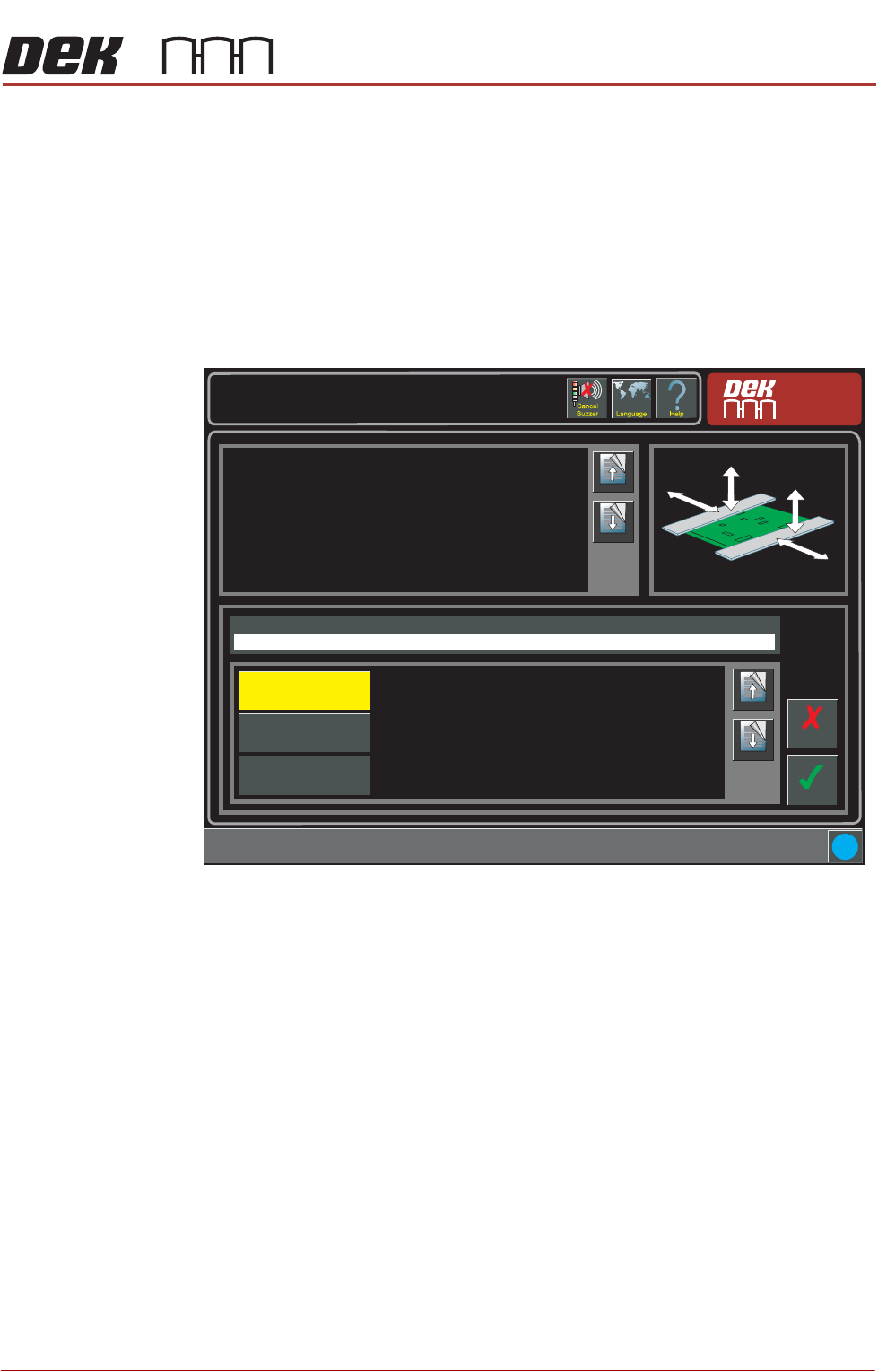
Clamp Mode The Clamp Mode parameter sets the operational mode of the APC system. The
options are:
• Snug
•Clamp
• Snug and Clamp
NOTE
See Operational Mode Sequences in the All Purpose Clamping chapter of this
manual for details.
Setup \ Tooling
Page Up
Page
Down
This parameter is used to select the mode of operation:
Snug - the mode of securing the product by snugging it on its edges.
Clamp - the mode of securing the product by bring the foil section of the
clamp down onto the top of the product.
Snug and Clamp - a combination of snugging and clamping.
Accept
Cancel
APC Clamp Mode
Snug
Page Up
Page
Down
Snug
Clamp
Snug and Clamp
i