APC - 224650 Issue 1.pdf - 第56页
ALL PURPOSE CLAMPING (APC) REPLACEMENT PROCEDURES 1.44 All Purpose Clamping (APC) Manual Chapter Issue 1 Nov 16 2. Check that the foil assembly is fitted fully home on the top plate: a. Ensure the ends of the foil assemb…
ALL PURPOSE CLAMPING (APC)
REPLACEMENT PROCEDURES
Chapter Issue 1 Nov 16 All Purpose Clamping (APC) Manual 1.43
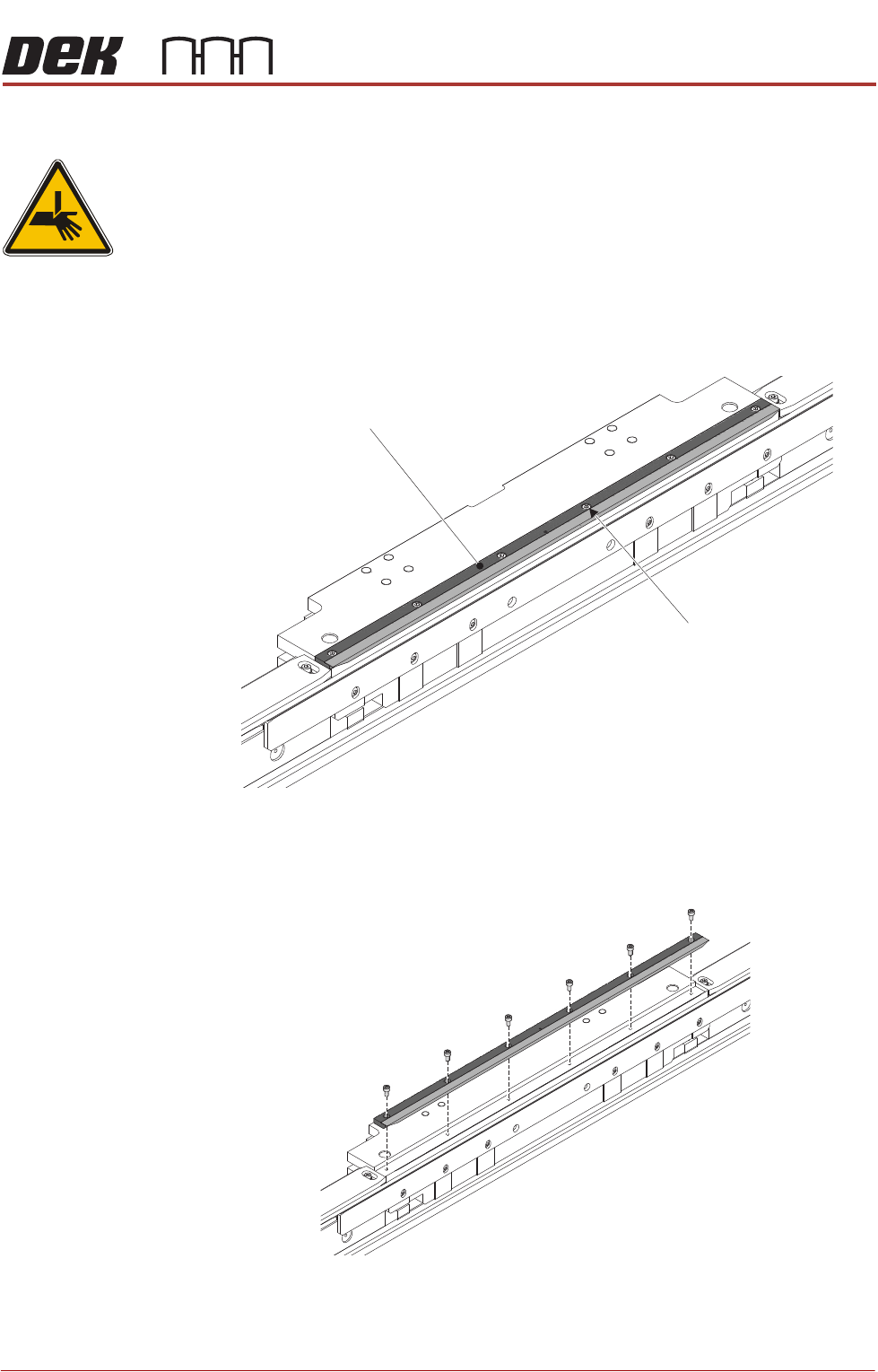
Board Clamp Foil Replacement
WARNING
BOARD CLAMPS. EXTREME CARE MUST BE EXERCISED WHEN WORKING IN
THE TOOLING AREA OF THE MACHINE TO AVOID INJURY. THE FOILS ON THE
FRONT AND REAR BOARD CLAMPS ARE VERY SHARP.
Remove 1. Ensure the Prepare for Replacement procedure has been completed.
2. Using a 2.5mm Allen key, remove the board clamp foil securing screws and
remove the board clamp foil assembly.
Replace 1. Place the replacement board clamp foil assembly in position on the top
plate, fasten to the APC module using the six off replacement securing
screws supplied with the replacement board clamp foil.
Board Clamp Foil
Board Clamp Foil
Securing Screws
(6 off)
View on Rear APC Module
View on Rear APC Module
ALL PURPOSE CLAMPING (APC)
REPLACEMENT PROCEDURES
1.44 All Purpose Clamping (APC) Manual Chapter Issue 1 Nov 16
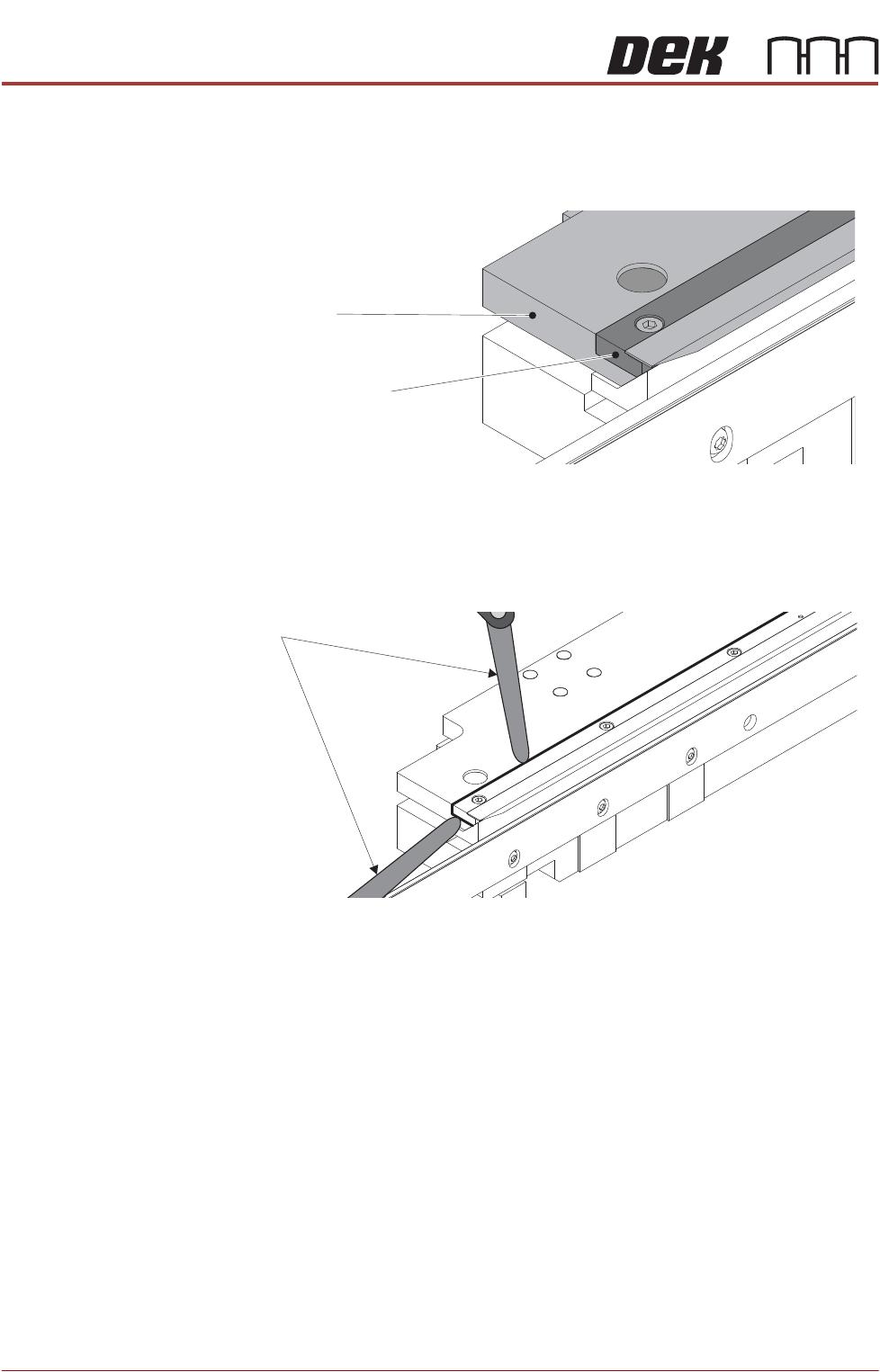
2. Check that the foil assembly is fitted fully home on the top plate:
a. Ensure the ends of the foil assembly are flush with the ends of the top
plate.
b. Check that a 0.05mm feeler gauge will not go between the foil assembly
and the top plate. Perform check in multiple locations along the length,
and at the ends.
View on Ends of Top Plate and Foil Assembly
Top Plate End
Foil Assembly End
Feeler Gauge
ALL PURPOSE CLAMPING (APC)
REPLACEMENT PROCEDURES
Chapter Issue 1 Nov 16 All Purpose Clamping (APC) Manual 1.45
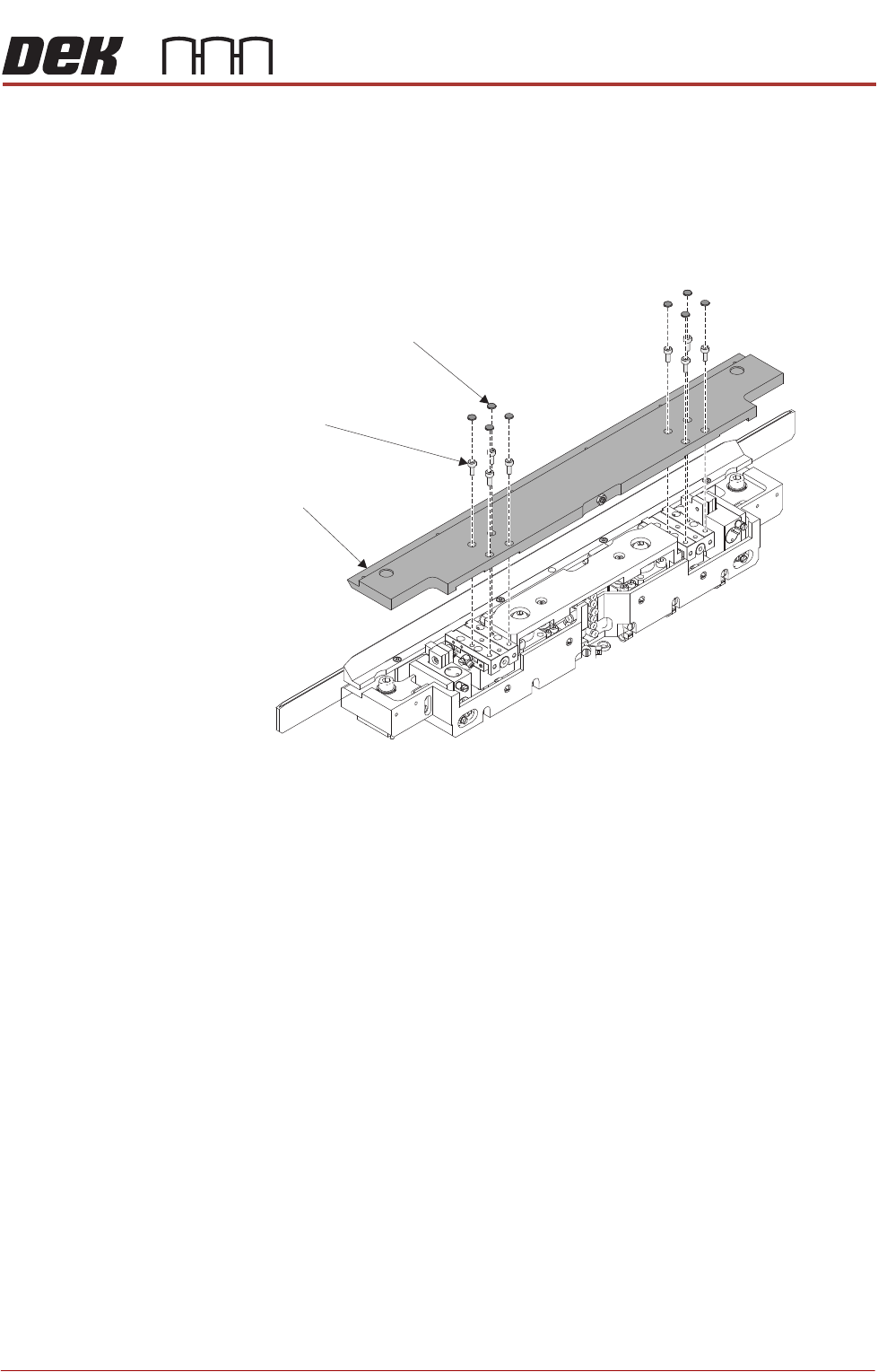
Top Plate Replacement
Remove 1. Ensure the Prepare for Replacement procedure has been completed.
2. Remove the board clamp foil as detailed in Board Clamp Foil Replacement.
3. Using a sharp pointed tool, pierce each dust cap in the centre and prise out
from the top plate. Discard dust caps when removed.
4. Using a 2.5mm Allen key, remove the cap head screws from the top plate.
5. Remove the top plate.
Replace 1. Install the top plate on top of the APC module.
2. Apply thread lock compound to the 8 M3 cap head screws, install and
loosely tighten to fix the top plate to the module.
NOTE
The 8 cap head screws will be fully tightened later in the procedure.
Top Plate
Dust Caps
(8 positions)
Cap Head Screws
(8 positions)